Smart Graphical User Interface (SmartG) Overview_rev1.pdf - 第118页
Copyright © ViT rox All Rights Reserved . Negative T est (Upon Inspection) Negative test is a quality checking tool of component orientation in the program that includes: ● T est and measure the program quality ● Reduce …
Copyright © ViTrox All Rights Reserved.
Note of Smart train
Smart train is a feature that applied Artificial Intelligence
(A.I) technology. This feature is specifically used to train
components in a manual way in one click by using A.I
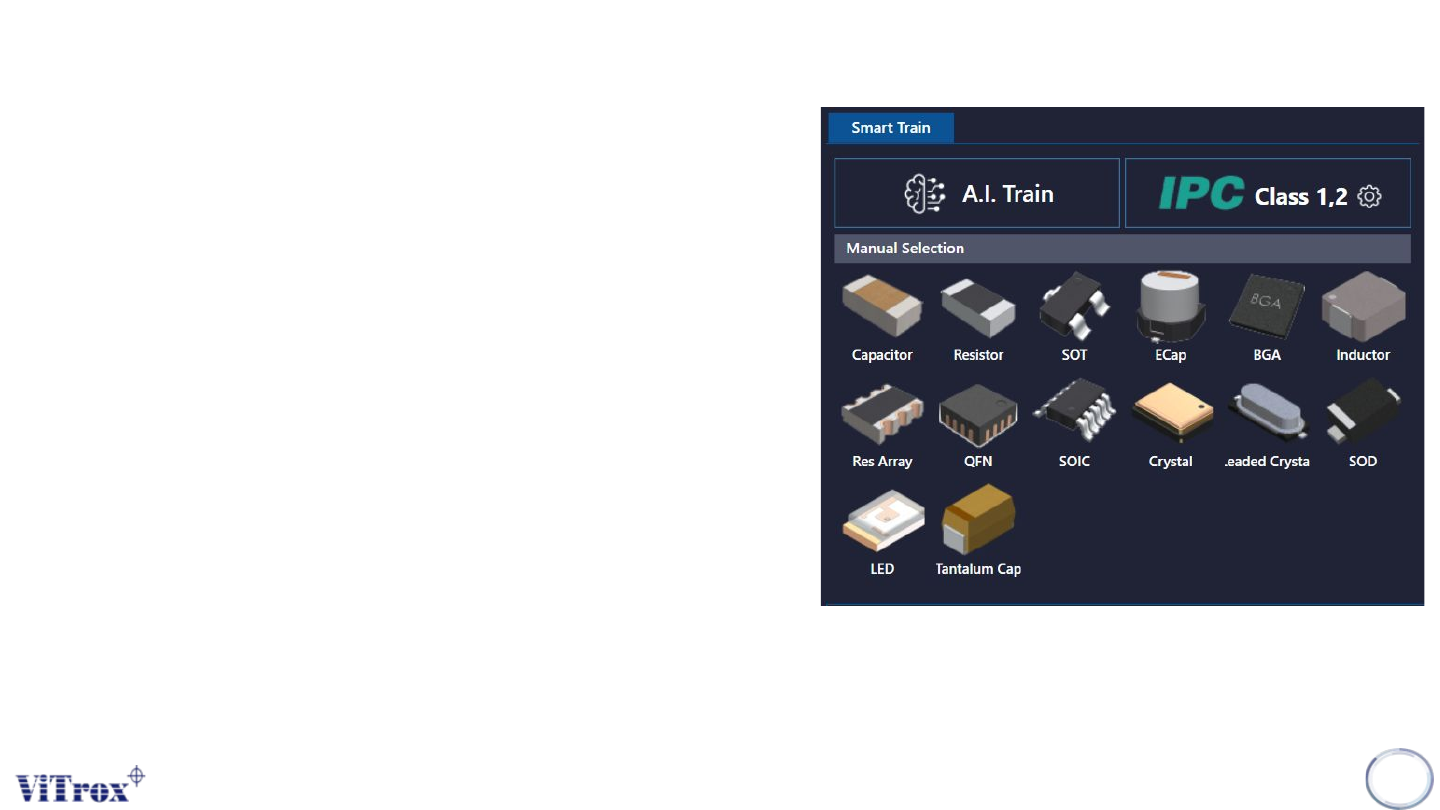
technology. The following figure shows Smart Train
interface in algorithm trainer. There are three parts
under Smart Train which are:
● A.I Train
● A.I Train by manual package selection
● IPC Class
Note: Smart train option is shown when the A.I smart
programming license is detected by the ViTrox license
server and with the existence of .plx, .eplx and .epad
files in the c:/cpi/cad folder. Contact the ViTrox AOI
Service and Support team to learn about the A.I smart
programming license.
117
Figure 106: Smart train interface

Copyright © ViTrox All Rights Reserved.
Negative Test (Upon Inspection)
Negative test is a quality checking tool of component orientation in the program that includes:
● Test and measure the program quality
● Reduce false calls and escapee rate
● Reduce CAD errors
Note: Negative test must be applied to a good board.
118
Copyright © ViTrox All Rights Reserved.
How to Implement Negative Testing
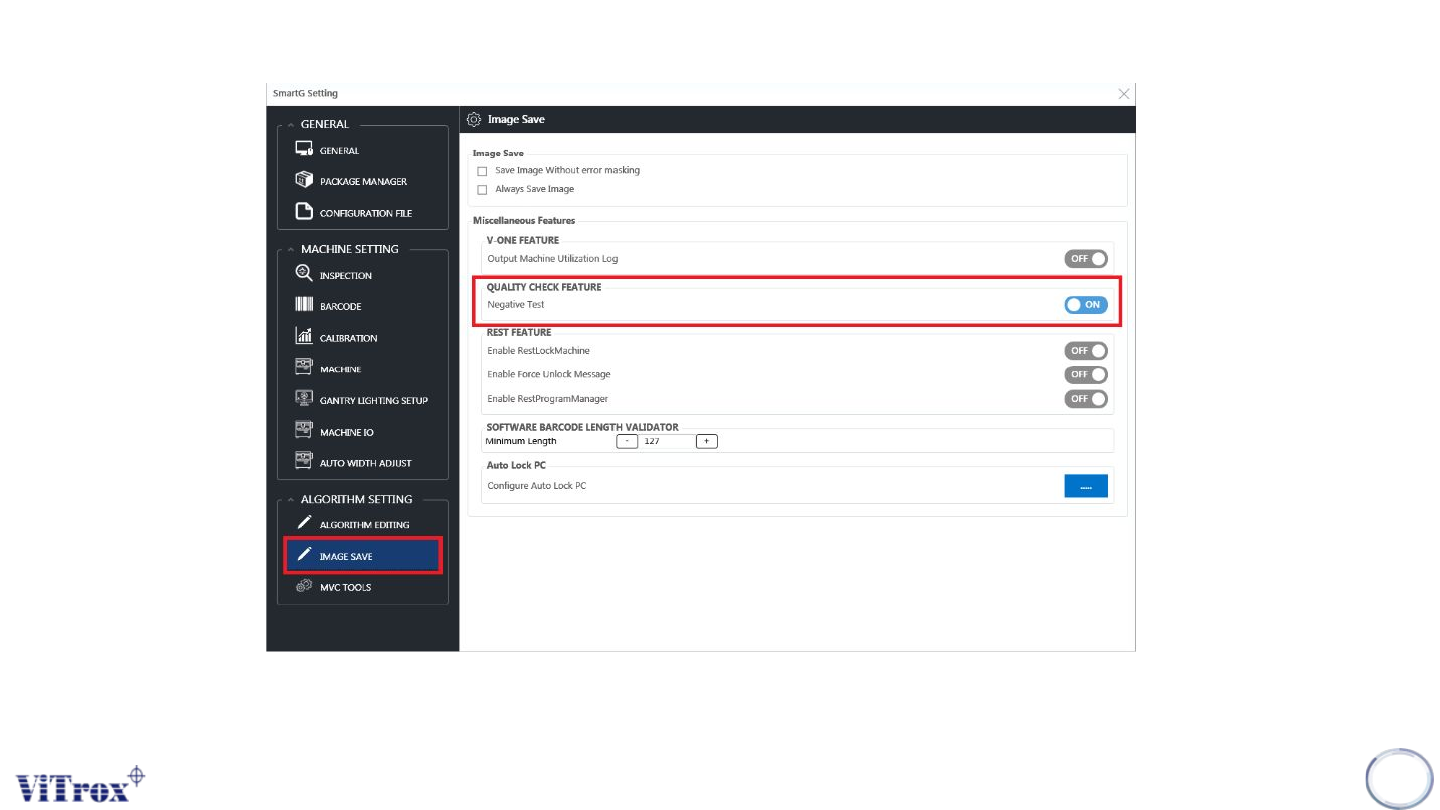
• To run negative test, go to Utilities. On the Image Save tab, search for negative test in quality check feature. After
the negative test is enabled, a negative test column shows in the inspection result.
119
Figure 107: Smart train interface