Smart Graphical User Interface (SmartG) Overview_rev1.pdf - 第149页
Copyright © ViT rox All Rights Reserved . V iew Pad 149 View Pad Display Pad Coverage Figure 135: Before and After click View Pad T ools Note: User can see the Pad coverage of each components.
Copyright © ViTrox All Rights Reserved.
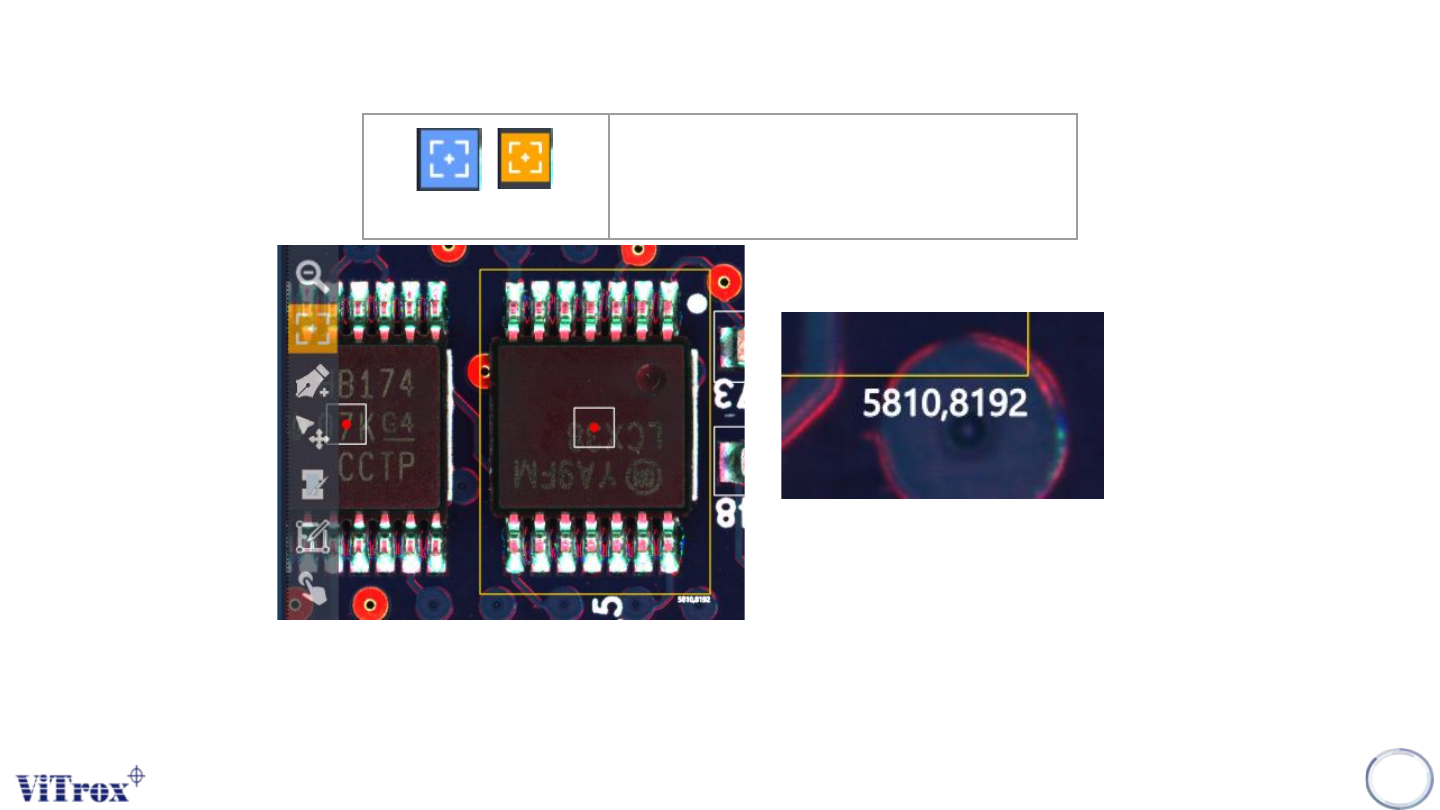
Drag and Measure
Note: User can drag and measure the specific area of any components (XY Length)
148
Drag and Measure
Drag and Measure the X and Y length
in specific area
Figure 134: Calculate Length in Micron XY
Copyright © ViTrox All Rights Reserved.
View Pad
149
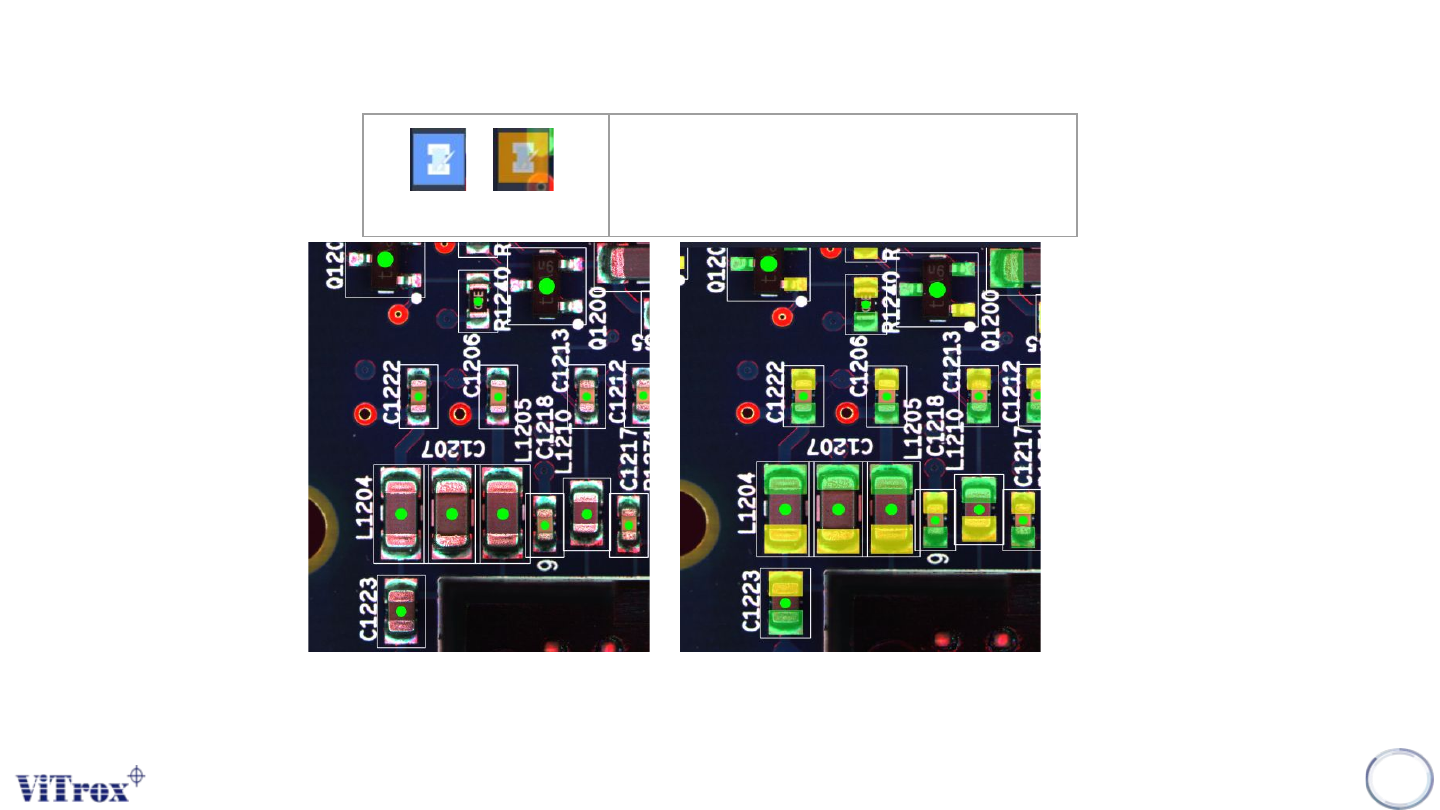
View Pad
Display Pad Coverage
Figure 135: Before and After click View Pad Tools
Note: User can see the Pad coverage of each components.
Copyright © ViTrox All Rights Reserved.
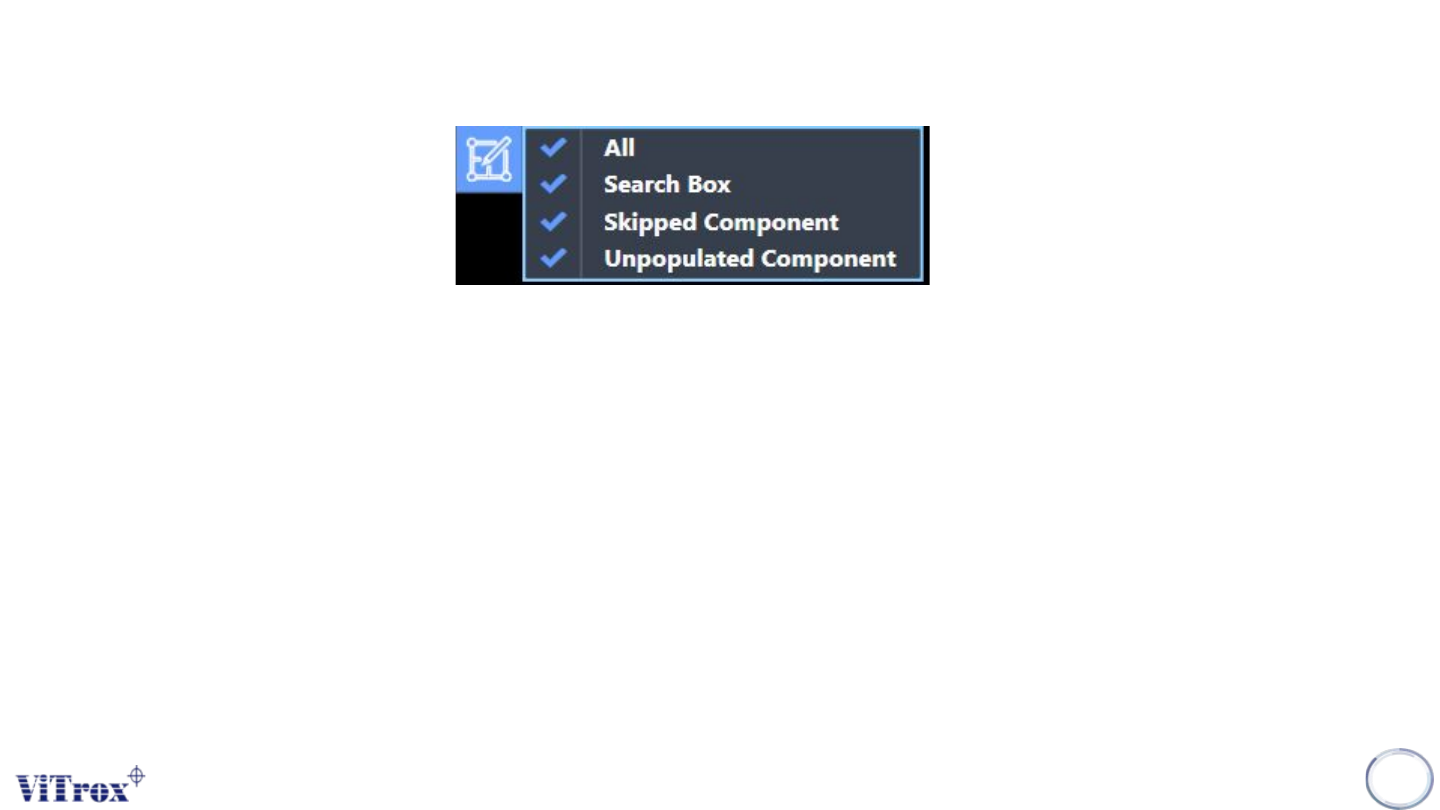
Filter Display
Filter Display of Component Geometry is used to set the display in board graphic. A drop-down menu shows after
clicking the button and comes with four selections which are:
● All
● Search Box
● Orientation Indicator
● Skipped Component
● Unpopulate components
Note: User can filter unnecessary item to display.
150
Figure 136: Train History tab