Smart Graphical User Interface (SmartG) Overview_rev1.pdf - 第8页
Copyright © ViT rox All Rights Reserved . Boards There are three features in the board list which are: ● Search tab: This is used to search board names with characters and symbols in the board list. ● Refresh Programs: T…
Copyright © ViTrox All Rights Reserved.
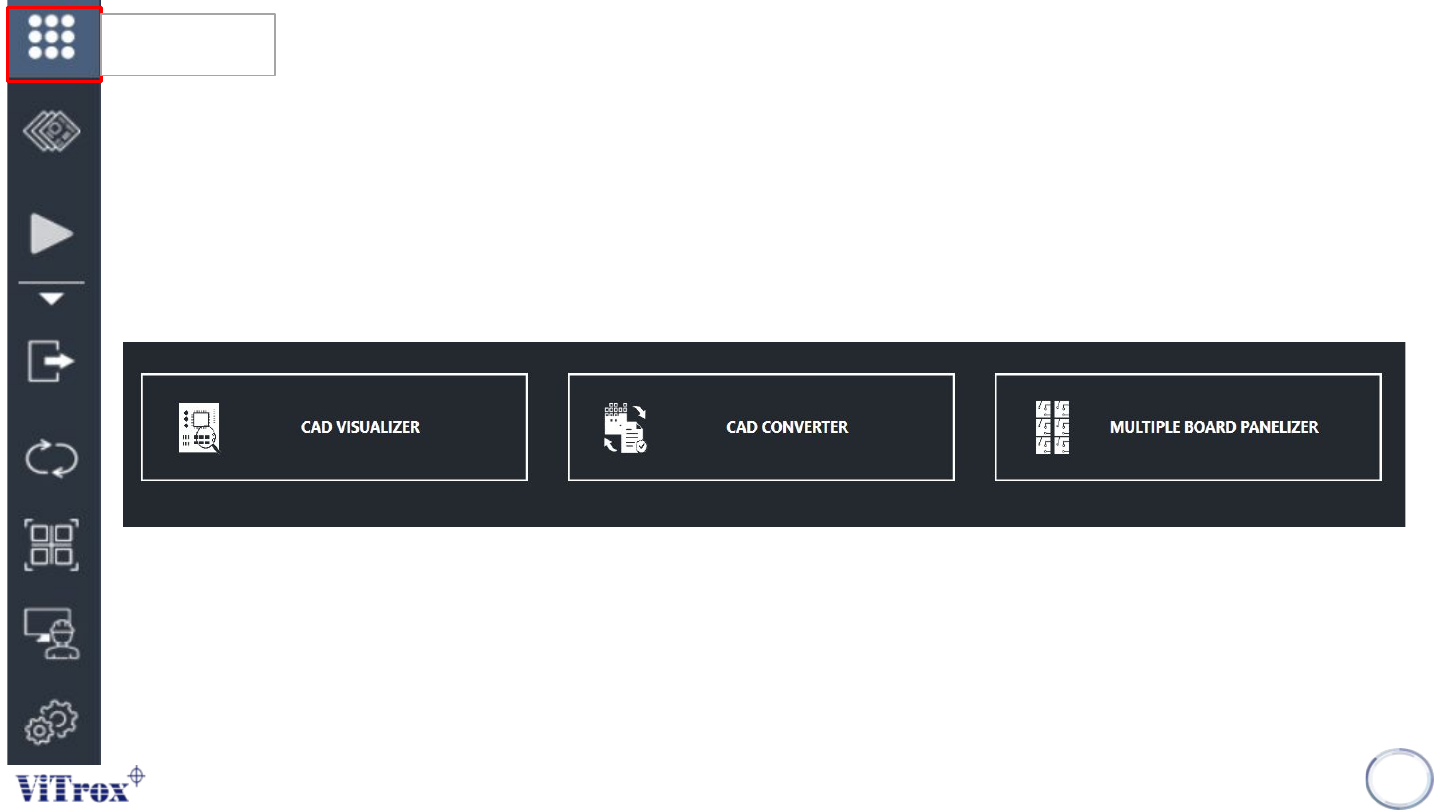
Main Menu
This is the main menu button of the SmartG. There are several type of parameters:
• Cad Visualizer
• Cad Converter
• Multi Board Panelizer
7
Main Menu
Figure 3: Main Menu Interface Parameter
Copyright © ViTrox All Rights Reserved.
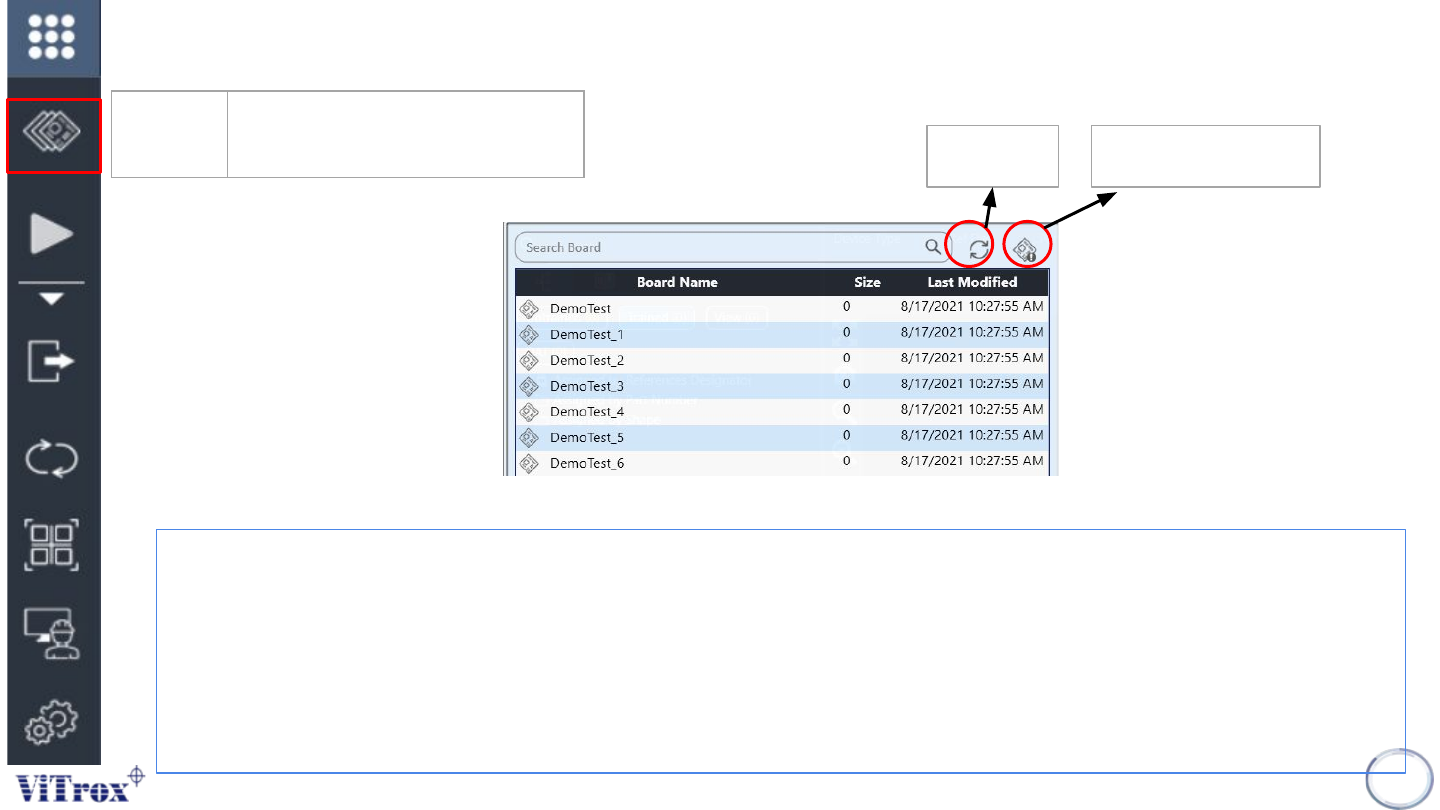
Boards
There are three features in the board list which are:
● Search tab: This is used to search board names with characters and symbols in the board list.
● Refresh Programs: This is used to refresh the board list when a new board is created or a new cad file is being
replaced in c:\cpi\cad folder.
● View Program Details: This is used to View Program details button is to set all specific measurement/information
about the board program including board side, panel width, panel length, board clearance, board thickness and board
weight.
8
Refresh
View Program details
Figure 4: Boards List Show
Boards Show the board list and allow
user to change the program
Copyright © ViTrox All Rights Reserved.
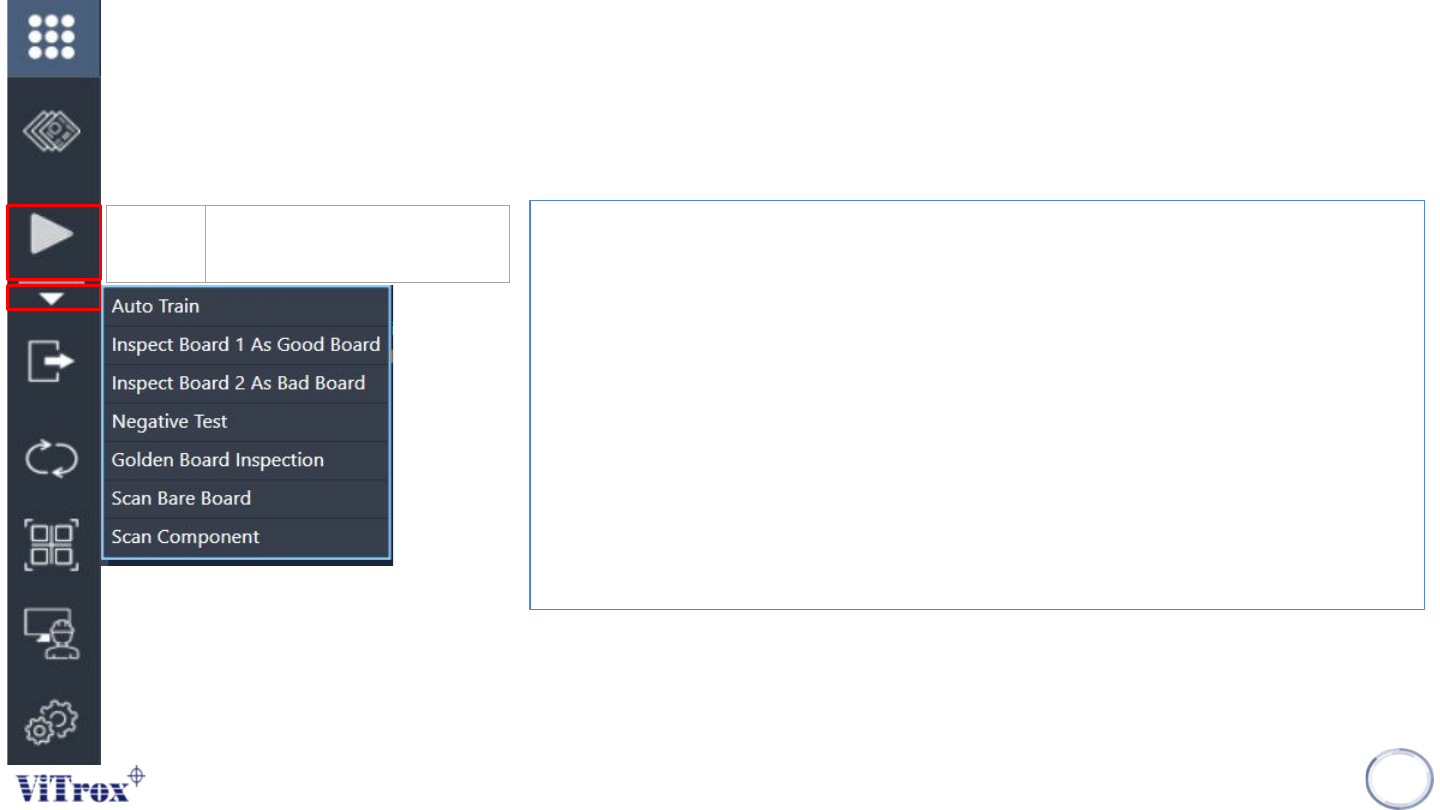
Inspect
• Auto Train- This feature that applied to Artificial Intelligence (A.I) technology. This
feature is specially used to train the component automatically by using A.I
technology.
• Inspect Board 1 As Good Board- To inspect the program as a good board
• Inspect Board 2 As Bad Board- To inspect the program as a bad board
• *Negative test- This is a quality checking tool of component orientation in the
program that includes:
● Test and measure the program quality
● Reduce false calls and escapee rate
● Reduce CAD errors
• **Golden Board Inspection- Golden Board is used to be a quality checking tool
of all trained component in the program.
• Scan Bare Board- To scan the program as Bare Board
• Scan Component- To scan all the component for entire board program.
9
Inspect Manual run one board
inspection
*Negative test must be applied to a good board.
**Golden board inspection must be applied when a component detected as a
defect is a true defect and the component is fine-tuned correctly.