Smart Graphical User Interface (SmartG) Overview_rev1.pdf - 第123页
Copyright © ViT rox All Rights Reserved . Negative T est result Inspection Force polarity on by device type Force Polarity On by device type is used to force the program to turn on polarity features on selected device ty…
Copyright © ViTrox All Rights Reserved.
Negative Test Result Inspection
Hence, the components that fall into the escapee
category are able to detect the polarity defect.
Fine-tune the components that fall into the escapee
category until it shows 0 escapee. Select a reference
designator under the negative test result, and right-click
to edit device.
Note: When clicking at the reference designator, it navigates
camera view to the component.
122
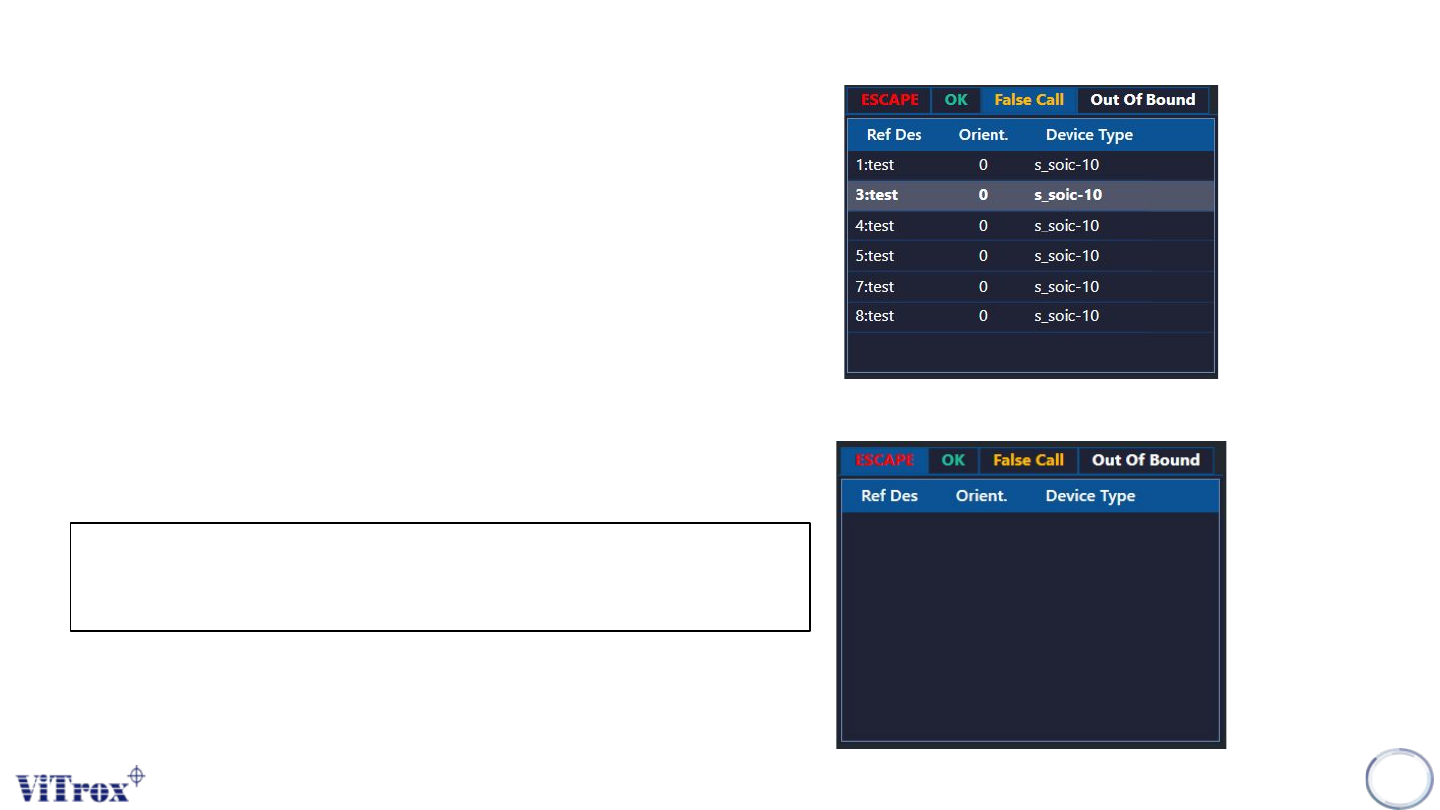
Figure 109: Negative Test Inspection Result
After fine-tuning the components to 0 escapee in escapee
list, this program is ready to run in production line with full
setup of component orientation.
Figure 110: After fine-tuning, the negative test inspection result shows
Copyright © ViTrox All Rights Reserved.
Negative Test result Inspection
Force polarity on by device type
Force Polarity On by device type is used to force the
program to turn on polarity features on selected device
type. The selected device type will be forced to run, if the
polarity or OCV is not enabled, the reference designator
shows failed.
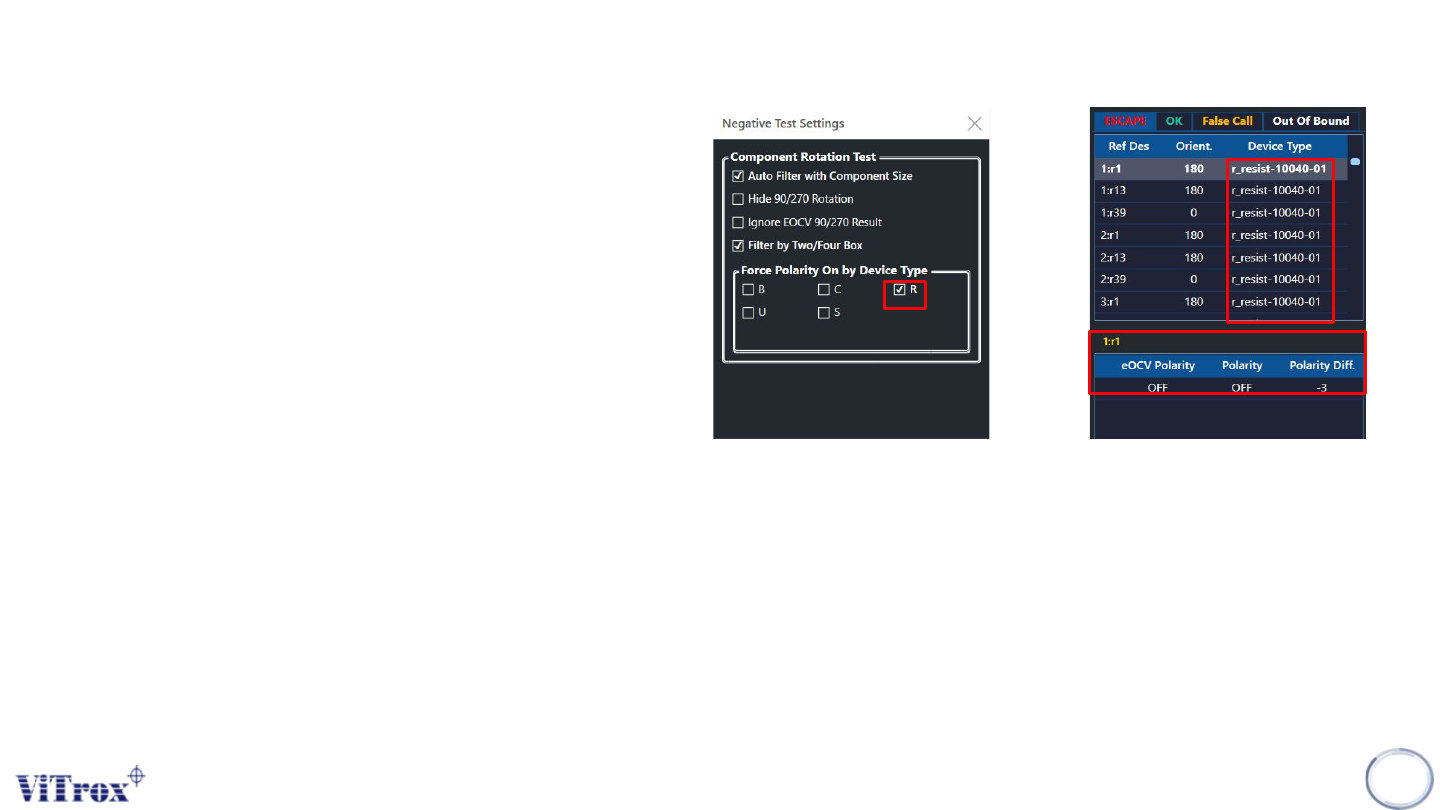
Figure shows the force polarity on by device type set to
r-type. The r-type reference designator without eocv
polarity and polarity is considered as escapee.
123
Figure 111: Force Polarity on r-type and r-type component fall into escapee

Copyright © ViTrox All Rights Reserved.
124
Shortcut Key