Smart Graphical User Interface (SmartG) Overview_rev1.pdf - 第153页
Copyright © ViT rox All Rights Reserved . 153 T rainer Main Button (T rain Interface)
Copyright © ViTrox All Rights Reserved.
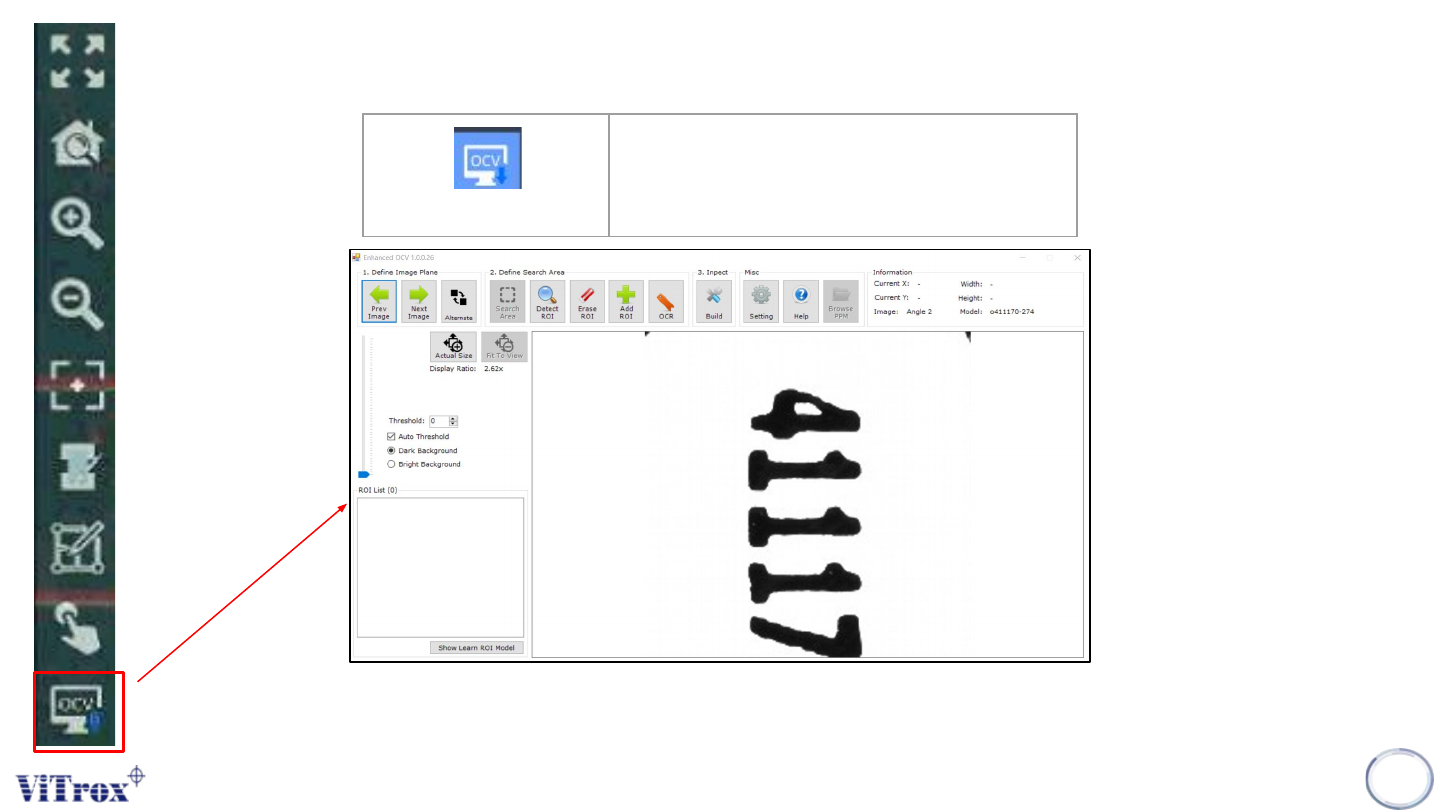
EOCV
Note: (Shortcut key) User can enhanced OCV in List of tool box
152
EOCV
Execute EOCV
Figure 137: OCV Main Menu

Copyright © ViTrox All Rights Reserved.
153
Trainer Main Button (Train Interface)
Copyright © ViTrox All Rights Reserved.
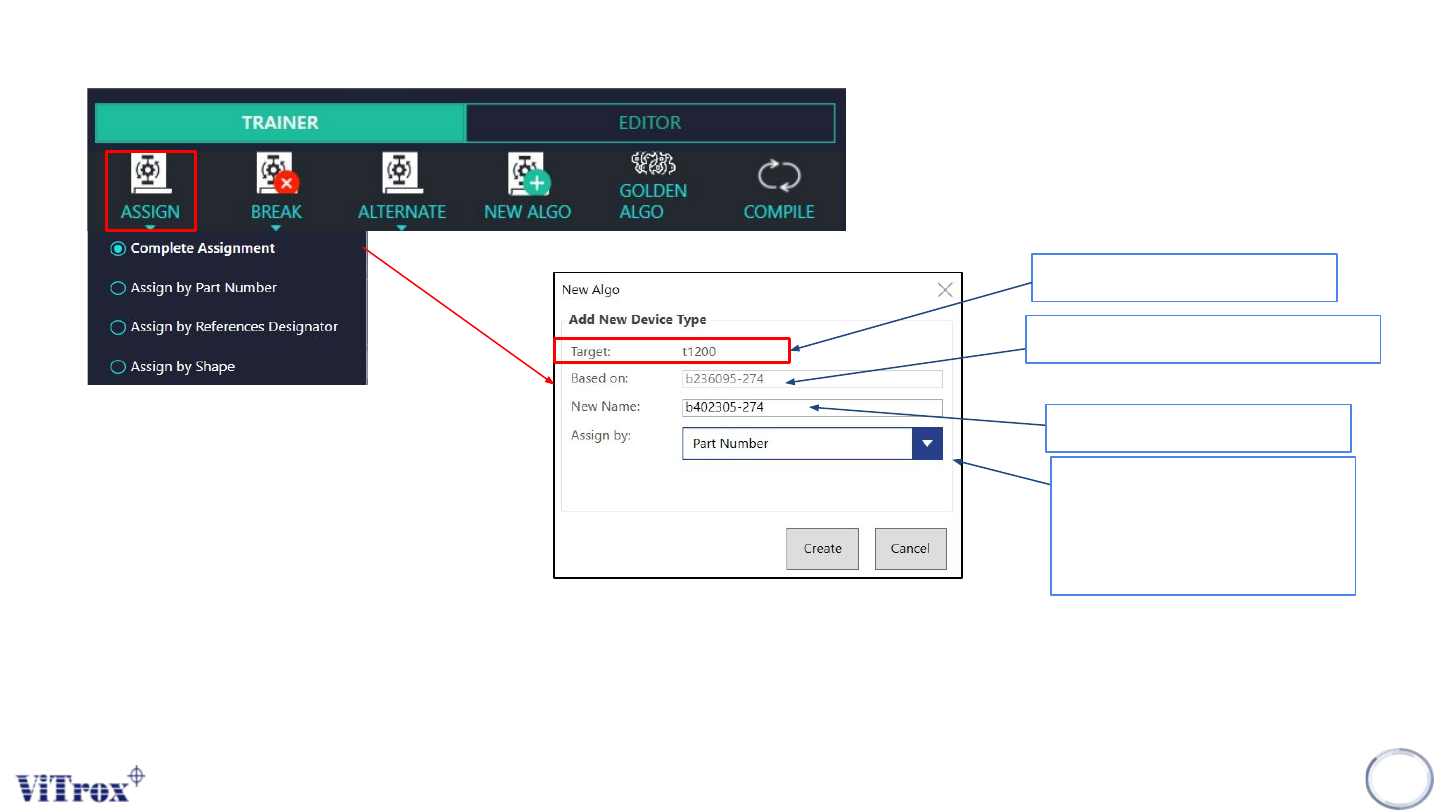
Assign Main Device Type
There are 4 options to assign the the component, it can be complete assignment, it can be directly assign by part number, it can
be assign by reference designator and it can be assign by shape.
Note: It depends on the user to train the device type.
154
Ref. Des.
Name of copy from other device
Name of New device
Assign by any:
1) Part number
2) Shape
3) Ref Des
Figure 138: Assign Main Device Type