Smart Graphical User Interface (SmartG) Overview_rev1.pdf - 第172页
Copyright © ViT rox All Rights Reserved . Editor T ool 172 Skip Skip Component. Note: All the selected skip components will be skip inspection Modify Modify orientation and offset of this component. Save Save all the fin…
Copyright © ViTrox All Rights Reserved.
Editor Tool
171
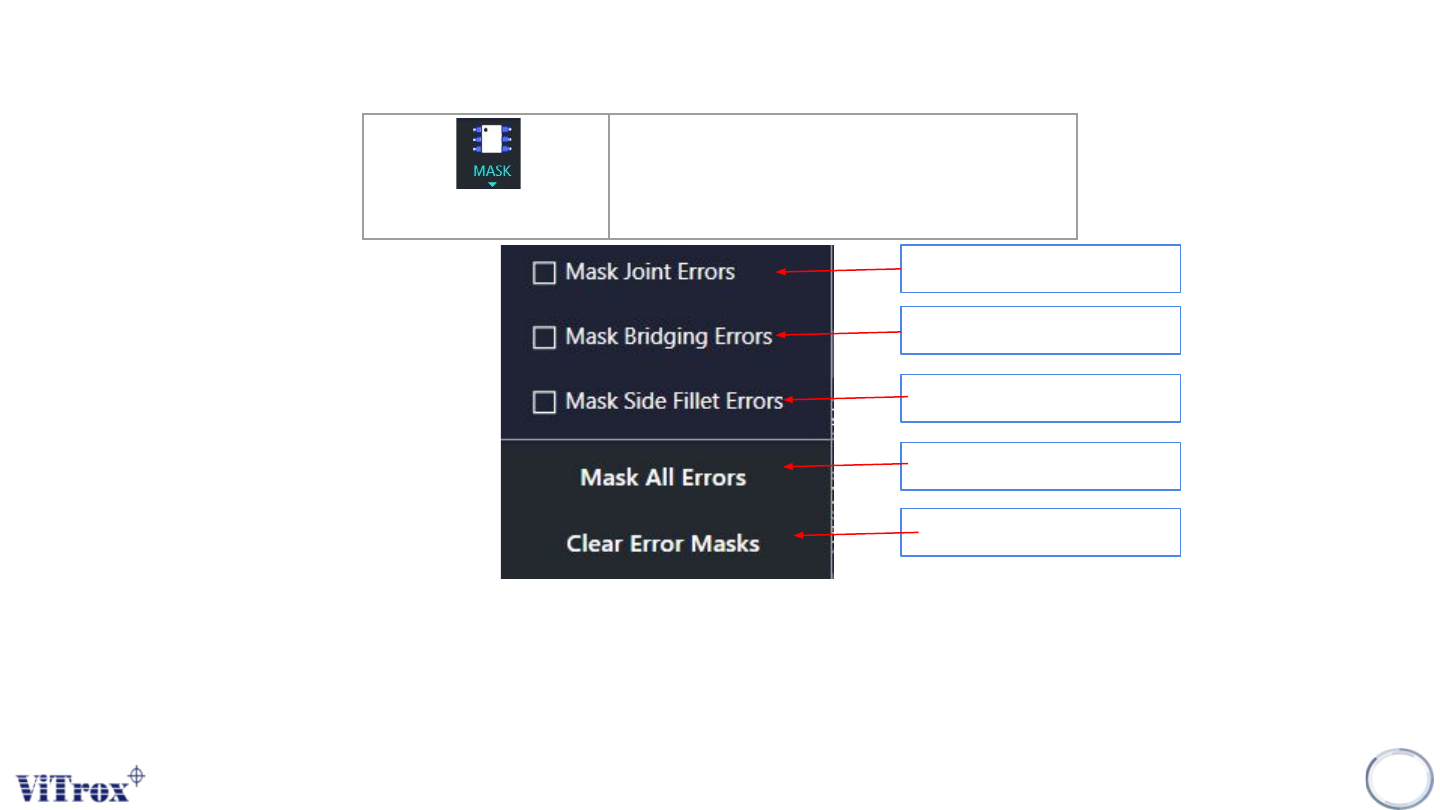
Mask
Perform masking on certain location
of component
Figure 159: List of feature in Masking
Mask specific Joint Errors
Mask the bridging error
Note: All the masking will not be inspected.
Mask side fillet errors
All the error can be mask
Clear all the mask
Copyright © ViTrox All Rights Reserved.
Editor Tool
172
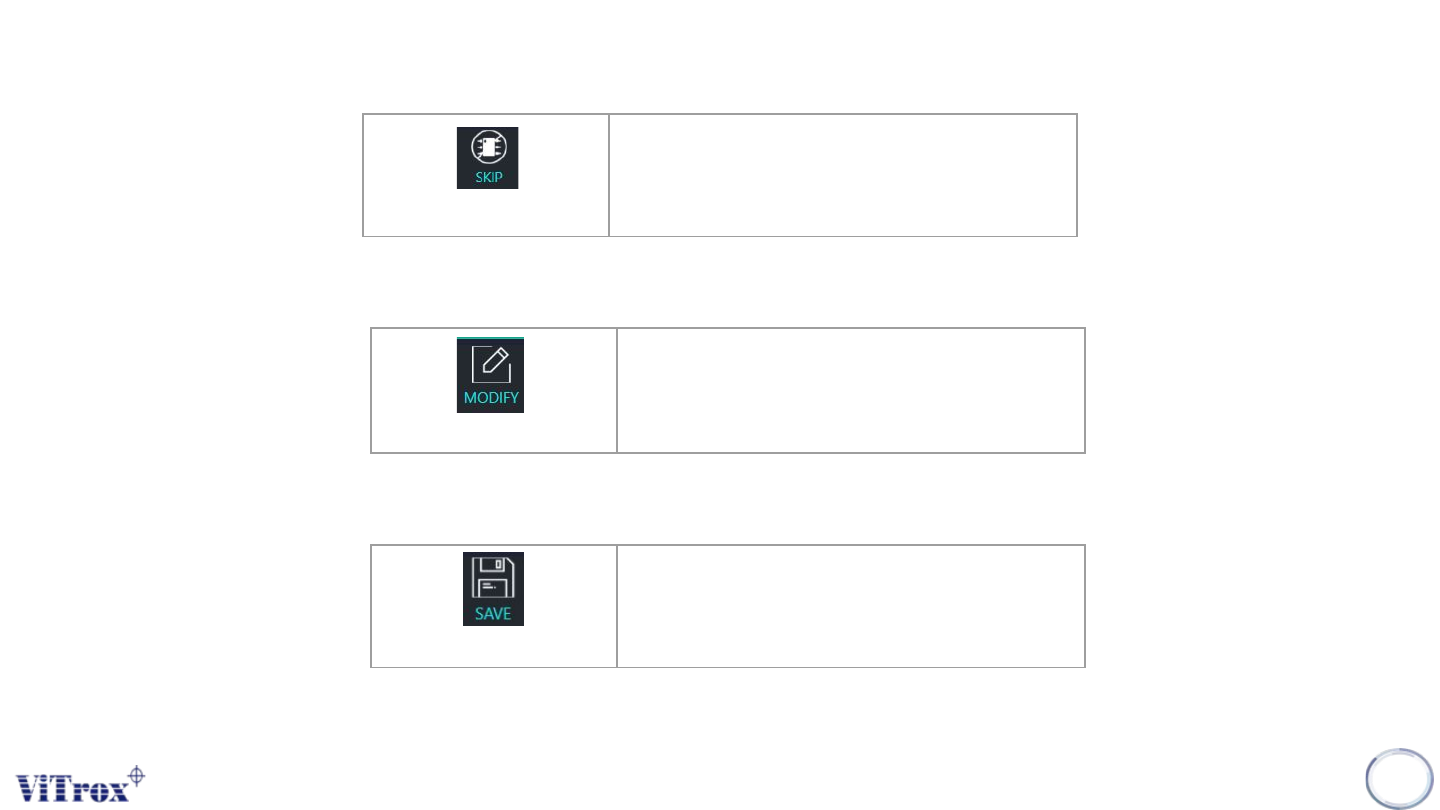
Skip
Skip Component.
Note: All the selected skip components will be skip inspection
Modify
Modify orientation and offset of this
component.
Save
Save all the fine tuning modification
Note: To Modify current ref des for orientation and offset
Note: To save all the modifications

Copyright © ViTrox All Rights Reserved.
173
SmartG Operator Mode