Smart Graphical User Interface (SmartG) Overview_rev1.pdf - 第72页
Copyright © ViT rox All Rights Reserved . 72 Emergency Stop Indicates whether the machine is in Emergency Stop. Board Present Rail 1 Indicates that a board is clamped and ready for inspection in Rail 1 (Rail 2). Only one…
Copyright © ViTrox All Rights Reserved.
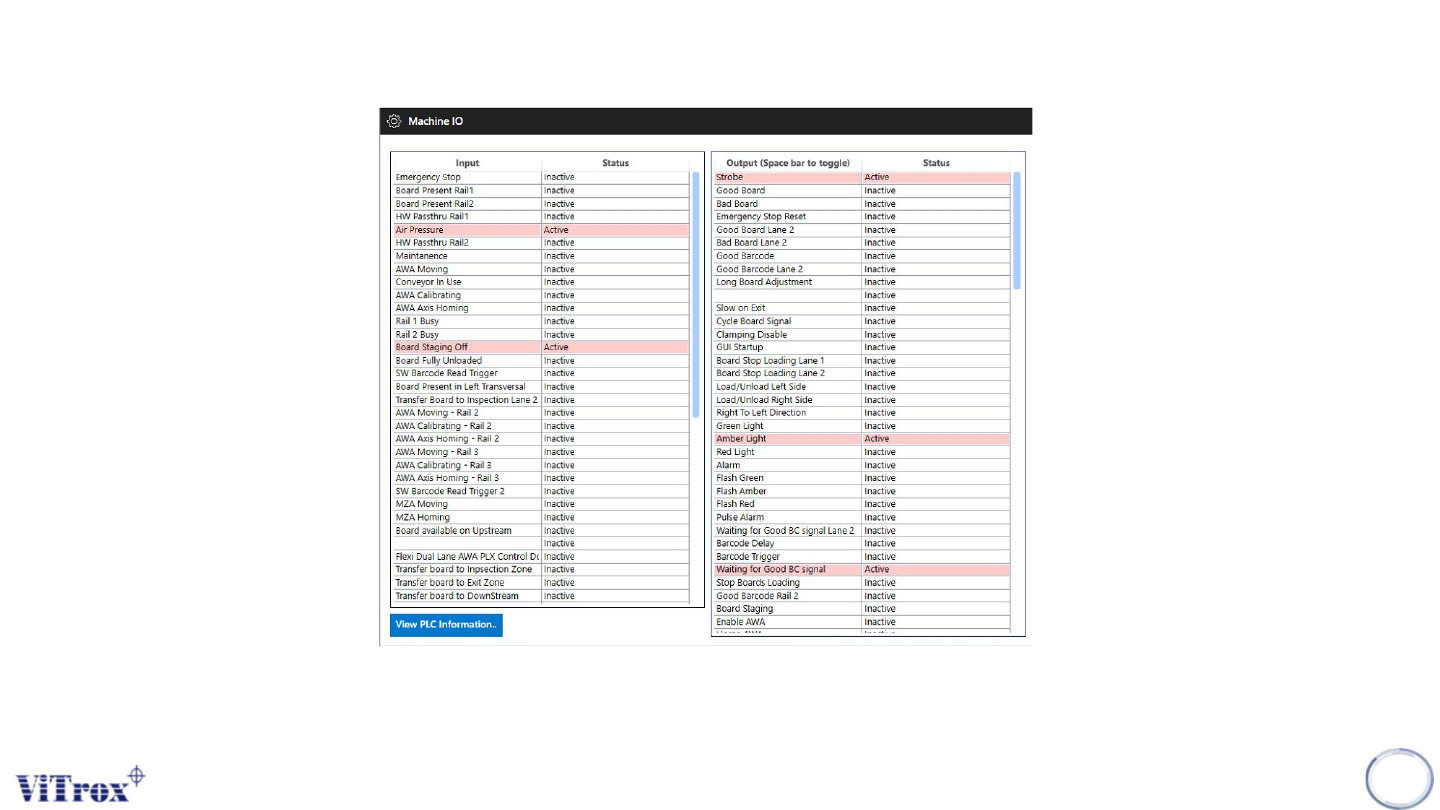
Machine Setting (Machine I/O)
*Please refer to the next slide to see input/output of each description and function
71
Figure 62: Content in Machine I/O
Copyright © ViTrox All Rights Reserved.
72
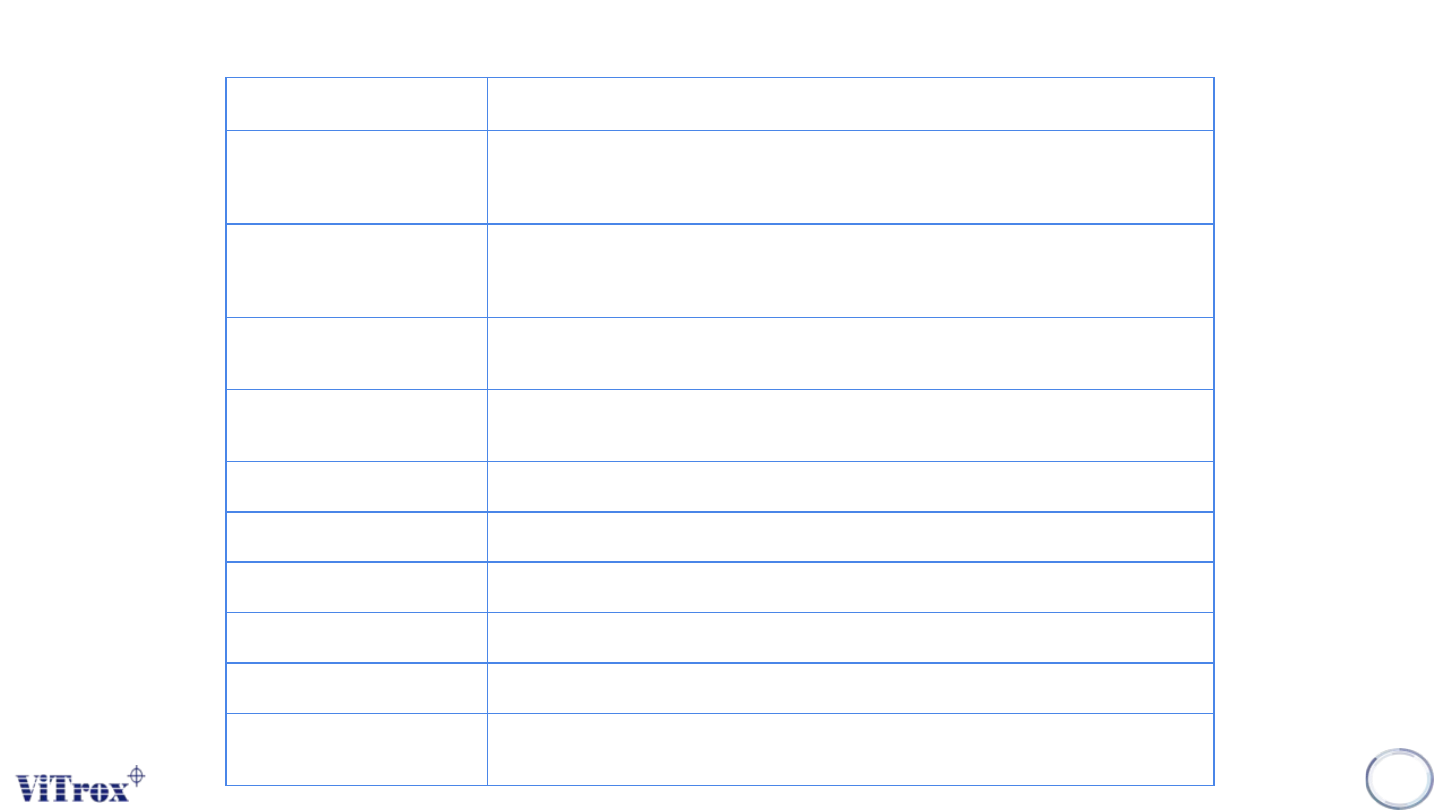
Emergency Stop Indicates whether the machine is in Emergency Stop.
Board Present Rail 1 Indicates that a board is clamped and ready for inspection in Rail 1 (Rail 2). Only one of
these inputs will be active at a time - if the other rail receives a board, the input will be
queued by the PLC until the current inspection is complete.
Board Present Rail 2 Indicates that a board is clamped and ready for inspection in Rail 1 (Rail 2). Only one of
these inputs will be active at a time - if the other rail receives a board, the input will be
queued by the PLC until the current inspection is complete.
HW Passthru Rail 1 (Rail 2) Indicates that the conveyor rail has been switched to pass through by the switch on the
front of the machine.
Air Pressure Normally On - Indicates that there is sufficient air pressure - If this becomes inactive
inspection will cease and an error message is displayed.
Maintenance The conveyor width is being adjusted.
AWA Moving The conveyor width is being adjusted.
Conveyor In Use Indicates there is a board in the machine - so AWA cannot be used
AWA Calibrating Indicates AWA process in progress
AWA Axis Homing Indicates AWA process in progress
Rail 1 (Rail2) Busy Indicates that a board is somewhere in the named conveyor - so machine busy for
upstream SMEMA
Table 1: Machine I/O Description
Copyright © ViTrox All Rights Reserved.
73
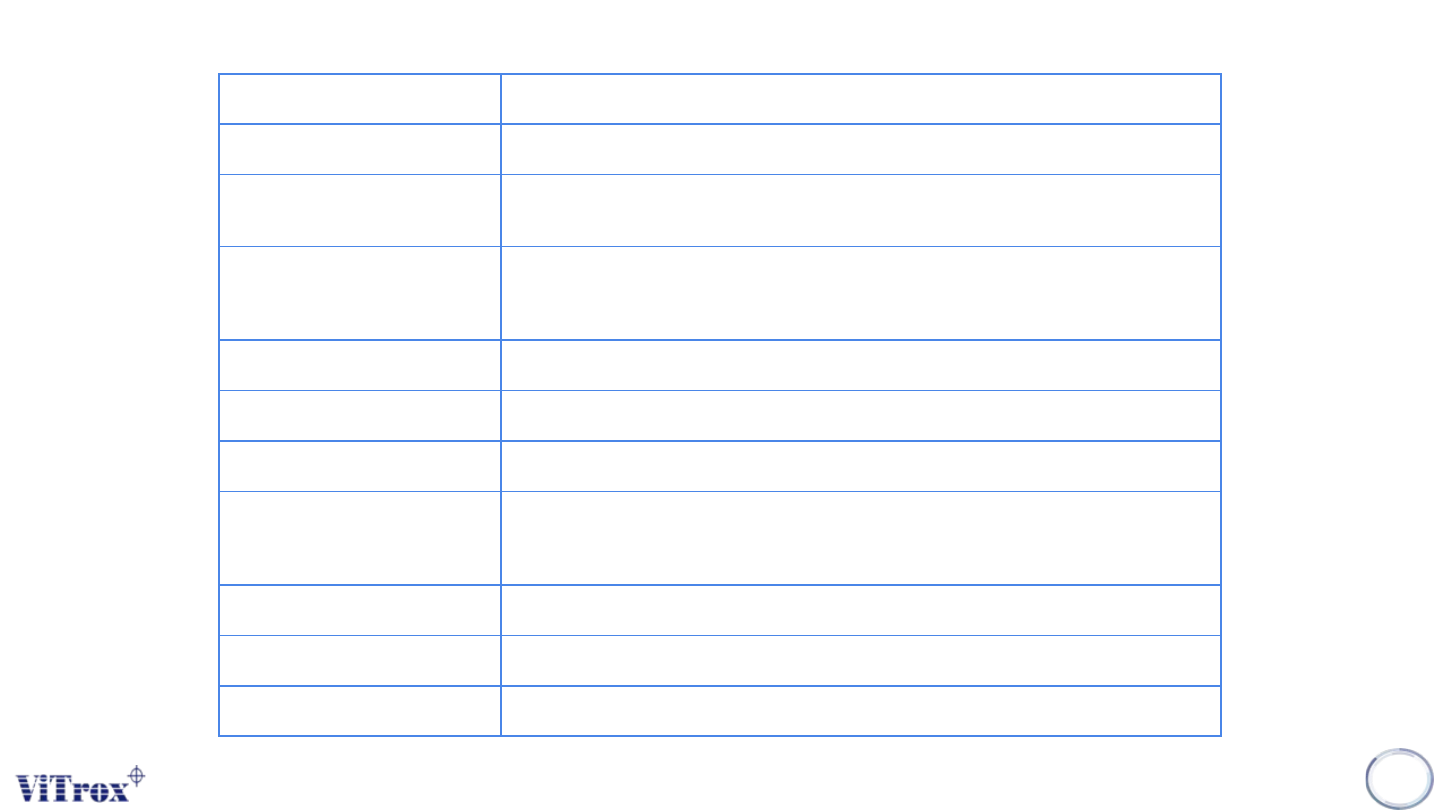
Strobe Heartbeat (indicates communication active between software and plc)
Good Board The board being ejected passed inspection
Bad Board The board being ejected failed inspection (or defects were found and the board is still
being reviewed in action on failure)
Emergency Stop Reset Signals to the PLC to request an E-stop reset. The E-stop condition will not be cleared
unless all E-stop switches have been reset and the hood is closed. This has the same
effect as the E-stop reset button
Passthru Rail1 (Rail2) Software signal to PLC to run the named conveyor in passthrough mode
Good Barcode Used with "Waiting for Good Barcode Signal"
Slow on Exit Slow conveyor speed when ejecting board
Cycle Board Signal When is released at the end of an inspection, the board will travel to the exit sensor,
then the conveyor will reverse until the board is at the entry sensor, and re-load the
same board. Note:- Unavailable if Right to Left Direction is active
Clamping Disable Special Configuration : Boards will not be clamped at the inspect position.
Load/Unload Left (Right) Side Sets Conveyor sequence so board enters and exits from the same side of the machine
Right to Left Direction Run conveyor in reverse (Right to Left) direction
Table 1: Machine I/O Description