Smart Graphical User Interface (SmartG) Overview_rev1.pdf - 第40页
Copyright © ViT rox All Rights Reserved . General Setting (Action on Failure Options) Note: The unload button appears after the operator viewed all defects calls in operator mode. 40 Figure 34: Unload button appears afte…
Copyright © ViTrox All Rights Reserved.
General Setting (Action on Failure Options)
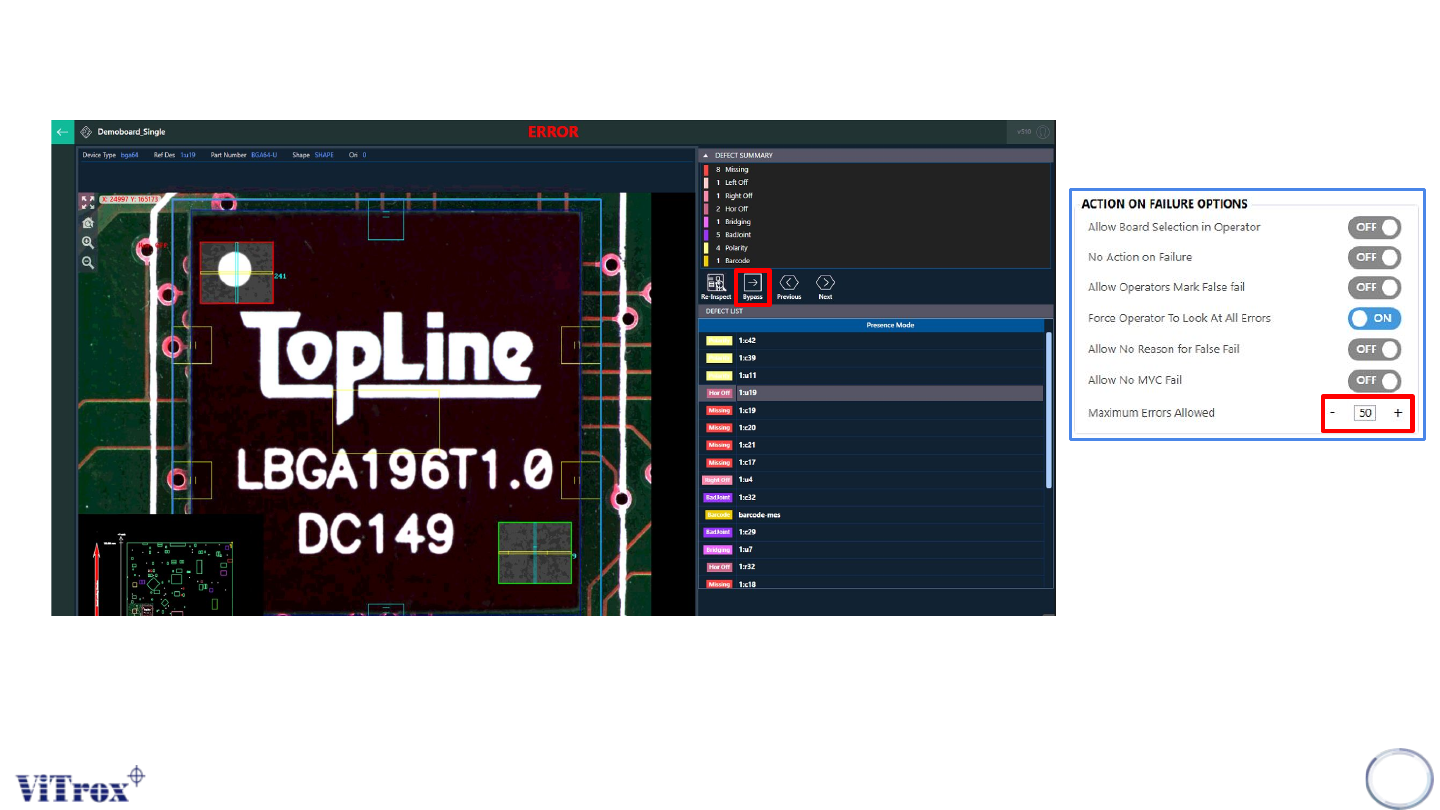
When the maximum errors allowed is set to 50 and the defect calls are 19, it is yet to exceed the maximum errors allowed. The
board cannot be unload and the system forces operator to view all defect calls. A bypass button can be used to skip a
particular component.
39
Figure 33: Force Operator To Look at all defect calls
Copyright © ViTrox All Rights Reserved.
General Setting (Action on Failure Options)
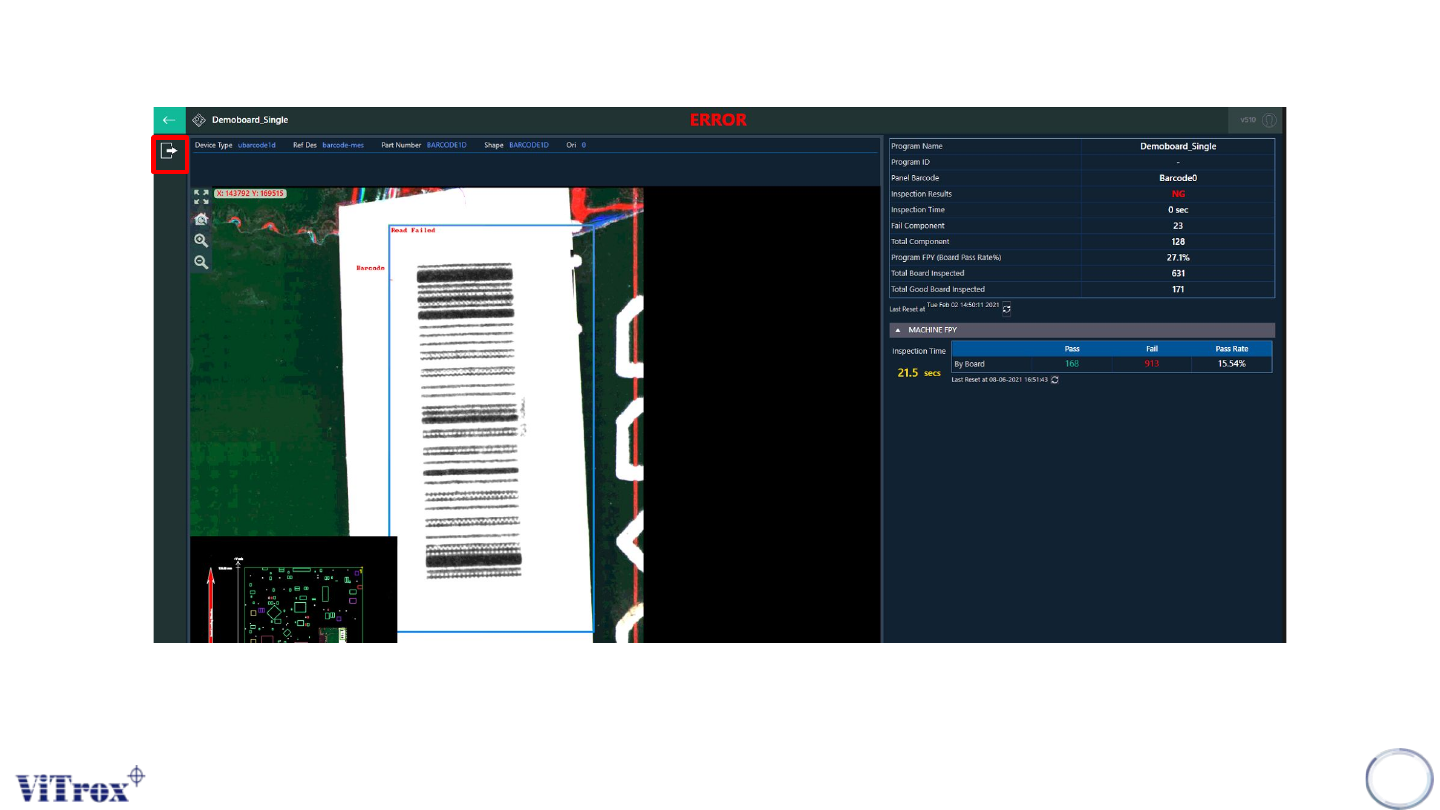
Note: The unload button appears after the operator viewed all defects calls in operator mode.
40
Figure 34: Unload button appears after viewing all defect calls
Copyright © ViTrox All Rights Reserved.
General Setting (Action on Failure Options)
41
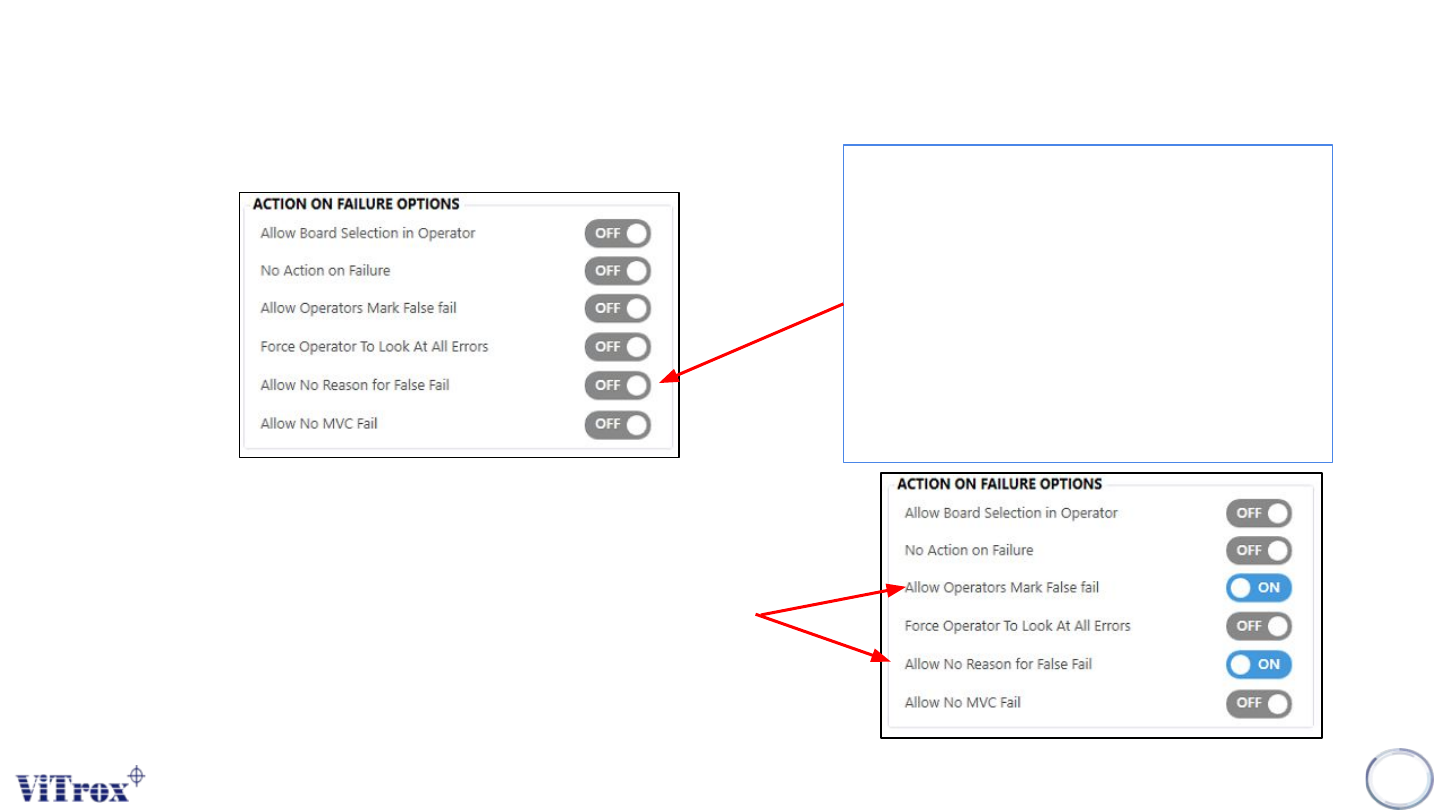
Figure 35: Action on failure options
Allow No Reason for False Fail
This feature is used to allow operator to
mark false fail on the reference designator
without prompting the "Mark as false fail"
window. This is a feature to allow an
operator to use "Mark as false fail" option.
Note: This option is not functional if the "Allow
operator mark as false fail" option is set to Off.
Figure 36: Action on failure options
Note: To use this feature, ensure that , enable both ‘’Allow Operator Mark False
Fail and Allow No Reason for False Fail.