Smart Graphical User Interface (SmartG) Overview_rev1.pdf - 第25页
Copyright © ViT rox All Rights Reserved . General Setting • This feature to export all the coverage tools in excel, wps and etc to monitor the tools used.. • User can export the coverage with several option. • Coverage t…
Copyright © ViTrox All Rights Reserved.
General Setting
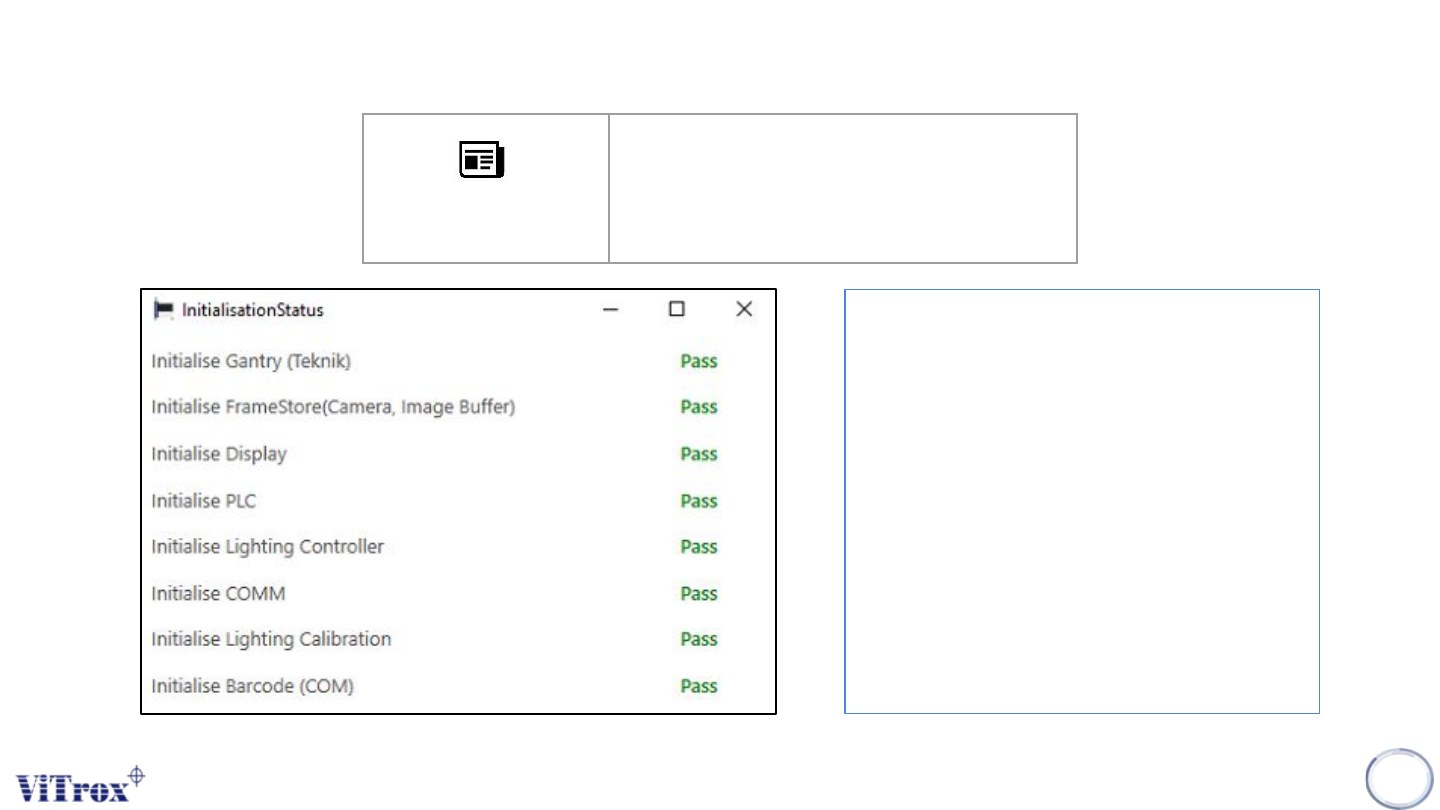
Initialization status report is used to display
the initialize status upon entering the SmartG
software. The information follow as:
● Initialize gantry (teknik)
● Initialize framestore (camera, image
buffer)
● Initialize display
● Initialize PLC
● Initialize lighting controller
● Initialize cOM
● Initialize lighting calibration
● Initialize barcode (COM)
24
Initialization Status
Report
Show initialization status report
Figure 14: Initialization Status
Copyright © ViTrox All Rights Reserved.
General Setting
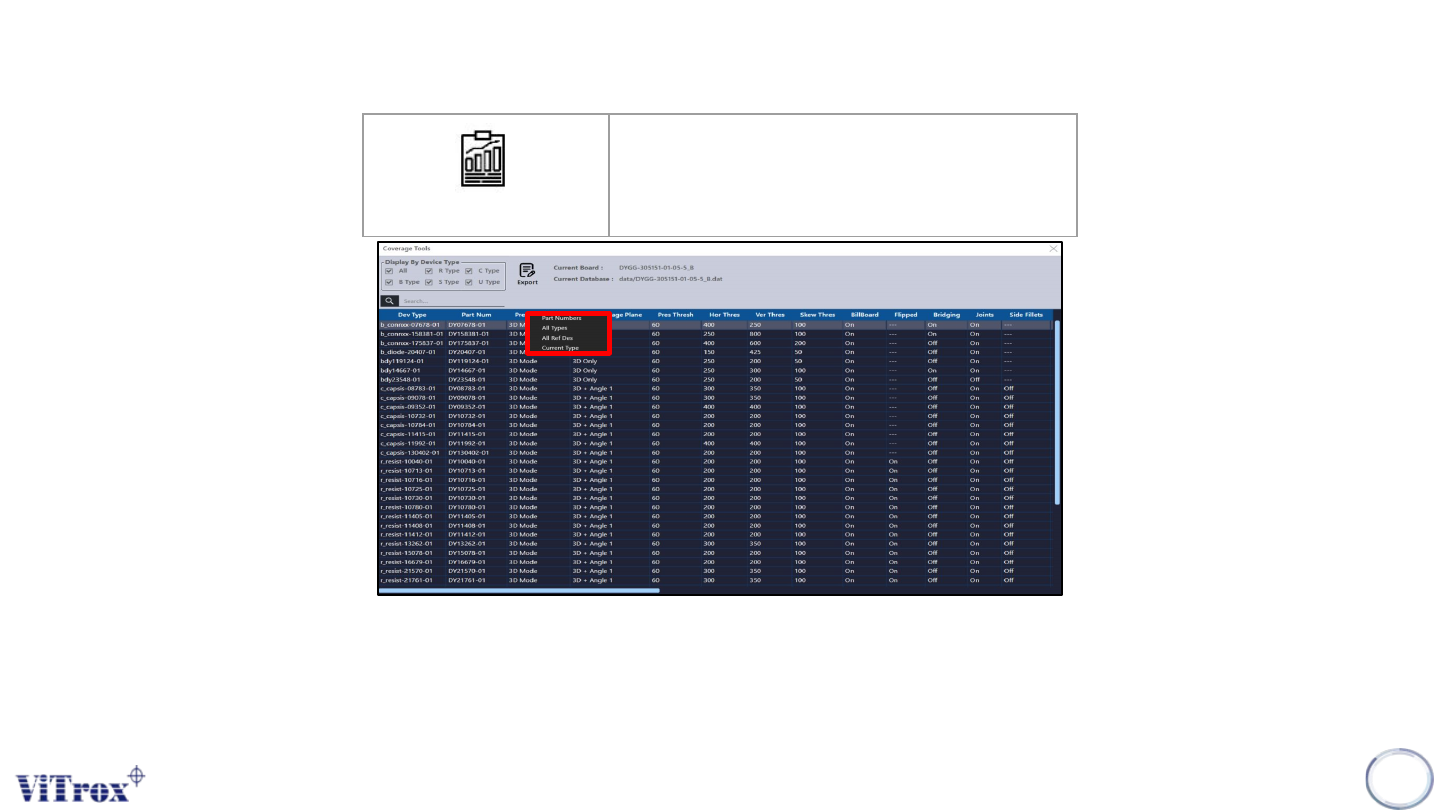
• This feature to export all the coverage tools in excel, wps and etc to monitor the tools used..
• User can export the coverage with several option.
• Coverage tool is an automated tool to generate reports showing the details of a board test.
• Path report folder C\CPI\Log
25
Coverage Tool
Coverage Tool
Figure 15: Coverage Tool
Copyright © ViTrox All Rights Reserved.
General Setting (Machine Global Information)
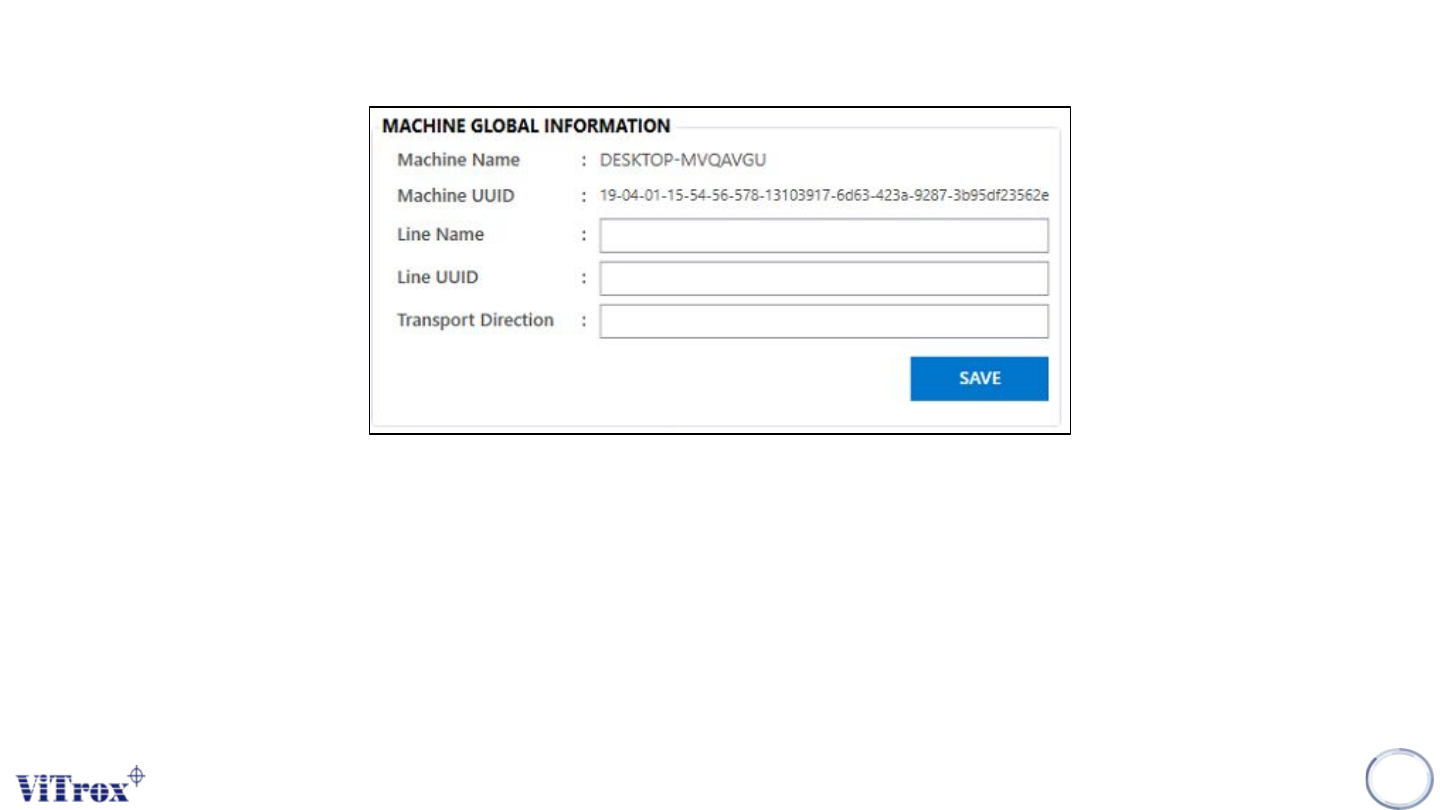
Machine global information is used to save the information and the line in this machine which include:
● Machine name
● Machine UUID
● Line name
● Line UUID
● Transport Direction
Note: All the machine global information will stored at c://cpi/data/machine_info.global
26
Figure 16: Machine Global Information