Smart Graphical User Interface (SmartG) Overview_rev1.pdf - 第37页
Copyright © ViT rox All Rights Reserved . General Setting (Action on Failure Options) 37 Figure 30: Action on failure options Force Operator T o Look At All Errors This feature is designed to force operator to look at al…
Copyright © ViTrox All Rights Reserved.
General Setting (Action on Failure Options)
36
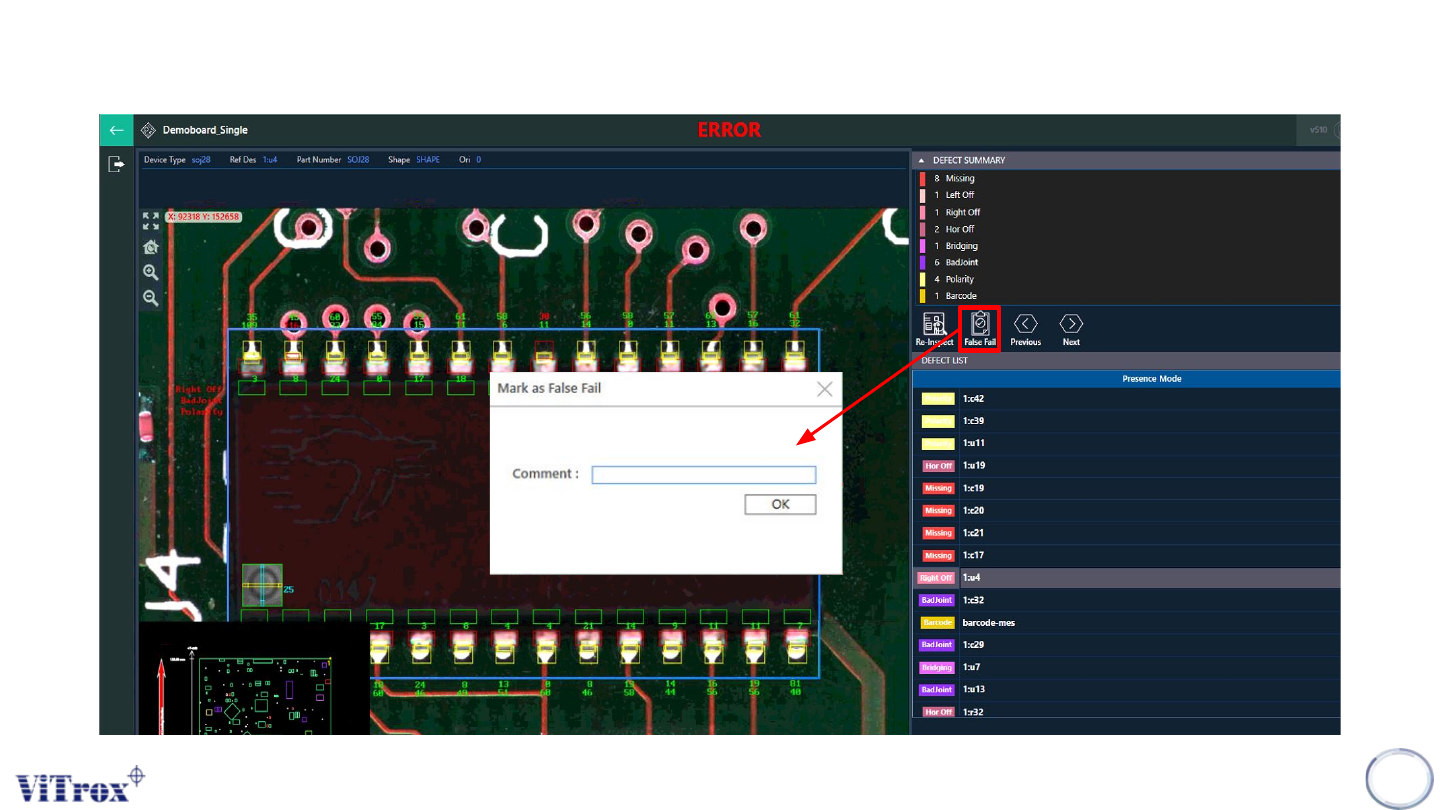
Figure 29: Example Interface when Mark False Fail button is enabled
Copyright © ViTrox All Rights Reserved.
General Setting (Action on Failure Options)
37
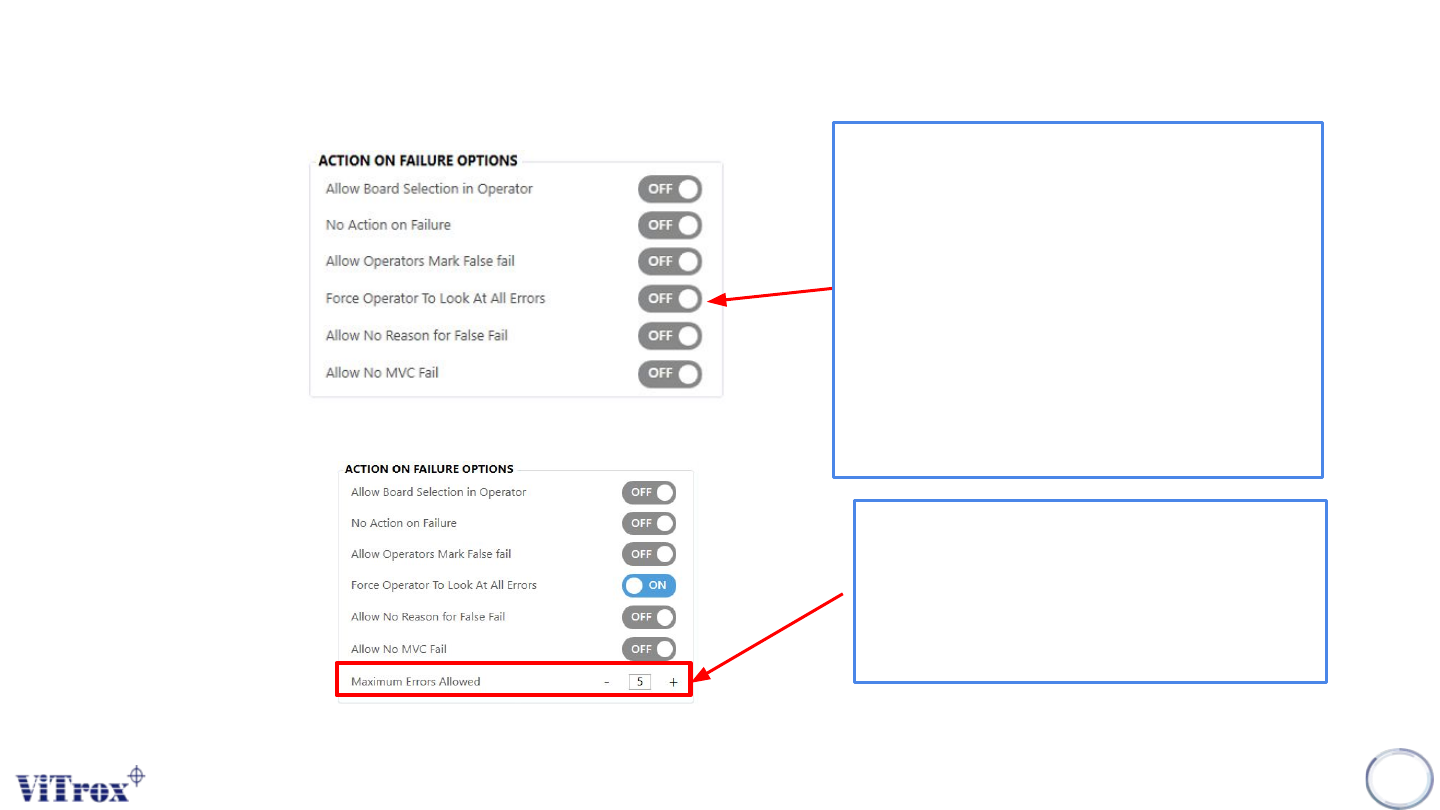
Figure 30: Action on failure options
Force Operator To Look At All Errors
This feature is designed to force operator
to look at all errors on a board before they
can release the board after inspection. If
the number of errors found is greater than
the value specified for maximum errors
allowed, the operator will not be forced to
view all the errors.
Note: This feature is applicable when "No action on
failure for operator" is set to Off. This feature is not
compatible with false fail monitoring.
Figure 31: Example Setting (Maximum error allowed set to 5)
When the maximum errors allowed is set
to 5 and the defect calls are 19, it
exceeds the maximum errors allowed.
The board can be unloaded and it
skipped "force operator to look at all
errors".
Note: Please refer to the next slide to see example of Force Operator To Look At All Errors at Operator Mode
Copyright © ViTrox All Rights Reserved.
General Setting (Action on Failure Options)
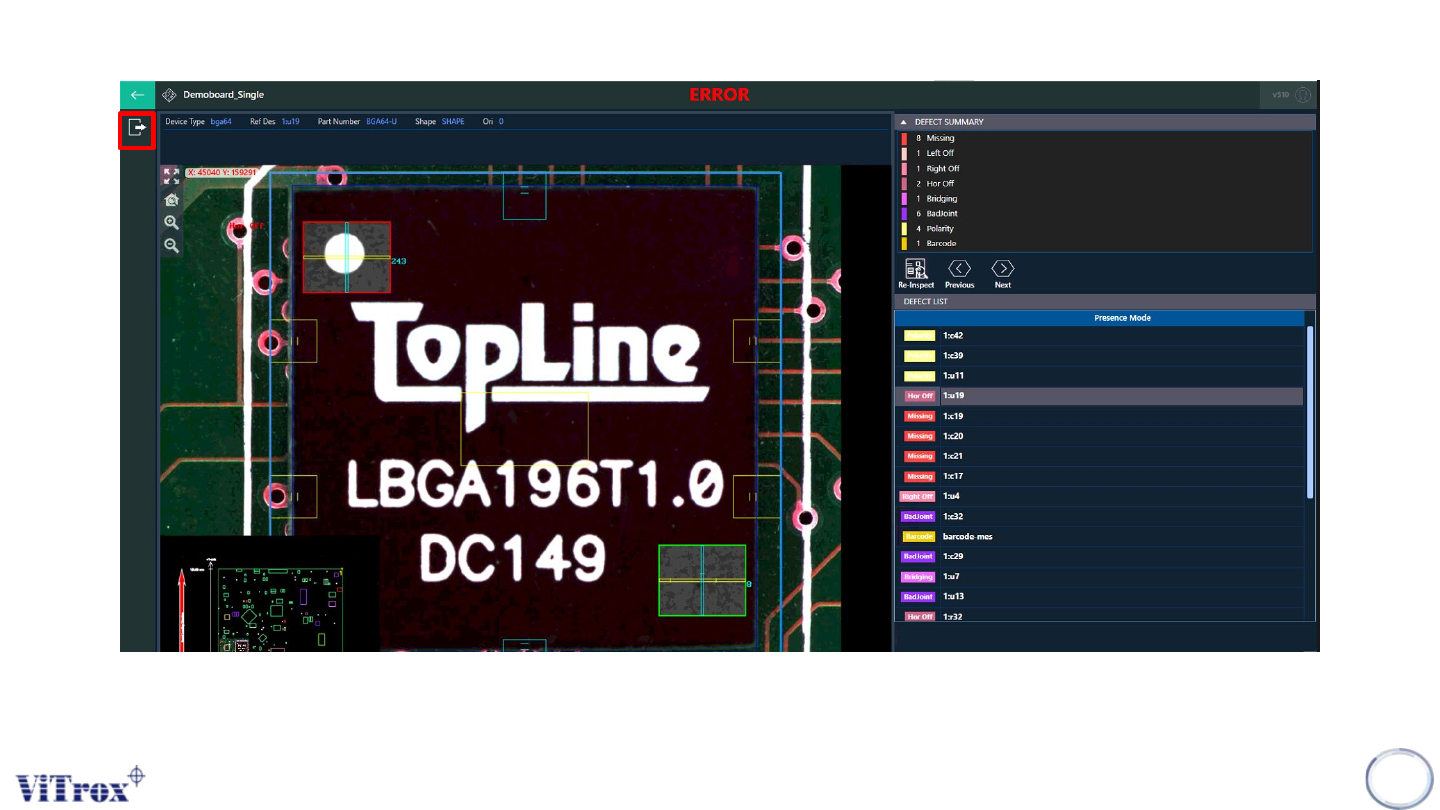
Note: When the maximum errors allowed is set to 5 and the defect calls are 19, it is already exceed the maximum errors allowed. The board can
be unload and the system forces operator to skip force operator to look at all errors. A bypass button not appear.
38
Figure 32: Exceed the maximum errors allowed