Smart Graphical User Interface (SmartG) Overview_rev1.pdf - 第166页
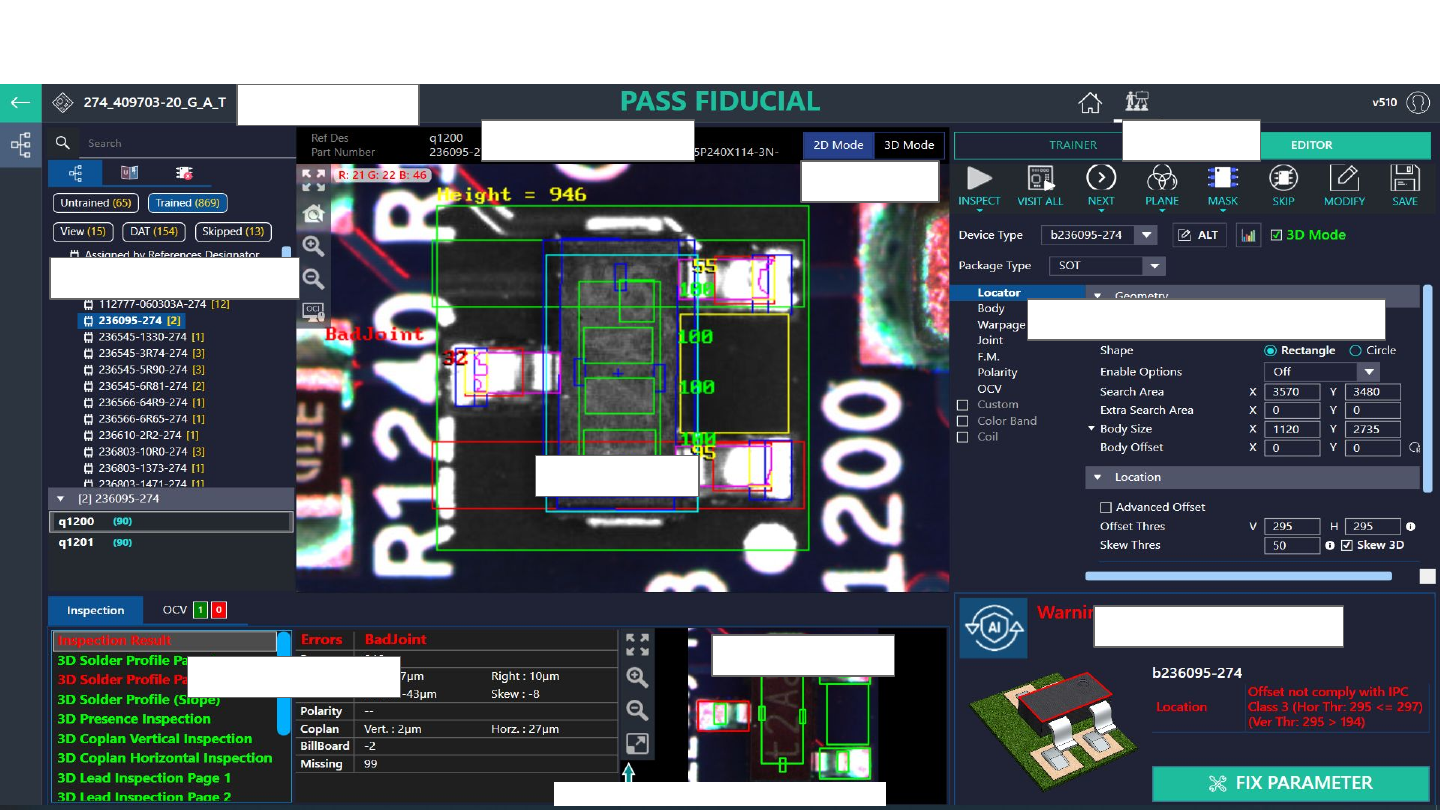
Copyright © ViT rox All Rights Reserved . Algorithm Editor Interface 166 Figure 155: Algorithm Editor Interface Component T ree View Display View Editor T ool Inspection Result Display Result A.I T echnology Status Algor…

Copyright © ViTrox All Rights Reserved.
Algorithm Editor Interface
165
Copyright © ViTrox All Rights Reserved.
Algorithm Editor Interface
166
Figure 155: Algorithm Editor Interface
Component Tree View
Display View
Editor Tool
Inspection Result
Display Result
A.I Technology Status
Algorithm Parameter Fine Tuning
View Mode
Program Name
Detail of Ref. Des.
Copyright © ViTrox All Rights Reserved.
Editor Tool
Note: User can select any feature to use for inspect the ref. des.
167
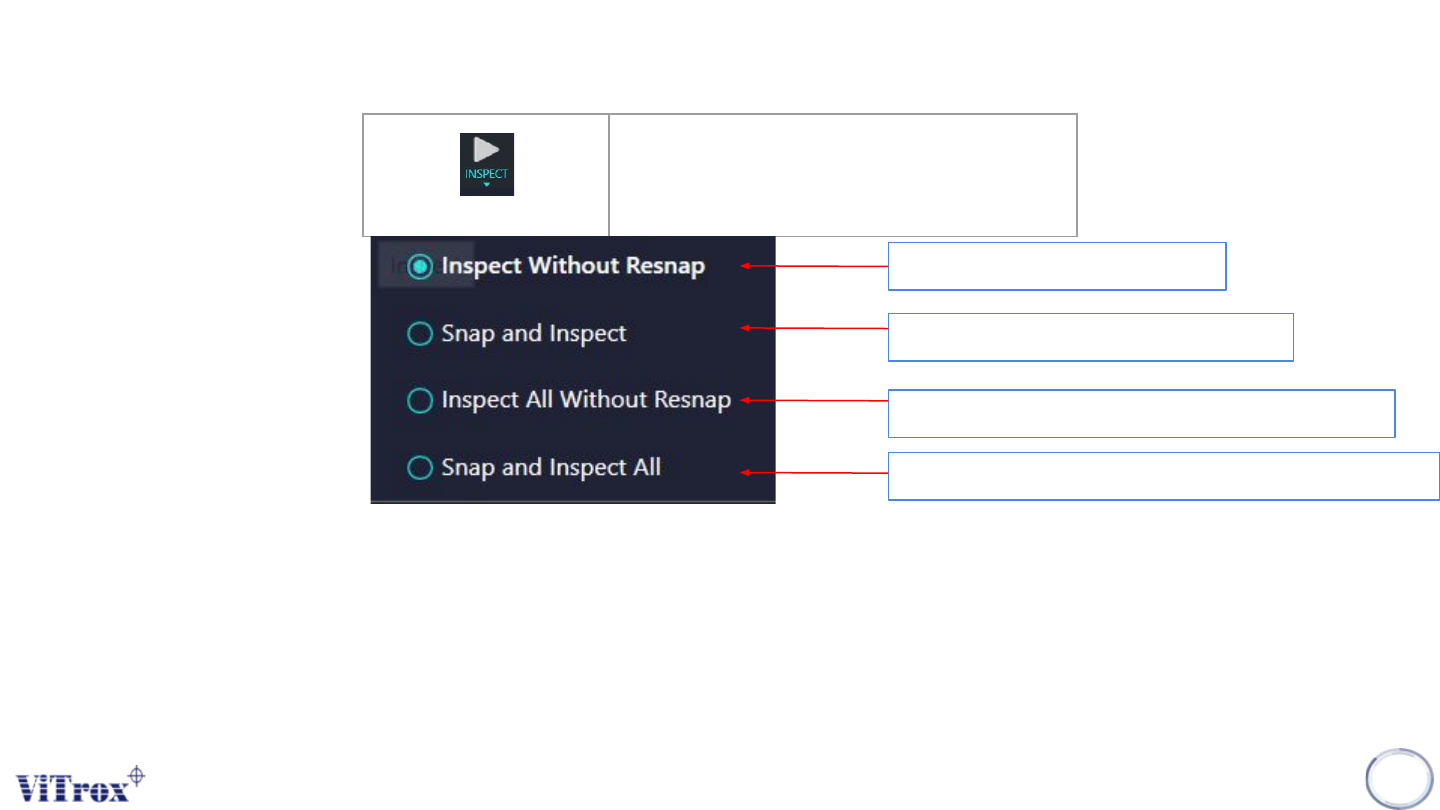
Inspect
Inspect for respective Ref. Des.
Inspect and camera not capture
Inspect and camera will capture again
Inspect all part number and camera not capture
Inspect all part number and camera will capture again
Figure 156: Inspect Feature