Smart Graphical User Interface (SmartG) Overview_rev1.pdf - 第129页
Copyright © ViT rox All Rights Reserved . Create New Database from Existing After creating a new database from the existing, a confirmation message is prompted to confirm the database assignment and golden database setti…
Copyright © ViTrox All Rights Reserved.
Create New Database from Existing
Create new database from existing is used to create a new database by duplicating an existing database and generate to current
program. New database name can be customized by users. This is the recommended database assignment.
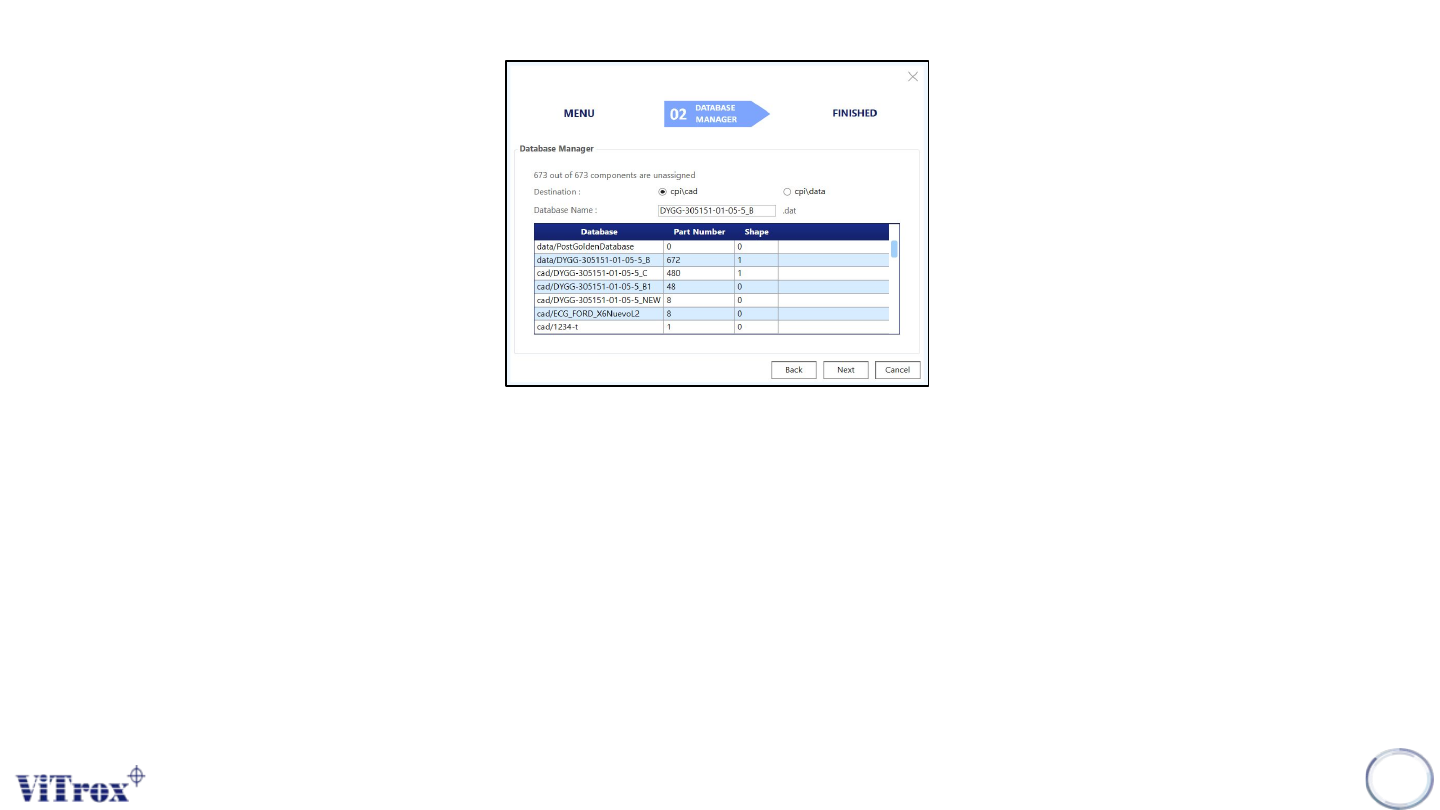
The figure below shows the database manager setting after selecting "Create new database from existing". The information shows
in the database manager are:
● Total components that are unassigned.
● Destination of the new generate database.
● Database name.
● Database list that contain similar part number or shape in descending order.
Note: The default setting of destination is set to cpi\cad and database name is set to current program name. If the new database name is
duplicated with the existing database, a warming message appears.
128
Figure 114: Database Manager Option
Copyright © ViTrox All Rights Reserved.
Create New Database from Existing
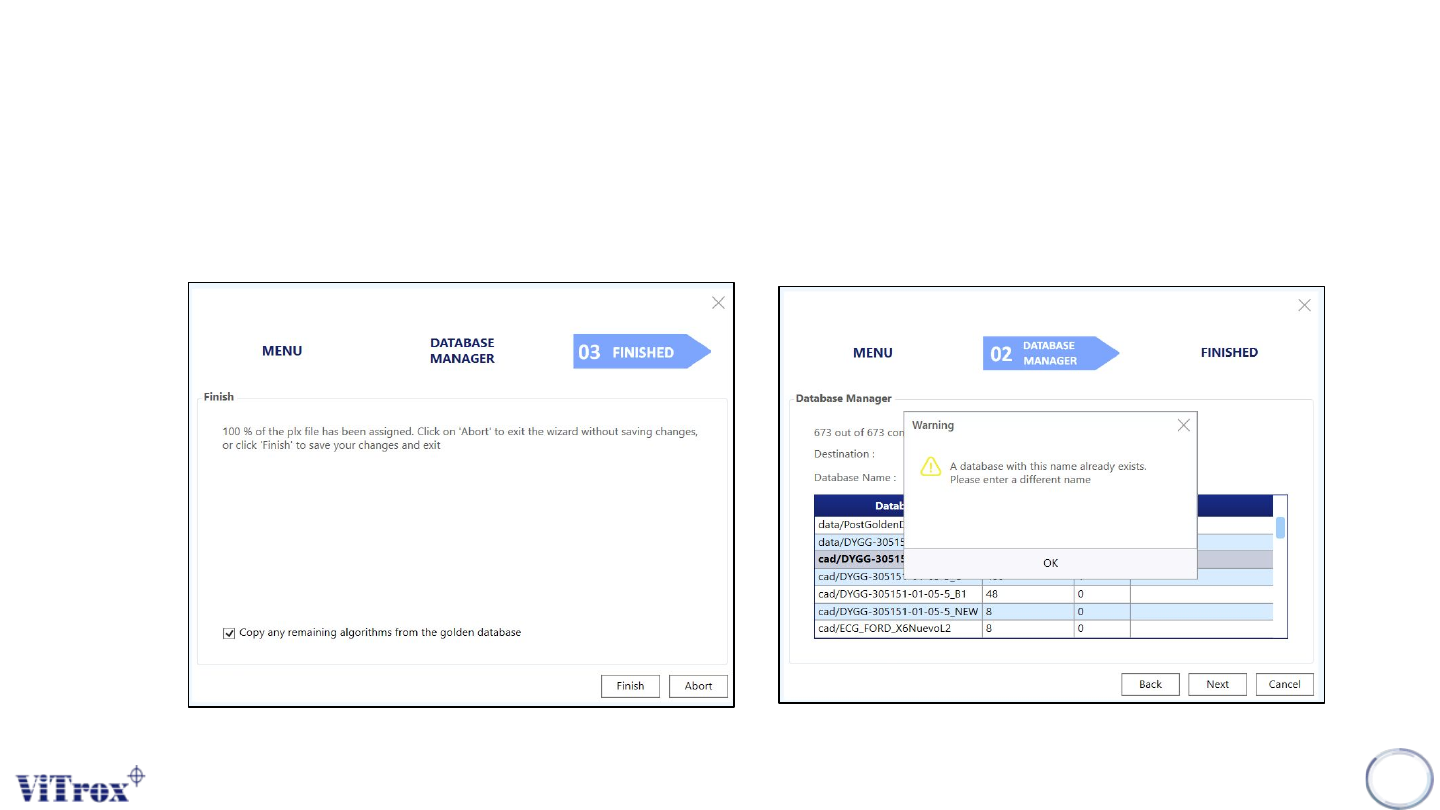
After creating a new database from the existing, a confirmation message is prompted to confirm the
database assignment and golden database setting.
129
Figure 115: Confirmation Message
Figure 116: Warning message of duplicate database occur
Copyright © ViTrox All Rights Reserved.
Point to Existing Database
Point to Existing Database is used to point to a new database for current program. This may cause the situation where
multiple programs are linked to one database. This induces databases mix-up when running multiple programs. The
recommended setting is "Create new from existing".
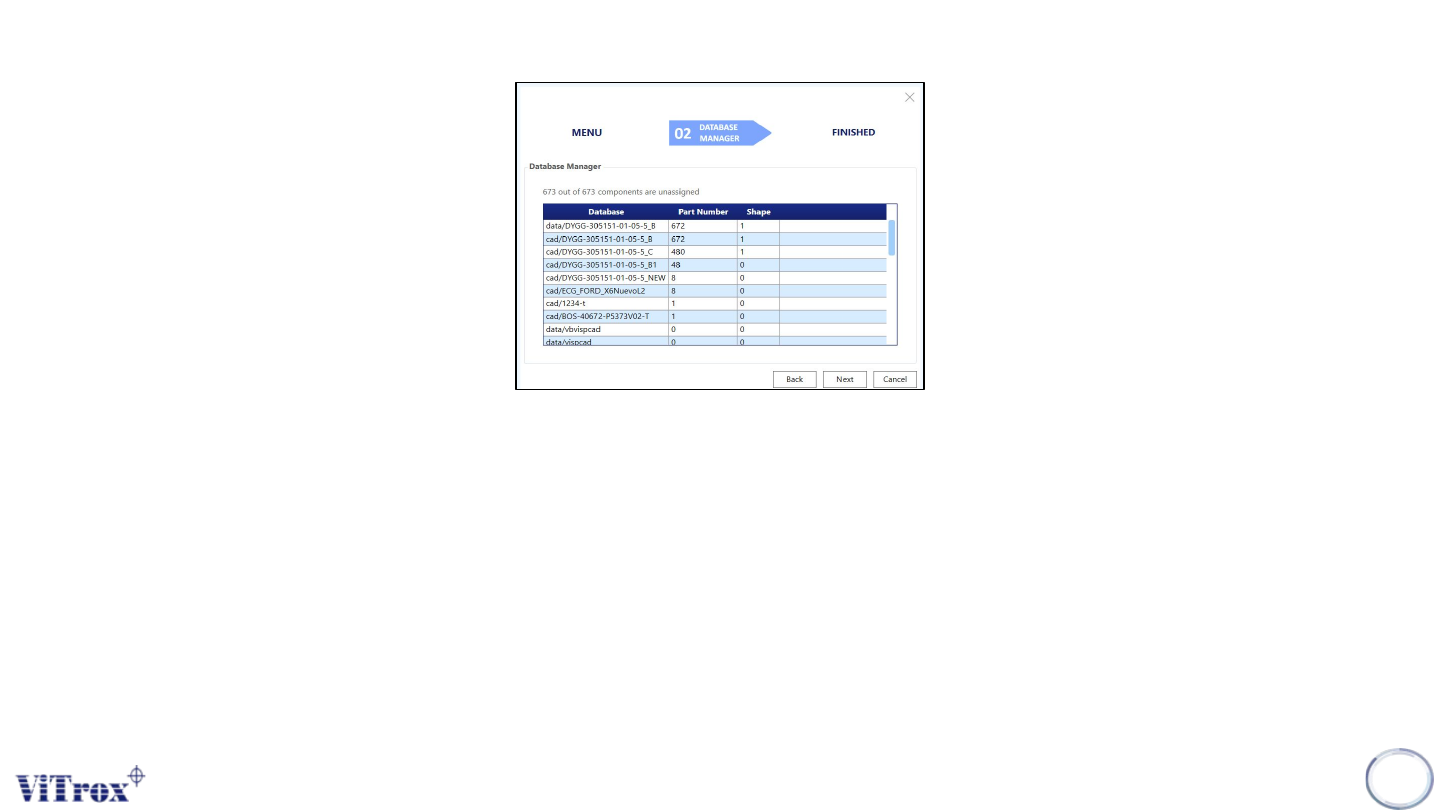
The figure below shows the database manager setting after selecting "create new database from existing". The
information shows in database manager are:
● Total components that are unassigned.
● Database list that contains similar part number or shape in descending order
130
Figure 117: Point to Existing Database