Smart Graphical User Interface (SmartG) Overview_rev1.pdf - 第157页
Copyright © ViT rox All Rights Reserved . Create New Device T ype Note: T o create new device from copy or create new device from raw . 157 Figure 144: Create New device T wo Options: • New Device from copy • New Device …
Copyright © ViTrox All Rights Reserved.
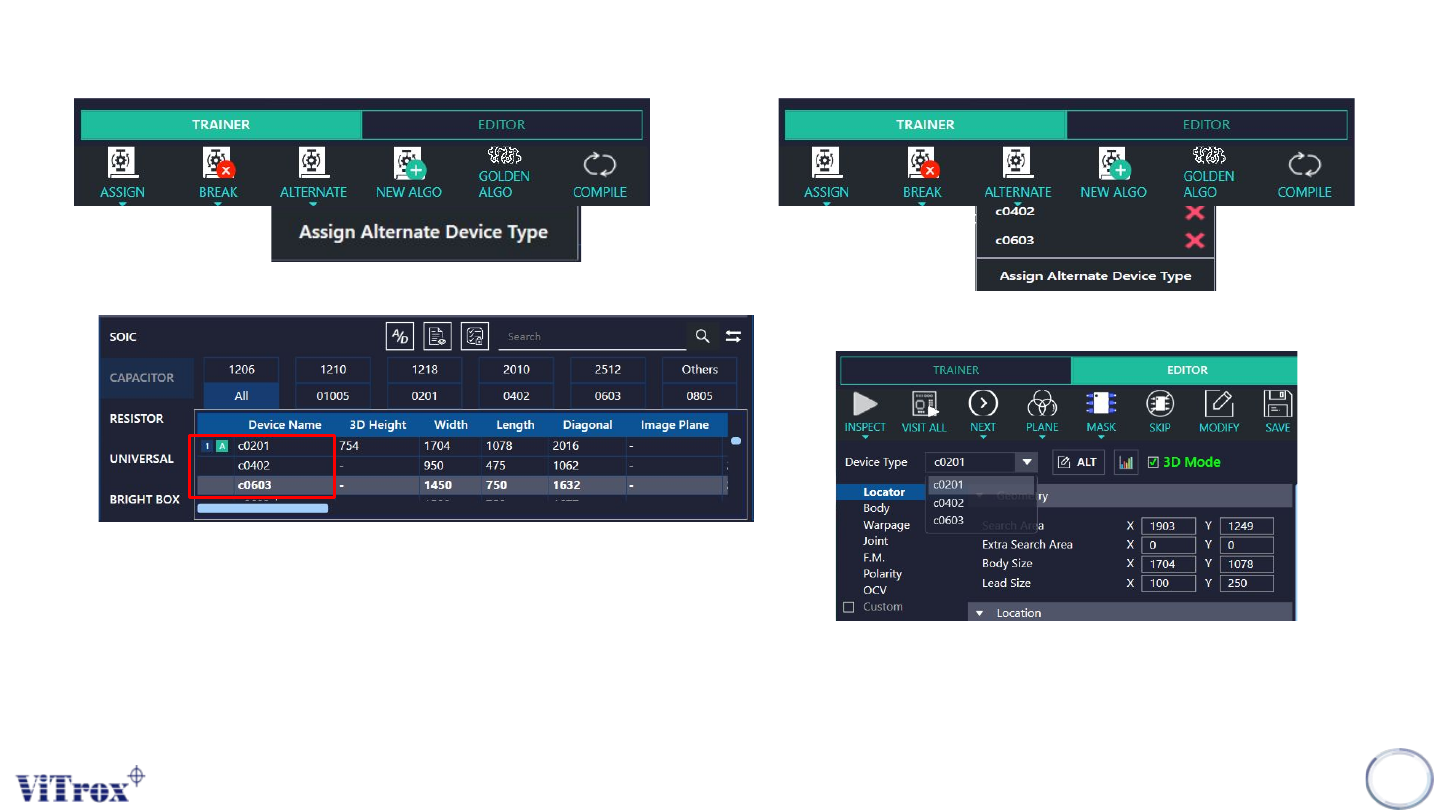
Assign Alternate Device Type
Note: Alternate device type is to alternate more than one device type in one components. This software will be auto pick the best
algorithm to match with components
*Depend on the user whether want to set alternate or not.
156
Figure 140: Assign Alternate device type
Figure 143: In algorithm editor will shows three alternating device type
Figure 141: Example choose 3 different device type
Figure 142: Two others alternative device type
Copyright © ViTrox All Rights Reserved.
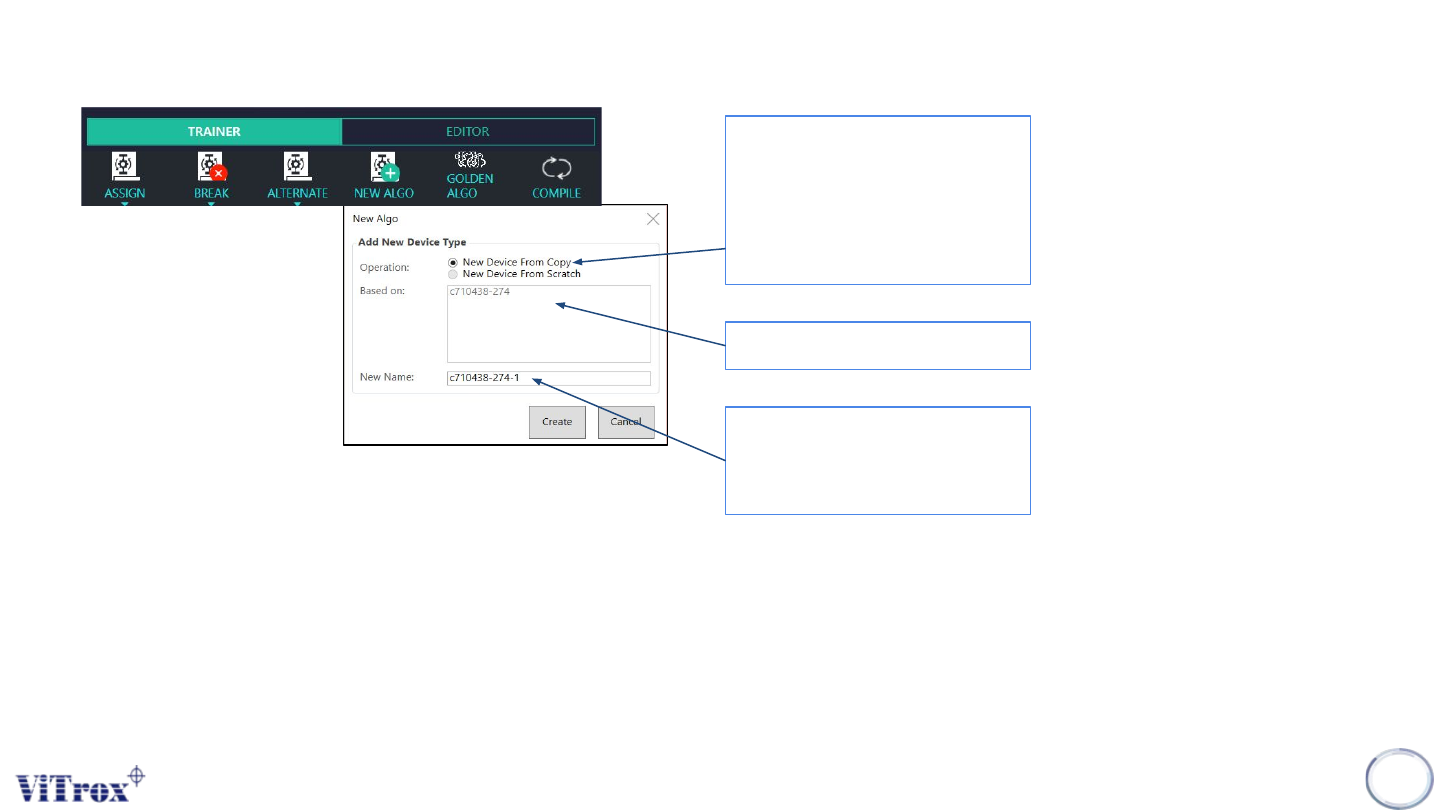
Create New Device Type
Note: To create new device from copy or create new device from raw.
157
Figure 144: Create New device
Two Options:
• New Device from
copy
• New Device from
scratch
Copy from another device
New Name
*Cannot be same with copy
device’s name
Copyright © ViTrox All Rights Reserved.
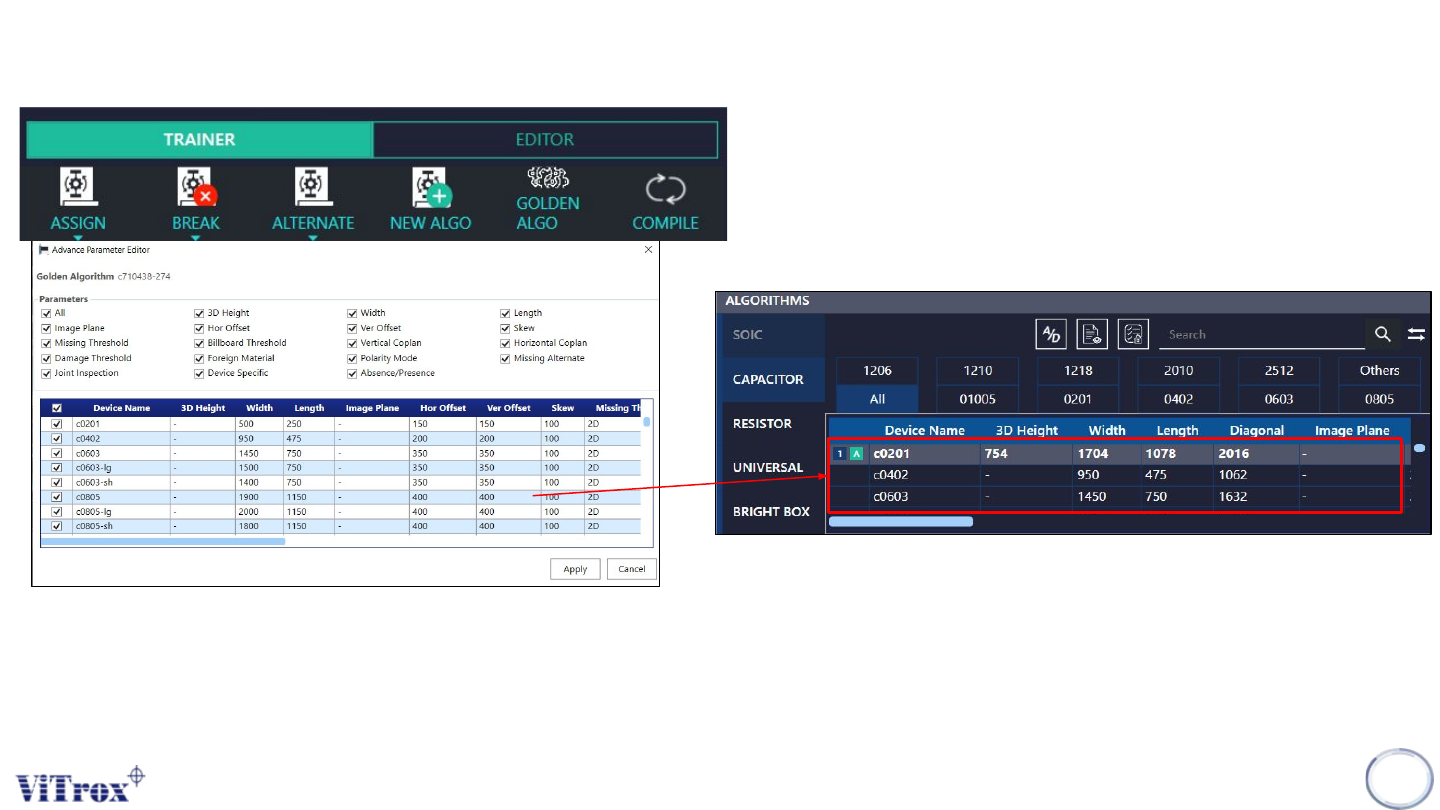
Enter Golden Algorithm Editor
158
Figure 145: Golden Algorithm Editor
Note: User can select multiple parameter to inspect for Golden Algorithm to exist in Algorithm List. If user want eliminate some of
the device name in the list of Algorithm, user can select multiple device name to eliminate.
Figure 146: List of Algorithm