Smart Graphical User Interface (SmartG) Overview_rev1.pdf - 第74页
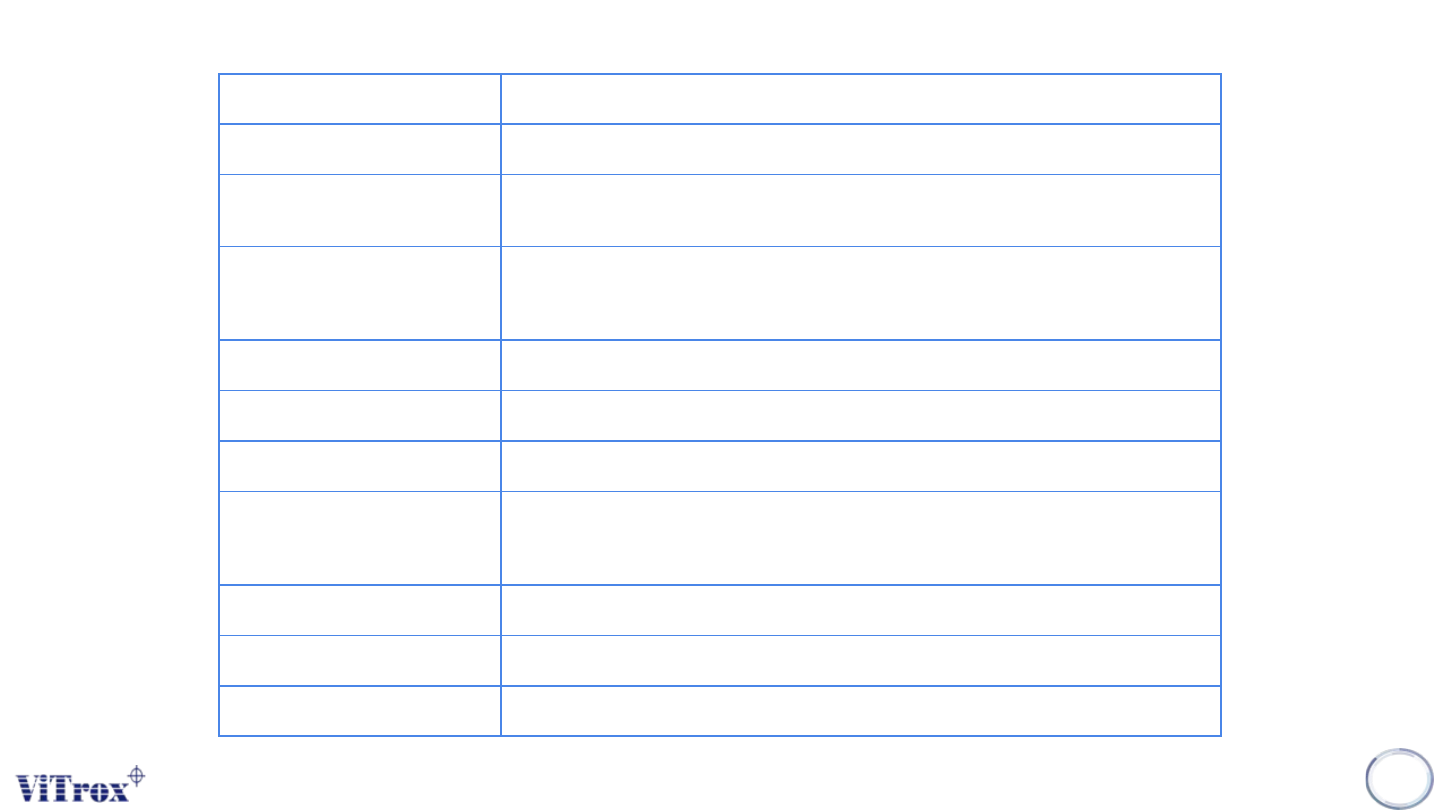
Copyright © ViT rox All Rights Reserved . 74 Green (Amber/Red) Light T urn on the named lamp in the lighting tower Alarm Sound the alarm continuously Flash Green (Amber / Red) Flash the named lamp in the lighting tower P…
Copyright © ViTrox All Rights Reserved.
73
Strobe Heartbeat (indicates communication active between software and plc)
Good Board The board being ejected passed inspection
Bad Board The board being ejected failed inspection (or defects were found and the board is still
being reviewed in action on failure)
Emergency Stop Reset Signals to the PLC to request an E-stop reset. The E-stop condition will not be cleared
unless all E-stop switches have been reset and the hood is closed. This has the same
effect as the E-stop reset button
Passthru Rail1 (Rail2) Software signal to PLC to run the named conveyor in passthrough mode
Good Barcode Used with "Waiting for Good Barcode Signal"
Slow on Exit Slow conveyor speed when ejecting board
Cycle Board Signal When is released at the end of an inspection, the board will travel to the exit sensor,
then the conveyor will reverse until the board is at the entry sensor, and re-load the
same board. Note:- Unavailable if Right to Left Direction is active
Clamping Disable Special Configuration : Boards will not be clamped at the inspect position.
Load/Unload Left (Right) Side Sets Conveyor sequence so board enters and exits from the same side of the machine
Right to Left Direction Run conveyor in reverse (Right to Left) direction
Table 1: Machine I/O Description
Copyright © ViTrox All Rights Reserved.
74
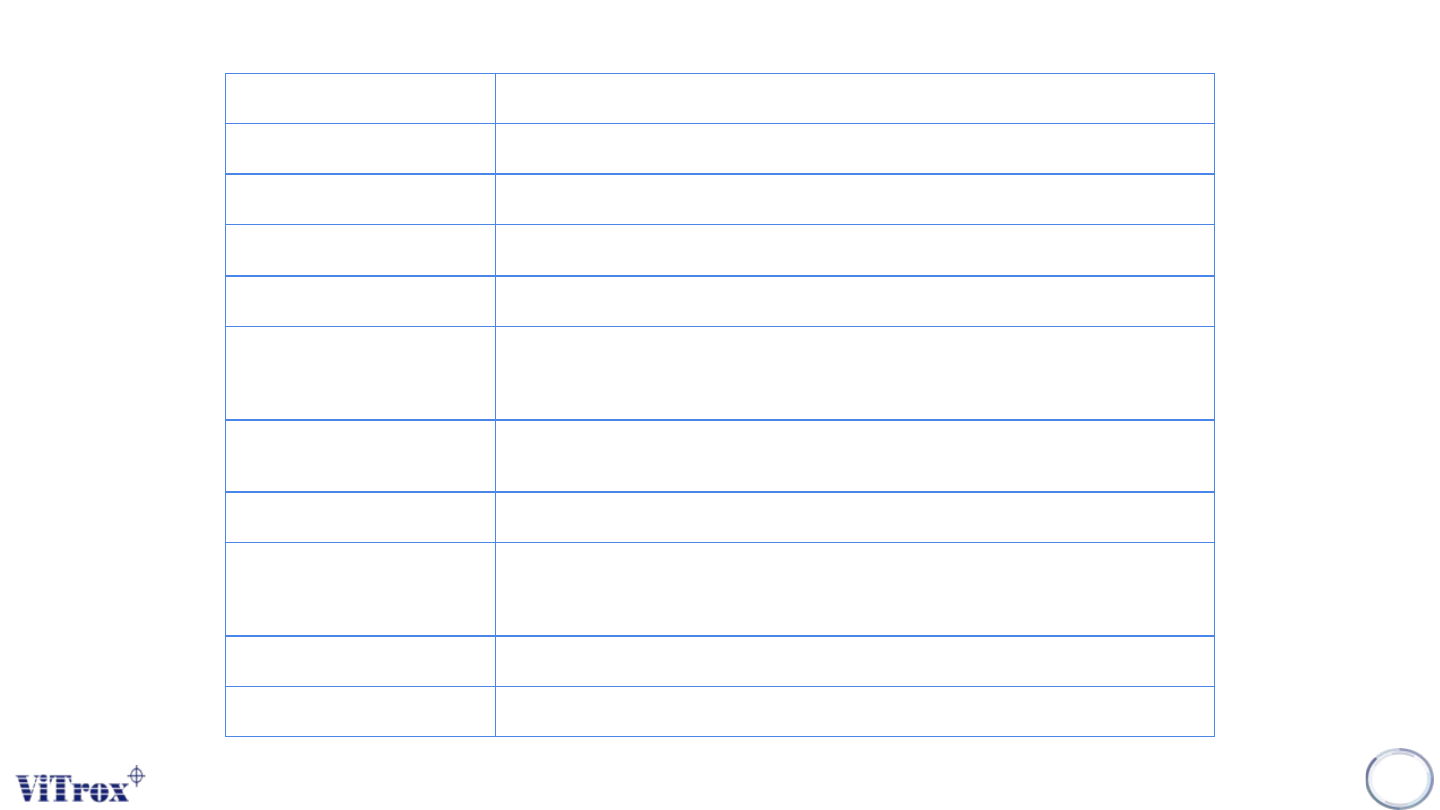
Green (Amber/Red) Light Turn on the named lamp in the lighting tower
Alarm Sound the alarm continuously
Flash Green (Amber / Red) Flash the named lamp in the lighting tower
Pulse Alarm Sound the alarm intermittently
Two Sided Inspection This enables Dual Files
Barcode Delay If enabled there is a 2.5 second delay between seeing board available from upstream
and sending the machine not busy signal. Used to pause the board for barcode
reading
Waiting for Good BC signal When enabled, boards will not be accepted into the machine until a valid barcode read
is received
Good Barcode Rail 2 Used with "Waiting for Good Barcode Signal"
Board Staging Switches on Board Staging option, allowing pre-loading of boards during inspection if
the boards are short enough - saving 3 to 5 seconds cycle time. This option requires
hardware changes
Enable AWA Used by AWA Tools Menu
Home AWA Used by AWA Tools Menu
Table 1: Machine I/O Description
Copyright © ViTrox All Rights Reserved.
75
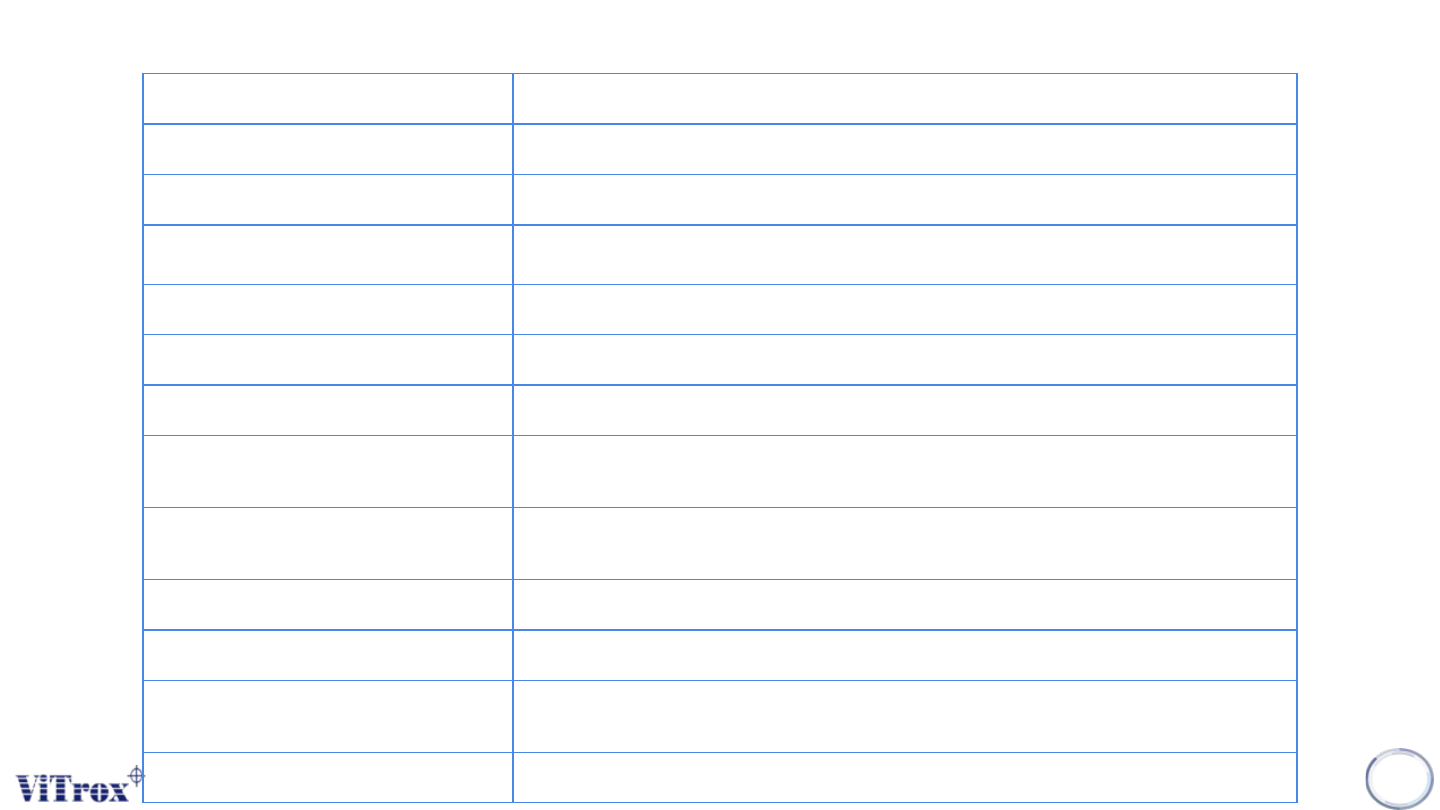
Calibrate AWA Used by AWA Tools Menu
Abort AWA Move Used by AWA Tools Menu
Jog AWA In/Out 0.5mm/1mm/10mm Used by AWA Tools Menu
Lighting Controller AWA Used when AWA homes during Lighting Auto Calibration
Move AWA Used by AWA Tools Menu
Clamps Rail 1 (Rail 2) Activates board clamps on the named rail (When Maintenance key ON)
Stops Rail 1 (Rail 2) Activate board stops on the named rail (When Mantenance Key ON)
Board Avail with Bad Board Special Configuration : Whenever the "Bad board" SMEMA signal is on, also send the "Board
Available" (also known as "Good Board") SMEMA signal
Disable Bad Board Signal Special Configuration : All boards are ejected with "Board Available" (also known as "Good
Board") SMEMA signal irrespective of inspection result.
Reset Rail 1 Resets PLC sequence for front conveyor only
Reset Rail 2 Resets PLC sequence for rear conveyor only
Reset PLC All Block Resets the PLC to the start of the board sequence for both conveyors. Has the same effect as
the reset PLC or Reset Conveyor button on the machine
Clear PLC Error Requests the PLC to clear error flags
Table 1: Machine I/O Description