Smart Graphical User Interface (SmartG) Overview_rev1.pdf - 第163页
Copyright © ViT rox All Rights Reserved . Manual T rain Selection 163 Note: User can manually select the component package want to be train. There are 14 package selection user can train. Figure 153: Manual Selection Pac…
Copyright © ViTrox All Rights Reserved.
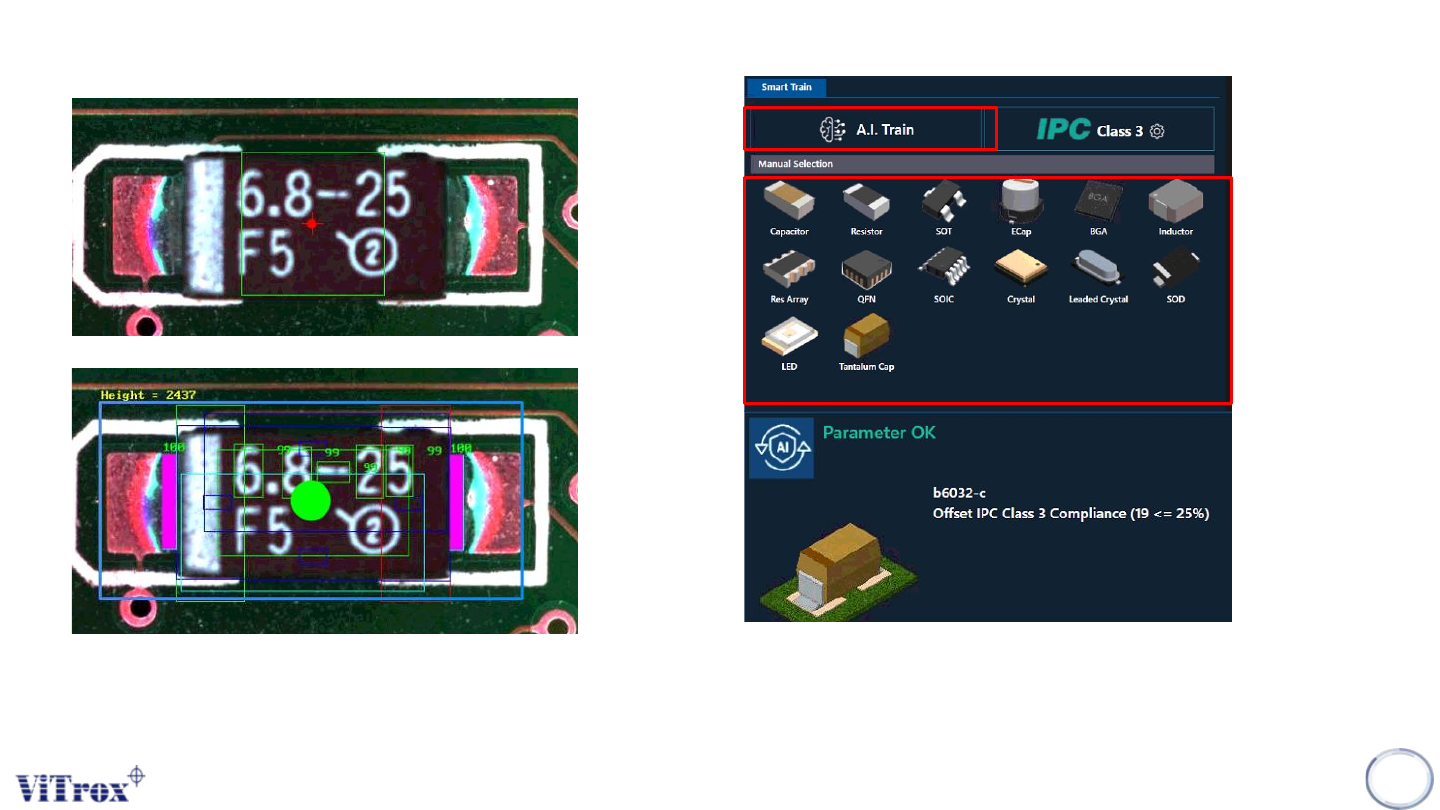
Smart Train Function
Note:This feature is specifically used to train components in a manual way in one click by using A.I technology.
162
Figure 151: Before and After Smart Train
Before Using Smart Train
After Using Smart Train
Figure 152: Parameter of the component after click A.I Train
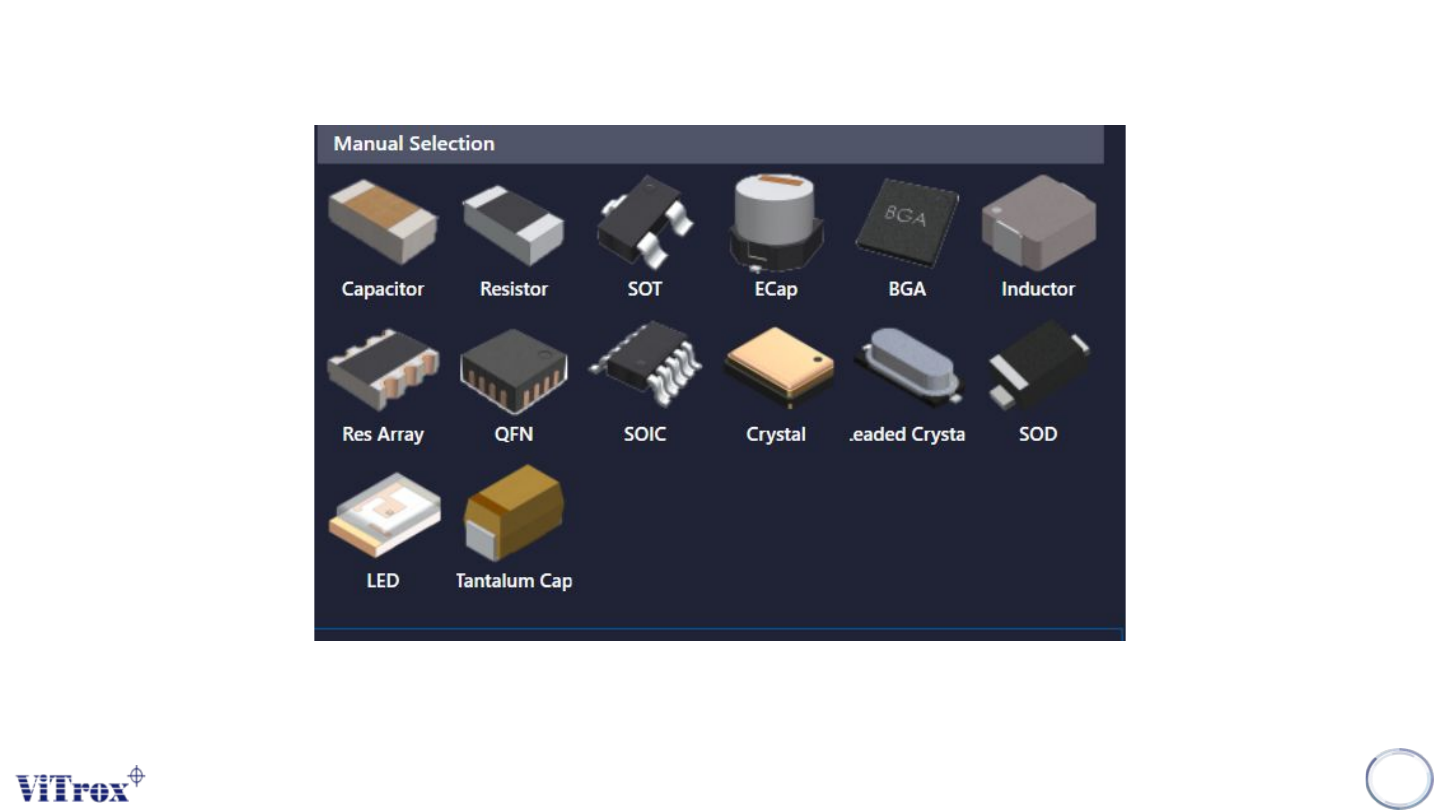
Manual Selection to Train
Copyright © ViTrox All Rights Reserved.
Manual Train Selection
163
Note: User can manually select the component package want to be train. There are 14 package
selection user can train.
Figure 153: Manual Selection Package
Copyright © ViTrox All Rights Reserved.
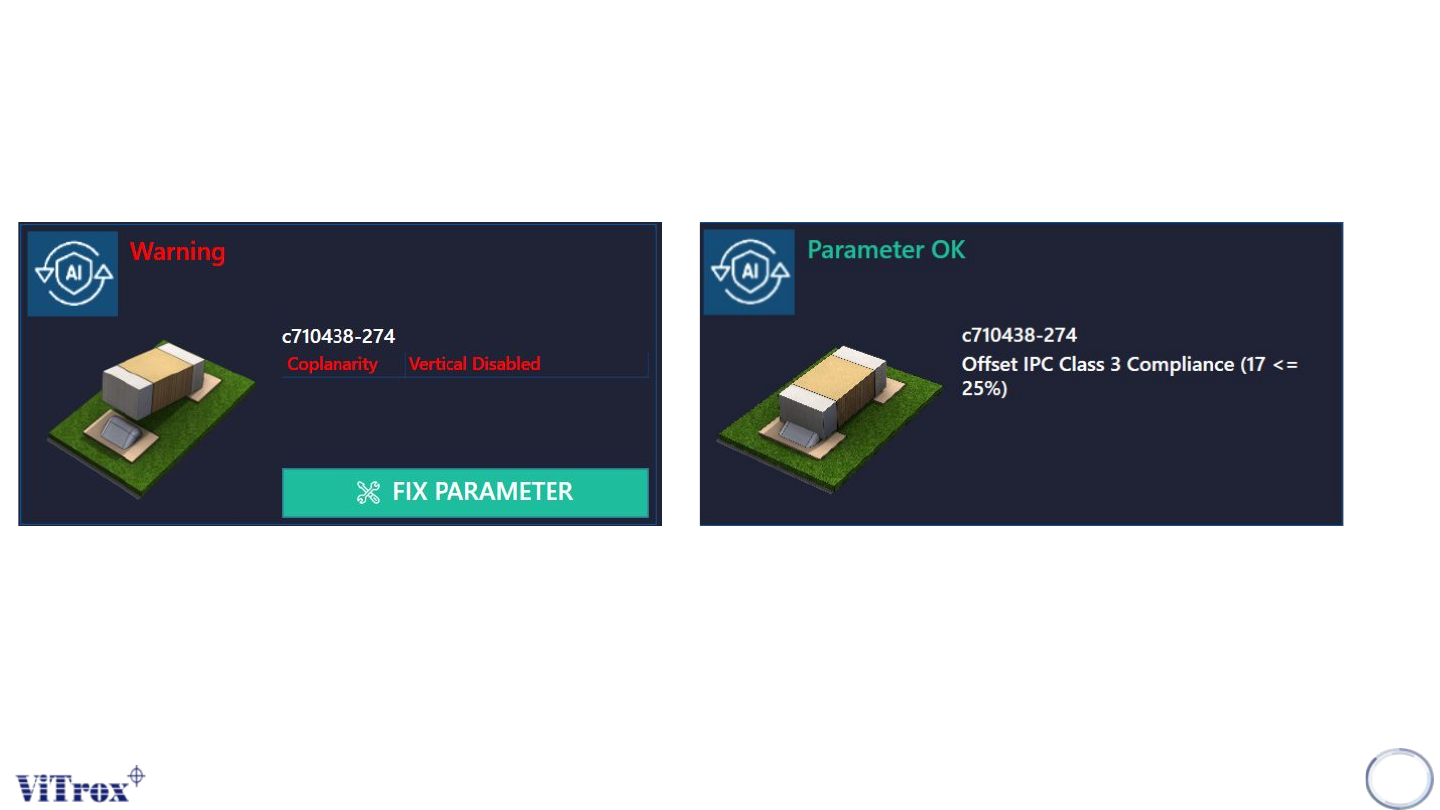
Status of Device Type
When the user click Fix Parameter, the A.I Technology will automatically fix the algorithm parameter,
and the status of parameter will show the amendment result after fix.
164
Note: User can click fix parameter in Status of Device type to amend the failure. It depends on the database of the algorithm
Figure 154: Status device type need to fix