Smart Graphical User Interface (SmartG) Overview_rev1.pdf - 第119页
Copyright © ViT rox All Rights Reserved . How to Implement Negative T esting • T o run negative test, go to Utilities. On the Image Save tab, search for negative test in quality check feature. After the negative test is …
Copyright © ViTrox All Rights Reserved.
Negative Test (Upon Inspection)
Negative test is a quality checking tool of component orientation in the program that includes:
● Test and measure the program quality
● Reduce false calls and escapee rate
● Reduce CAD errors
Note: Negative test must be applied to a good board.
118
Copyright © ViTrox All Rights Reserved.
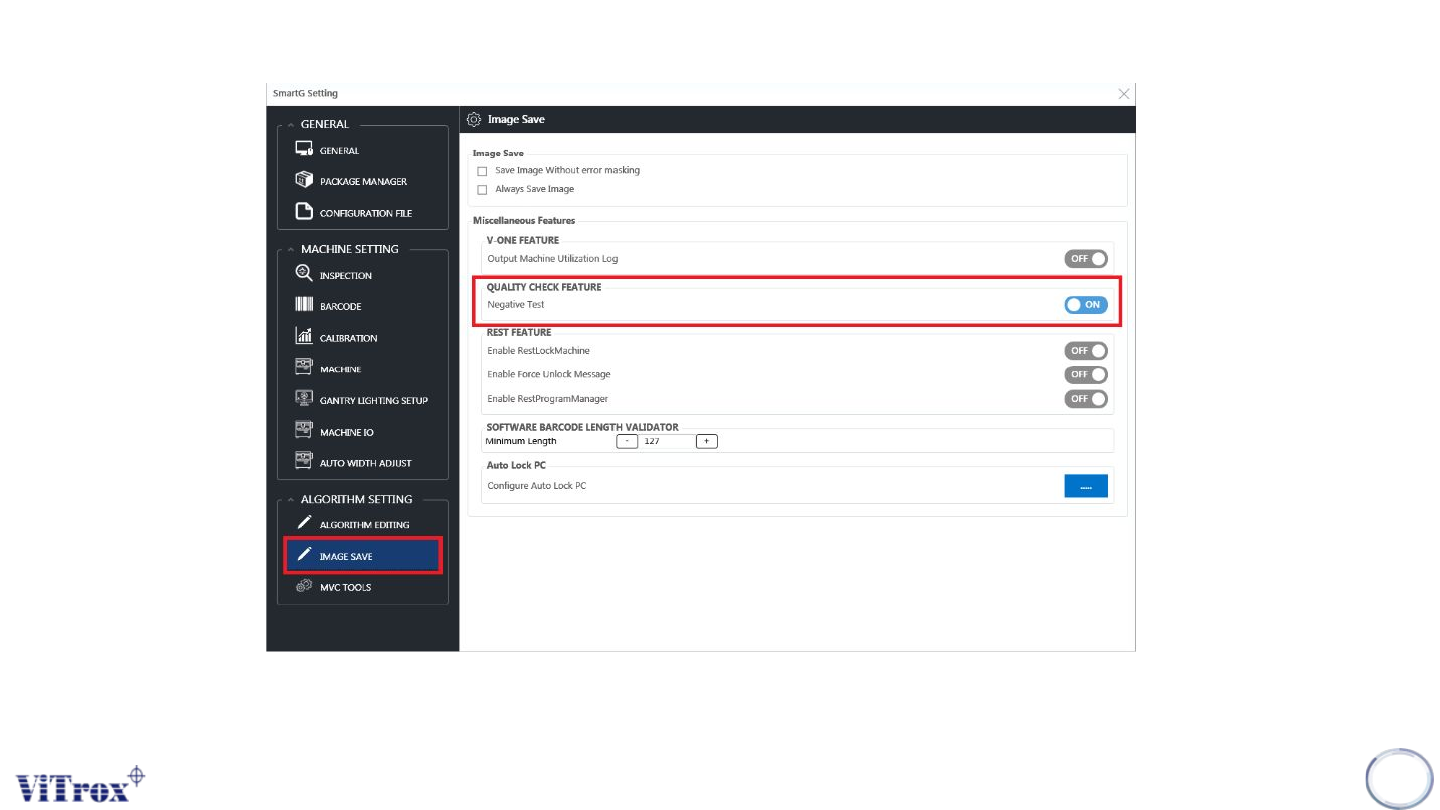
How to Implement Negative Testing
• To run negative test, go to Utilities. On the Image Save tab, search for negative test in quality check feature. After
the negative test is enabled, a negative test column shows in the inspection result.
119
Figure 107: Smart train interface
Copyright © ViTrox All Rights Reserved.
Step Procedure (Negative Test)
Negative test is used to rotate all components to 180 degree and
reinspect the program. Therefore, the rotated component should
show "failed as polarity" to prove that the program has detected
the polarity defect. There are four steps to complete the
orientation negative test which are:
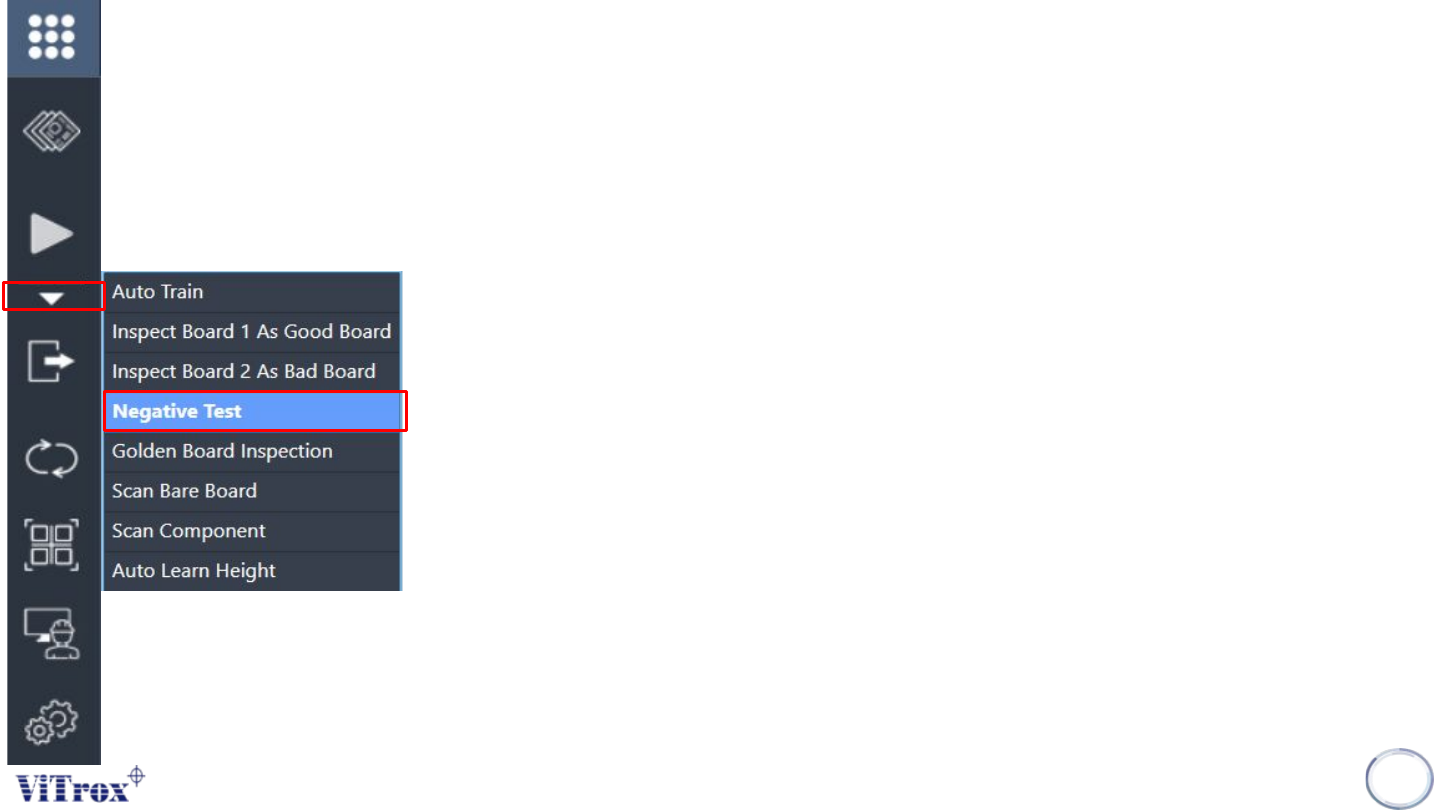
● Run "Negative Test" under inspect button.
● Analysis negative test inspection result.
● Fine tune escapee component.
● Ensure no escapee component in final result.
120
Select negative test under inspect button and run the negative test.
SmartG will start the inspection of negative test.