VI User Manual.pdf - 第134页
在线预览 VI User Manual.pdf PDF 文档。
.TST file edition
Vision 2007 4.10 User Manual Rev 01 5 - 25
5.8.5 Report section
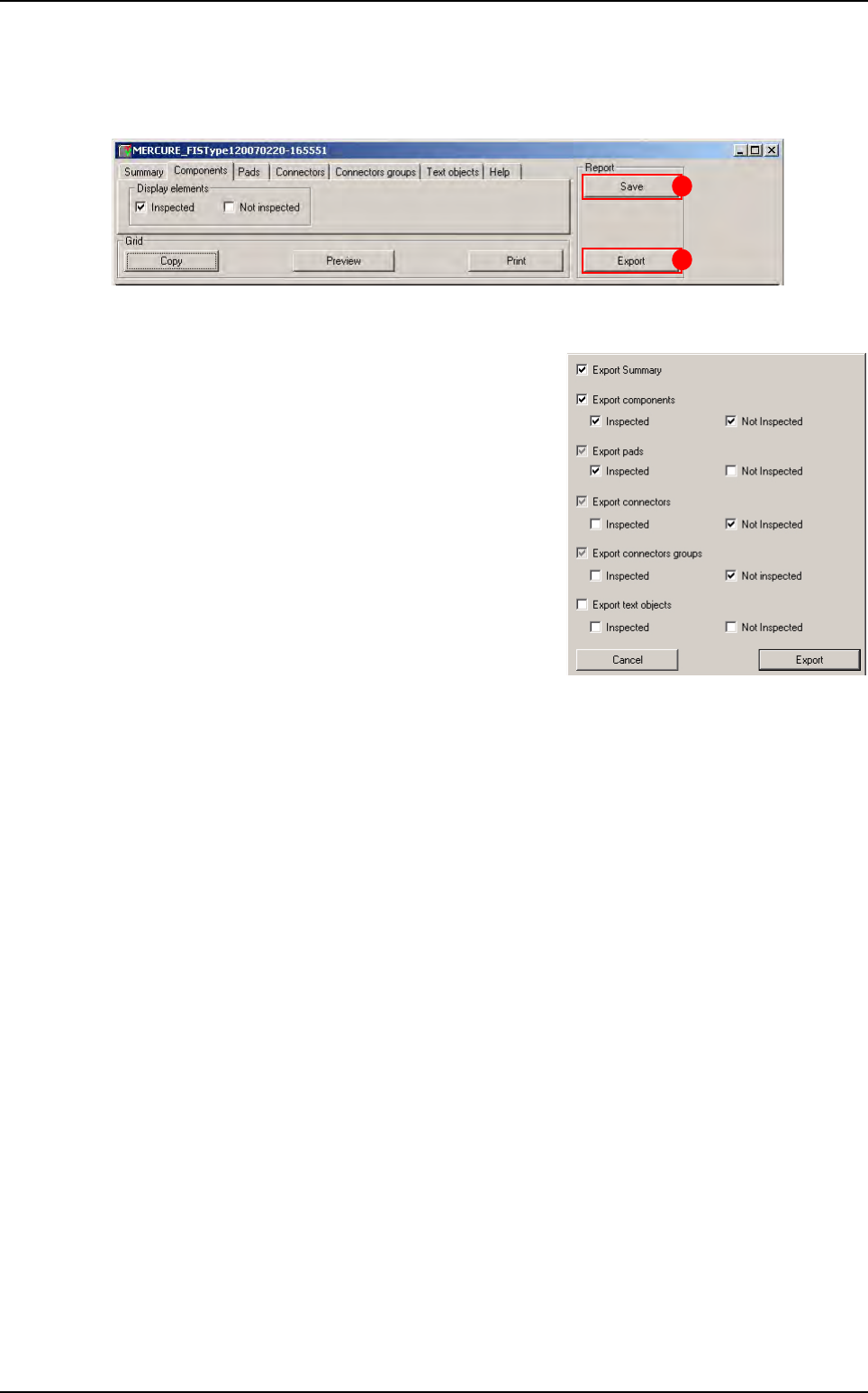
In this part the operator can save the report by clicking on Save button (A).
To open a report previously saved, go in Vision 2007 and select Open in file menu and choose
Test coverage report.
The user can also export this report with export control
(B).
To export the report the user has the choice to export
some element or all elements, he has just to select the
element he wants in the window below.
After export the test coverage report can be open with
severals formats.
B
A
Test coverage report
Vision 2007 4.10 User Manual Rev 01 6 - 1
Chapter 6
Match Maker
6.1 Presentation
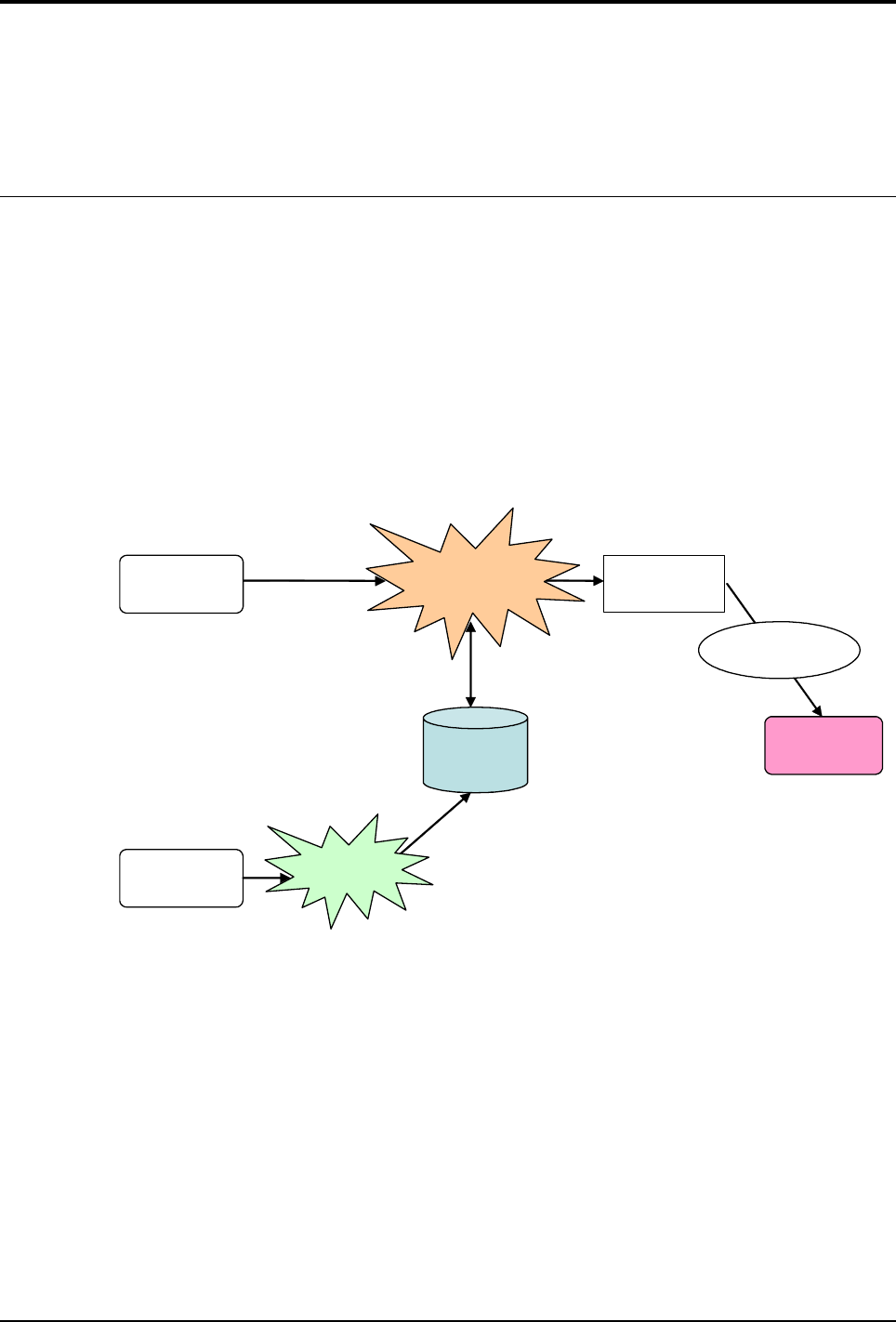
Match Maker is a tool that enables to easily add models in the Customer Library from the Standard Li-
brary for the unknown components.
Match Maker is a module integrated inside Vision 2007 and starts from the TST file creation Wizard.
6.1.1 Detailed function
Match Maker is the interface tool between Customer Library and Standard Library.
Match Maker proposes a list of models that can match the unknown component in term of geo-
metric features. Thanks to a graphical representation of the component, select among the list
which model to import from the Standard Library.
The models selected are saved in a BuildModel database (BMdb) for future use.
To realize these functions, the user is guided by a Graphical User Interface.
Match Maker
Jedec
name
Standard
library
Library
manager
Customer
library
Automatic fill
BMdb
Customer
CAD data