VI User Manual.pdf - 第331页
Optimization Vision 2007 4.10 User Manua l Rev 01 12 - 13 12.3 Auto Defect Correction (ADC) This tool has 2 mains goals: It gives you a precise status of the customer library: • Links which are ne ver used. • The best …
Optimization
12 - 12 Vision 2007 4.10 User Manual Rev 01
12.2.2.3 Paste
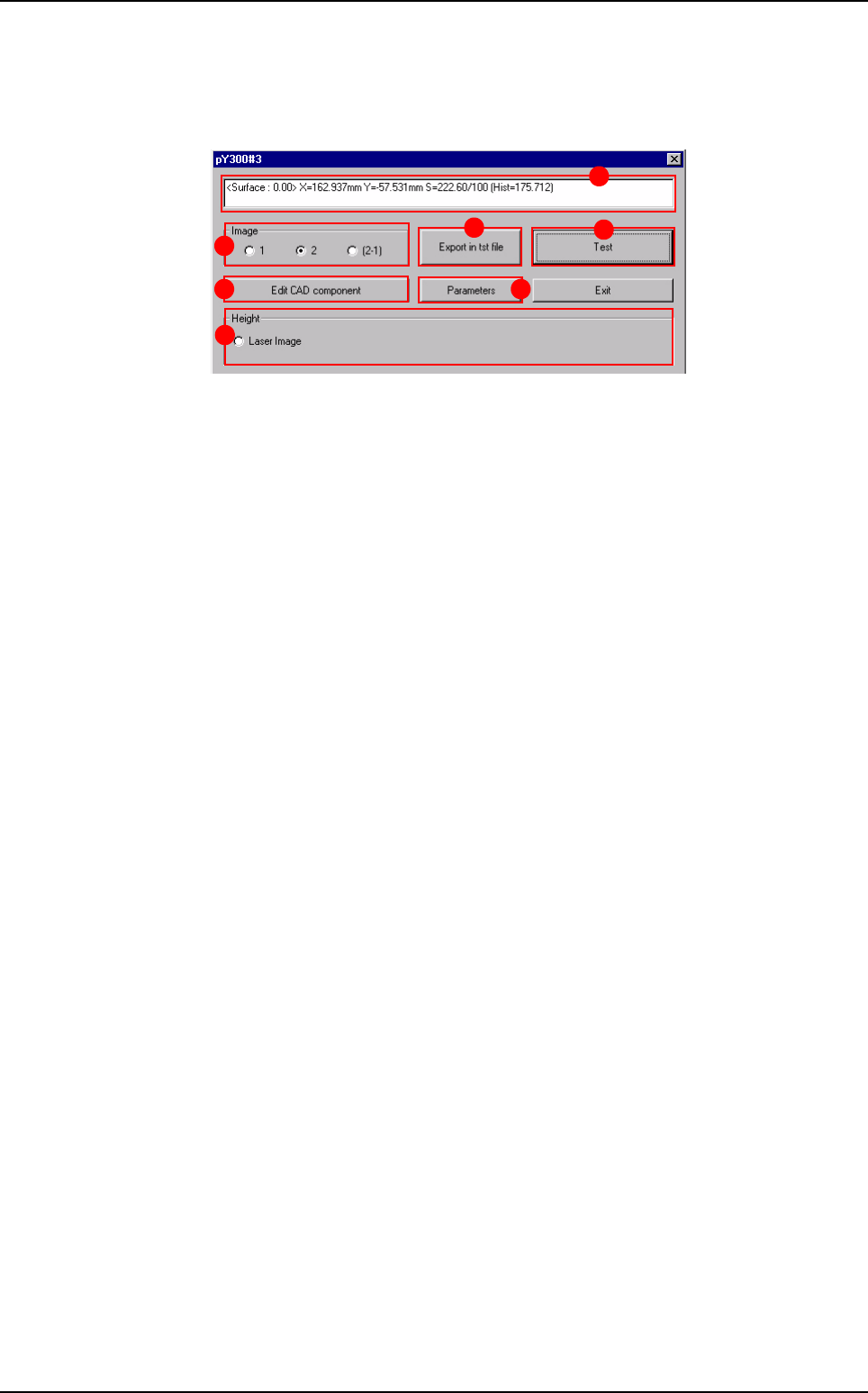
The dialog contains the results of the paste detection. The tools are placed and ex-
ecuted at the same position as they were in Production mode.
In the upper field (A) are displayed the paste detection results.
In Image (B) section, select the image type displayed in the console.
Press
Edit CAD component
(
C
) button to edit the pad's paste detection parameters.
Press
Parameters
(
D
) button to edit the global .tst file's paste detection parameters.
Press Test (E) button to re-execute the paste detection. If you modified detection
parameters, press this button to update the results.
Press Export in tst file (F) button to export the results to a .tst file. This opens a
browser dialog to choose the destination .tst file.
The Height (G) section is unused.
A
B
F
E
C D
G
Production debug tool
Optimization
Vision 2007 4.10 User Manual Rev 01 12 - 13
12.3 Auto Defect Correction (ADC)
This tool has 2 mains goals:
It gives you a precise status of the customer library:
• Links which are never used.
• The best links arrangement to reduce the cycle time and to increase the accuracy.
It allows you to improve the customer library by downloading models from the standard library.
12.3.1 Principle
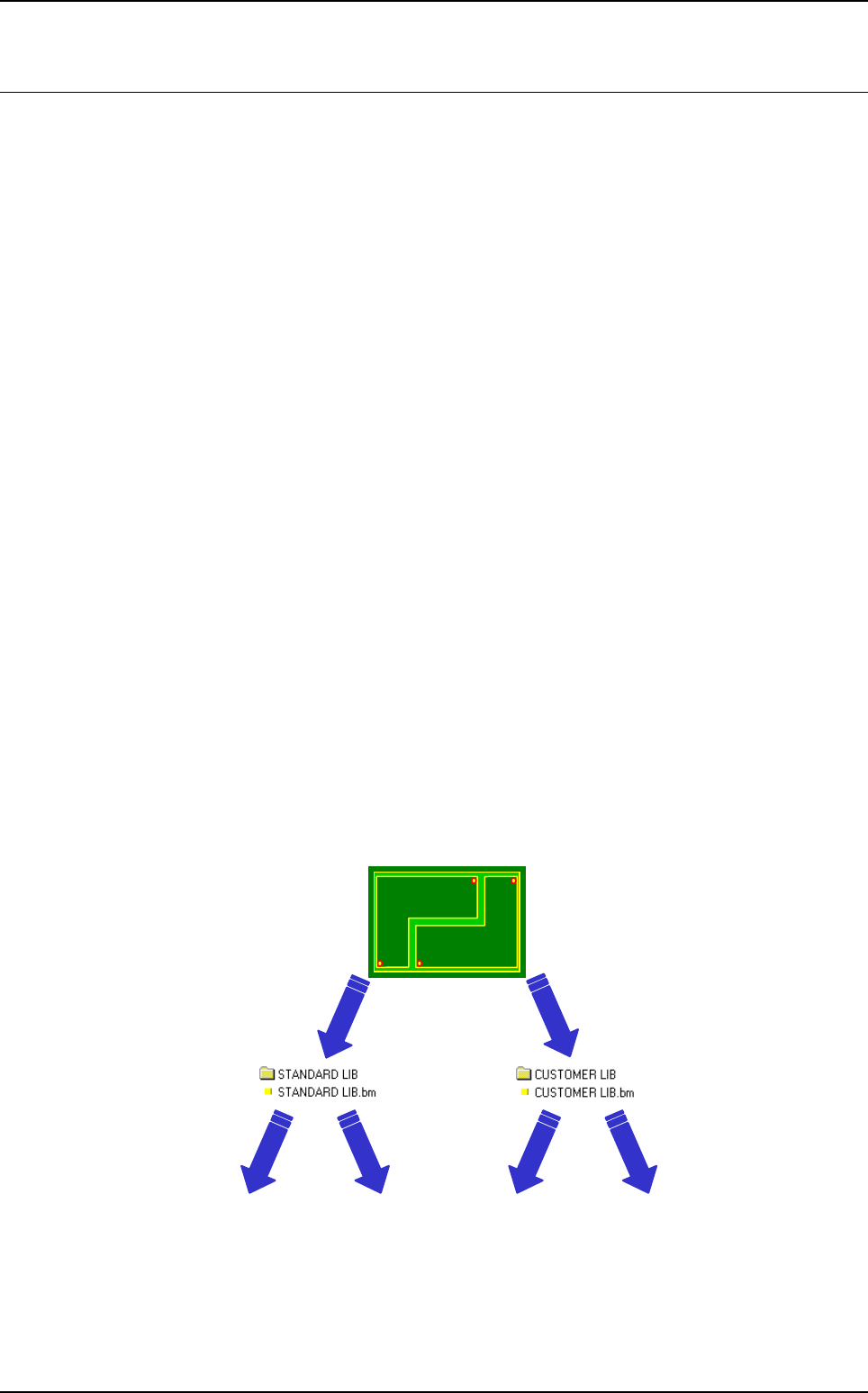
Running boards from the production line with the customer and/or the standard library.
The ADC mode gives you a verdict about the best models to use from the customer or from
the standard library.
After testing several panels, it informs you about customer models which are never used and
about standard models we can use.
Then, you have the possibility to:
Remove unused customer models from the customer library.
Add standard models to the customer library.
12.3.2 Algorithm
Possibility to run empty boards with customer and standard libraries to detect models which
give false acceptance.
Test full panels with the customer library. If a Ref. Designator fails we try with the standard
model in the standard library.
12.3.2.1 1st step (if empty boards needed)
PRODUCTION
Component
found
= false
acceptance
• Save image
• Sort bad models
Missing
• Sort bad models
Missing Component
found
= false
acceptance
Optimization
12 - 14 Vision 2007 4.10 User Manual Rev 01
12.3.2.2 2nd step (sampling on full boards)
12.3.3 Limit
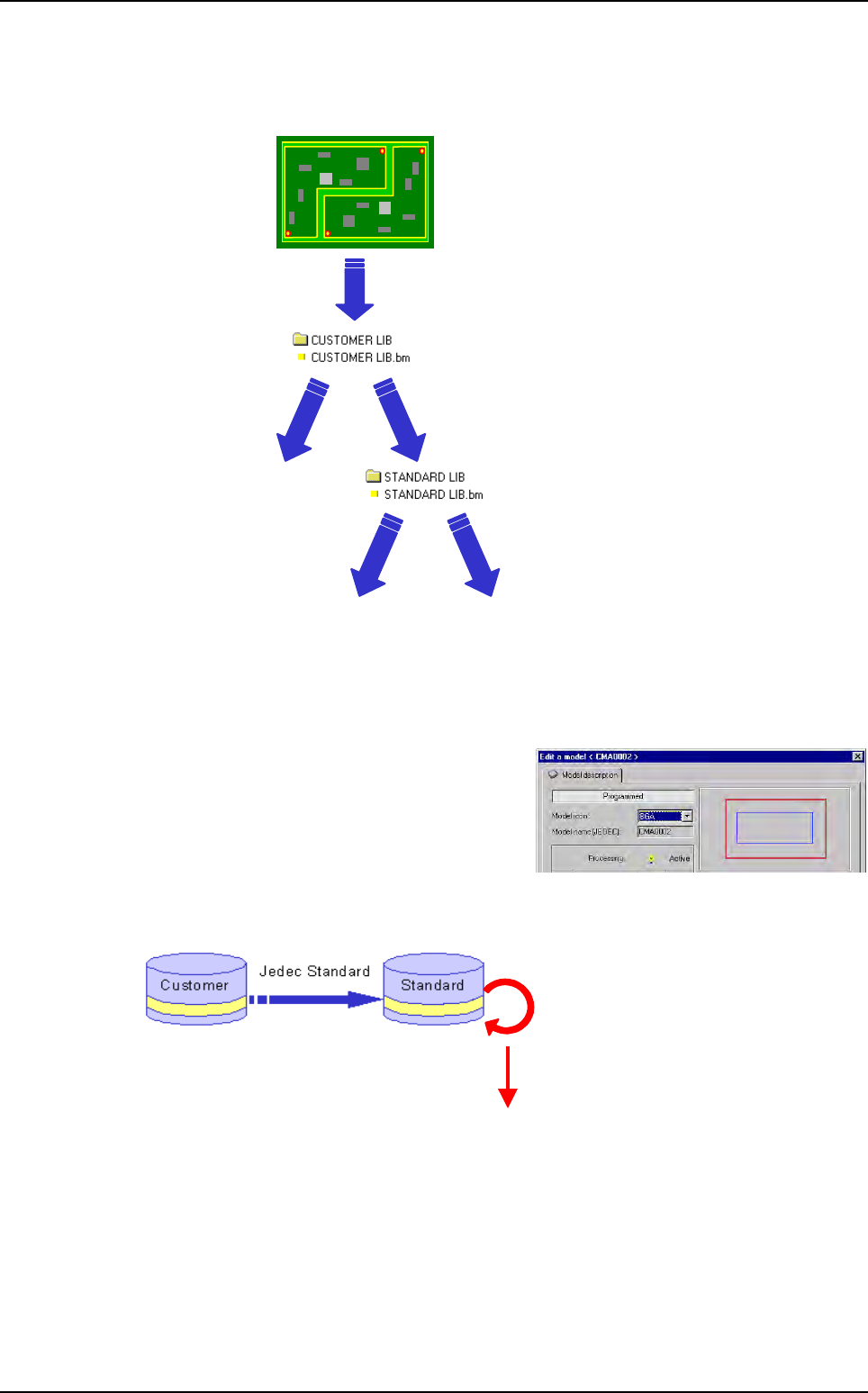
The standard name of the customer model must exist in the standard library.
This field is editable by double clicking on the string
Model name from the model description window of
the library.
In the customer library, you can not have duplicate
standard names. The software rename them auto-
matically.
Research for the corresponding standard name:
To run ADC, the software analyses if the standard name of the customer model exists in the
standard library. Then it looks for the head link and executes all the links from the model family.
• Save image
PRODUCTION
Missing
error
Component
OK
Component
found
Missing
error
Search the head link
Execute all the links
Auto Defect Correction (ADC)