VI User Manual.pdf - 第215页
Tools library Vision 2007 4.10 User Manua l Rev 01 7 - 53 5. Click on Re-test lead to lead button to test all modifications without re-execu te each side. At this stage Profiler™ are programmed in Standard mode . 7.9.3.3…
Tools library
7 - 52 Vision 2007 4.10 User Manual Rev 01
4. Click on Reset button to remove all modifications.
7.9.3.2 Lead to lead tolerances setting
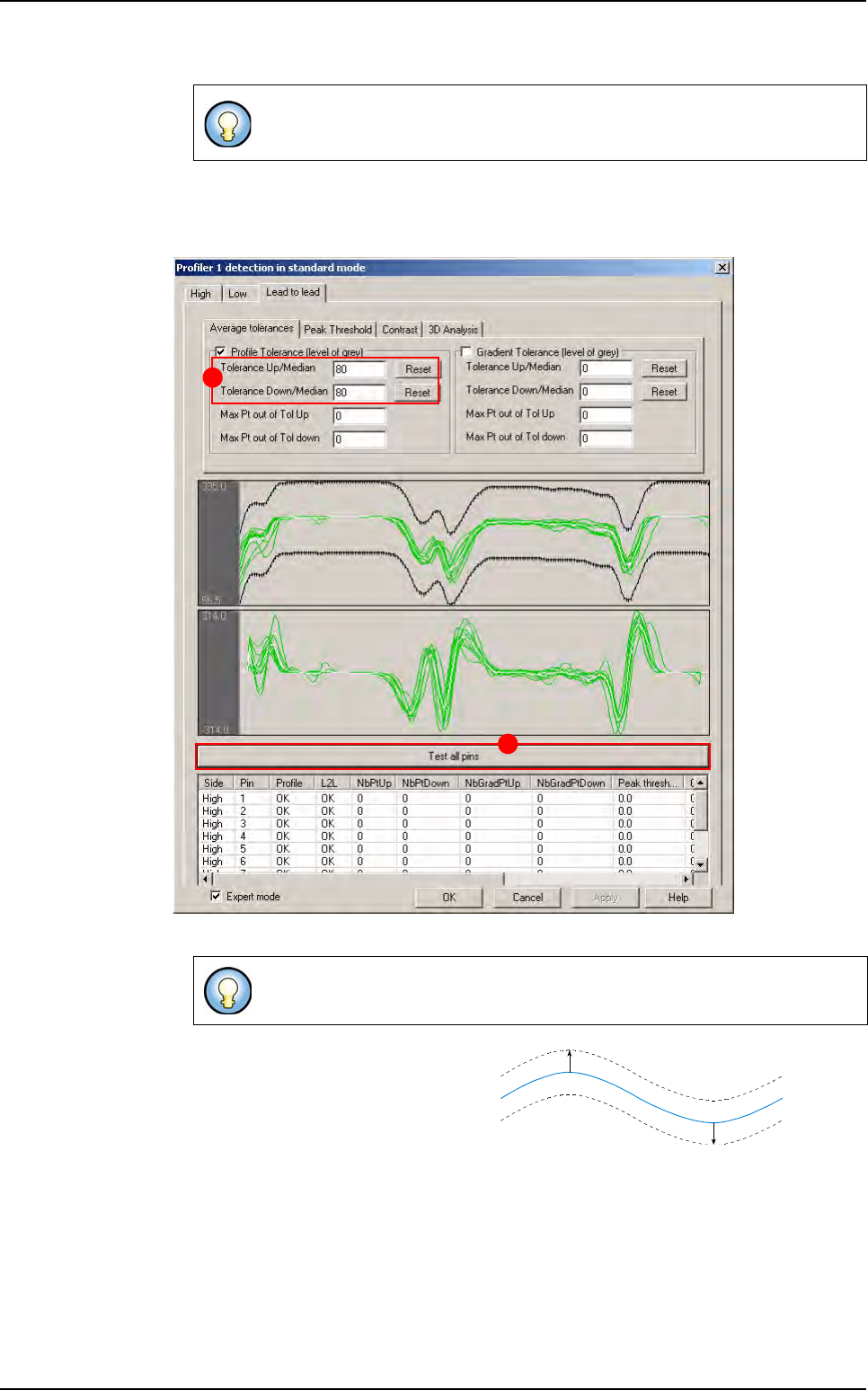
To set the Lead to lead tolerances, go in Lead to lead tab.
A Click on Test all pins button
B
In
tolerance Up/Down/Median
fields
enter the tolerance values and press
Reset
button to display the up/down tol-
erance lines at wanted value. Toler-
ance can be adjusted along the profile:
1. Click on the point to move, and move it with the mouse.
2. Press Shift button on keyboard to move several points (10) at same time.
3. Use Up/Down arrows to move tolerances and keep manual modification.
4. Click on Reset button to remove all modifications.
Tolerance can be applied on the gradient (on Gradient algorithm tab) in the
same way that on the profile.
The
Profiler™ tool test all pins of each side. Tolerances are adapted on the
average of all these profiles.
A
B
Reference
=
Average
of all profiles
Up value
Down value
Profiler
™
in Custom
Tools library
Vision 2007 4.10 User Manual Rev 01 7 - 53
5. Click on Re-test lead to lead button to test all modifications without re-execute each side.
At this stage Profiler™ are programmed in
Standard mode.
7.9.3.3 Tests
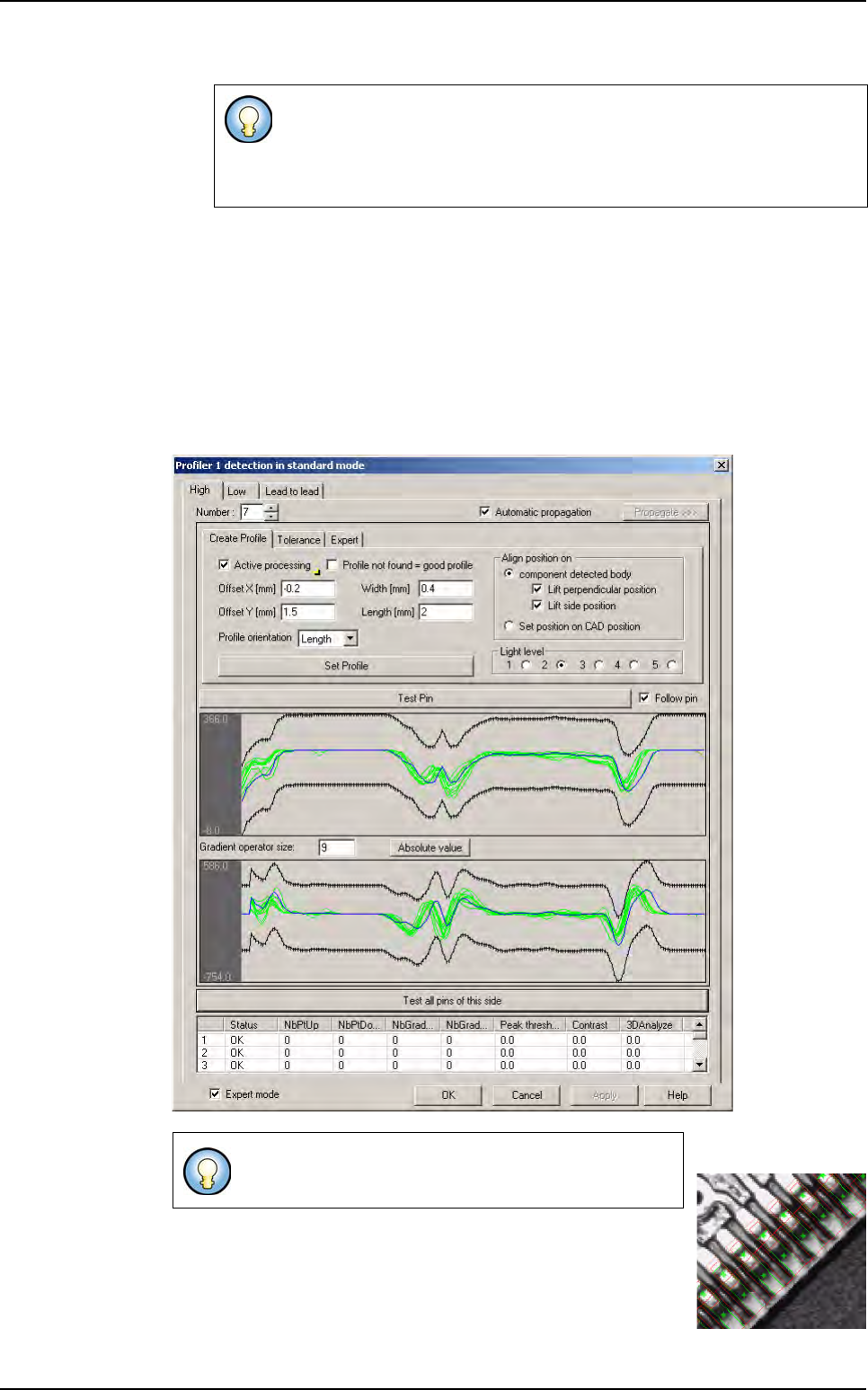
Test pin
If you click on Test pin button, the profile of the selected lead is display in green (good
lead) or red (bad lead). The reference curve (in blue) is also display.
Test all pins of the side
If you click Test all pins of this side button, all profiles of the side are display.
Only profiles validates as good by Global tolerances tool are pass to the
Lead to lead tool.
Tolerance can be applied on the gradient (on Gradient algorithm tab) in
the same way that on the
Global adjustment tool.
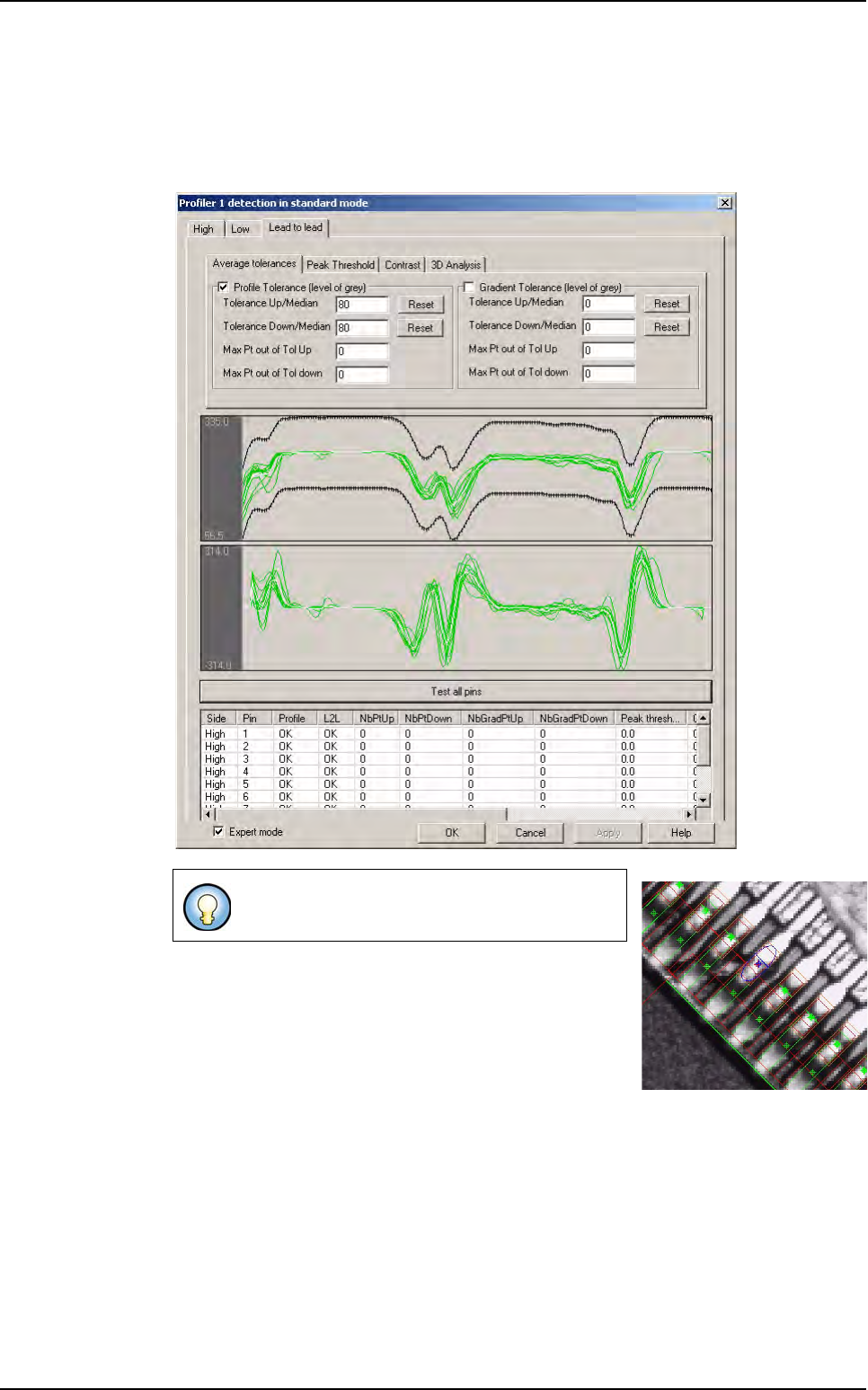
Global adjustment tool defaults are showed by a blue
segment and blue cross on the image.
Profiler
™
in Custom
Tools library
7 - 54 Vision 2007 4.10 User Manual Rev 01
Lead to lead
Global adjustment tool tolerances are broad to accept all production variations.
In the case above, the
Global adjustment tool can not detect lifted lead.
Lead to lead tolerances are tighter (adapted to average) to detect lead default.
Lead to Lead defaults are showed by an ellipse.
Profiler
™
in Custom