VI User Manual.pdf - 第30页
Getting started 1 - 10 Vision2007 4.10 User Manu al Rev 01 1.3.2.4 Bar code/Data Matrix tab This tab configur es label reader. Label could be bar code or Data Matrix (2D label). AOI system configuration
Getting started
Vision 2007 4.10 User Manual Rev 01 1 - 9
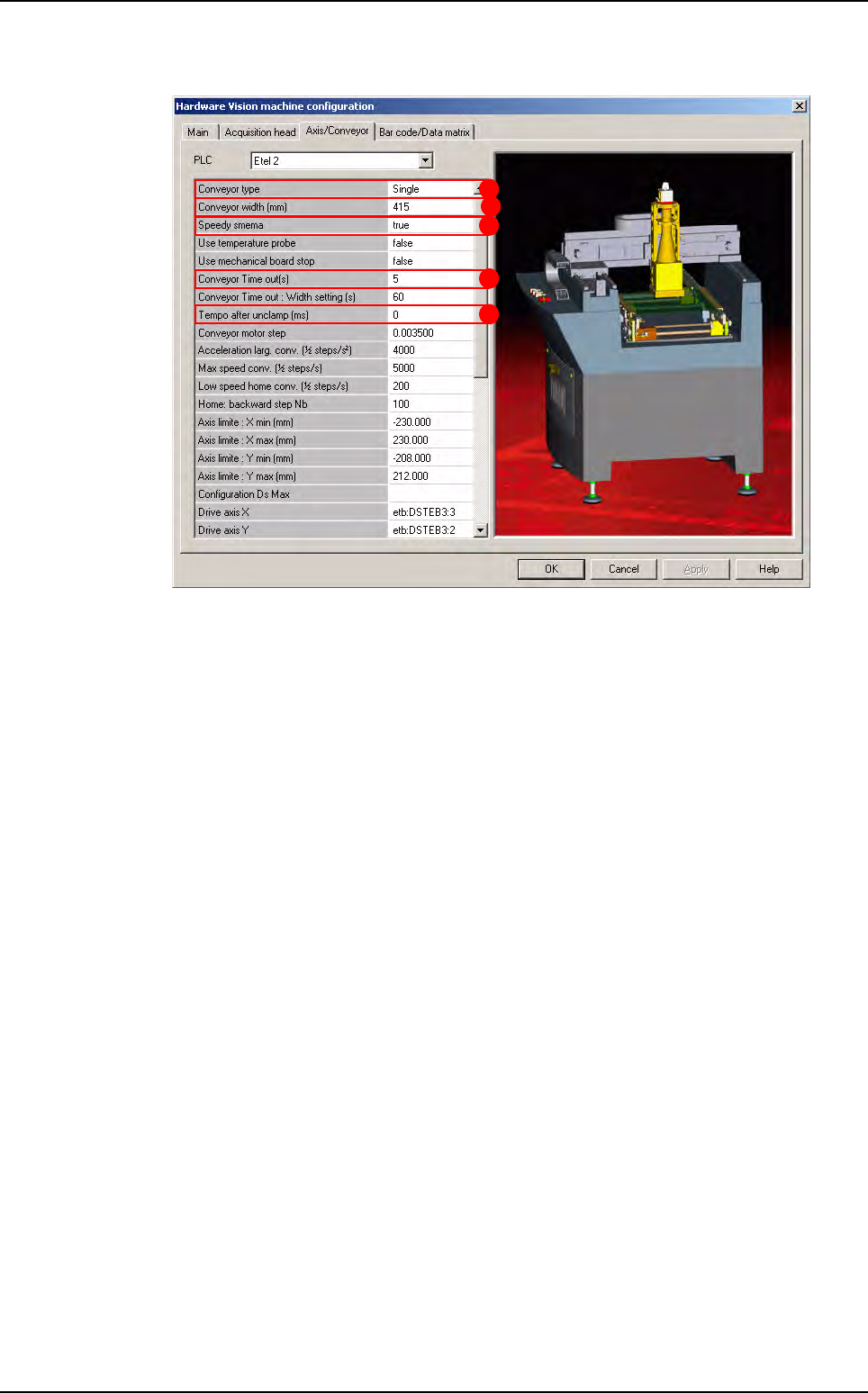
1.3.2.3 Axis/Conveyor tab
Conveyor type (A): determine the conveyor type:
Single manual: only 2 axes,
Single: 3 axes (std Vi-3000),
Double upstream,
Double downstream.
Conveyor Width (B): set the maximum conveyor width. This parameter was in the main-
tenance mode before but now it is the only way to change it. Normally this width is cor-
rectly set in the factory so you do not have to change it.
Speedy SMEMA (C): set the SMEMA type:
If Speedy SMEMA equals to true, than acknowledge for board received will be send
to upstream system when board arrives on AOI system entry sensor.
If Speedy SMEMA equals to false, than acknowledge for board received will be send
to upstream system when board arrives on AOI system stop sensor.
Conveyor time out (D): if the board is not loaded or unloaded during this time, the soft-
ware return a conveyor error.
Tempo after unclamp (E): this new parameter allows the user to add a temporization
between the moment when the card is unclamped after inspection, and the moment
when it is being conveyed to the exit.
A
B
C
D
E
AOI system configuration
Getting started
1 - 10 Vision2007 4.10 User Manual Rev 01
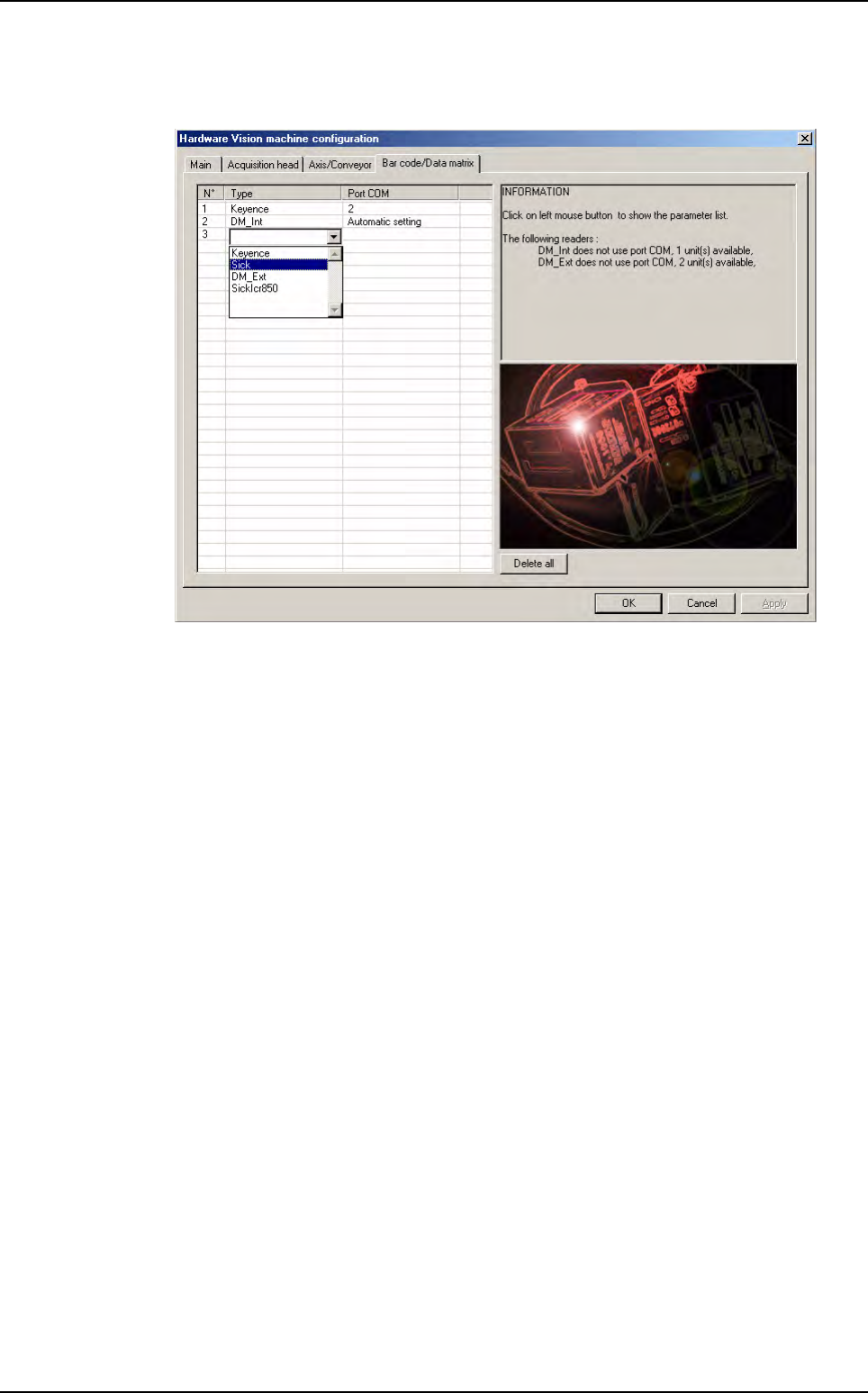
1.3.2.4 Bar code/Data Matrix tab
This tab configures label reader. Label could be bar code or Data Matrix (2D label).
AOI system configuration
Getting started
Vision 2007 4.10 User Manual Rev 01 1 - 11
1.4 Vision 2007 overview
When Vision2007.exe is run, the different elements of the AOI system (the COGNEX card, the axis
driver rack, the SMEMA protocol, etc.) will be initialised and their functions checked and activated.
By running
Vision 2007
, you can access:
Process mode.
Maintenance mode.
Production mode.
1.4.1 Password
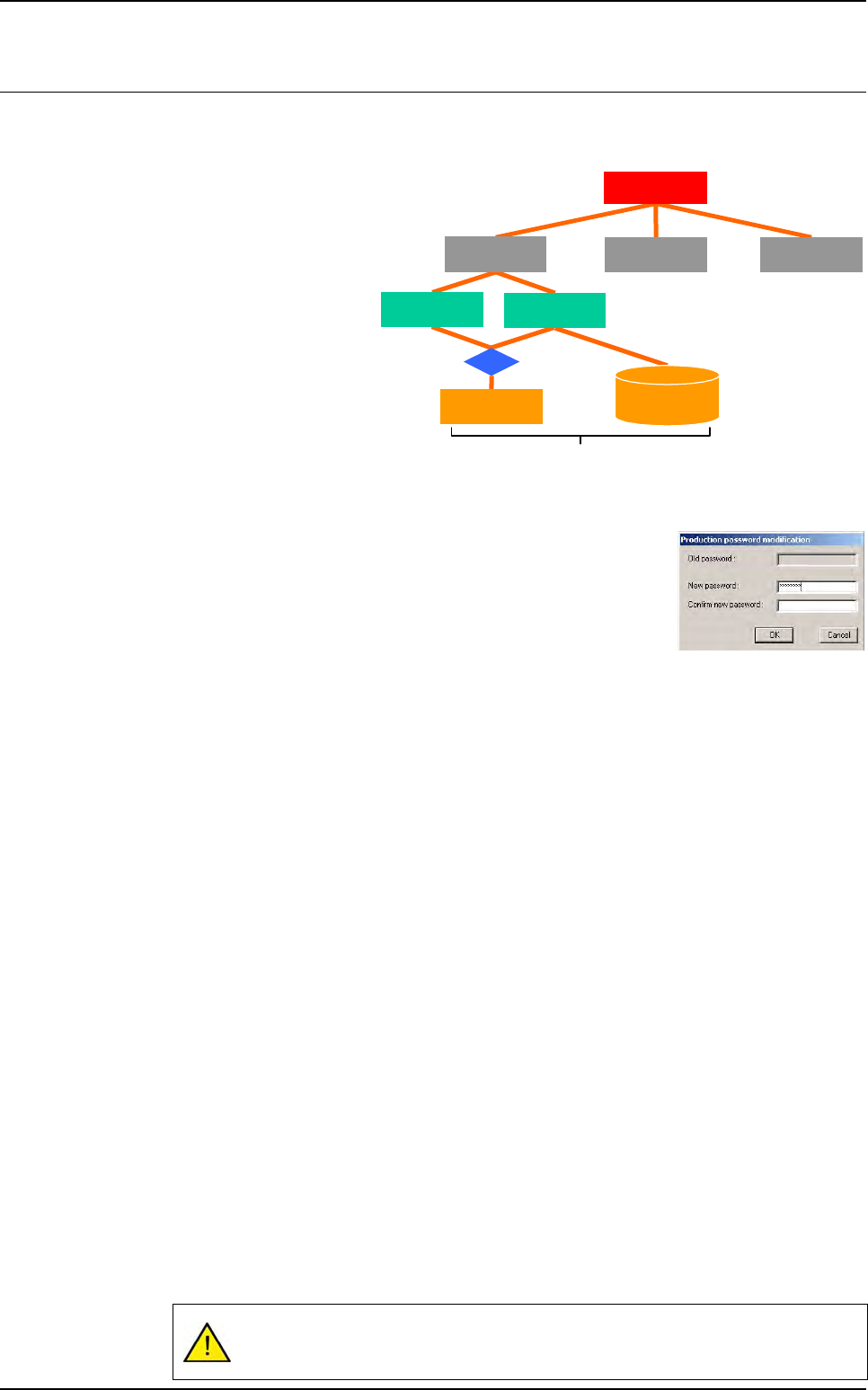
One password is required for each part of the vision software. In main
menus bar, the password open a dialog box to enter the 3 passwords:
1. When entering the password, stars are displayed in the fields.
2. To modify one password, the old one must be entered.
1.4.1.1 Process password
Process password can all access:
Process menu:
- Create and modify the test files.
- Access the image library.
- Apply or modify the treatment tools.
Maintenance menu.
Production menu:
- ADC in production.
- Tracefaults in production.
1.4.1.2 Maintenance password
Maintenance password can only access to maintenance menu:
Access the different parameters.
Check the different parts of the AOI system.
1.4.1.3 Production password
Production password can access to production menus:
Production mode.
Passthrough mode.
Skip board.
Skip component.
If there is no password for the process level, the Maintenance and Production
menus are only accessible with their password.
Inspection test
Maintenance
Process
Production
AVision
.TST file
Library
.VIS file
.LK file
Vision software