VI User Manual.pdf - 第308页
Production 11 - 8 Vi sion 2007 4.10 User Manual Rev 01 You can click on each red or yellow bar to see the list of the components. If you do not tick Sor t by error type in the .tst file configuration window, when you cli…
Production
Vision 2007 4.10 User Manual Rev 01 11 - 7
11.1.5.4 Table chart
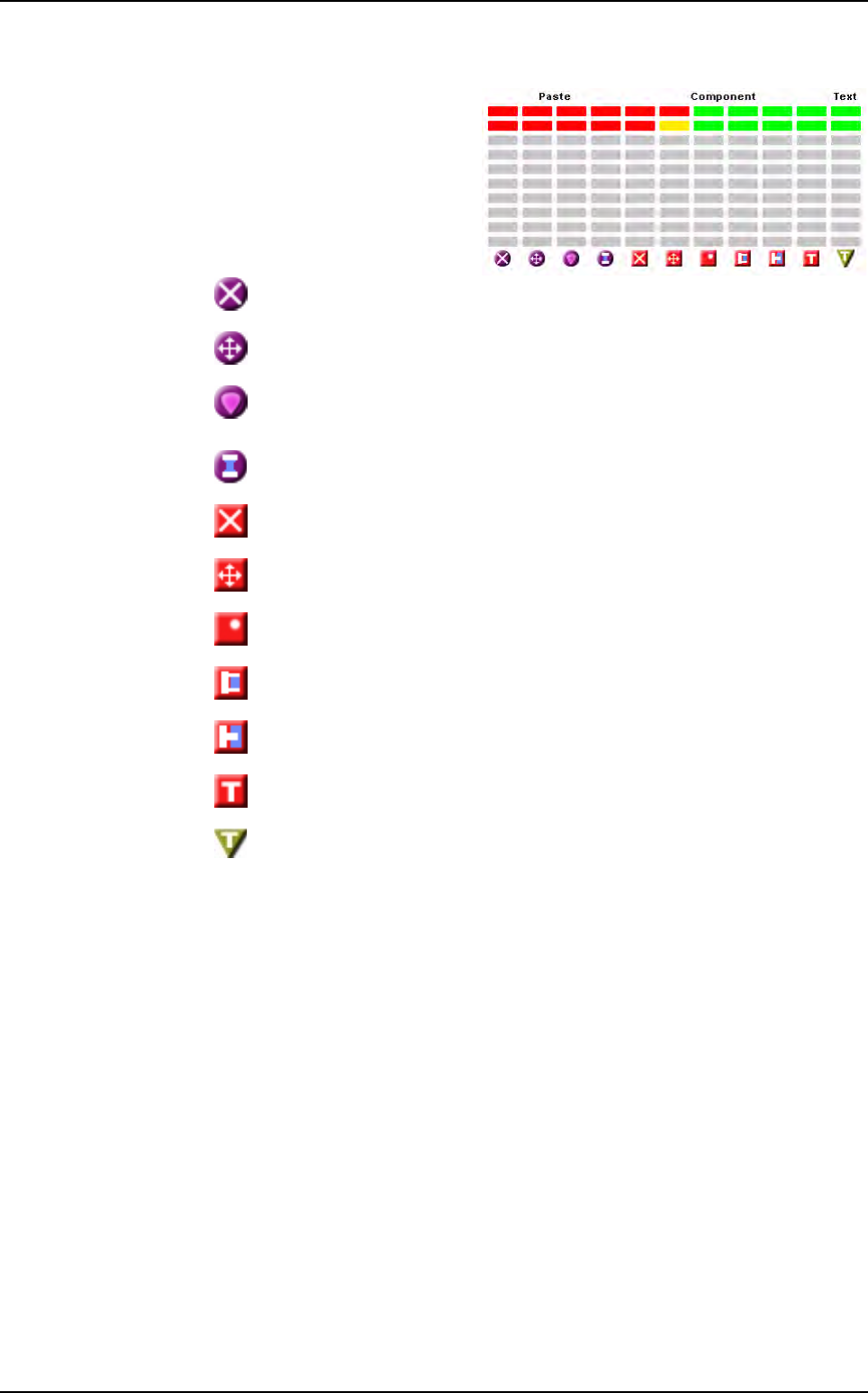
This table chart gives a status of
the last 9 inspected boards.
Each line represents a board,
and the last inspected one is in
the upper position. Each column
represents an error type.
You can have up to 9 columns
for:
Paste
missing
Paste
position
Paste
surface
Paste
bridge
Component missing
Component position
Component polarity
Solder bridge
Solder joint
Text linked to the component missing
Text missing
Production mode
Production
11 - 8 Vision 2007 4.10 User Manual Rev 01
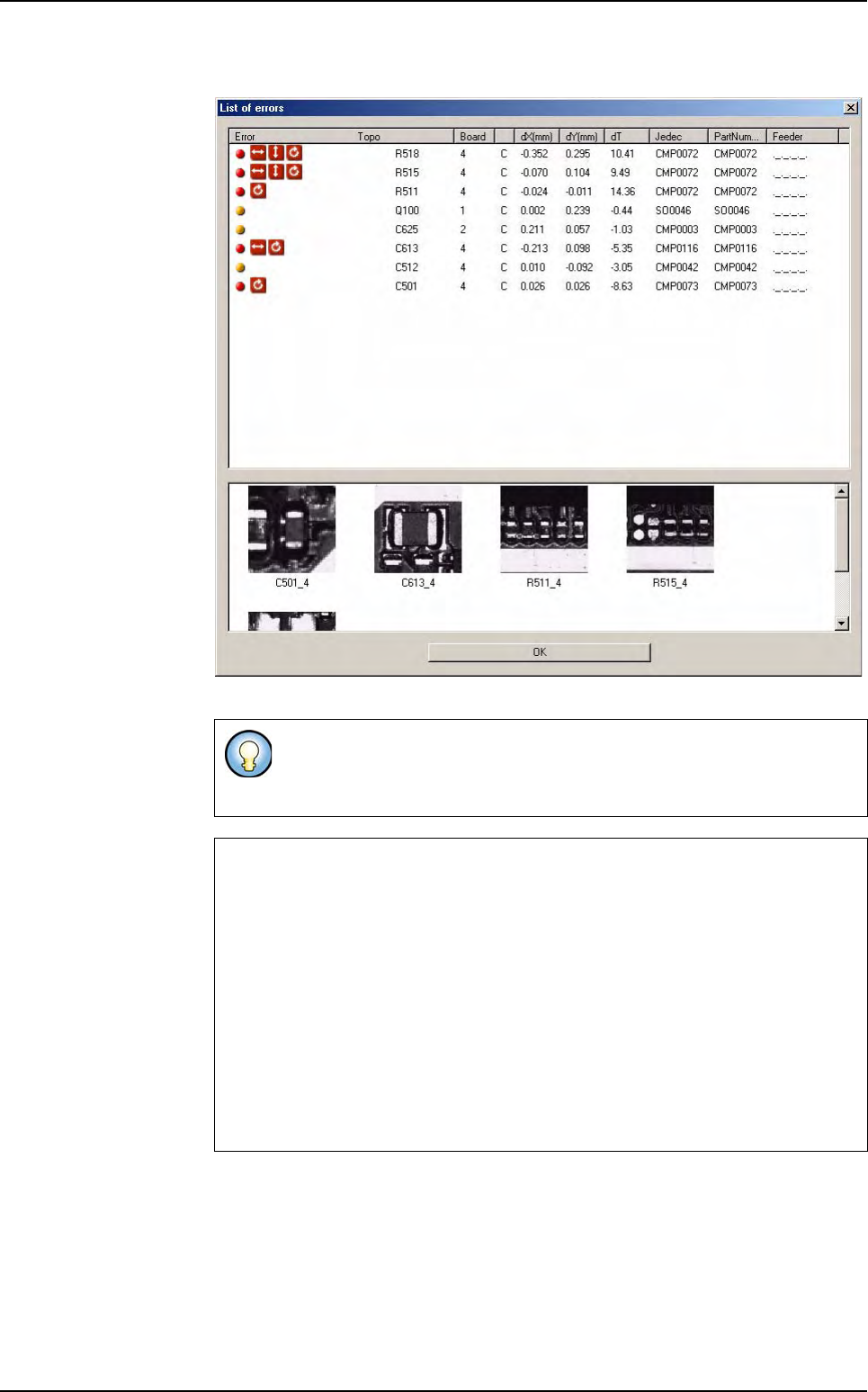
You can click on each red or yellow bar to see the list of the components.
If you do not tick Sort by error type in the .tst file configuration window,
when you click on any bar, the List of errors window appears with all de-
fault type.
Production principle
1. Press Go.
2. Machine status: waiting a board & SMEMA call.
3. A board is loaded into the machine.
4. The stopper and clamps fix the board on the conveyor.
5. The camera inspects the board.
6. The stopper and the clamps release the board.
7. The board exits from the machine.
8. The data are sent to the supervisor.
Production mode
Production
Vision 2007 4.10 User Manual Rev 01 11 - 9
11.1.6 Skip component during production
To manually skip (not inspect) components directly from the production screen.
It can be password protected. The production password may be asked to access the list of
the available components to skip.
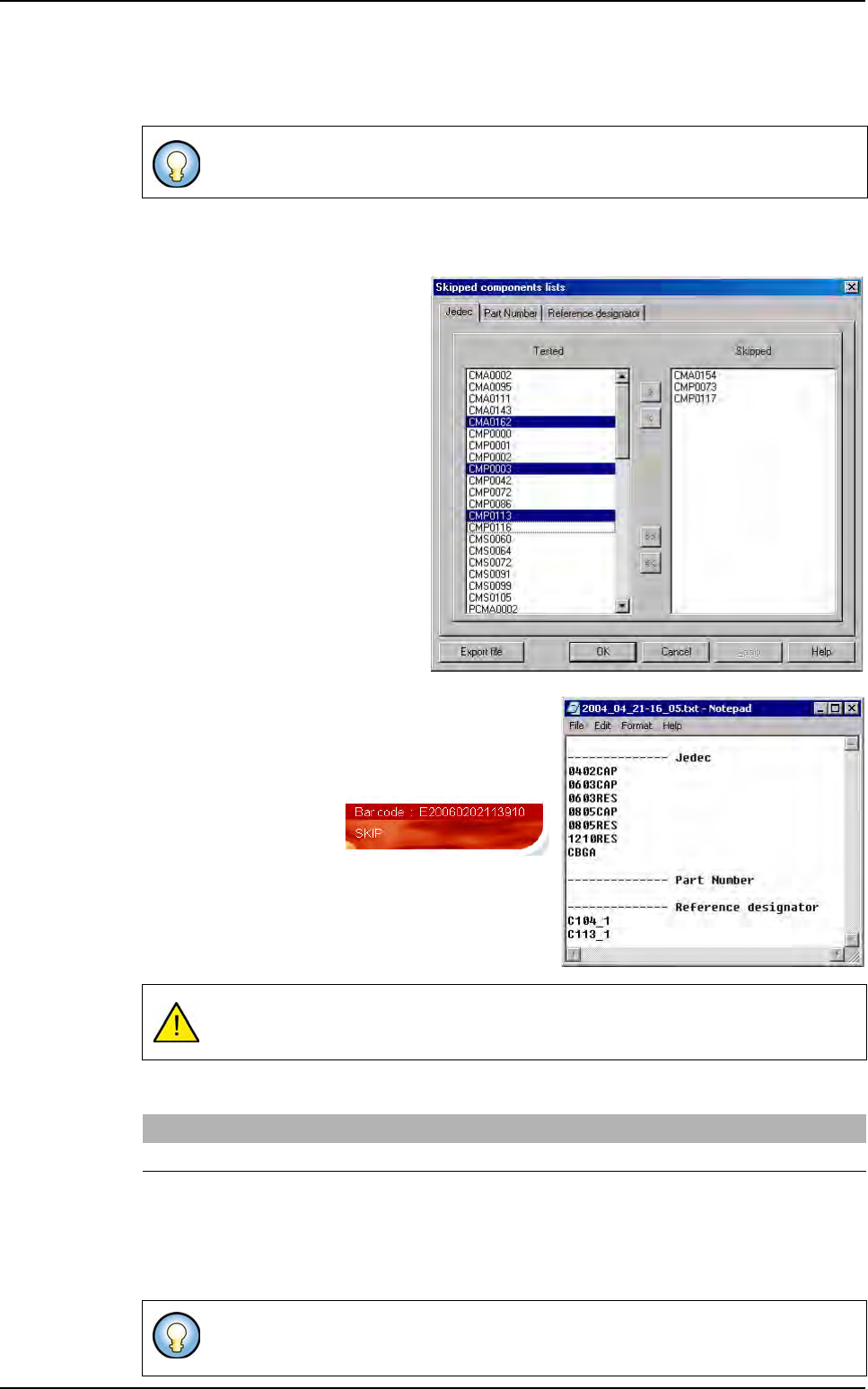
Ctrl+S during production displays
the list of Jedec, Part Number and
Reference Designator of the .tst file
that can be skipped.
The button
Export File
allows to save the list of the
skipped components in a text file (in VIT/Data folder).
The name of the exported file contains date and hour
information.
When components are
skipped, a SKIP mes-
sage is visible on produc-
tion screen.
Skip components can be
stored in the supervisor
database with the status
error:
NOT INSPECTED
.
A key in DefaultValue.ini file enable or not this transfer.
If the value = 1, then for each panel the skip components will be saved into the database and
the user will have the feedback of the production. This can increase the cycle time according
to the number of skip components.
If the value = 0, nothing is saved. No feedback possible.
It is accessible from the production screen with the keyboard shortcut CTRL+S.
They are not displayed on the repair station.They are saved in the Tested_Objects table,
and can be seen with the supervisor software in the anomaly view.
[Production]
Transfer Skip component information = 1
Next time you will start the same inspection program in production, the skip component
remain skipped
Production mode