VI User Manual.pdf - 第52页
Maintenance mode 2 - 16 Vision 2007 4.10 User Manual Re v 01 In this file the user could find the following in formation: Generals information concerning the inspection: AOI computer name. Lane number (it is useful for…
Maintenance mode
Vision 2007 4.10 User Manual Rev 01 2 - 15
2.2.6 Data export tab
2.2.6.1 SPC LightHouse
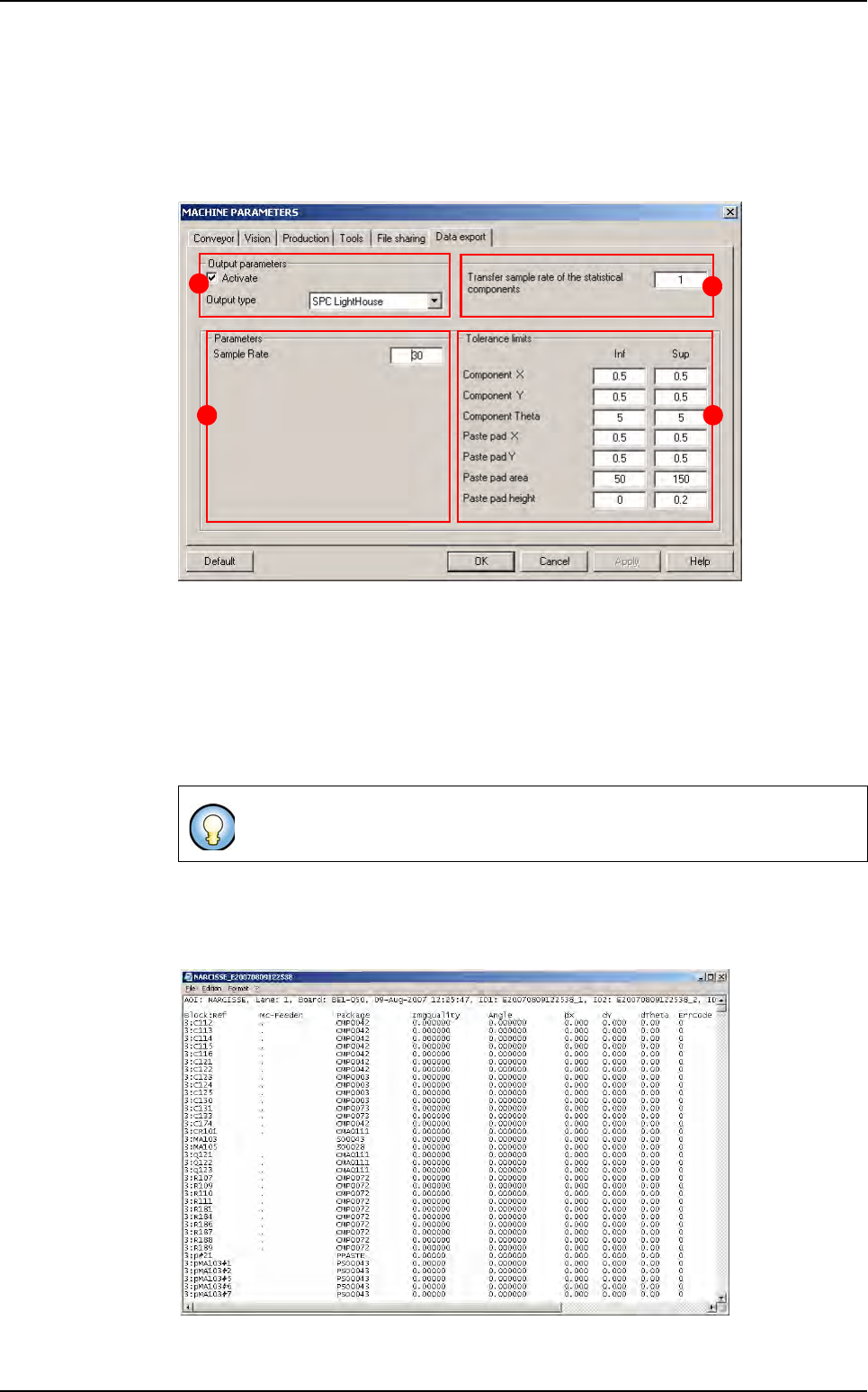
In Output parameters section (A), tick Activate and choose the Output type: SPC
Lighthouse.
In the part B, indicate the sampling rate to save statistical components results in the su-
pervisor database.
In Parameters section (C) the Sample Rate corresponds to the sampling frequency of
the inspection test results.
In Tolerance limits section (D), define upper and lower tolerances limits to be used in
SPC Ligthouse software.
2.2.6.2 VIT Format
The VIT Format allows exporting the inspection result of each inspected panels in a text
file.
When using the SPC Lighthouse software the data are stored in the
C:\VIT\SpcData directory.
A
C
B
D
Parameters
Maintenance mode
2 - 16 Vision 2007 4.10 User Manual Rev 01
In this file the user could find the following information:
Generals information concerning the inspection:
AOI computer name.
Lane number (it is useful for a dual lane AOI). A checkbox allows to use or not.
Board: product name (= inspection program name).
Date-time of the inspection.
IDs: the panel (or sub-panel) identification.
Information concerning component inspection:
Blocks:Ref: component\pad identification and sub-panel number.
Mc-Feeder (empty for paste pads).
Package corresponds to the Jedecs of the component.
ImgQuality represents presence score for components and calculated surface for
solder paste (measured area / expected area * 100; %).
Angle of the component on the panel (found in the CAD data; clockwise; degree).
dX: deviation of the component/paste pad on the X axis (µm).
dY: deviation of the component/paste pad on the Y axis (µm).
dTheta: rotation of the component (degree). Empty for paste pads.
ErrCode: 0 if the component/paste pad is faulty, 1 if it is good.
Activation and settings
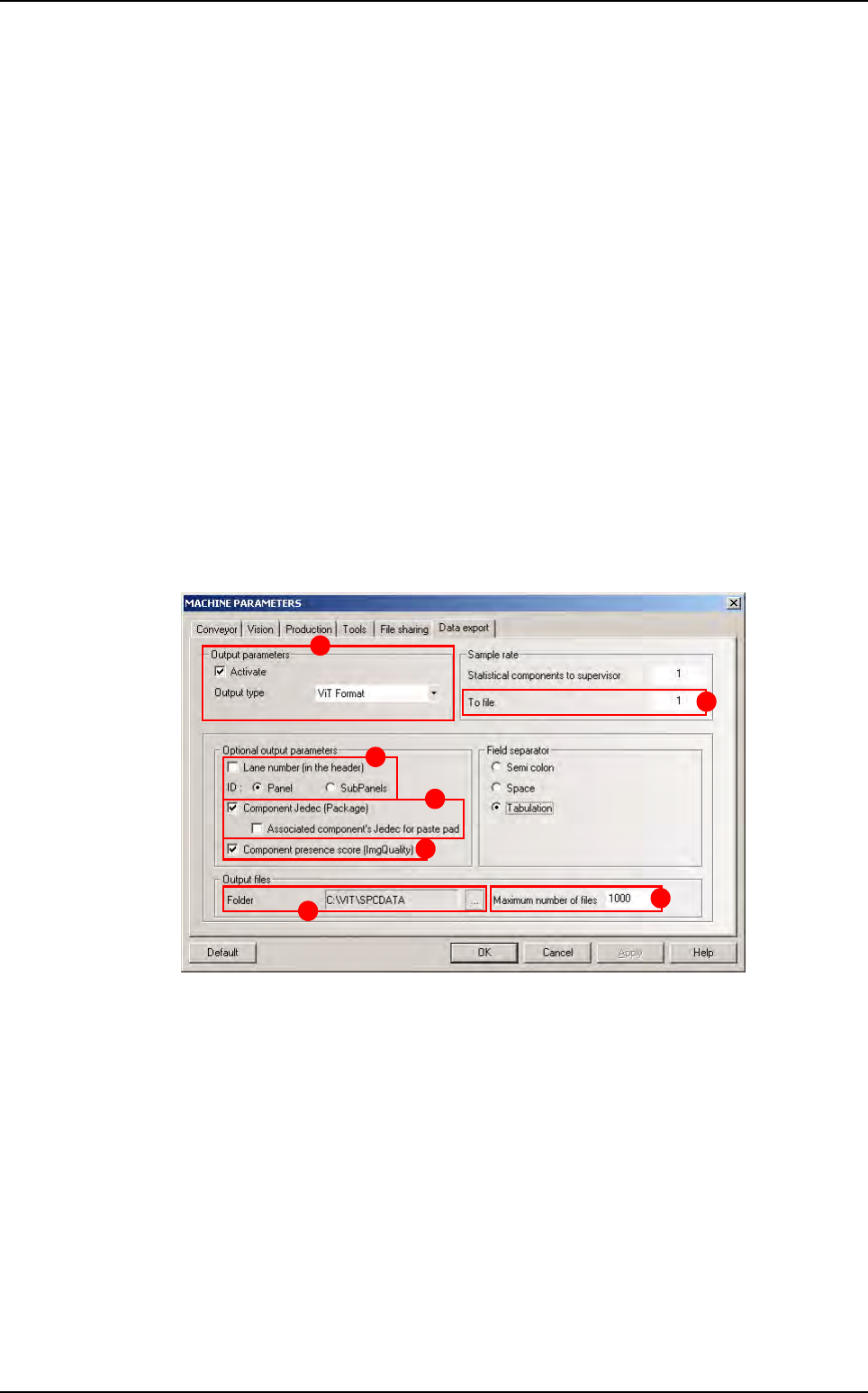
In Output parameters section (A), tick Activate and choose the ViT Format. the
screen bellow appears.
Tick Lane number (in the header) (B) to add the lane number in the header. By default,
it is unchecked in order to ensure the compatibility with the previous version.
2 radio buttons allow choosing between put the Panel ID in the header or the list of each
Subpanel IDs.
Tick Component Jedec (Package) (C) to put the package column or not. An additional
checkbox allows, for a paste pad, to put the jedec of its associated component, or let this
field empty.
Tick Component presence score (ImgQuality) (D) to put the ImgQuality column or
not.
Select the path of the folder where the files (E) are generated.
The Maximum number of files (F) field allows specifying the maximum number of files
in the output folder. 0 = no limit.
The To file field (G) allows specifying a sampling rate (a file is generated for one panel
out of n).
A
B
C
D
E
F
G
Parameters
Maintenance mode
Vision 2007 4.10 User Manual Rev 01 2 - 17
2.3 In / Out
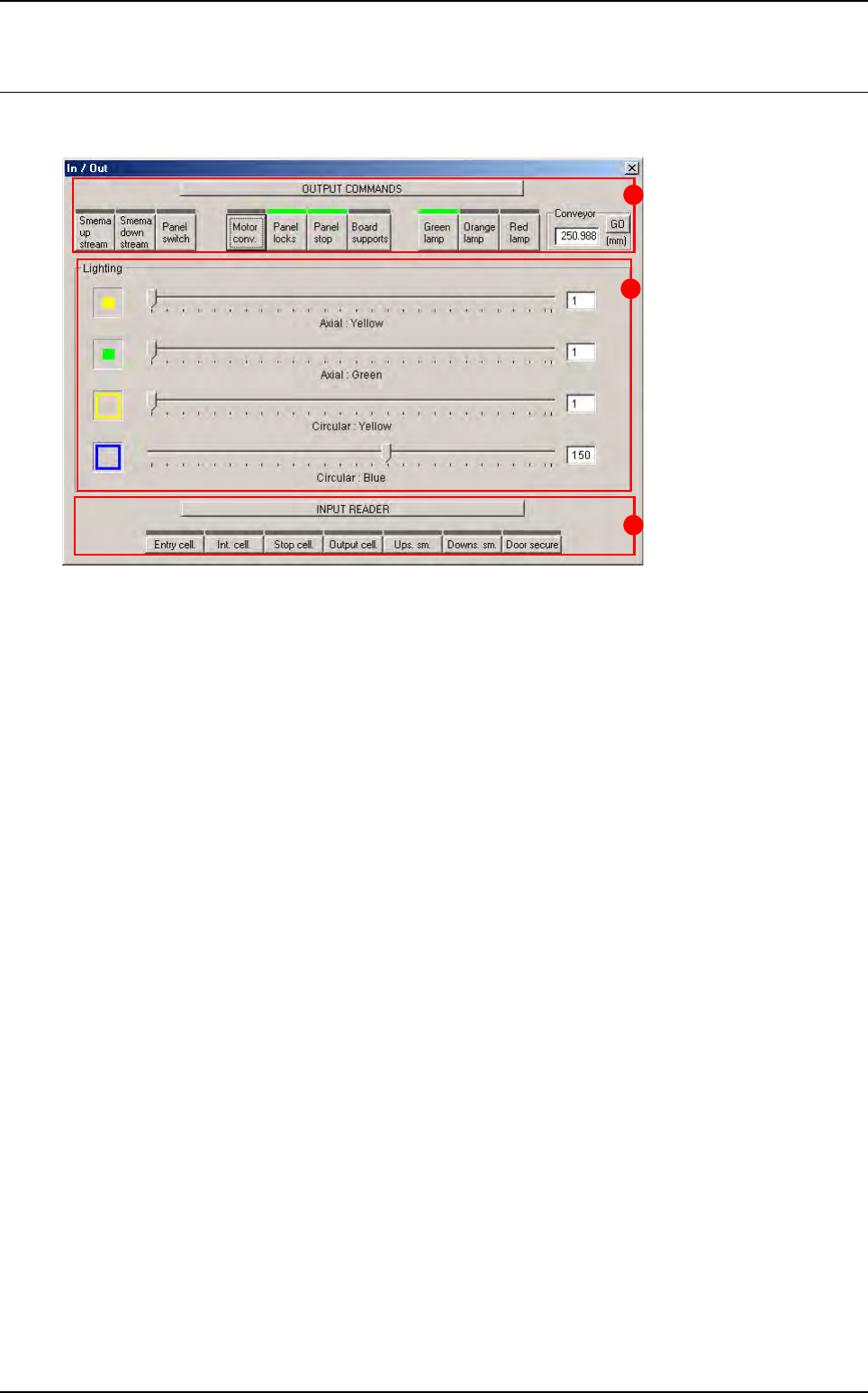
This window lets you check the various parts of the AOI system separately.
Output commands (A): override or activate commands.
Lighting (B): individual adjustment of lighting levels.
Input reader (C): reading or checking input signals.
C
A
B