VI User Manual.pdf - 第211页
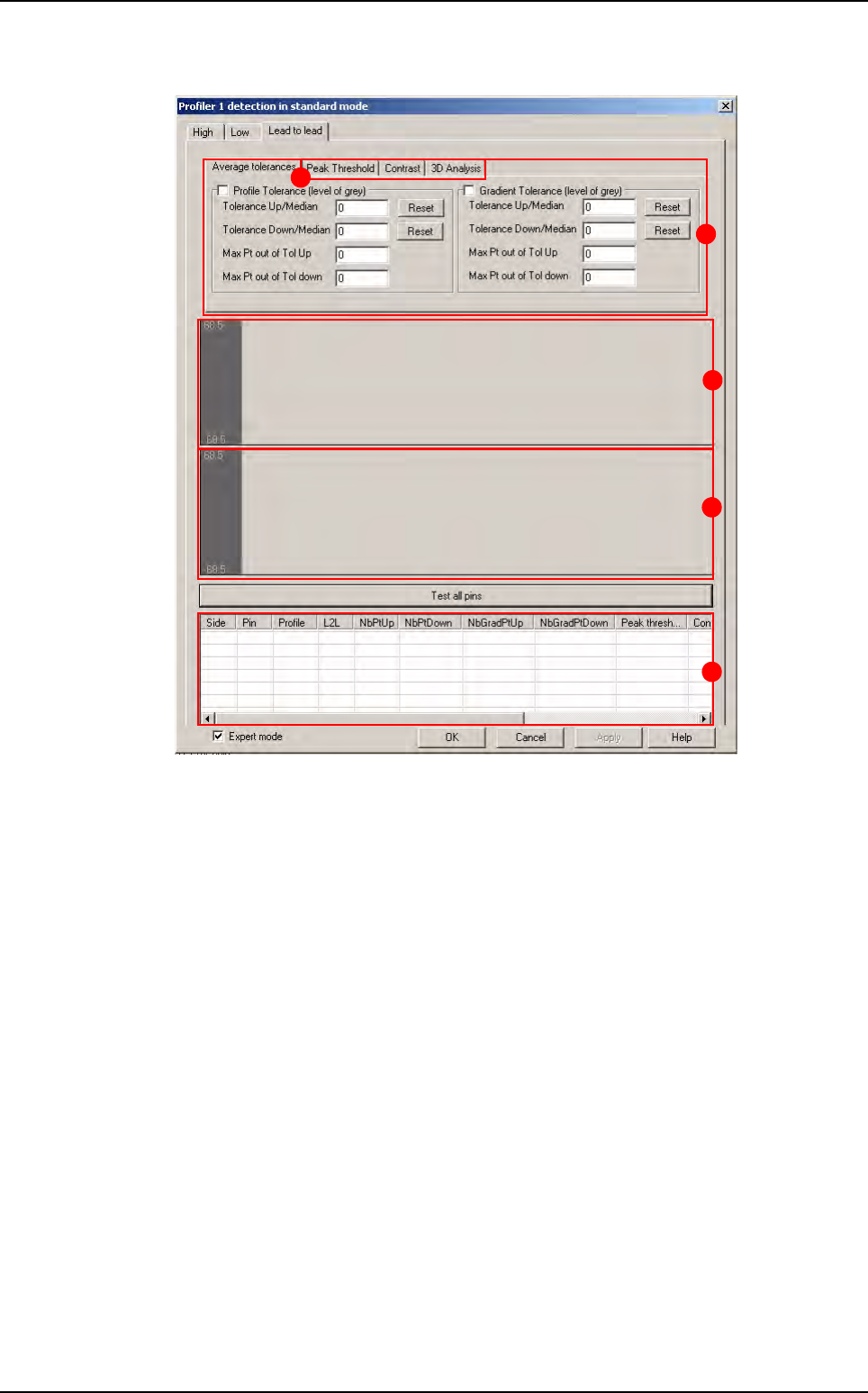
Tools library Vision 2007 4.10 User Manua l Rev 01 7 - 49 Lead to lead tool A Lead to le ad tolerance settin g. B Area for profiles display. C Area for gra dient display. D Results chart: Side : side of component Pin…
Tools library
7 - 48 Vision 2007 4.10 User Manual Rev 01
C Profiler™ adjustment with lead and end of lead, or just with lead or just with end of lead
or on CAD position.
D Definition of the status of profile not found.
E Training and saving of the profile reference.
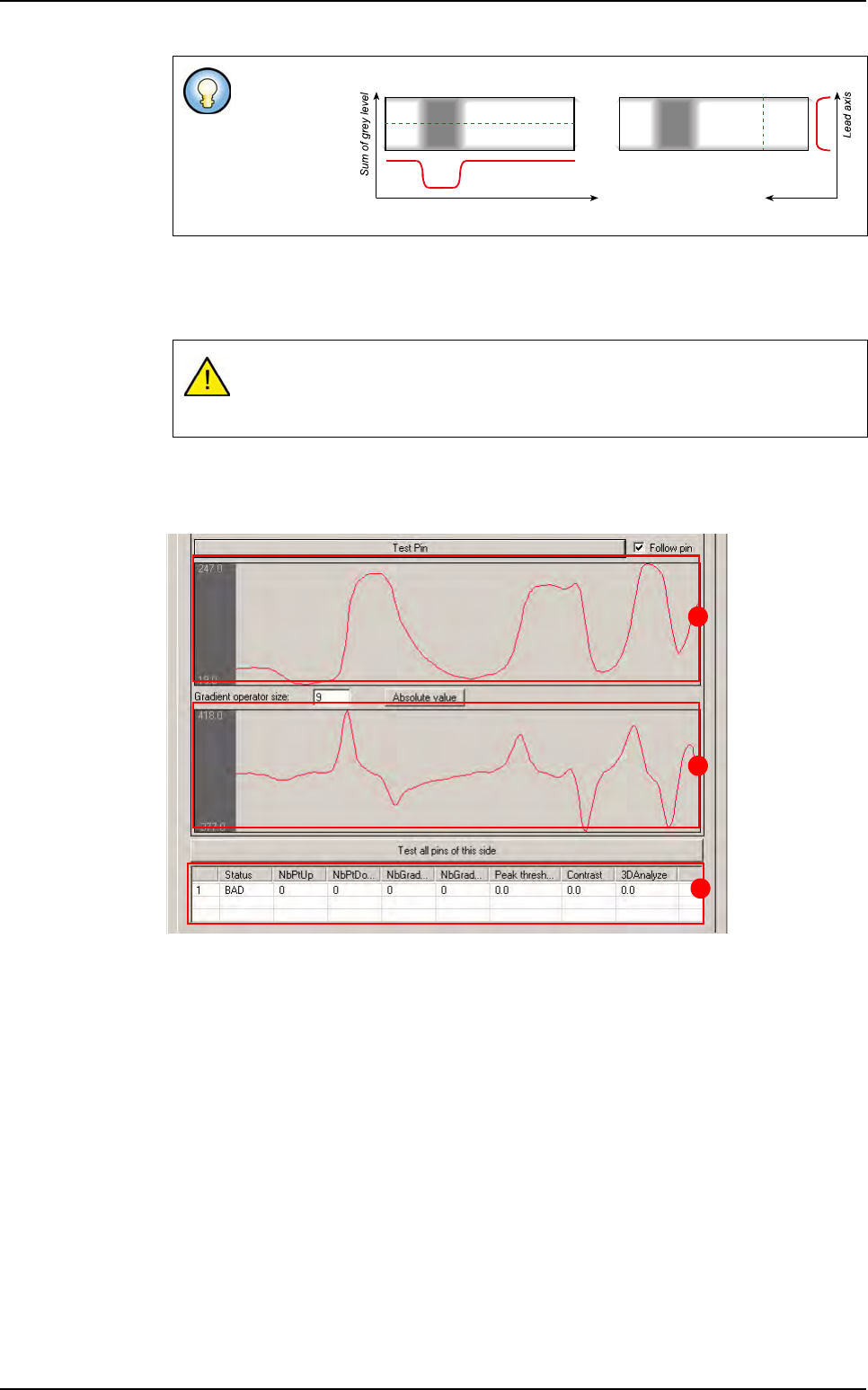
Global adjustment tool profile and result display
A Area for profiles display.
B Area for gradient display.
C Test all leads result chart:
Lead number
Status: status of lead (good/bad)
NbPtUp/Down
: number of point out of tolerances up/down for profile (
Standard mode
)
NbGradientUp/Down: number of point out of tolerances up/down for gradient
(
Standard mode)
Peak threshold: result of peak threshold algorithm (Expert mode)
Contrast: result of contrast algorithm (Expert mode)
3DAnalysis: result of 3D analysis (Expert mode)
Profiler™ can
be defined in
the length-
ways or width-
ways of the
leads
To measure a profile, a transition on the Profiler
™
area must be detected.
If there are no transition in the profile area, the Profiler
™
is not found. You can
determine if a profile not found is good or not.
Profile in lead lengthways Profile in lead widthways
Lead
Lead axis Sum of grey level
A
B
C
Profiler
™
in Custom
Tools library
Vision 2007 4.10 User Manual Rev 01 7 - 49
Lead to lead tool
A Lead to lead tolerance setting.
B Area for profiles display.
C Area for gradient display.
D Results chart:
Side: side of component
Pin: number of lead
Profile: status of the lead in the global adjustment tool
L2L: status of the lead in the Lead to lead tool
NbPtUp/Down
: number of point out of tolerances up/down for profile (
Standard mode
)
NbGradientUp/Down: number of point out of tolerances up/down for gradient
(
Standard mode)
Peak threshold: result of peak threshold algorithm (Expert mode)
Contrast: result of contrast algorithm (Expert mode)
3DAnalysis: result of 3D analysis (Expert mode)
Difference: result of the Difference to Average algorithm for the Expert mode al-
gorithm selected (
Peak threshold, Contrast, 3D Analysis) (Expert mode).
E Lead to lead advanced algorithms (only available with fixed mode).
B
A
C
D
E
Profiler
™
in Custom
Tools library
7 - 50 Vision 2007 4.10 User Manual Rev 01
7.9.2.2 Reference profile creation
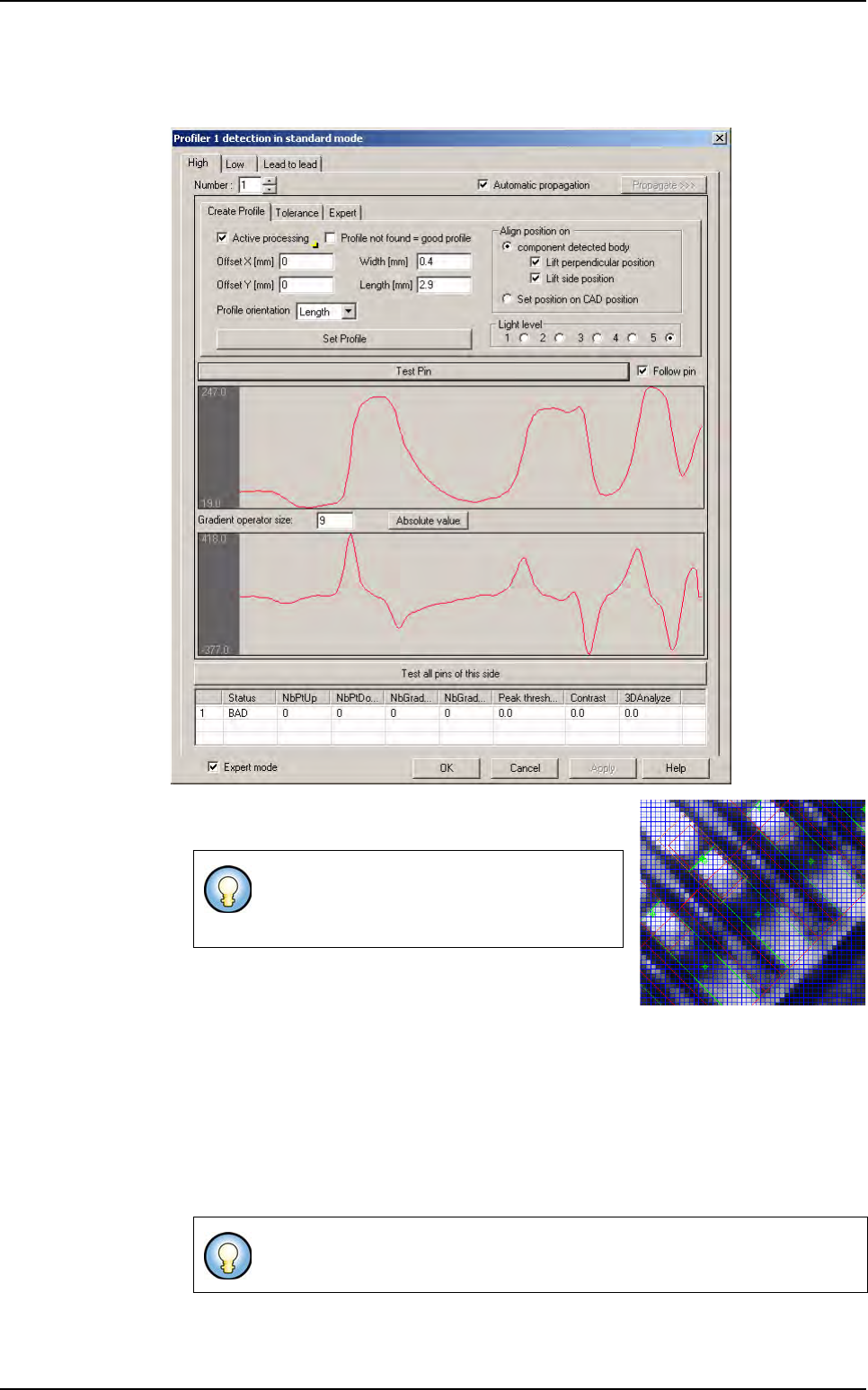
In Create Profile tab, enter the differente values of the profile to create.
1.
Define the position, the size and the orientation of the Profil-
er™. On the image, the Profiler
™
area appears in orange.
2. Define the light level.
3. In Align position on area, define the realignment op-
tion:
Select
Adjust side position to realign the profile with the side of the lead,
Select
Adjust perpendicular position to realign the profile with the end of lead,
Select
Set position on CAD position to place the profile on the CAD coordinates.
4. Choose a good lead and press the Test pin button to see the profile.
5. Click on Set Profile button to learn the profile reference.
The Profiler
™
can be placed on lead or on
joint, where there is a maximum of difference
between good leads and bad leads.
Profile become blue when you learn it. It became the reference for the Global
tolerance tool.
Profiler
™
in Custom