VI User Manual.pdf - 第26页
Getting started 1 - 6 Vision2007 4.10 User Manu al Rev 01 1.3.2 Hardware co nfiguration window 1.3.2.1 Main tab The first page shows you the e xisting configur a tion. You retreive all AOI system inform a- tion in this w…
Getting started
Vision 2007 4.10 User Manual Rev 01 1 - 5
1.3 AOI system configuration
To ensure AOI system fonctionning, hardware configuration must be set properly when starting Vision
2007 for the 1 st time. A user friendly interface, accessible when starting Vision 2007 in RESET mode,
gives access to AOI system configuration. All settings are saved in a .cfg file for AOI use and a .cf~ file
for safety back up.
1.3.1 Vision 2007 shortcut creation
The hardware configuration window is accessible using an Vision shortcut with an additional
parameter: RESET.
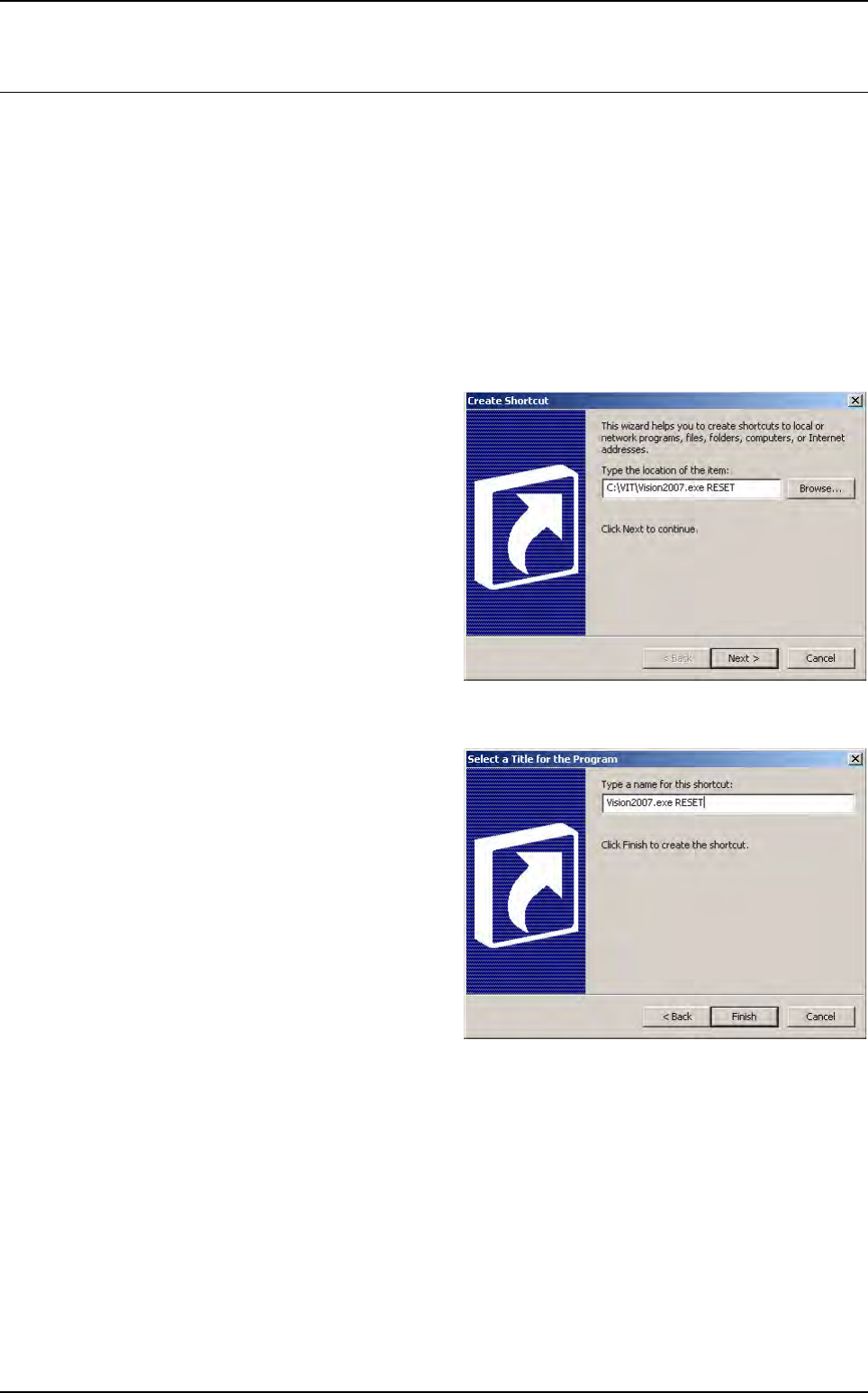
1.3.1.1 Create Shortcut
To create a shortcut, right click on
the desktop and select a new short-
cut, the opposite window appears.
Use the Browse button to select
the Vision software and after enter
RESET.
So the command line should finish
by ...\Vision2007.exe RESET.
Then click on Next.
1.3.1.2 Select a Title for the Program
This window asks you a name for
the shortcut. It is advise to add RE-
SET at the end of the name, so you
can distinguish the 2 Vision short-
cuts on the desktop.
Then, click on Finish and the
shortcut is created.
Double click on it to run vision sof-
ware and the hardware configura-
tion window.
Getting started
1 - 6 Vision2007 4.10 User Manual Rev 01
1.3.2 Hardware configuration window
1.3.2.1 Main tab
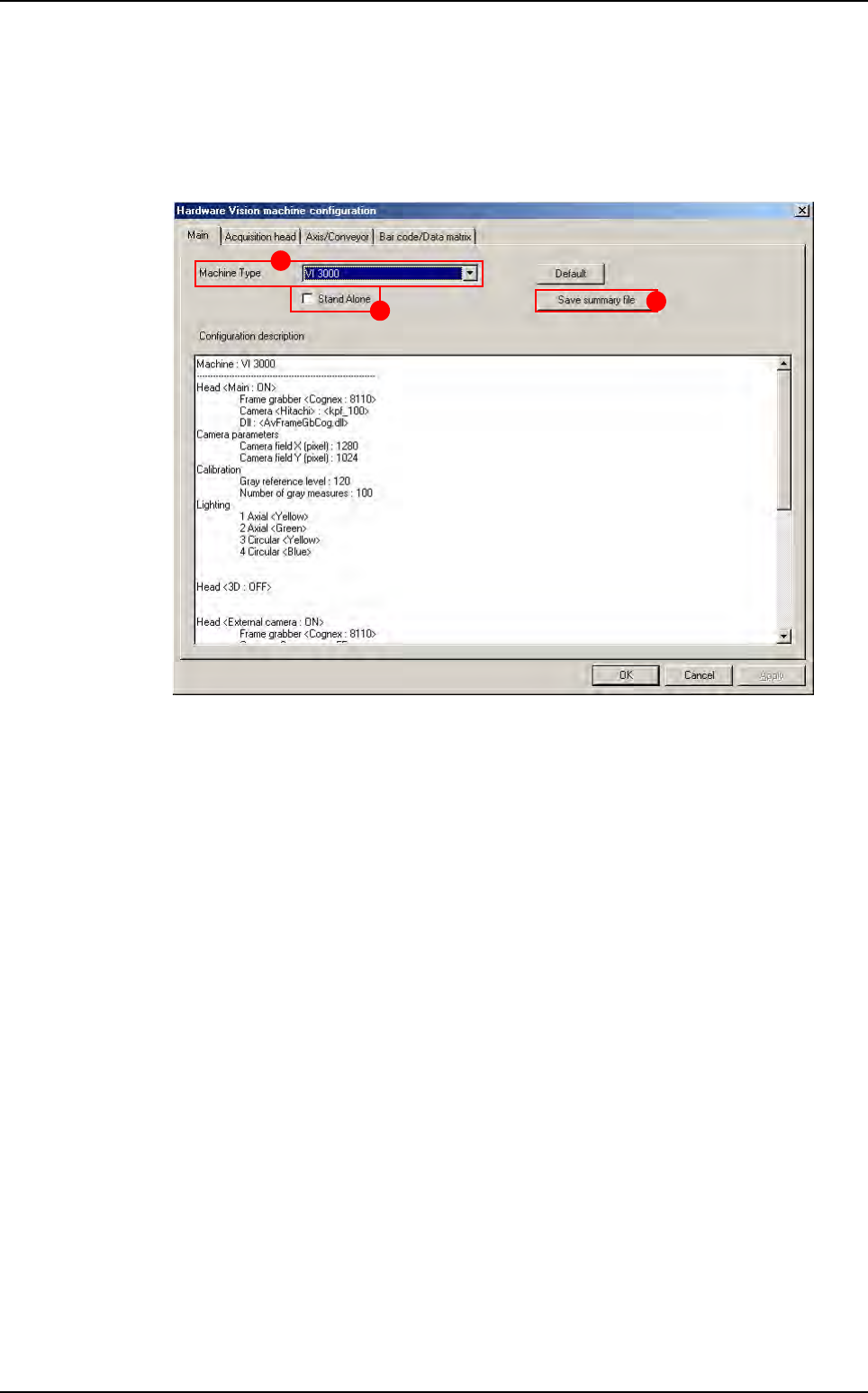
The first page shows you the existing configuration. You retreive all AOI system informa-
tion in this window.
1. Select the AOI system type in Machine Type (A).
2. Tick Stand Alone (B) if you work on stand alone AOI system.
3. Click on Save summary file button (C) to save the configuration in a .txt file.
A
B
C
AOI system configuration
Getting started
Vision 2007 4.10 User Manual Rev 01 1 - 7
1.3.2.2 Acquisition head tab
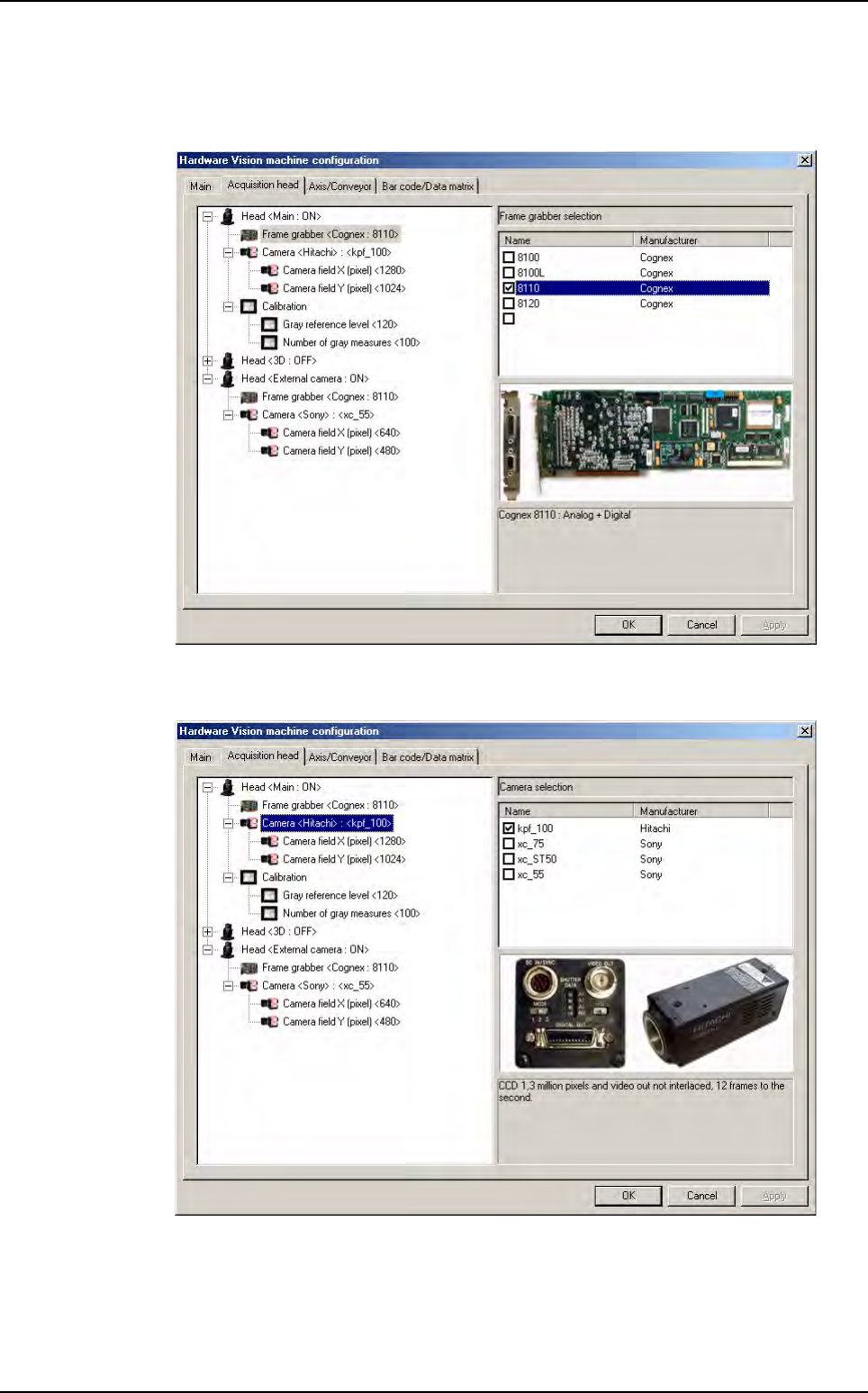
The Acquisition head tab display the configuration of all acquisition chains. You can
choose the frame grabber, the camera, and some calibration parameters.
You must choose the frame grabber you have in your computer. An image of the avail-
able frame grabber is displayed.
You must choose the camera you have in the acquisition head. An image of the available
camera is displayed.
AOI system configuration