VI User Manual.pdf - 第325页
Optimization Vision 2007 4.10 User Manua l Rev 01 12 - 7 The system asks for full panels until the quota is reached. Insert full pan- els in the machine as long as th e wizard a sks for full panels. 12.1.2.7 Optimization…
Optimization
12 - 6 Vision 2007 4.10 User Manual Rev 01
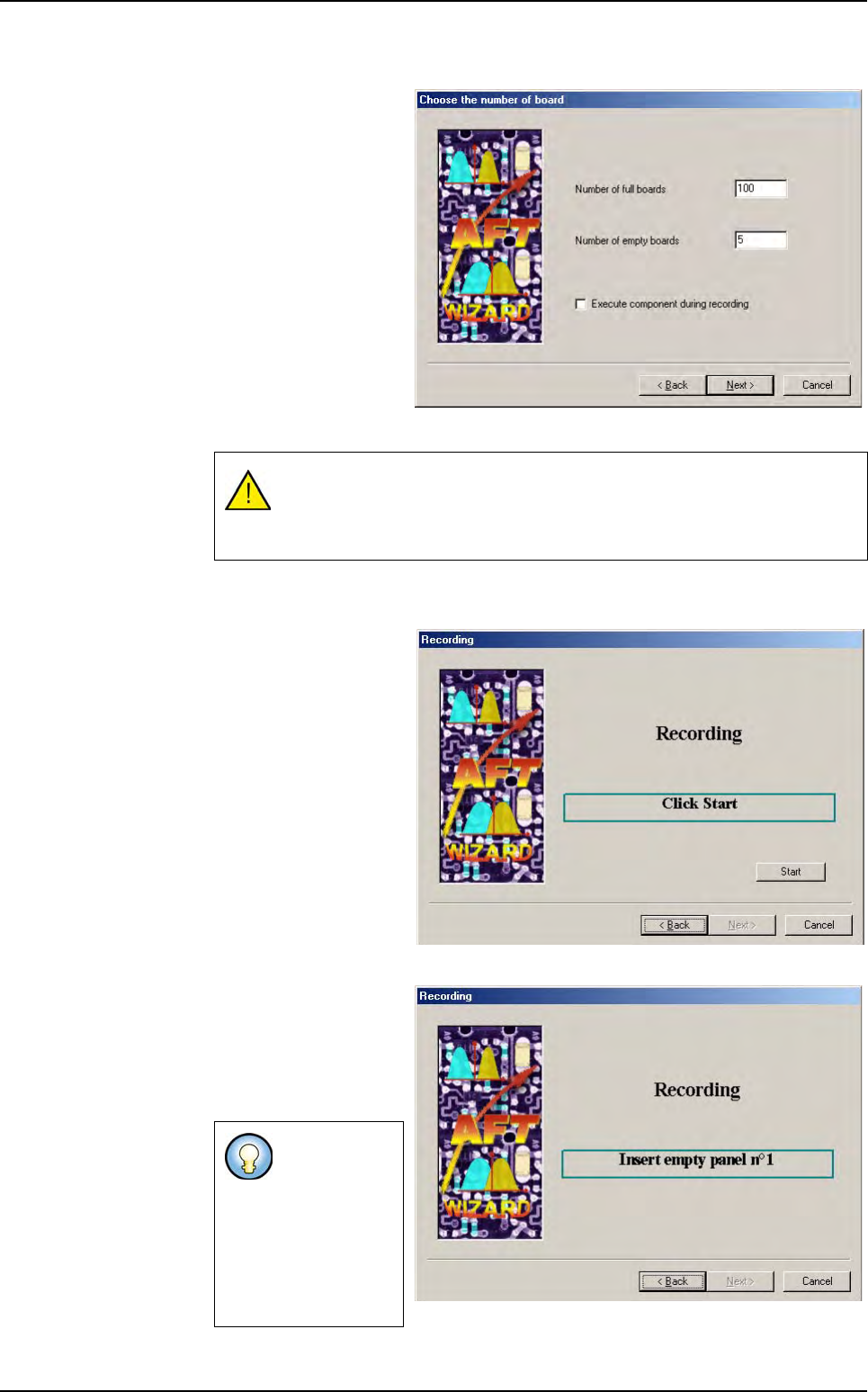
12.1.2.5 Number of boards to record
Enter the number of full
and empty boards you
wish to record.
If you tick Execute
components during
recording, the models
will run on each panel
during recording. Other-
wise, the system will
only shoot pictures of
the zones (much fast-
er).
Click Next to go to the
next step.
12.1.2.6 Recording panels
You are now ready to
start recording panels.
You will have to record
the empty panels first.
Make sure you have the
required panels, and
click Start to begin re-
cording.
The system asks for
empty panels until the
quota is reached. Insert
empty panels in the ma-
chine until the wizard
asks for full panels.
To optimize a model, you will need to run it at least 50 times.
Make sure you record enough boards to run the models you wish to
optimize 50 times.
If the machine
is on a produc-
tion line, it will
automatically
load the boards
using the up-
stream SME-
MA.
Auto Fine Tune (AFT)
Optimization
Vision 2007 4.10 User Manual Rev 01 12 - 7
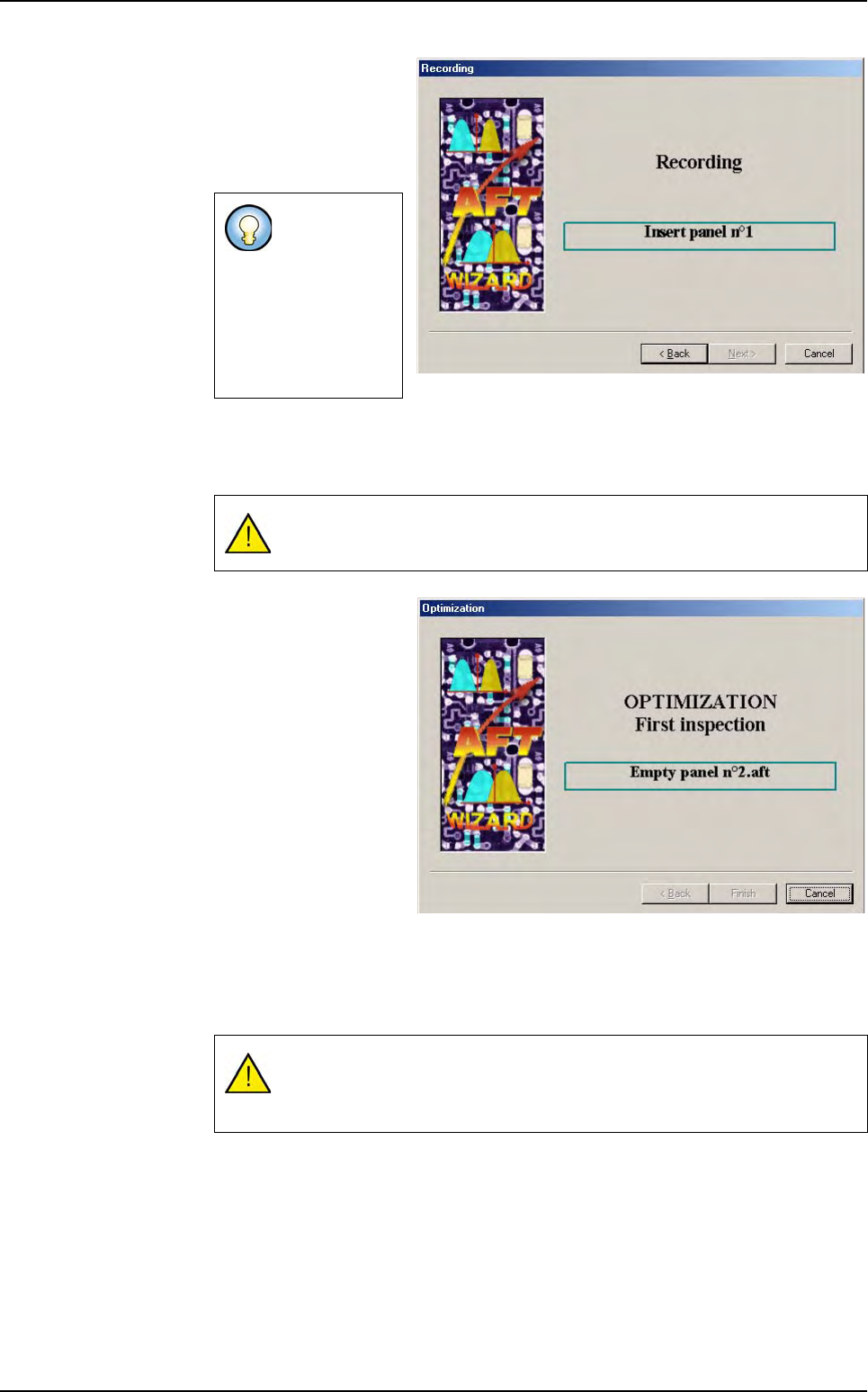
The system asks for full
panels until the quota is
reached. Insert full pan-
els in the machine as
long as the wizard asks
for full panels.
12.1.2.7 Optimization process
Once the recording step is over, the optimization process starts automatically
The optimization process
will execute several pass-
es on the records:
1.
Computation of the num-
ber of false faults for
each Jedec (including
all links) before the opti-
mization.
2.
Uniform and X/Y scale
optimization.
3.
Contrast threshold and
score optimization.
4.
Presence and Polarity
Histograms.
5. Links arrangement and unused link deletion.
6. Computation of the number of false faults for each Jedec (including all links) after
the optimization.
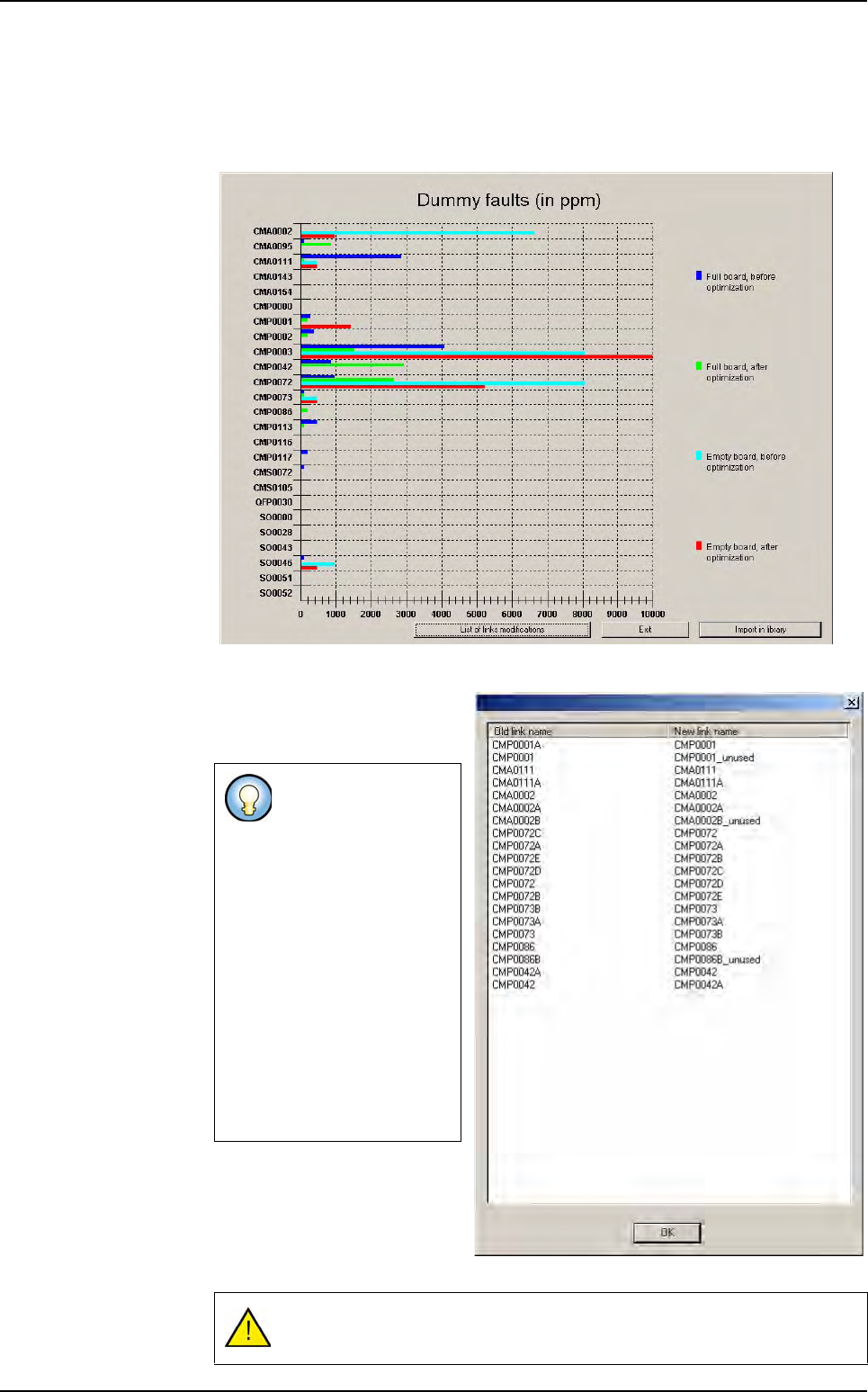
Once the optimization process is over, a graph will appear.
If the machine
is on a produc-
tion line, it will
automatically
load the boards
using the up-
stream SME-
MA.
If the machine is on a production line, it will automatically switch to
passthrough mode.
The optimization process may take several hours (depending on the pa-
rameters selected for optimization, the number of recorded panels, and
the number of components to be optimized).
Auto Fine Tune (AFT)
Optimization
12 - 8 Vision 2007 4.10 User Manual Rev 01
12.1.2.8 Optimization results
This graph represents the false faults (in PPM) before and after optimization for
each Jedec on full and empty panels. It makes the AFT results easy to visualize,
independently of all the modified parameters.
The
List of link modifications
button opens a box that lists the
Jedecs that have links.
The Exit button closes the AFT
Wizard without modifying the li-
brary.
The
Import in library
button
imports the results in the library.
The link optimization
permutes the links and
renames them so that
in the optimized library
the links are:
ROOT001,
ROOT001A,
ROOT001B, …
This list contains the
old name and the new
name of each model
(link).
The links that will be
deleted are renamed
with _unused.
The library will be saved with the optimized parameters.
Auto Fine Tune (AFT)