VI User Manual.pdf - 第32页
Getting started 1 - 12 Vision2007 4.10 User Manu al Rev 01 2 keys in the defaultValue.ini file are present: 1.4.2 Process mode screen description The Vision Process mode screen is made up: A The main menus bar. B The mai…
Getting started
Vision 2007 4.10 User Manual Rev 01 1 - 11
1.4 Vision 2007 overview
When Vision2007.exe is run, the different elements of the AOI system (the COGNEX card, the axis
driver rack, the SMEMA protocol, etc.) will be initialised and their functions checked and activated.
By running
Vision 2007
, you can access:
Process mode.
Maintenance mode.
Production mode.
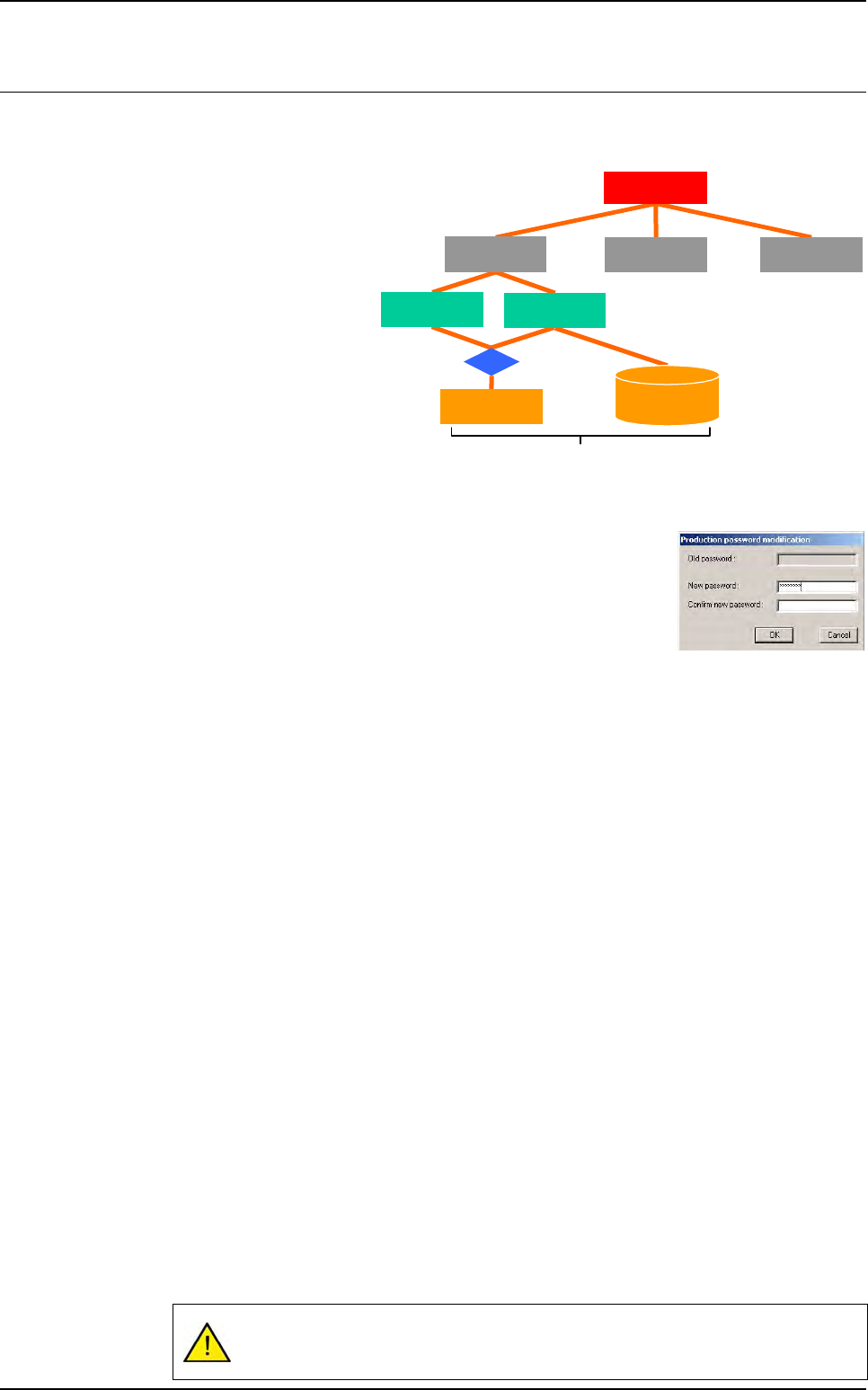
1.4.1 Password
One password is required for each part of the vision software. In main
menus bar, the password open a dialog box to enter the 3 passwords:
1. When entering the password, stars are displayed in the fields.
2. To modify one password, the old one must be entered.
1.4.1.1 Process password
Process password can all access:
Process menu:
- Create and modify the test files.
- Access the image library.
- Apply or modify the treatment tools.
Maintenance menu.
Production menu:
- ADC in production.
- Tracefaults in production.
1.4.1.2 Maintenance password
Maintenance password can only access to maintenance menu:
Access the different parameters.
Check the different parts of the AOI system.
1.4.1.3 Production password
Production password can access to production menus:
Production mode.
Passthrough mode.
Skip board.
Skip component.
If there is no password for the process level, the Maintenance and Production
menus are only accessible with their password.
Inspection test
Maintenance
Process
Production
AVision
.TST file
Library
.VIS file
.LK file
Vision software
Getting started
1 - 12 Vision2007 4.10 User Manual Rev 01
2 keys in the defaultValue.ini file are present:
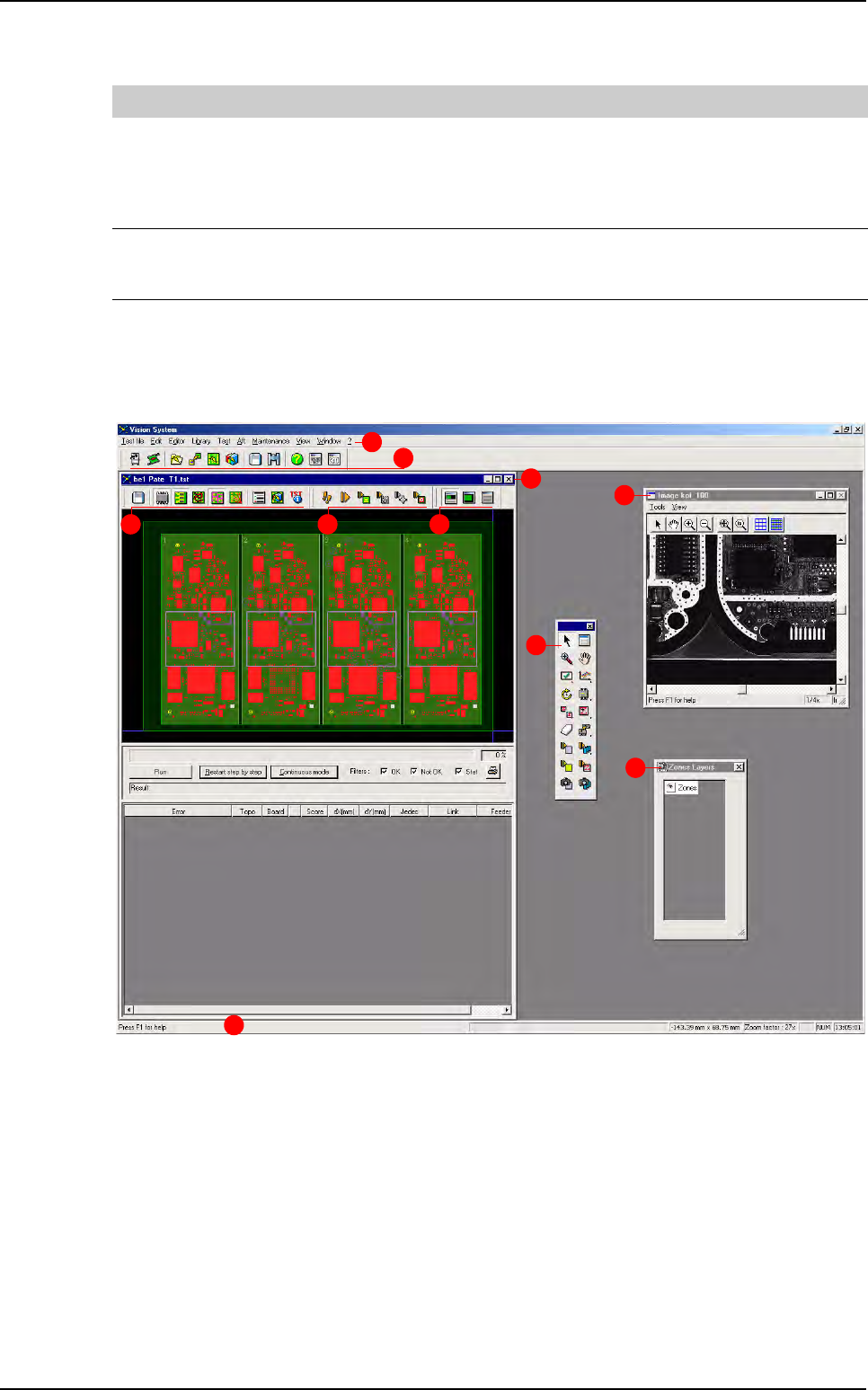
1.4.2 Process mode screen description
The Vision Process mode screen is made up:
A The main menus bar.
B The main tools bar.
C The .tst file window with:
- D .tst file edition tools bar.
- E Execution tools bar.
- F View tools bar.
G The tools palette to perform different action on the .tst file.
H The zone layers (zones, multi zones and scan zones) palette.
I The video acquisition window.
J The status bar.
[PRODUCTION]
Ask Password to start production = 0
If the key = 1, then the production password will be required to start production mode
If this key is = 0, then the production password will only be asked to access to:
- Skip components in production
- Skip boards before starting production (menu production/select .tst file and
click on Skip button will ask the production password)
Ask Password to start passthrough = 0
If the key = 1, then the production password will be required to start: passthrough
mode (from the debug window and from the production screen)
If this key is = 0, no password is required to start the passthrough mode
B
A
D E F
G
H
I
C
J
Vision 2007 overview
Getting started
Vision 2007 4.10 User Manual Rev 01 1 - 13
1.4.2.1 Tools bars and palette description
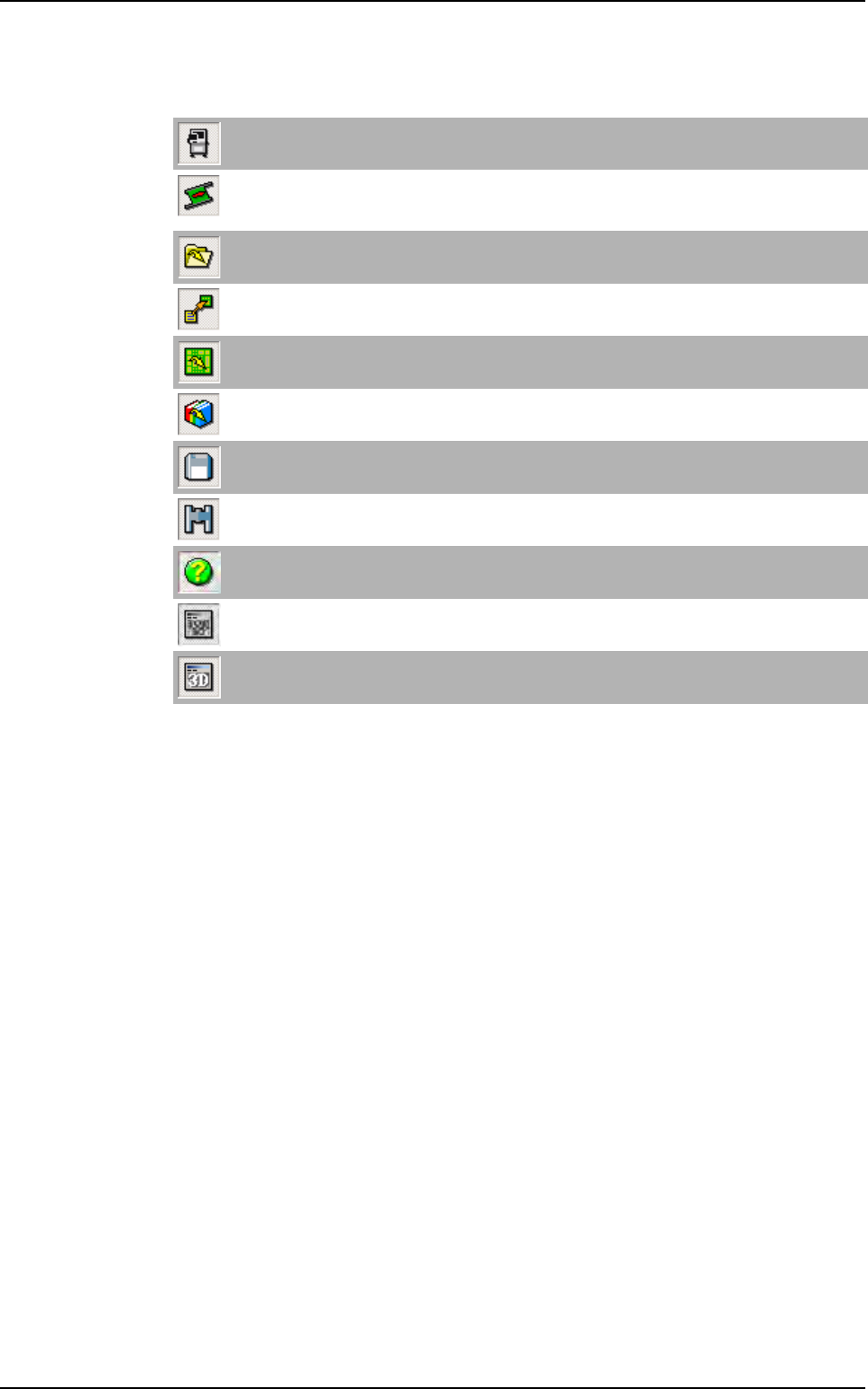
Main tools bar
Motion with keyboard
Open the Axis commands window to adjust the axis position and the conveyor.
Load board
Load a waiting board, on the upstream equipment, in the AOI system or unload a board from the AOI
sytem to the downstream equipment.
Open .vis file
Open .vis files (CAD files). It can also open any ASCII file.
Construct .tst file
Convert a .vis file to a .tst file.
Open .tst file
Open .tst files.
Open library
Open .bm files (components library).
Save
Save all file type (.bm, .tst, .vis ...)
Find
Open the Find window in order to locate components, texts, fiducials, skips.
Help
Open the Vision 2007 4.
10 User Manual .pdf file.
Show / Hide video
Display a direct image of the camera in the cognex console.
Show / Hide 3D video
Not available.
Vision 2007 overview