VI User Manual.pdf - 第293页
2D solder paste inspection Vision 2007 4.10 User Manua l Rev 01 9 - 15 9.8.2 Flux det ection para meters You can find flux detect ion parameters in the Test file configuration window ( Paste tab) or in the Edit Pad windo…
2D solder paste inspection
9 - 14 Vision 2007 4.10 User Manual Rev 01
9.8 Solder paste with flux algorithm
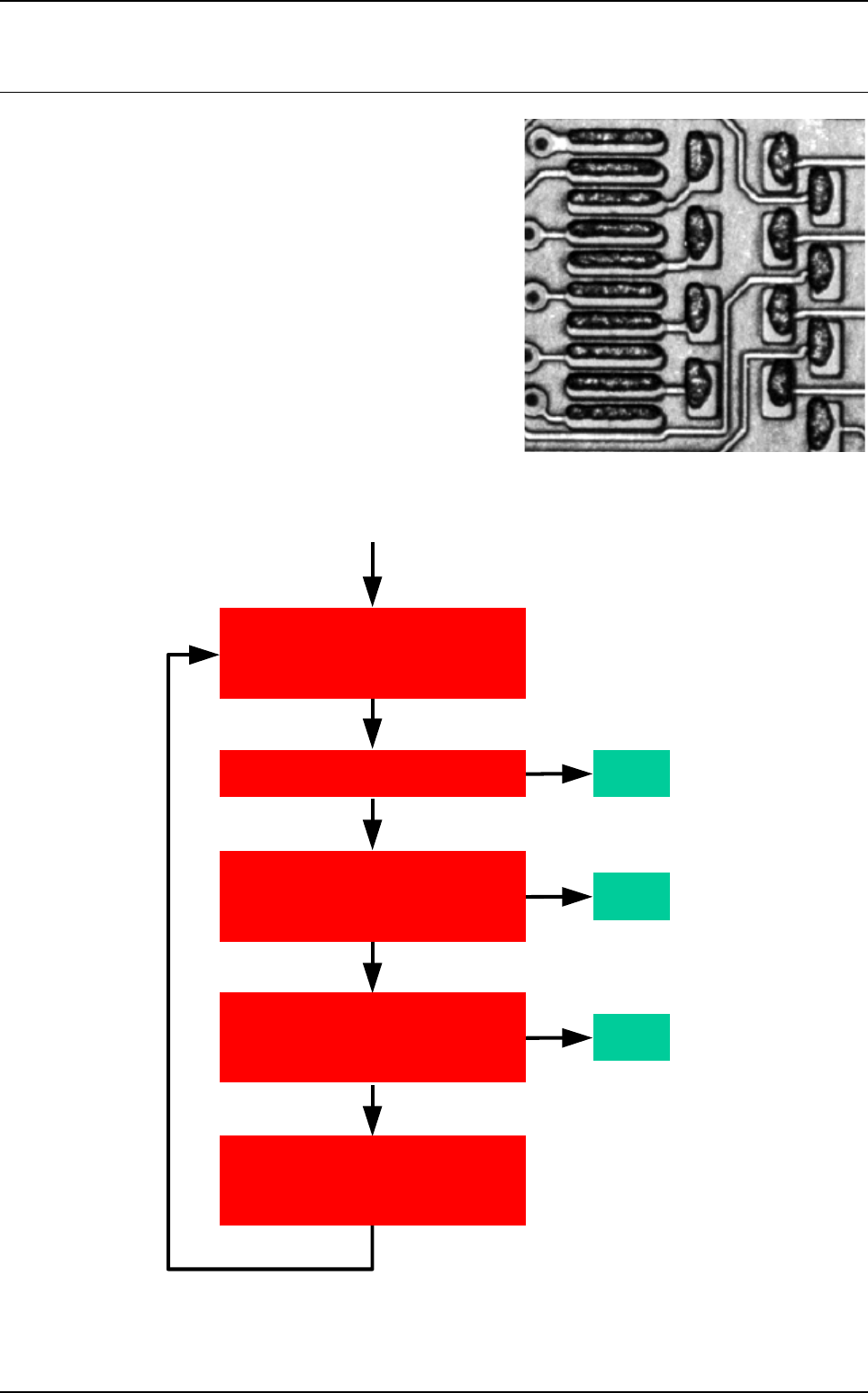
The flux is a chemical product, part of the solder paste.
Under a direct lighting, flux becomes shiny when the
paste should be dark for our control.
As you can see in this image, there is lot of white shapes
in the paste due to the flux. This product cause many
dummy faults during our paste surface inspection.
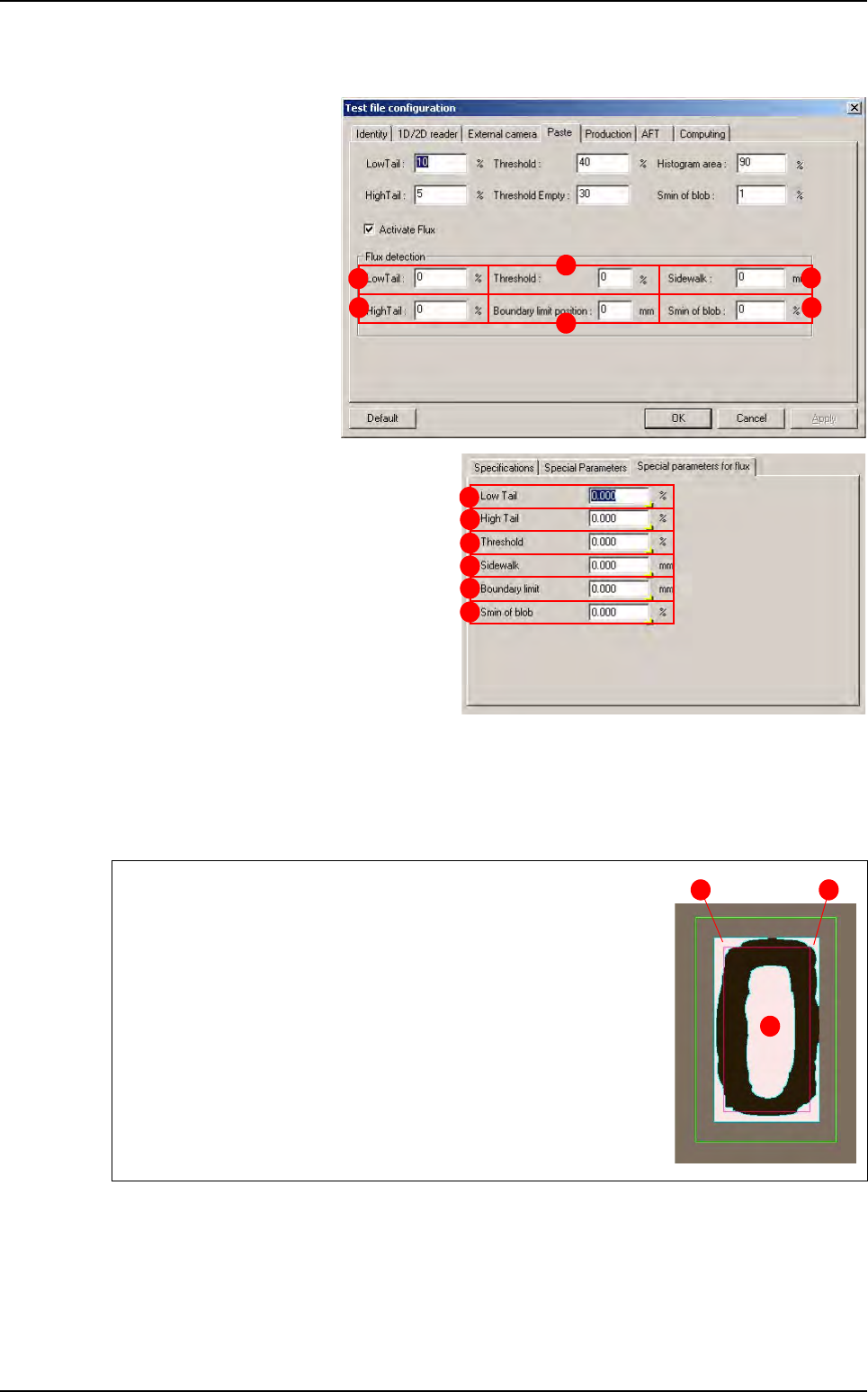
The goal of this paste algorithm improvement is to delete
white shape from the picture so the normal algorithm
could return the reel paste surface.
9.8.1 Flux algorithm principle
Yes
End
No
End
No
Yes
End
No
Yes
Level 1 (direct lighting)
and Level 2 (horizontal lighting)
New level 1 (direct lighting)
and Level 2 (horizontal lighting)
We put all pixels of these blobs
to a dark value (cf ini file)
and save image
Is it a good paste pad ?
Is there any white blobs
into the paste pad
direct light image?
Is there any white blobs
completely included
in the paste pad?
Paste pad test
with the normal paste
algorithm
2D solder paste inspection
Vision 2007 4.10 User Manual Rev 01 9 - 15
9.8.2 Flux detection parameters
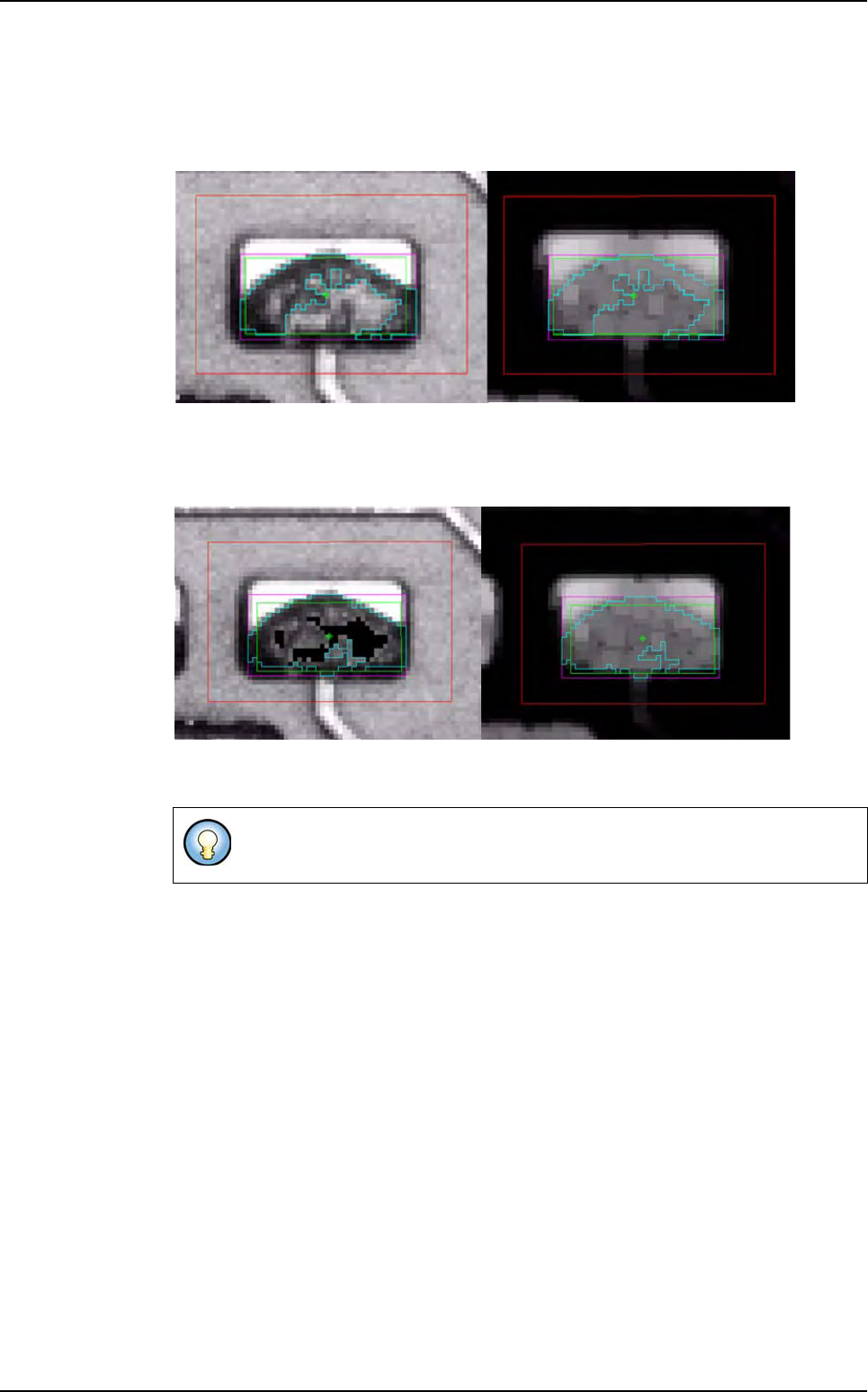
You can find flux detection
parameters in the
Test file
configuration
window
(
Paste tab) or in the Edit
Pad
window (Special pa-
rameters for flux
tab).
The flux detection is done
by a blob tool which search
white shapes inside the
paste.
Low tail (A): lower limit (see § 9.3.3 Pro-
cessing parameters
).
High tail (B): upper limit (see § 9.3.3 Pro-
cessing parameters
).
Threshold (C): limit between paste and
flux (see §
9.3.3 Processing parame-
ters
).
Sidewalk (D): this length is added to the
theoretical pad size to create the blob
search area.
Boundary limit position (E): this length is
used to compute the boundary limit which exclude white shape from the blob result. This value
may be positive or negative.
Smin of blob (F): this limit is used to exclude white shape from the blob result if these shapes
are too small.
Green area is the search area of the blob (theoretical pad size + side-
walk).
Red area is the boundary limit (theoretical pad size + Boundary limit).
Blue areas are blob results. In this case 3 shapes are found by the
blob but only one (the
3rd) will be detected as flux.
Indeed, the
1st and 2nd shape are outside or touch the boundary lim-
it so they are rejected from flux detection.
Only the
3rd shape will be colored using the color define in the dya-
mant.ini file by the value indice coloriage (0,255) = 0.
This value must be set to the mean value of the paste.
B
C
D
E
F
A
A
B
C
D
E
F
3
1 2
Solder paste with flux algorithm
2D solder paste inspection
9 - 16 Vision 2007 4.10 User Manual Rev 01
9.8.3 Results
9.8.3.1 Paste inspection without flux algorithm
The surface found is not the real solder paste surface (only 55 %).
Lighting level 1 (amber direct) Lighting level 2 (blue peripheral)
9.8.3.2 Paste inspection with flux algorithm
Lighting level 1 (amber direct) Lighting level 2 (blue peripheral)
The Flux algorithm option gives good result on fresh paste if there is lot of flux
in the solder paste, but this option increase the cycle time.
Solder paste with flux algorithm