VI User Manual.pdf - 第81页
.TST file creation Vision 2007 4.10 User Manua l Rev 01 4 - 7 4.2.9 Process result The .tst file is dis- played with: Components, Texts, Zones, Camera travel, Fiducials, Skips, Data Matrix (op- tional). Wiz…
.TST file creation
4 - 6 Vision 2007 4.10 User Manual Rev 01
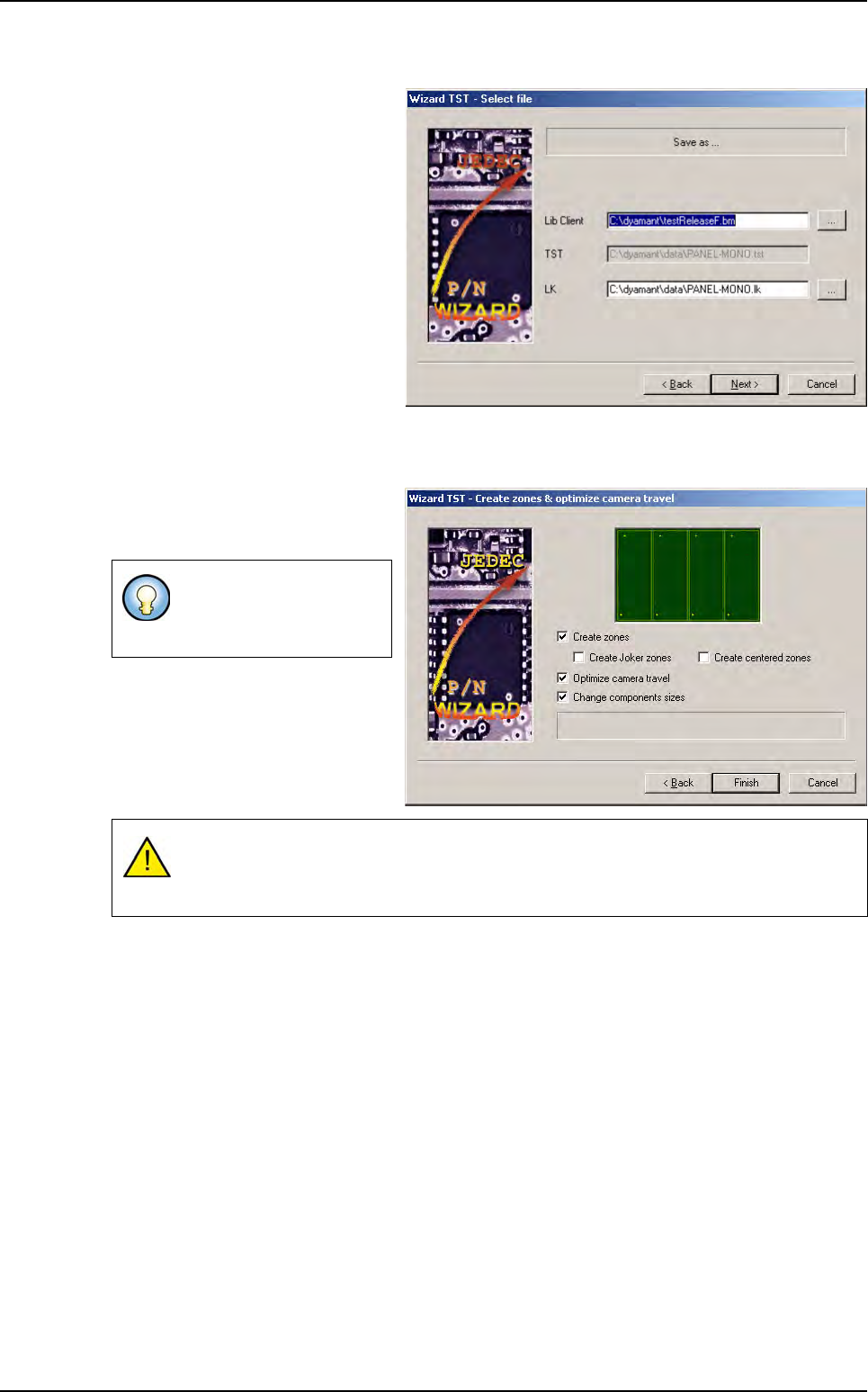
4.2.7 Select file
Enter the names of files you want to
be created or rewritten.
4.2.8 Create zones and optimize camera travel
Zones can be automatically created
from the .tst file creation by check-
ing proposed boxes.
This process uses the jedecs
present in the zone.dsc file and the
jedecs present in the .vis file to cre-
ate the associated zones.
You can deselect options
if the .tst file already ex-
ists.
During the tst file creation if there is no model associated to a component, check if the
component with a angle at 45° can be contained in a standard zone, if not a multi-zone
will be assigned to the component.
Wizard .tst
.TST file creation
Vision 2007 4.10 User Manual Rev 01 4 - 7
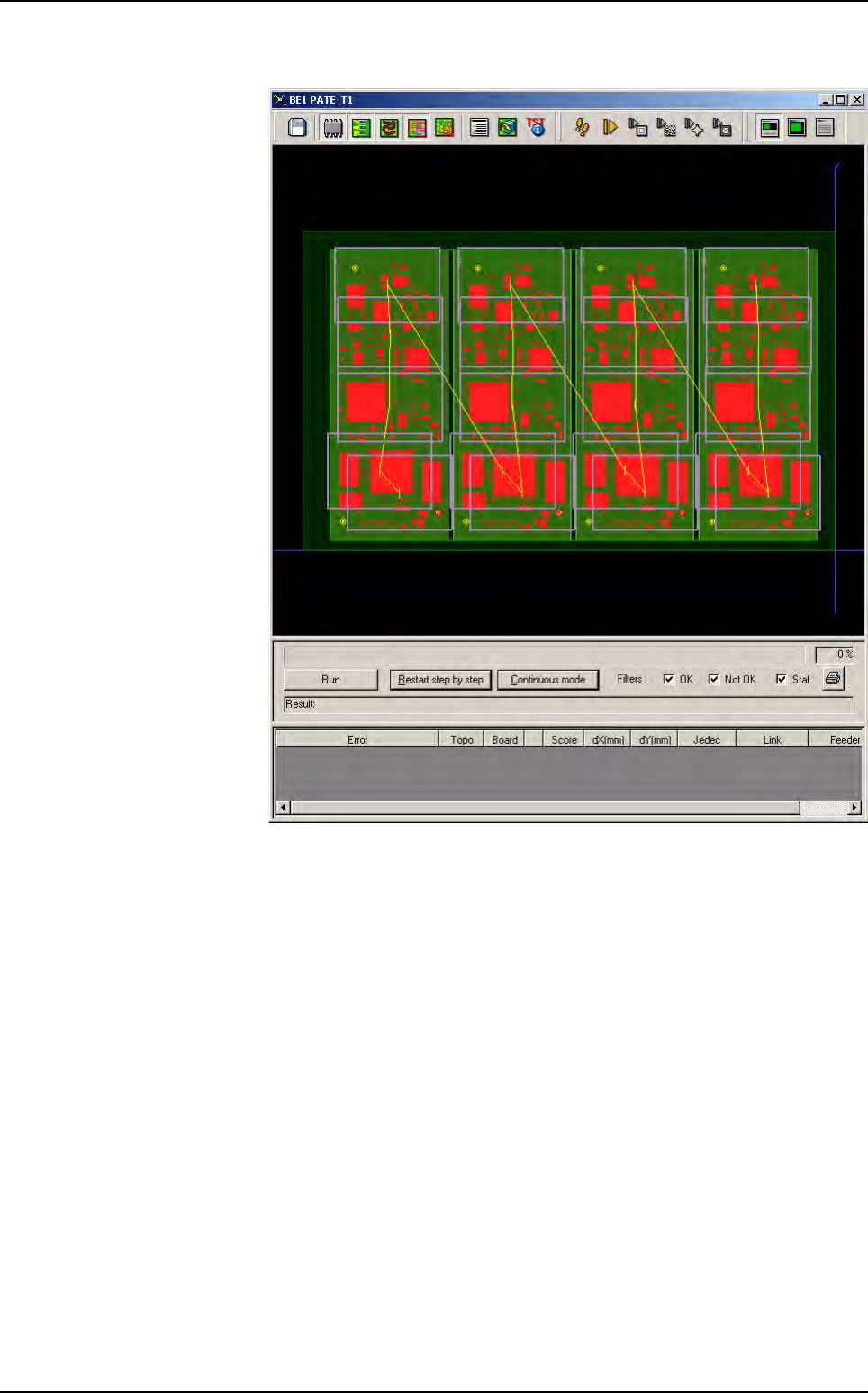
4.2.9 Process result
The .tst file is dis-
played with:
Components,
Texts,
Zones,
Camera travel,
Fiducials,
Skips,
Data Matrix (op-
tional).
Wizard .tst
.TST file creation
4 - 8 Vision 2007 4.10 User Manual Rev 01
4.3 Configuring the .tst file
Once the .tst file created, to access the parameters that you want to view or modify, click on the icon in
the file tool bar.
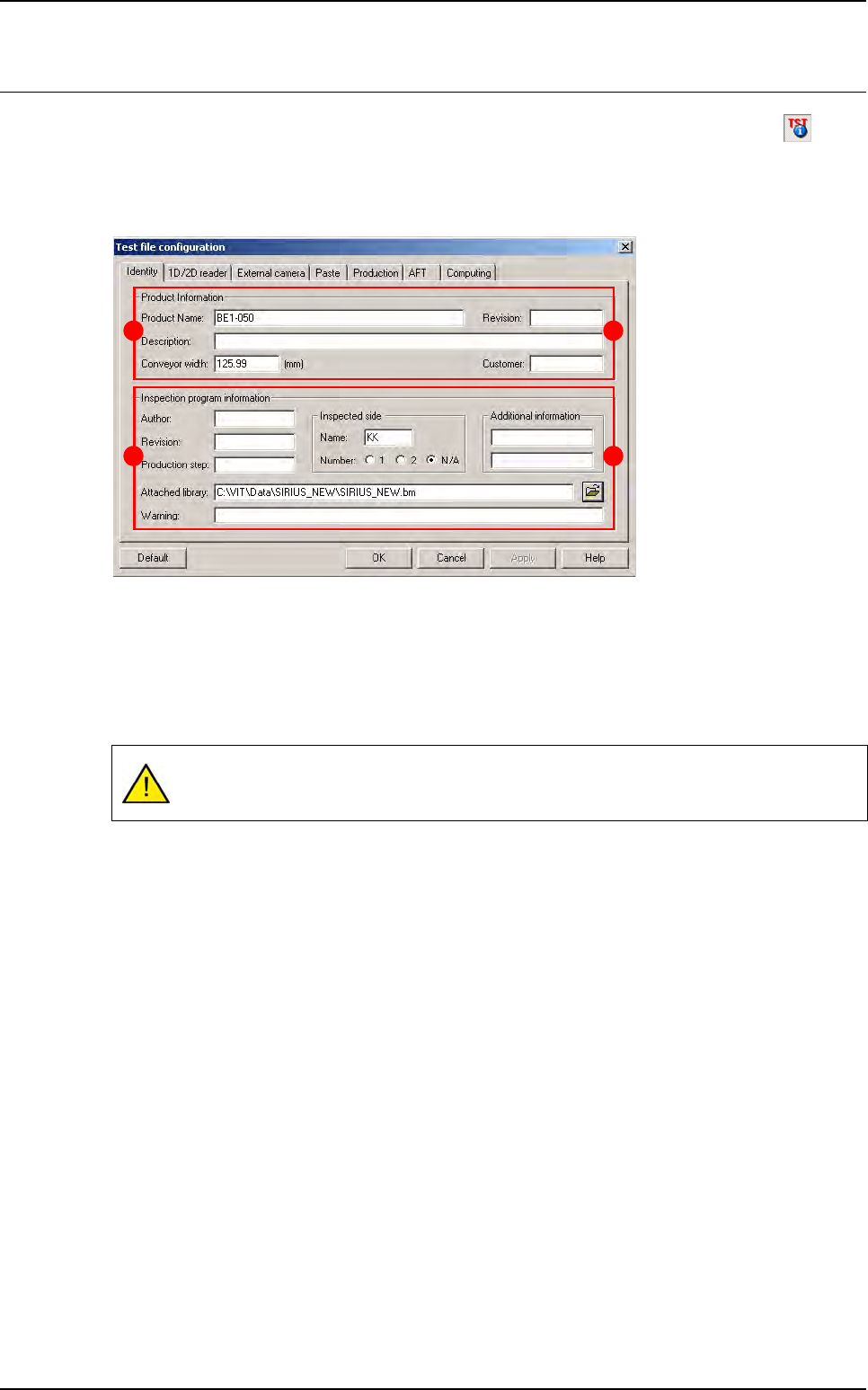
4.3.1 Identity tab
This tab is divided into 2 parts:
The
Product Information
section (
A
) contains:
Product Name
Description
of the product
Conveyor width
in millimeters (USED_DIM of the .vis file).
Revision
Customer
The
Inspection Program Information
section (
B
) contains:
Author
Revision
Production step
Attached library
: address and name of the library attached to the .tst file.
Warning
Inspected side
: side name and side number (SIDE_NUMBER of the .vis file).
Additional information
When loading a .tst file, the conveyor automatically adjusts by using the panel width gi-
ven in this window.
B
A
B
A