VI User Manual.pdf - 第50页
Maintenance mode 2 - 14 Vision 2007 4.10 User Manual Re v 01 2.2.5 File sharing tab If AOI systems are linked with a file server which contain library .b m shared files, ti ck Work with file server to select a library .b…
Maintenance mode
Vision 2007 4.10 User Manual Rev 01 2 - 13
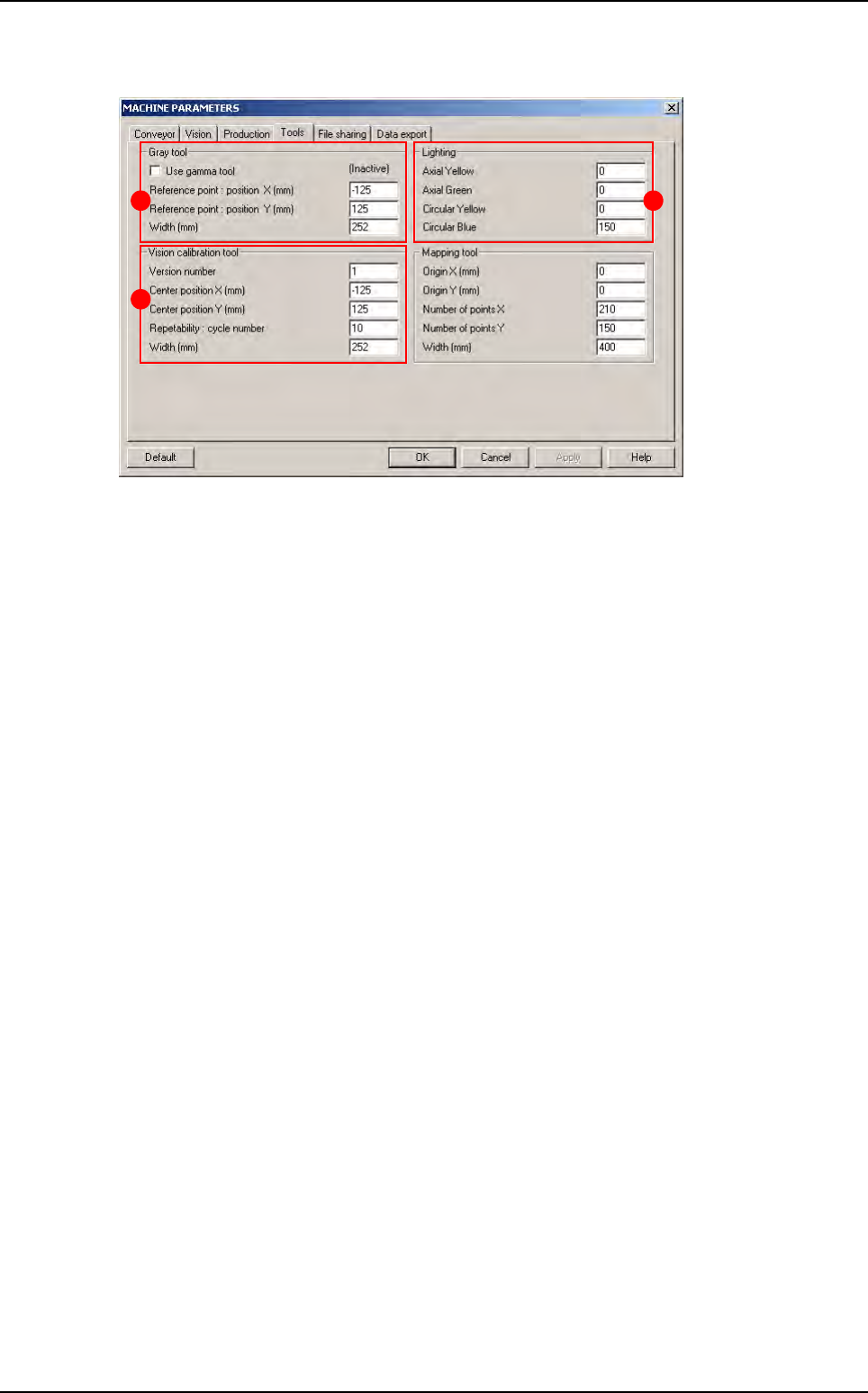
2.2.4 Tools tab
In Gray tool (A) section:
Tick Use gamma tool if a Vi-800G gray scale is used for the AOI system calibration.
Reference point: position XY (mm) correspond to the centre of the gray paper.
In Lighting (B) section is displayed the lighting used during definition adjustment and calibration
(by default 1 - 1 - 1 - 150).
In Vision calibration tool (C) section:
Version number correspond to the type of calibration tool (by default 1).
Center position XY (mm) correspond to the centre of vision calibration tool.
Repeatability is the number of measurement cycles run during repeatability of the AOI sys-
tem auto check.
A
C
B
Parameters
Maintenance mode
2 - 14 Vision 2007 4.10 User Manual Rev 01
2.2.5 File sharing tab
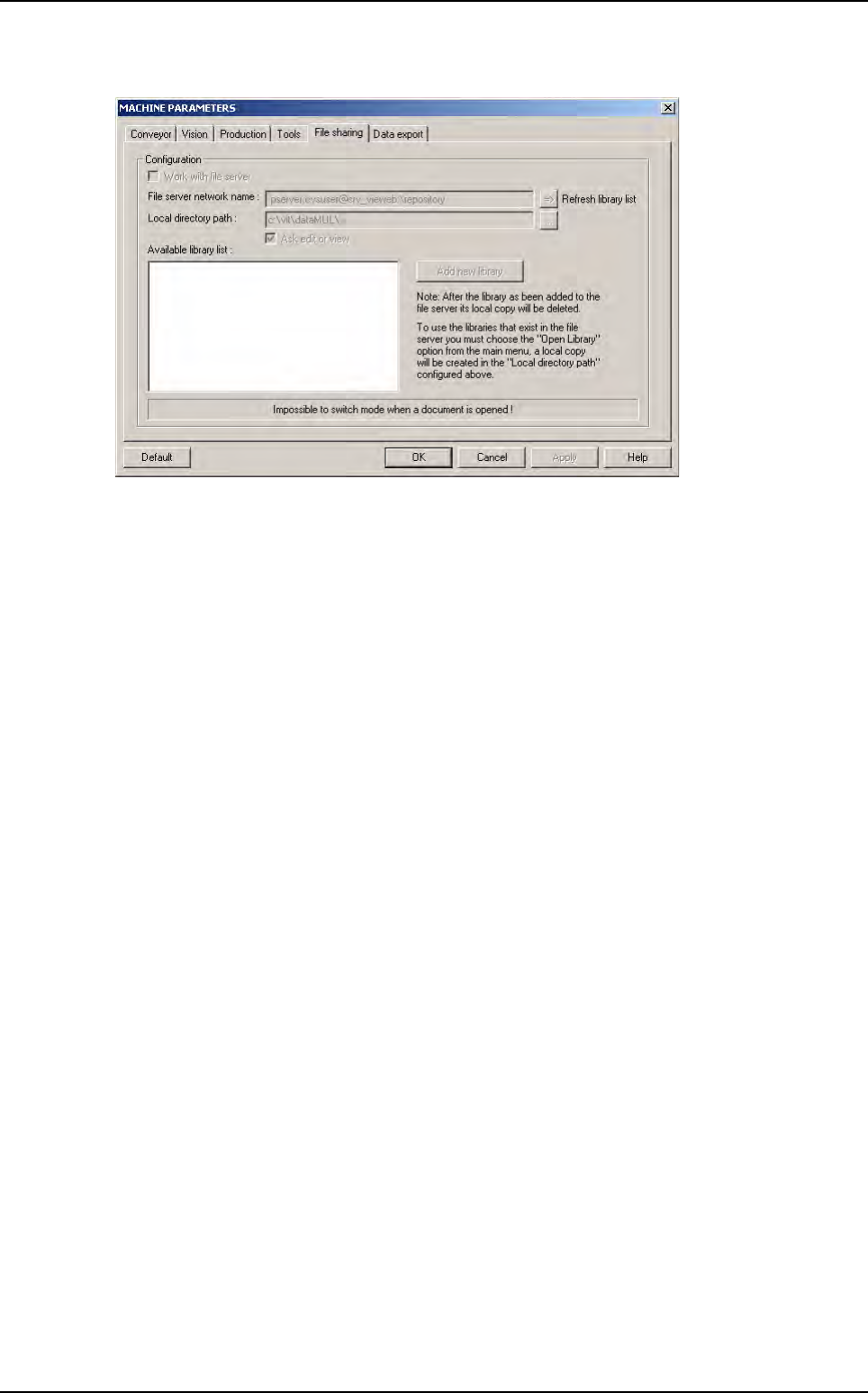
If AOI systems are linked with a file server which contain library .bm shared files, tick Work with
file server to select a library .bm file on the file server and use it locally on an AOI system (for
more information see Chapter 7 Tools library, § 7.16 Shared library).
Parameters
Maintenance mode
Vision 2007 4.10 User Manual Rev 01 2 - 15
2.2.6 Data export tab
2.2.6.1 SPC LightHouse
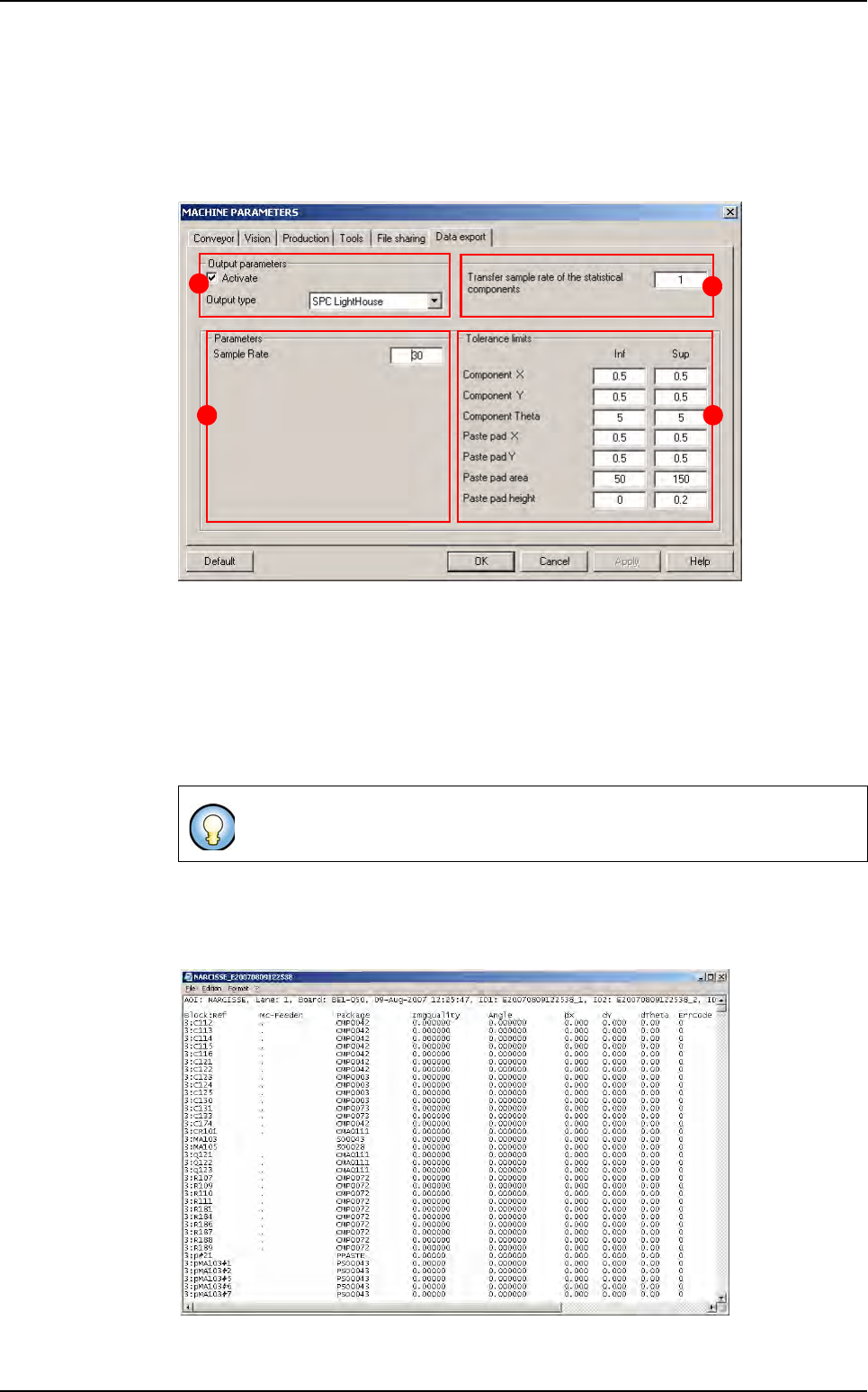
In Output parameters section (A), tick Activate and choose the Output type: SPC
Lighthouse.
In the part B, indicate the sampling rate to save statistical components results in the su-
pervisor database.
In Parameters section (C) the Sample Rate corresponds to the sampling frequency of
the inspection test results.
In Tolerance limits section (D), define upper and lower tolerances limits to be used in
SPC Ligthouse software.
2.2.6.2 VIT Format
The VIT Format allows exporting the inspection result of each inspected panels in a text
file.
When using the SPC Lighthouse software the data are stored in the
C:\VIT\SpcData directory.
A
C
B
D
Parameters