VI User Manual.pdf - 第27页
Getting started Vision 2007 4.10 User Manua l Rev 01 1 - 7 1.3.2.2 Acquisition head tab The Acquisition head tab displa y the configuration of all acqui sition chains. You can choose the frame grabb er, the camera, and s…
Getting started
1 - 6 Vision2007 4.10 User Manual Rev 01
1.3.2 Hardware configuration window
1.3.2.1 Main tab
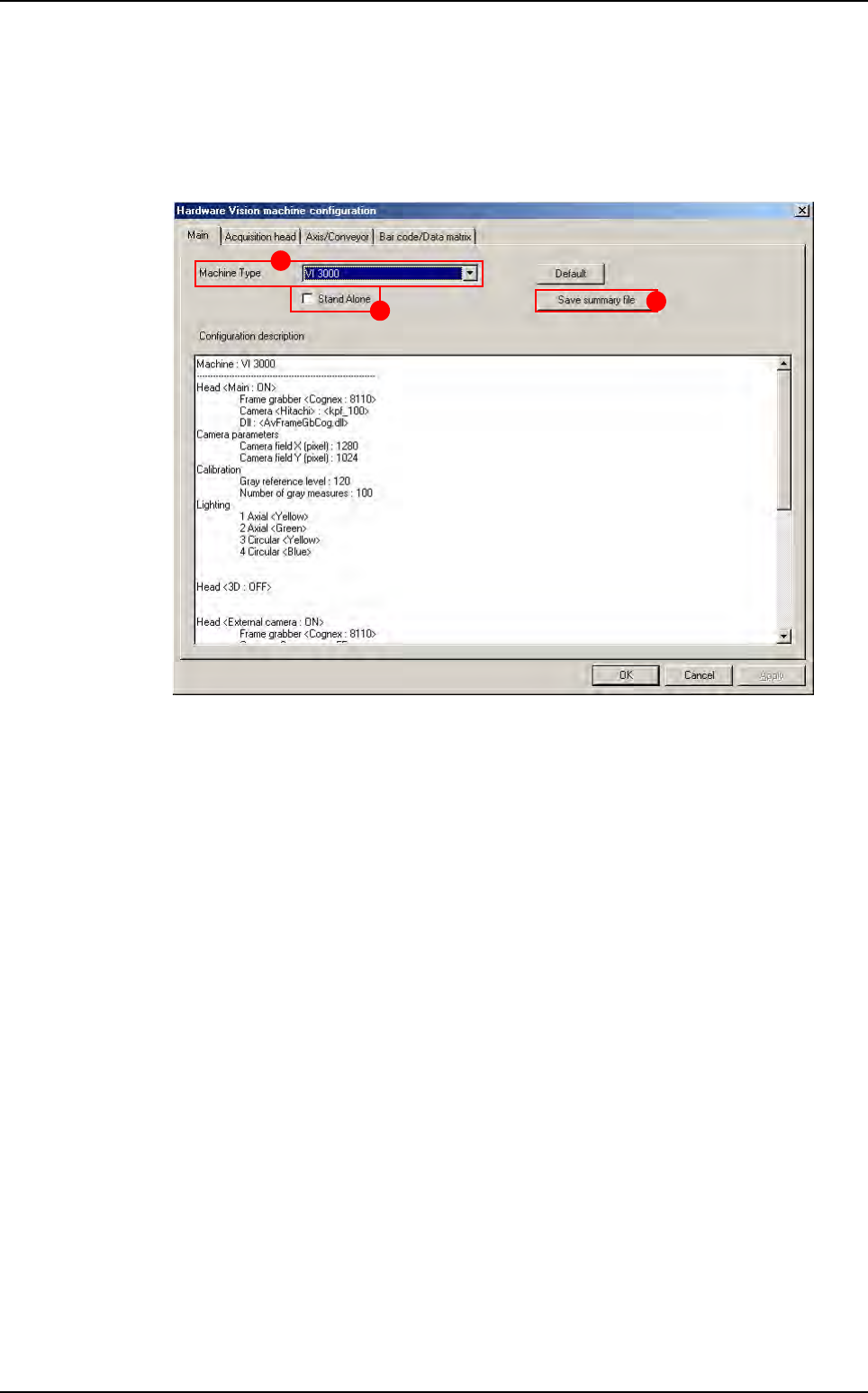
The first page shows you the existing configuration. You retreive all AOI system informa-
tion in this window.
1. Select the AOI system type in Machine Type (A).
2. Tick Stand Alone (B) if you work on stand alone AOI system.
3. Click on Save summary file button (C) to save the configuration in a .txt file.
A
B
C
AOI system configuration
Getting started
Vision 2007 4.10 User Manual Rev 01 1 - 7
1.3.2.2 Acquisition head tab
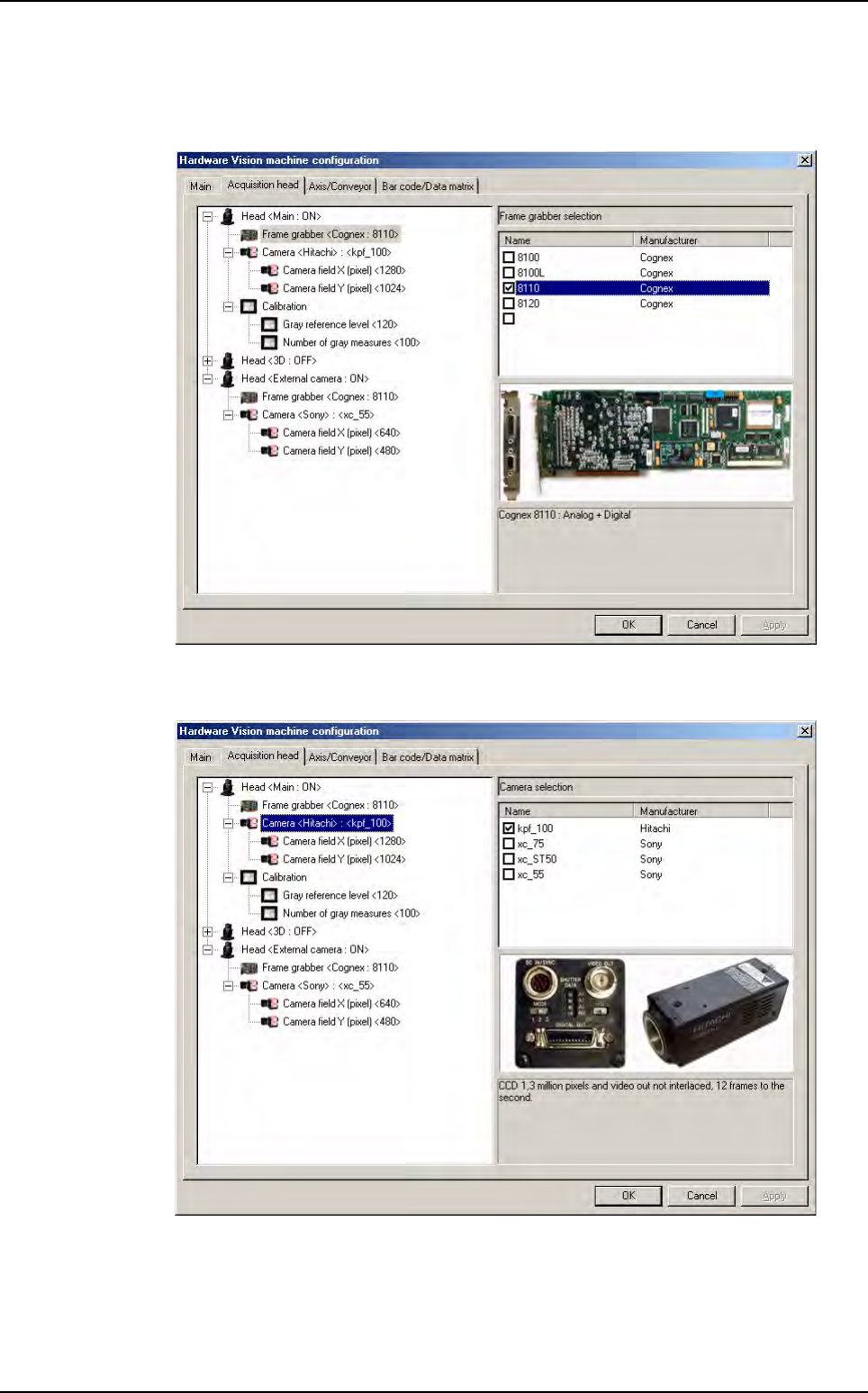
The Acquisition head tab display the configuration of all acquisition chains. You can
choose the frame grabber, the camera, and some calibration parameters.
You must choose the frame grabber you have in your computer. An image of the avail-
able frame grabber is displayed.
You must choose the camera you have in the acquisition head. An image of the available
camera is displayed.
AOI system configuration
Getting started
1 - 8 Vision2007 4.10 User Manual Rev 01
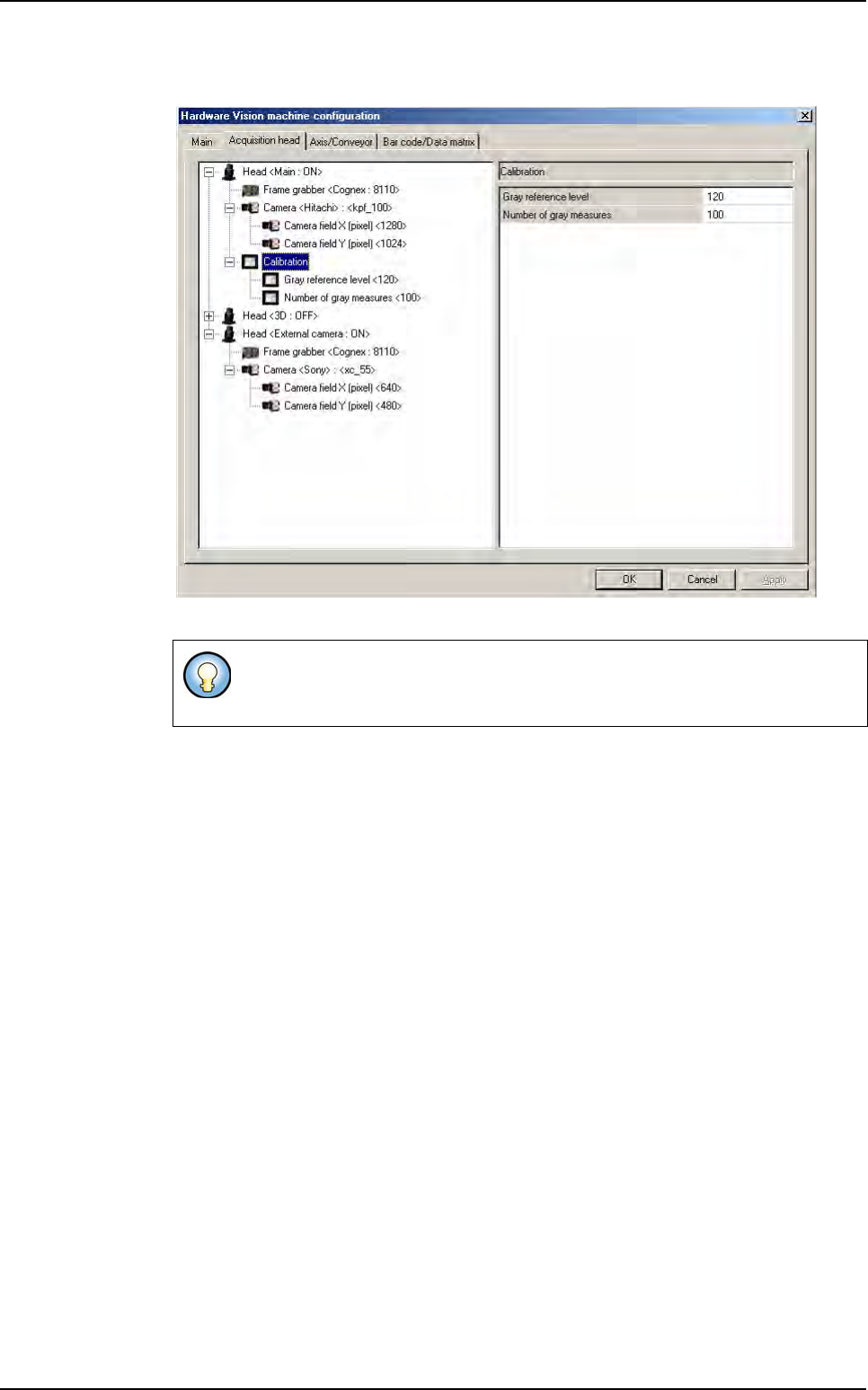
This part allows you to change some gray level calibration parameters.
Head <3D: ...>: parameters for 3D acquisition chain.
Head <External camera: ...>: External DataMatrix reader system parameters.
AOI system configuration