VI User Manual.pdf - 第344页
Optimization 12 - 26 Vision 2007 4.10 User Manual Re v 01 F Click on the button near the prof ile to zoom on it. Tolerances ( A ), in black, are calculated by statistic. You can move tole rances man ually to include m in…
Optimization
Vision 2007 4.10 User Manual Rev 01 12 - 25
12.4.2.6 Computing results
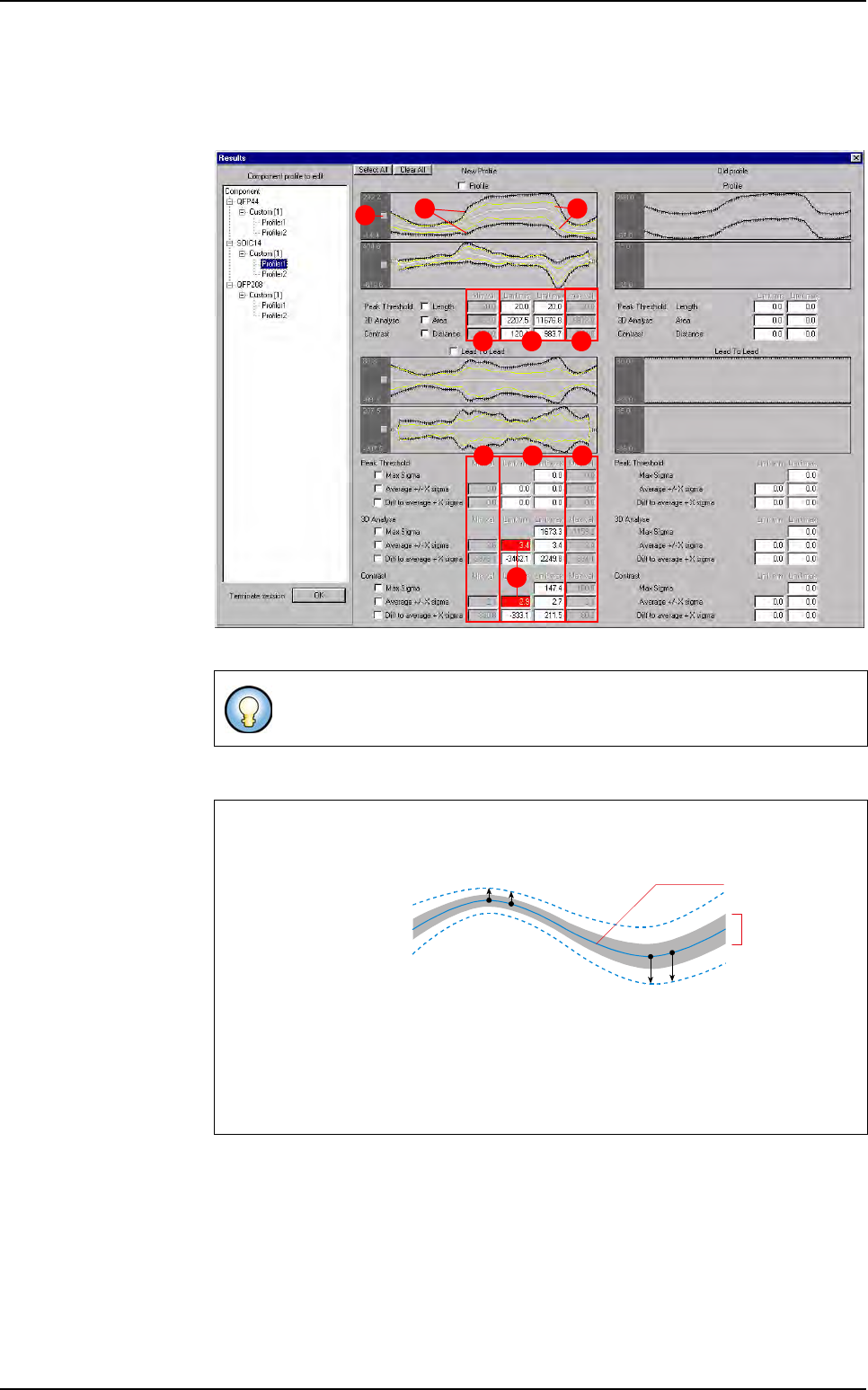
On the Results window, settings calculated by the auto setting for each Profiler™
are displayed.
To put this setting in the library, tick the box near each setting.
A In black, the tolerances calculated by the auto setting.
B In yellow, the profile minimum and maximum measured during the recording.
C For each algorithm, the limits calculated by the auto setting.
D
For each algorithm, the minimum and the maximum calculated during the recording.
E When algorithm limits do not include all results, the window is colored in red. If
you want, you can change it.
To select all settings click on
Select All
button.
To unselect all settings already ticked, click on
Clear All
button.
How tolerances are calculated
For each point of the
profile, the sigma is
calculated. the toler-
ance point are calcu-
lated with the
following statistical
formula:
Average +/- X sigma
By default X = 3 to enlarge tolerances (This value can be changed in the .ini file.
If this value increased, tolerances are larger).
The same principle is apply to calculate the limit of the
Expert mode
algorithm.
CD D
CD D
E
A B
F
Average - X sigma
All profiles
average
P
n
= Average
n
+ X
σ
n
The whole
of profiles
collected during
the auto setting
P
10
P
11
Average + X sigma
P
20
P
21
Profiler™ Automatic Setting
Optimization
12 - 26 Vision 2007 4.10 User Manual Rev 01
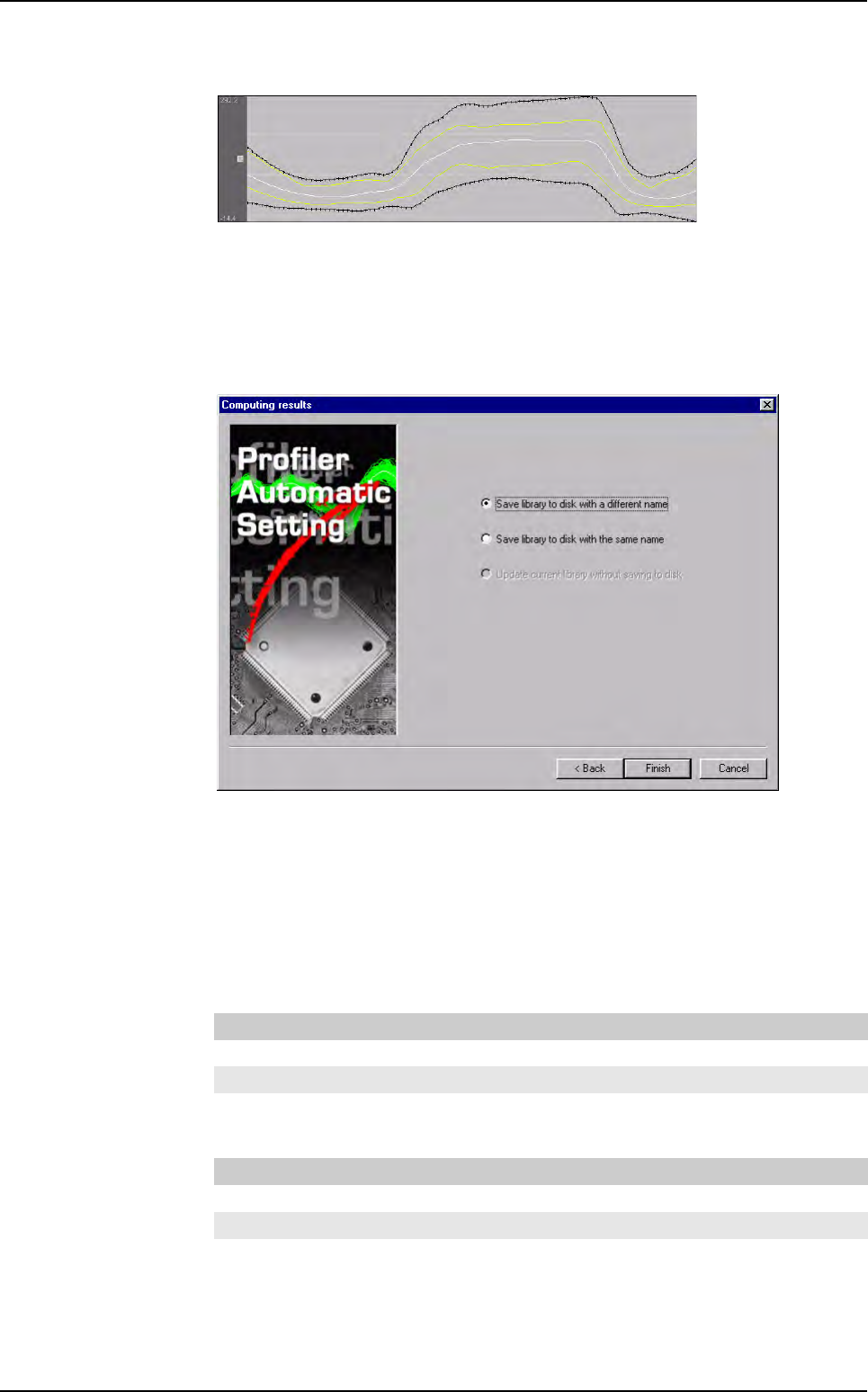
F Click on the button near the profile to zoom on it.
Tolerances (
A), in black, are calculated by statistic.
You can move tolerances manually to include minimum and maximum profiles (If
you are absolutely sure that all your lead/joint are good).
In the window belove, save the library on the disk, either with a same name, or with
an other name.
Click on
Finish
button.
12.4.3 Profiler Automatic Setting default values
Open the Defaultvalue.ini file to access the Auto settings (Profiler and Lead to Lead) pa-
rameters.
12.4.3.1 Profiler
12.4.3.2 Lead to lead
[Profiler(Auto settings)]
Xmin_Algoname=3
Xmax_Algoname=3
[Lead2Lead(Auto settings)]
Xmin_Algoname=3
Xmax_Algoname=3
Profiler
™
Automatic Setting

Superviseur
Vision 2007 4.10 User Manual Rev 01 13 - 1
Chapter 13
Superviseur
The Superviseur software is the link between the AOI system and the repair station.
It records all data from both machines in a database. The database can either be an Access or MS-SQL
Server database (for more information see chapter Database).
The supervisor provides quick information display such as:
The inspection results of all the produced boards,
The status of all the connected machines.
As the supervisor software holds all production data, it may be used to export them to an external system. In
that case, it calls a communication module which uses a specified protocol (for example: IPC2547).
Connecting and monitoring stations
You can link up to 24 stations (AOI systems and repair stations).
For example:
Vi-5000_1 and repair station_1 for line 1
Vi-5000_2 and repair station_2 for line 2
Vi-5000_3 and repair station_3 for line 3
Vi-5000_4 and repair station_4 for line 4
Vi-5000_5 and repair station_5 for line 5
In the example above, 6 stations (3 AOI systems and 3 repair stations) are linked to the supervisor.