VI User Manual.pdf - 第29页
Getting started Vision 2007 4.10 User Manua l Rev 01 1 - 9 1.3.2.3 Axis/Conveyor tab Conveyor type ( A ): determine the conveyor type: Single manual: only 2 ax es, Single: 3 axes (std Vi-3000), Double upstre am, …
Getting started
1 - 8 Vision2007 4.10 User Manual Rev 01
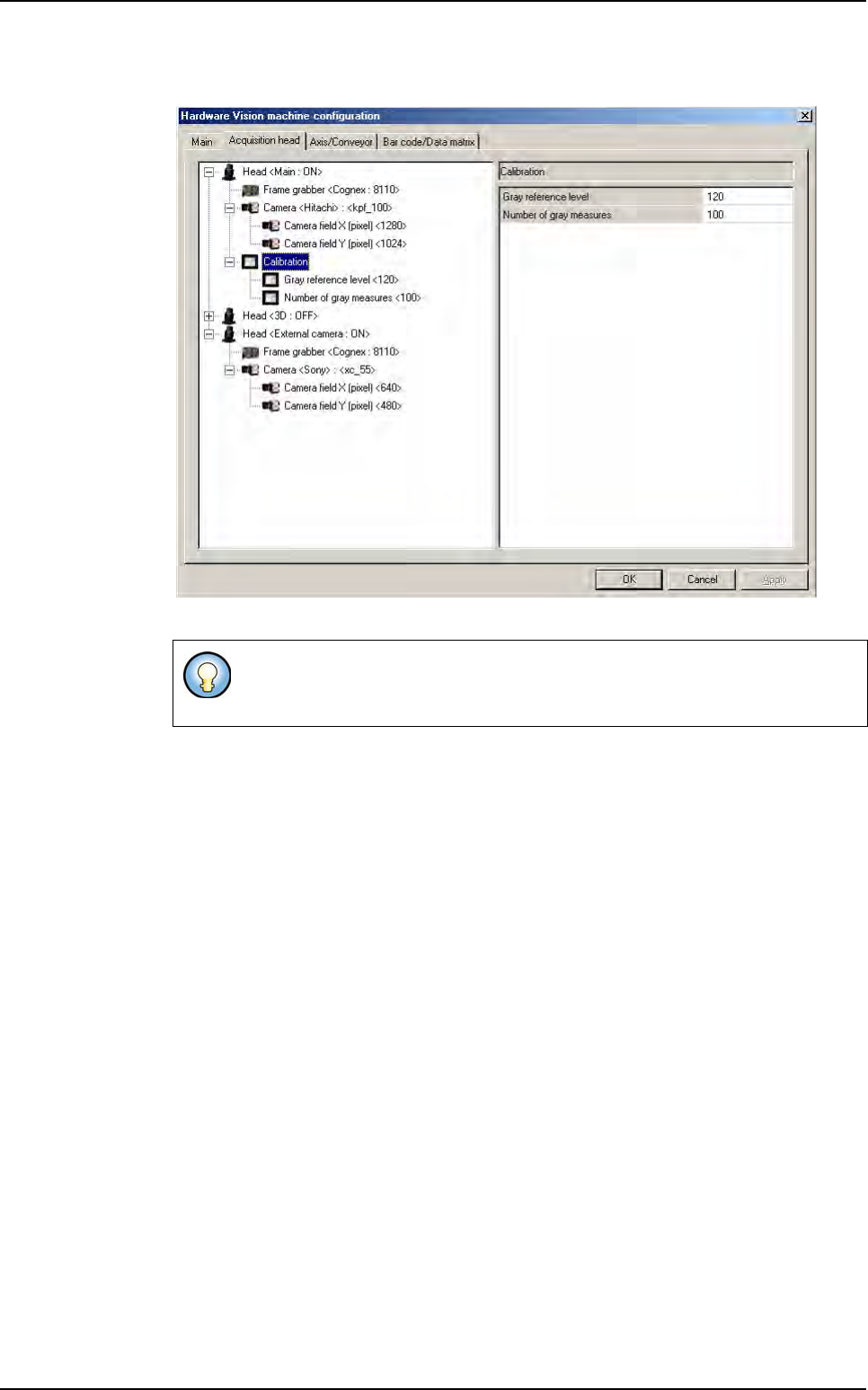
This part allows you to change some gray level calibration parameters.
Head <3D: ...>: parameters for 3D acquisition chain.
Head <External camera: ...>: External DataMatrix reader system parameters.
AOI system configuration
Getting started
Vision 2007 4.10 User Manual Rev 01 1 - 9
1.3.2.3 Axis/Conveyor tab
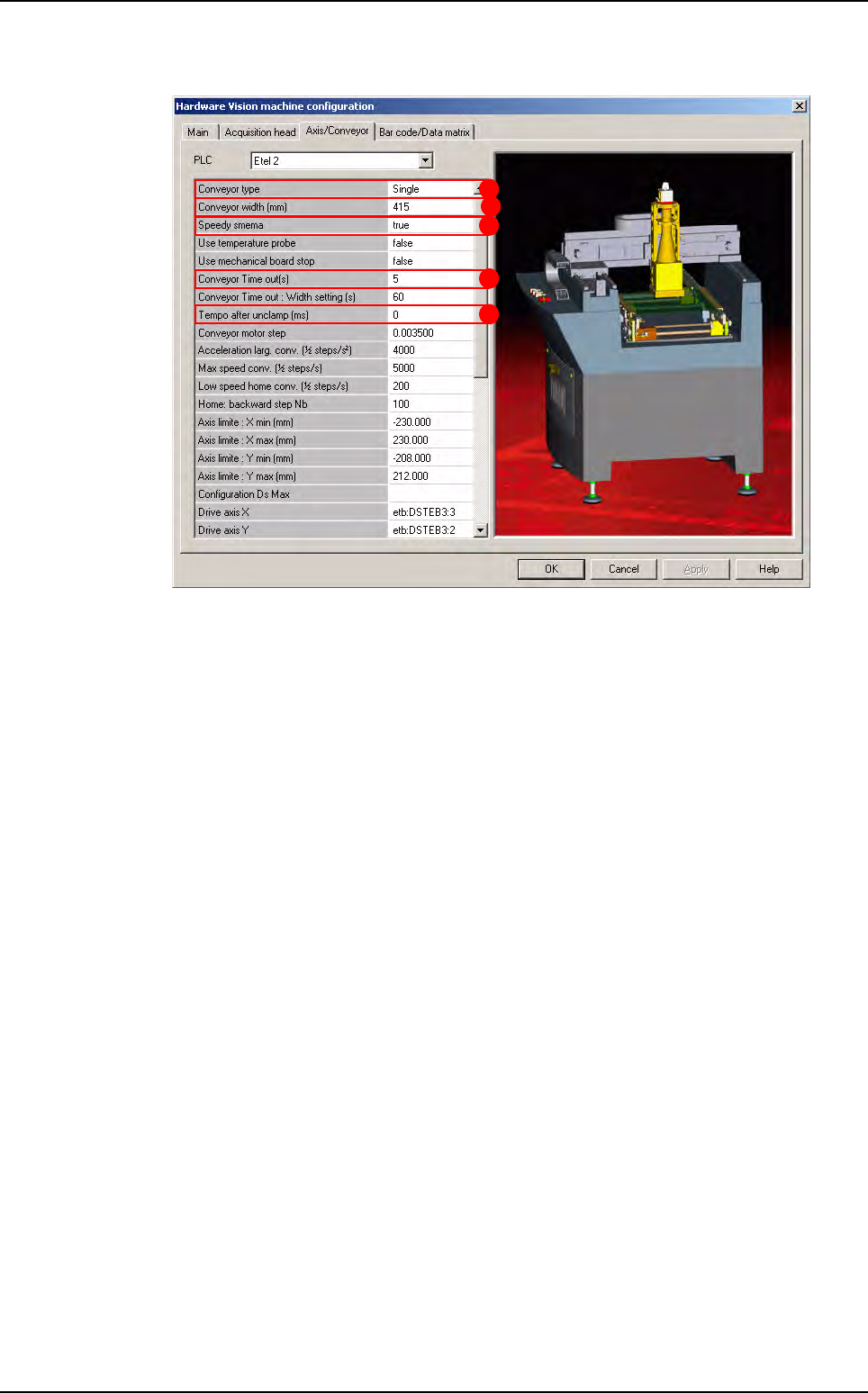
Conveyor type (A): determine the conveyor type:
Single manual: only 2 axes,
Single: 3 axes (std Vi-3000),
Double upstream,
Double downstream.
Conveyor Width (B): set the maximum conveyor width. This parameter was in the main-
tenance mode before but now it is the only way to change it. Normally this width is cor-
rectly set in the factory so you do not have to change it.
Speedy SMEMA (C): set the SMEMA type:
If Speedy SMEMA equals to true, than acknowledge for board received will be send
to upstream system when board arrives on AOI system entry sensor.
If Speedy SMEMA equals to false, than acknowledge for board received will be send
to upstream system when board arrives on AOI system stop sensor.
Conveyor time out (D): if the board is not loaded or unloaded during this time, the soft-
ware return a conveyor error.
Tempo after unclamp (E): this new parameter allows the user to add a temporization
between the moment when the card is unclamped after inspection, and the moment
when it is being conveyed to the exit.
A
B
C
D
E
AOI system configuration
Getting started
1 - 10 Vision2007 4.10 User Manual Rev 01
1.3.2.4 Bar code/Data Matrix tab
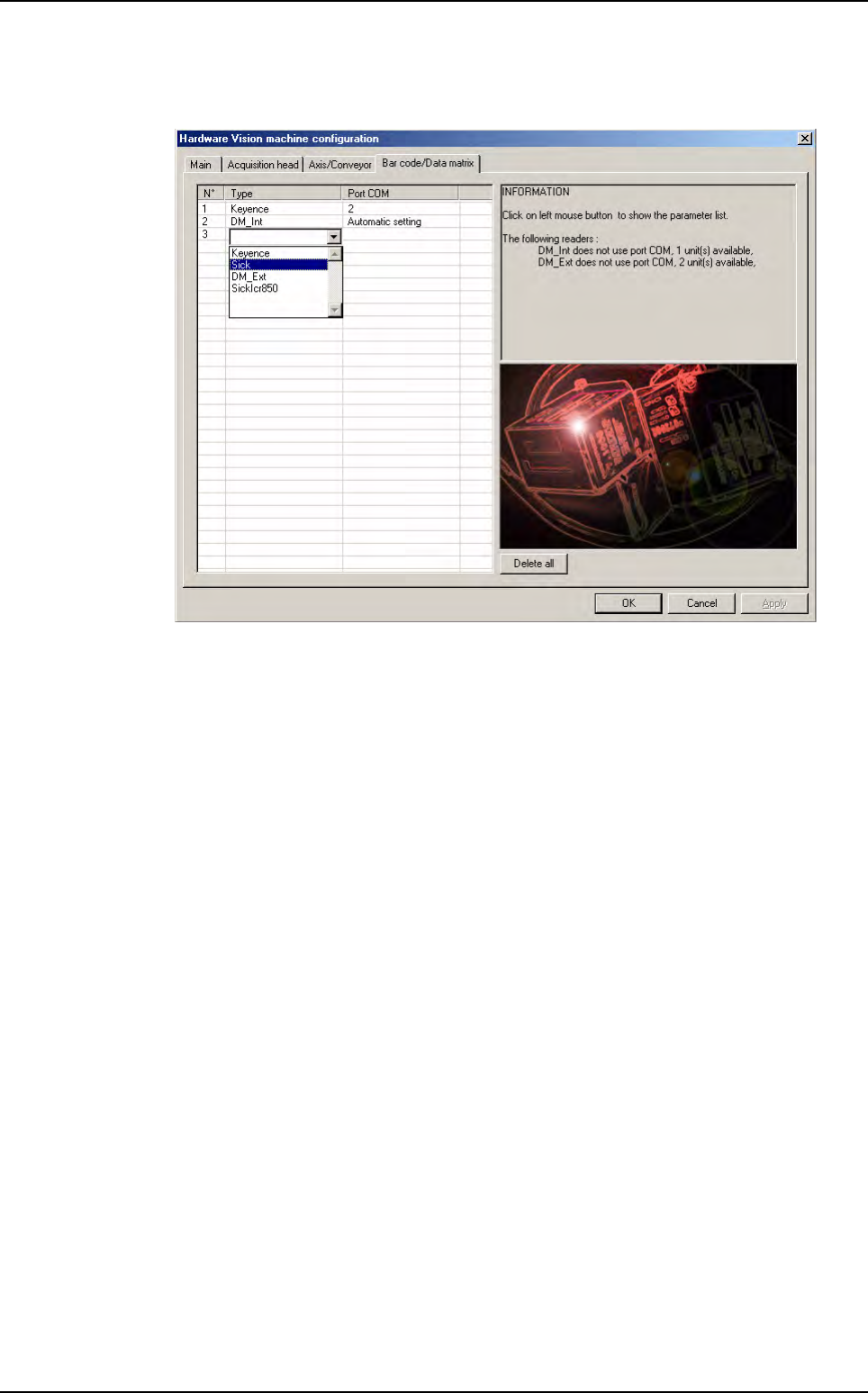
This tab configures label reader. Label could be bar code or Data Matrix (2D label).
AOI system configuration