VI User Manual.pdf - 第33页
Getting started Vision 2007 4.10 User Manua l Rev 01 1 - 13 1.4.2.1 Tools bars and palette des c ription Main tools bar Motion with keyboard Open the Axis commands window to ad just the axis position and the conveyor. Lo…
Getting started
1 - 12 Vision2007 4.10 User Manual Rev 01
2 keys in the defaultValue.ini file are present:
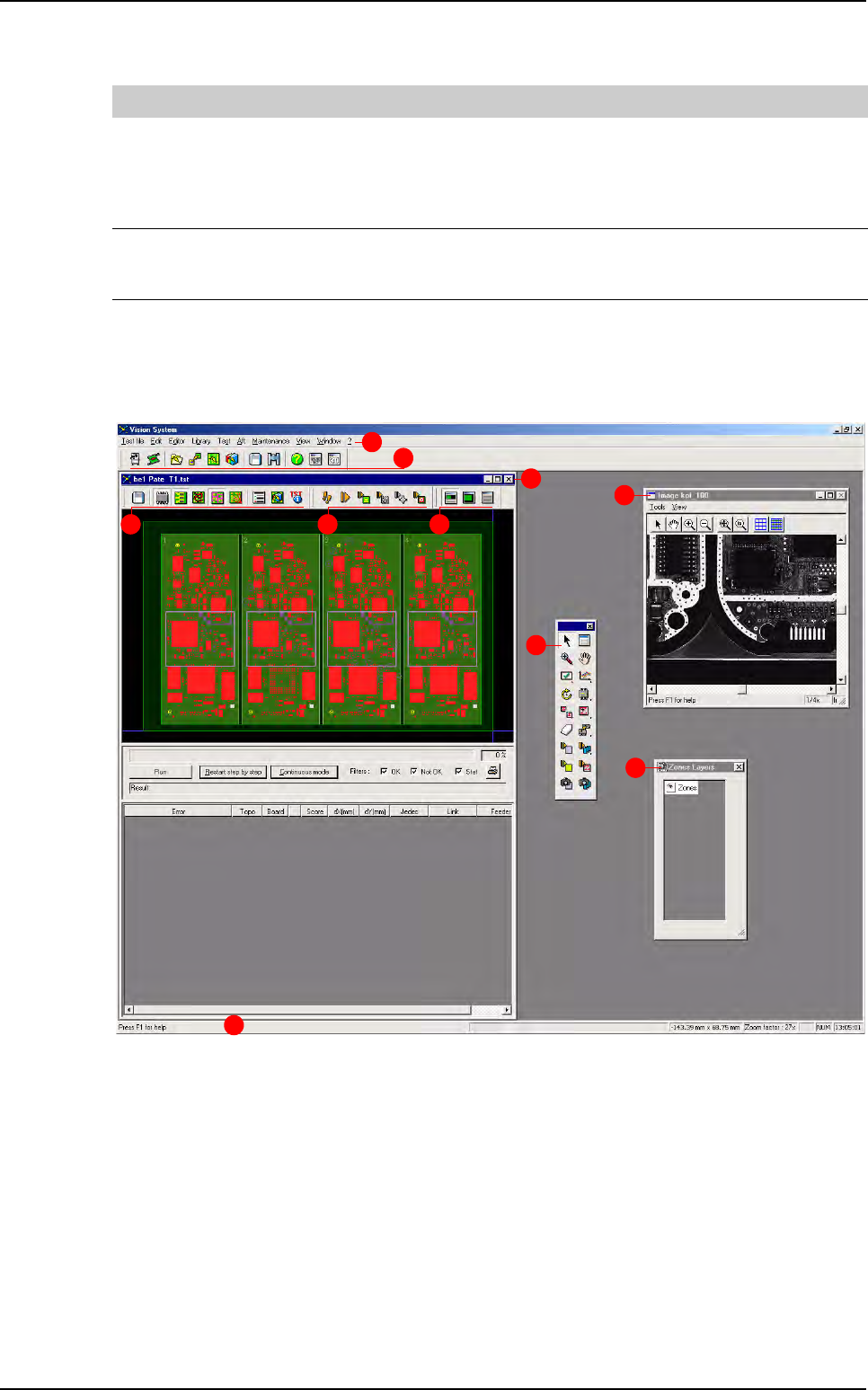
1.4.2 Process mode screen description
The Vision Process mode screen is made up:
A The main menus bar.
B The main tools bar.
C The .tst file window with:
- D .tst file edition tools bar.
- E Execution tools bar.
- F View tools bar.
G The tools palette to perform different action on the .tst file.
H The zone layers (zones, multi zones and scan zones) palette.
I The video acquisition window.
J The status bar.
[PRODUCTION]
Ask Password to start production = 0
If the key = 1, then the production password will be required to start production mode
If this key is = 0, then the production password will only be asked to access to:
- Skip components in production
- Skip boards before starting production (menu production/select .tst file and
click on Skip button will ask the production password)
Ask Password to start passthrough = 0
If the key = 1, then the production password will be required to start: passthrough
mode (from the debug window and from the production screen)
If this key is = 0, no password is required to start the passthrough mode
B
A
D E F
G
H
I
C
J
Vision 2007 overview
Getting started
Vision 2007 4.10 User Manual Rev 01 1 - 13
1.4.2.1 Tools bars and palette description
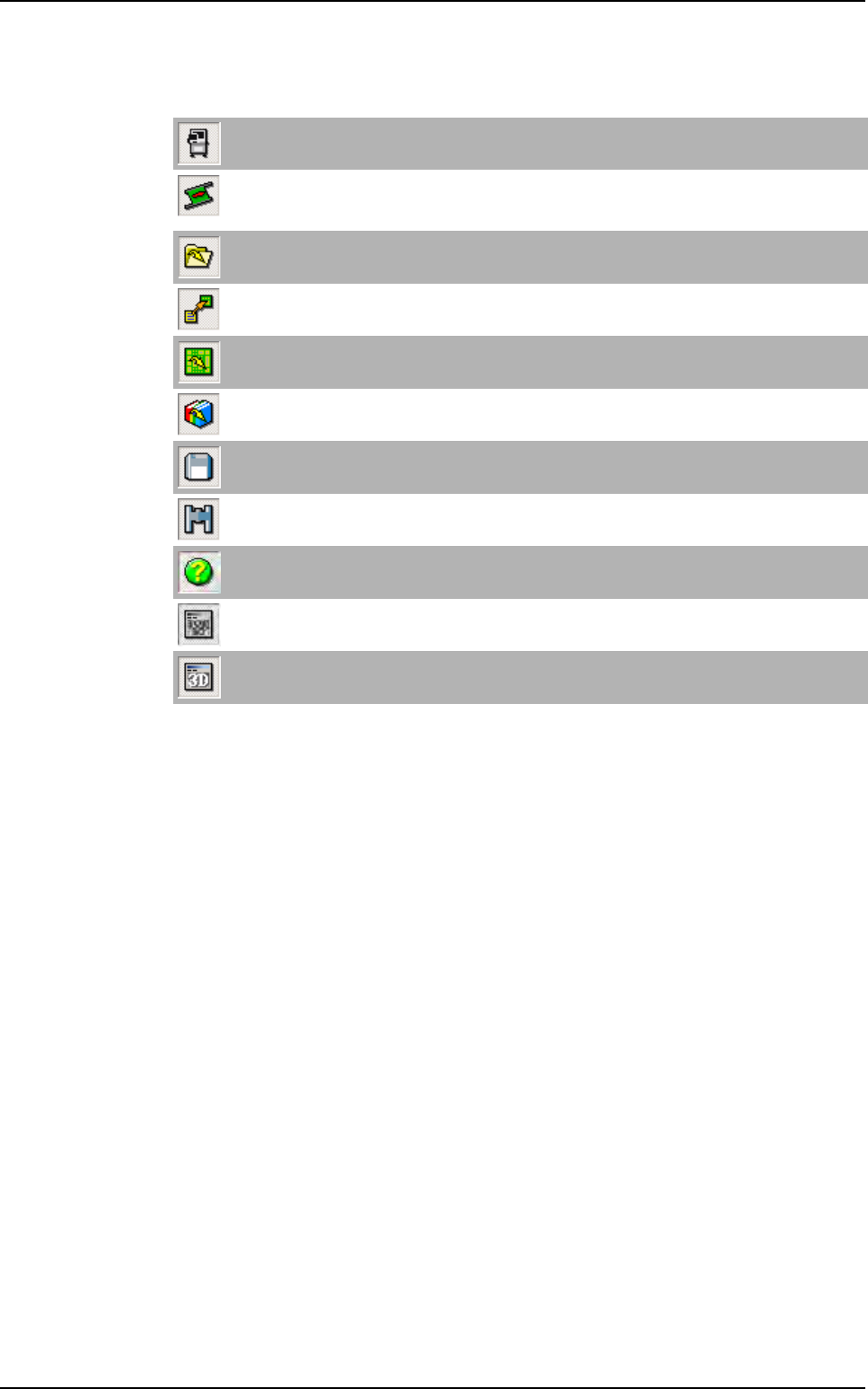
Main tools bar
Motion with keyboard
Open the Axis commands window to adjust the axis position and the conveyor.
Load board
Load a waiting board, on the upstream equipment, in the AOI system or unload a board from the AOI
sytem to the downstream equipment.
Open .vis file
Open .vis files (CAD files). It can also open any ASCII file.
Construct .tst file
Convert a .vis file to a .tst file.
Open .tst file
Open .tst files.
Open library
Open .bm files (components library).
Save
Save all file type (.bm, .tst, .vis ...)
Find
Open the Find window in order to locate components, texts, fiducials, skips.
Help
Open the Vision 2007 4.
10 User Manual .pdf file.
Show / Hide video
Display a direct image of the camera in the cognex console.
Show / Hide 3D video
Not available.
Vision 2007 overview
Getting started
1 - 14 Vision2007 4.10 User Manual Rev 01
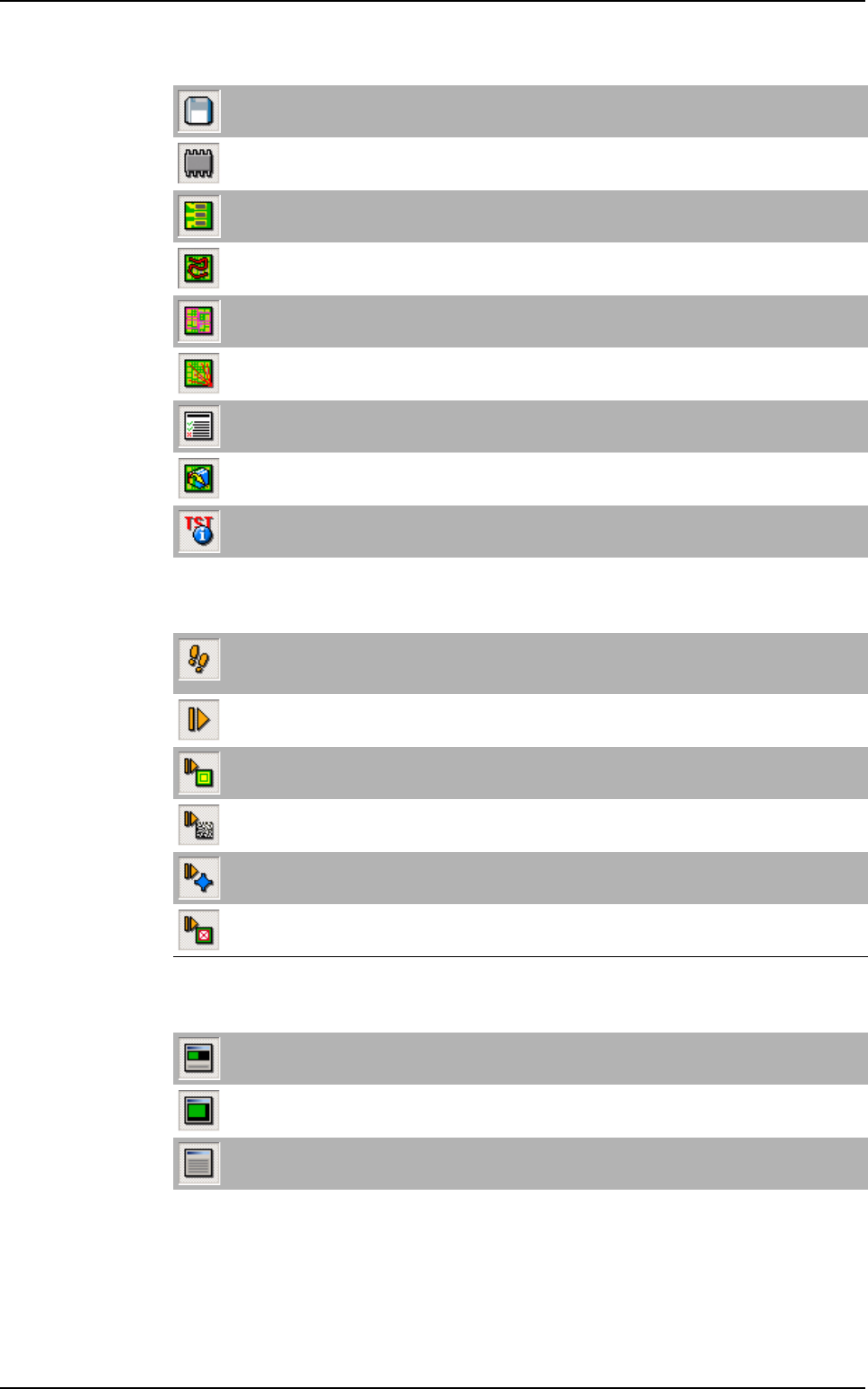
.tst edition tools bar
Execution tools bar
View tools bar
Save
Save the .tst file.
Test components
Display all tested components.
Test pads
Display all tested pads.
Show inspection travel
Display the camera travel.
Display zones
Display all acquisition zones.
Unattached components
Display all unattached components to zones.
Generate the test coverage report
Display the test coverage report.
Open associated bib
Open the library associated to the tst file.
.tst configuration
Open the Test file configuration window.
Step by step
Execute the test of the .tst file element by element (components, paste pads, fiducials, data matrix,
text, skips ...). Press this icon and select a run icon.
Run
Execute the test of the .tst file.
Run fiducials
Execute only the fiducials of the .tst file.
Execute internal data matrix
Execute only the ID code defined in the .tst file (using the internal camera).
3D reference (only for Vi-3KD
3
100 % solder paste inspection)
Execute only the 3D references test of the .tst file.
Run skips
Execute only skips test of the .tst file.
Global view
Display the CAD view and results view (by default).
CAD view
Display the CAD view only.
Result view
Display the results view only.
Vision 2007 overview