00198320-02_UM_ShuttleExtension-DE-EN-ZH.pdf - 第137页
Assembly and Instruction Manual 3 Assembly on the SIPLACE TX Shuttle Extension Edition 11/2018 3. 3 Assembly kit and mechanical connection 39 3.3 Assembly kit and mechanical connection A mechanical interface kit will be …
3 Assembly on the SIPLACE TX Assembly and Instruction Manual
3.2 Overview Shuttle Extension Edition 11/2018
38
3.2 Overview
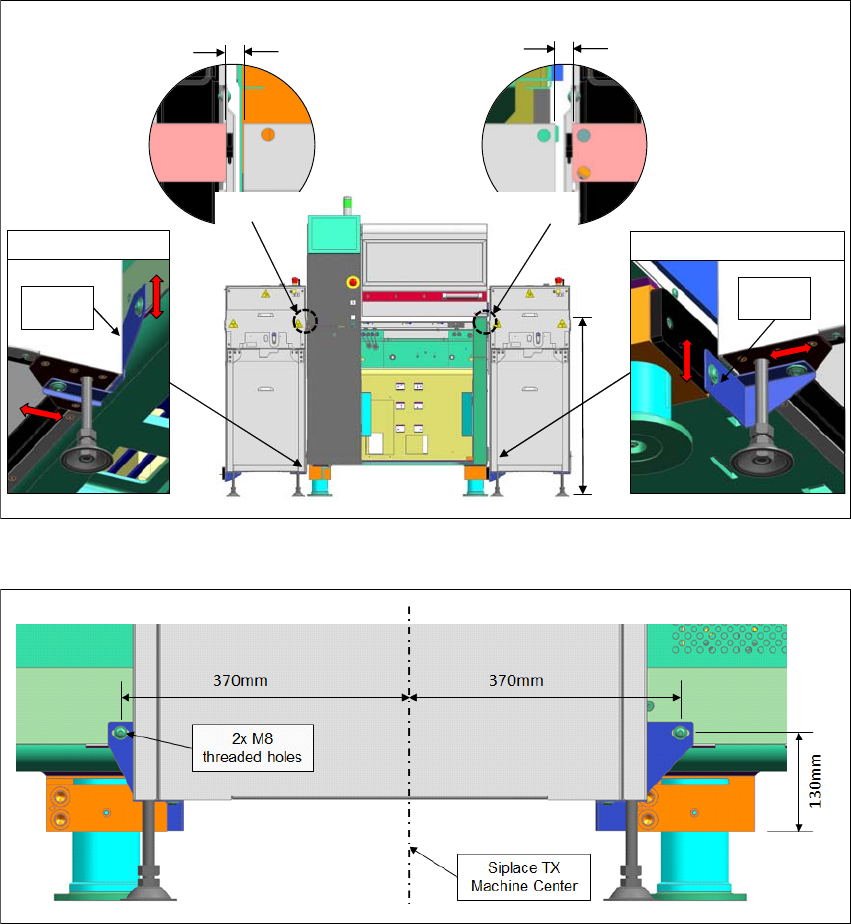
Fig. 3.2 - 1 Mounting interfaces between SIPLACE TX & shuttle extension
Fig. 3.2 - 2 Mounting holes position on SIPLACE TX machine frame (input side)
9
5
0
m
m
±
2
5
Siplace TX Input
Siplace TX Output
Interface
Bracket
Interface
Bracket
without sensor: 7.5mm – 10.5mm
with sensor: 10.5mm – 11mm
without sensor: 7.5mm – 10.5mm
with sensor: 10.5mm – 11mm
Assembly and Instruction Manual 3 Assembly on the SIPLACE TX
Shuttle Extension Edition 11/2018 3.3 Assembly kit and mechanical connection
39
3.3 Assembly kit and mechanical connection
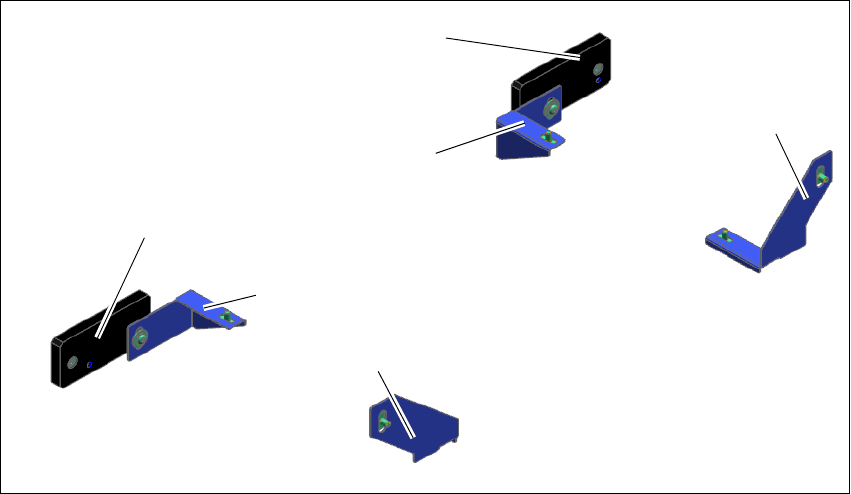
A mechanical interface kit will be used to fix the shuttle extension into position. This mechanical
interface kit consists of 2x Intermediate Ledges, 4x Interface brackets, 4x ISO4762 M8 and 8x
ISO7380-2 M8 screws. The intermediate ledge is mounted onto the SIPLACE TX feet, while the
interface brackets are mounted on shuttle extension's body frame.
Fig. 3.3 - 1 Assembly kit for mechanical connection
(1) Intermediate ledge on SIPLACE TX output conveyor- right side
(2) Intermediate ledge on SIPLACE TX output conveyor- left side
(3) Interface bracket input shuttle extension- right side
(4) Interface bracket input shuttle extension - left side
(5) Interface bracket output shuttle extension - right side
(6) Interface bracket output shuttle extension - left side
(1)
(2)
(3)
(4)
(5)
(6)
3 Assembly on the SIPLACE TX Assembly and Instruction Manual
3.3 Assembly kit and mechanical connection Shuttle Extension Edition 11/2018
40
3.3.1 Mechanical installation procedure
Intermediate ledges on SIPLACE TX output conveyor side 3
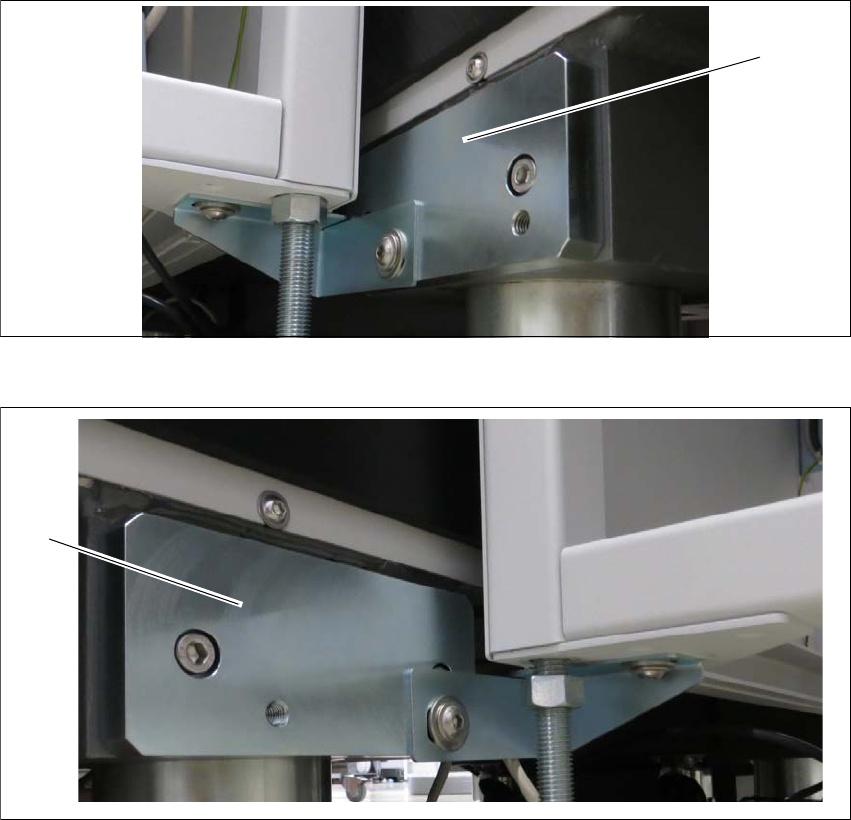
Fit the two intermediate ledges to the machine feet of the SIPLACE TX output conveyor side.
Fig. 3.3 - 2 Intermediate ledge - right side
Fig. 3.3 - 3 Intermediate ledges -left side
(1) Intermediate ledge input conveyor - right side
(2) Intermediate ledge input conveyor - left side
(1)
(2)