00198320-02_UM_ShuttleExtension-DE-EN-ZH.pdf - 第153页
Assembly and Instruction Manual 4 Assembly on the SIPLACE SX V2 Shuttle Extension Edition 11/2018 4.3 Electrical connections 55 4.3 Electrical connections 4 4.3.1 Electrical connection on the shuttle extension Connect …
4 Assembly on the SIPLACE SX V2 Assembly and Instruction Manual
4.2 Assembly kit and mechanical connection Shuttle Extension Edition 11/2018
54
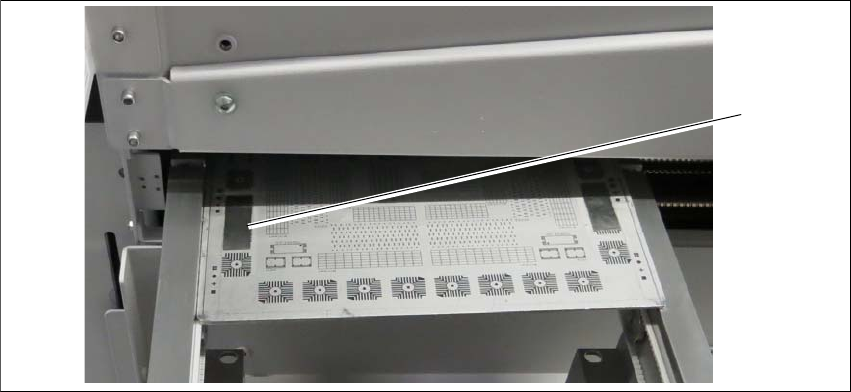
4.2.3 Alignment and testing
Align one of the shuttle conveyor sides (either left or right) to the SX conveyor side.
Fig. 4.2 - 3 Check PCB
Check rail position with the calibrated PCB.
Push a board through the PCB conveyor and check the transition point between the shuttle
extension and the SIPLACE SX.
It must be possible to push the board through easily and with no resistance.
(1)
Assembly and Instruction Manual 4 Assembly on the SIPLACE SX V2
Shuttle Extension Edition 11/2018 4.3 Electrical connections
55
4.3 Electrical connections
4
4.3.1 Electrical connection on the shuttle extension
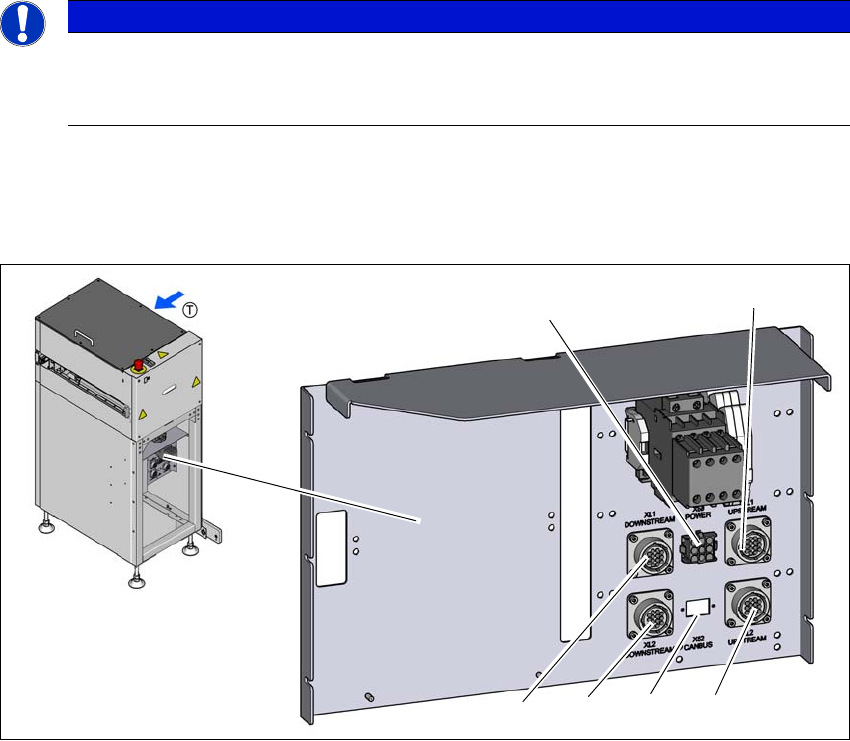
Connect the following cables to the shuttle extension connection.
Fig. 4.3 - 1 Electrical connection on the shuttle extension
(1) SMEMA connection XL1 UPSTREAM - lane 1 to predecessor machine
(2) SMEMA connection XL2 UPSTREAM - lane 2 to predecessor machine
(3) CAN-BUS connection
(4) SMEMA connection XL2 DOWNSTREAM - lane 2 to next machine
(5) SMEMA connection XL1 DOWNSTREAM - lane 1 to next machine
(6) MAINS interface X50 for SIPLACE SX
PLEASE NOTE
Use of the circuit diagrams of the shuttle extension
For detailed information please consult the circuit diagram for the shuttle extension
and the wiring diagram provided in Section 4.3.3 on page 58.
(6)
(1)
(2)
(3)
(4)
(5)
4 Assembly on the SIPLACE SX V2 Assembly and Instruction Manual
4.3 Electrical connections Shuttle Extension Edition 11/2018
56
4.3.2 Electrical connection on the SIPLACE SX
4.3.2.1 Mains interface connection
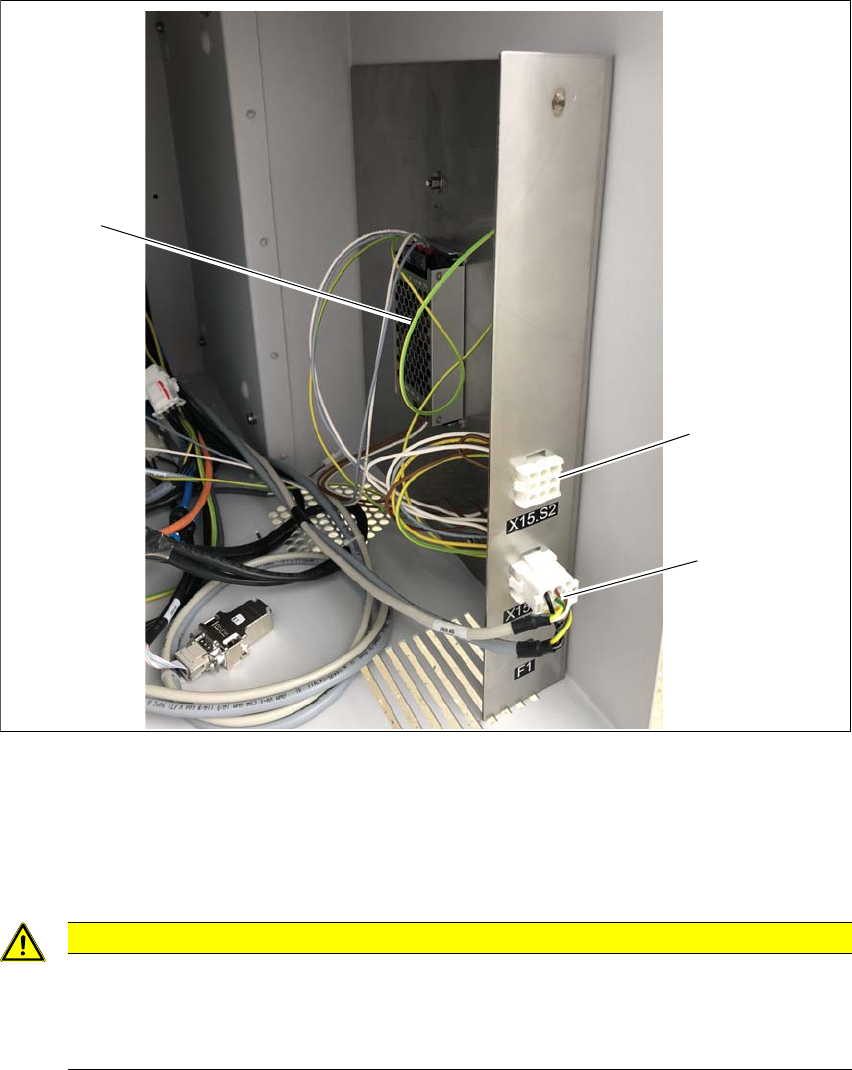
The mains power pack and the mains interface for connecting the shuttle extension are located
behind the cover panel in sector 1.
Fig. 4.3 - 2 SIPLACE SX - mains power pack and mains interface in sector 1
(1) Mains power pack
(2) Mains interface (X15.S2) for shuttle extension on the output side
(3) Mains interface (X15.S1) for shuttle extension on the input side
4
CAUTION
Only connect one shuttle extension to the SIPLACE SX
Only one shuttle extension may be connected to the SIPLACE SX. This can be either for
the output side, connected to the mains interface (X15.S2) or for the input side, connect
-
ed to the mains interface (X15.S1).
(1)
(2)
(3)