00198320-02_UM_ShuttleExtension-DE-EN-ZH.pdf - 第188页
7 Barcode reader extension Assembly and Instruction Manual 7.5 Software installation and configuration Shuttle Extension Edi tion 11/2018 90 7.4.16 Barcode reader orien tations and tilted angle The barcode read ers can b…
Assembly and Instruction Manual 7 Barcode reader extension
Shuttle Extension Edition 11/2018 7.4 Assembly Instruction
89
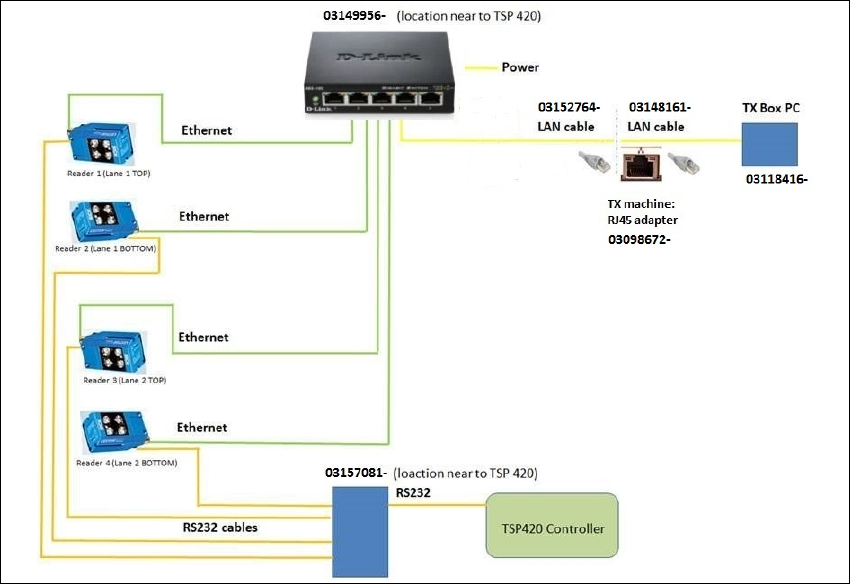
7.4.15 Barcode readers - wiring connection
7
Fig. 7.4 - 15 Barcode readers - wiring connection
7 Barcode reader extension Assembly and Instruction Manual
7.5 Software installation and configuration Shuttle Extension Edition 11/2018
90
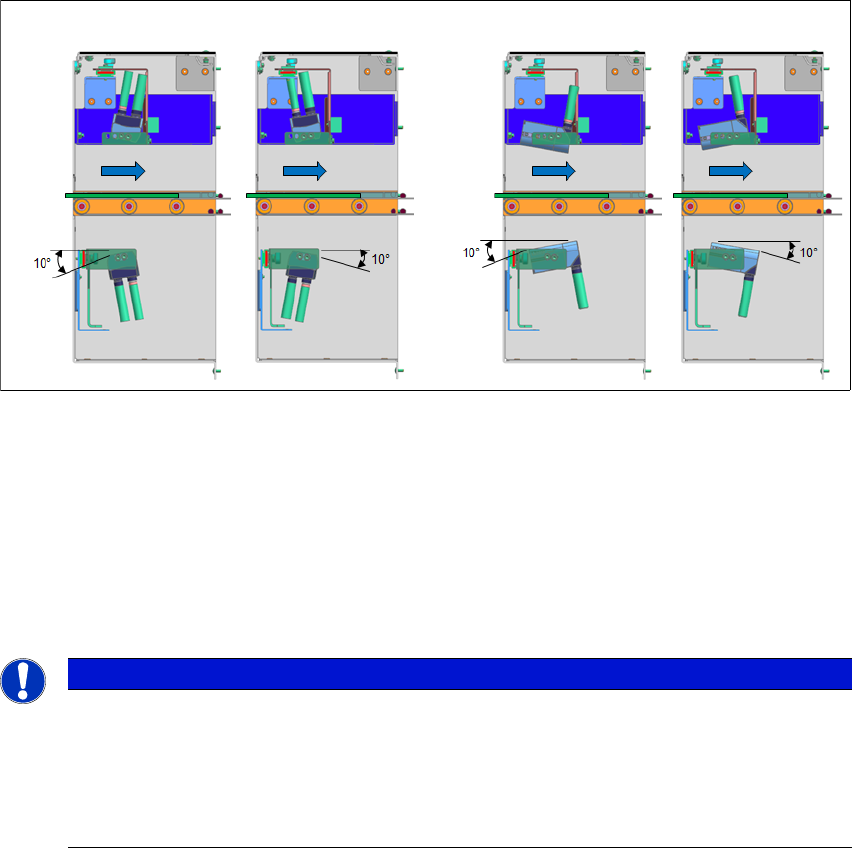
7.4.16 Barcode reader orientations and tilted angle
The barcode readers can be mounted in two orientations and be tilted ±10° all round.
7
Fig. 7.4 - 16 Barcode reader orientations and tilted angle
7.5 Software installation and configuration
To install the SICK software "SOPAS" and to configure the 2D LECTOR 620 PCB barcode scan
-
ner, see the "Installation and Configuration Barcode Scanner SICK" manual [DE: 00198202 xx]
[EN: 00198203 xx].
7
Vertical mount
Horizontal mount
PCB
Direction
PCB
Direction
PLEASE NOTE
Further information
For more information, please contact the SIPLACE service with reference to the following
numbers:.
– TI2016-05V03 / TI2016-05C03
– TI2015-12V06 / TI2015-12C06
Assembly and Instruction Manual 7 Barcode reader extension
Shuttle Extension Edition 11/2018 7.6 Machine configuration
91
7.6 Machine configuration
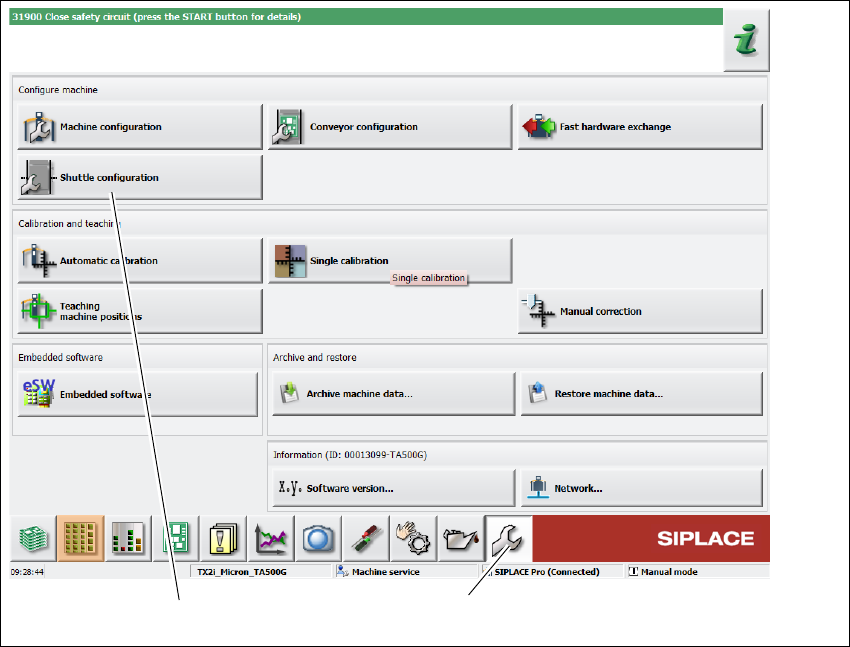
After successful installation, the barcode readers are shown in the machine configuration of the
station software.
Click Service (1) icon from the station GUI tool bar.
Fig. 7.6 - 1 Station software - "Service" view
Click on the Shuttle configuration icon(2).
The Shuttle configuration view is shown: 7
(1)
(2)