SL940-Install-Ops-Maintenance-7210918_B.pdf - 第101页
Operation 5- 21 NOTE If you a re us i ng a cir c ulat i ng coating app licator , such a s the SC- 104HS or SC- 105HS, perform Steps e to g to circ ulate the m ater ial . Oth erwise, skip to S tep 7. e. Close the filter…
5-20 Operation
5.15 Changing Material/Flushing Fluid System
WARNING! CAUTION!
Follow MSDS recommendations for the proper handling and disposal of all
materials when changing material/flushing fluid system. Always wear appropriate
personal protective equipment (PPE) as recommended by facility safety practices
and the material manufacturer’s MSDS.
To change material and flush the fluid system:
1. If applicable, turn off the heater and allow the fluid to cool for at least fifteen minutes.
To speed up the cooling process, you may circulate the material. The temperature can be
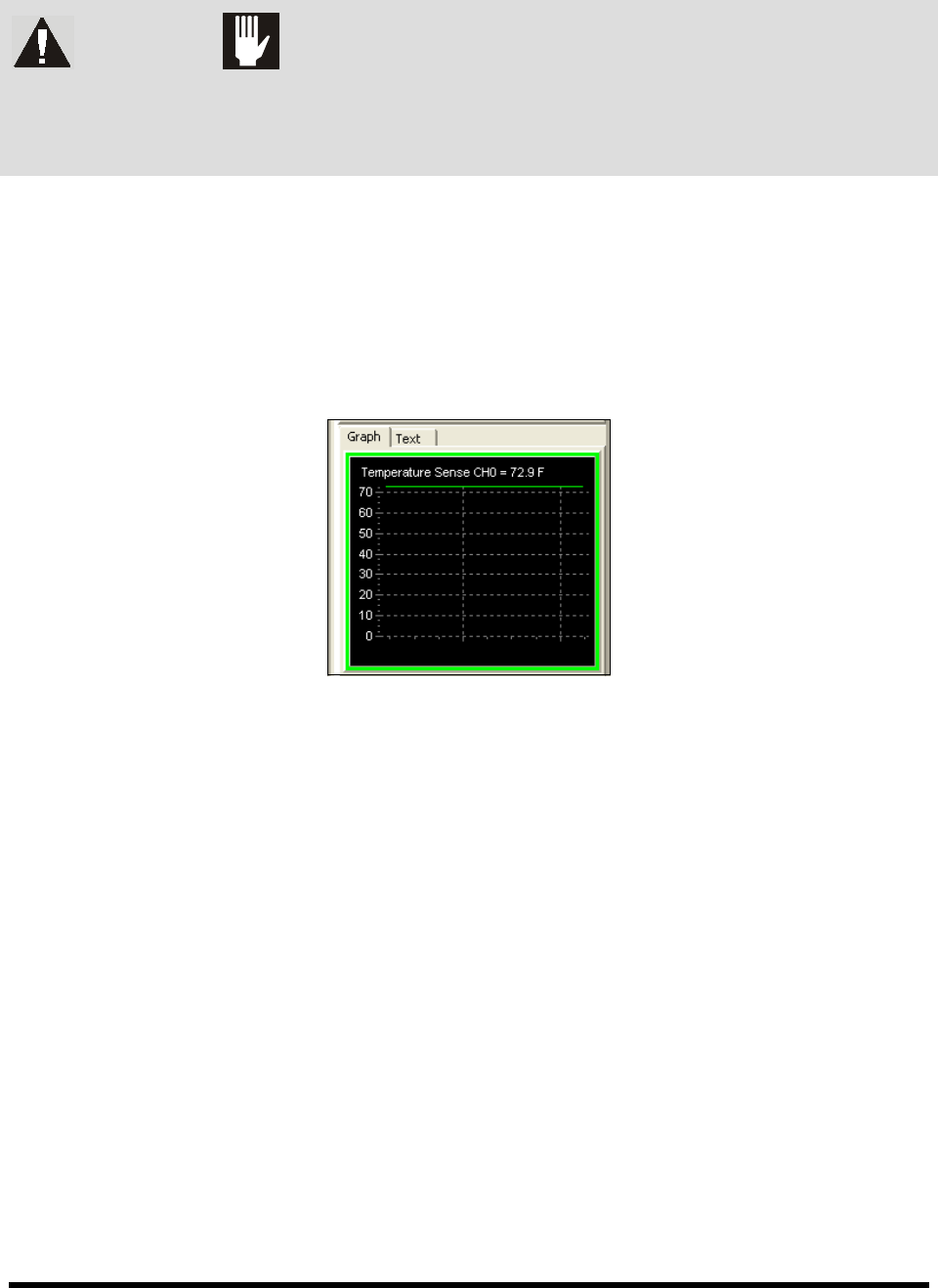
monitored in the Temperature Sense Window (Figure 5-13) in ECXP.
NOTE To view the Temperature Sense Window, the option must be activated in ECXP. See the
ECXP User Guide for instructions.
Figure 5-13 ECXP Temperature Sense Window
2. Reduce fluid air pressure to 7 psi (48 kPa).
Refer to 5.10.3 Fluid Pressure Regulator and Gauge for instructions on adjusting
fluid pressure.
3. Open the purge and filter drain valves.
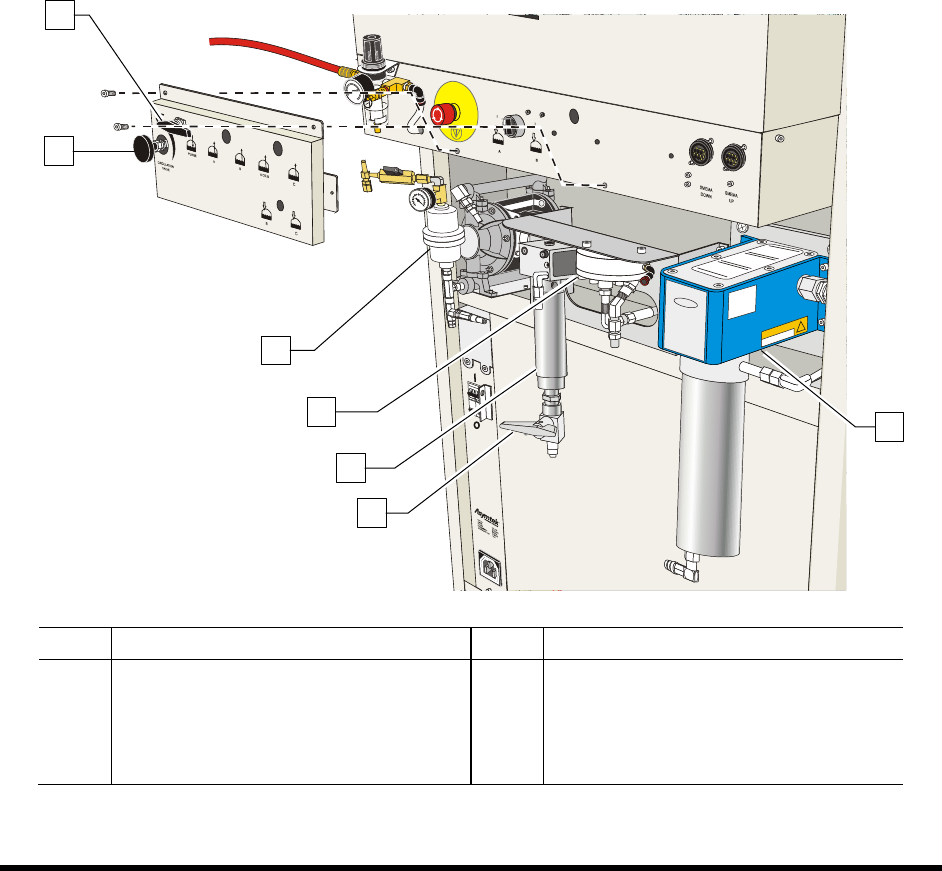
4. If applicable, adjust the main air pressure to allow the diaphragm pump (Figure 5-14) to
stroke slowly.
The material will drain into the reservoir.
5. When the system is empty, stop the pump by reducing the main air pressure to zero.
6. Flush the system with solvent as described below:
a. Connect the siphoning hose to a container filled with 0.75 liter (1 quart) of solvent.
b. Put the drain hose into the waste container.
c. Start the pump by increasing the main air pressure.
The solvent will purge residual material out of the system.
d. Close the purge valve.
Operation 5-21
NOTE If you are using a circulating coating applicator, such as the SC-104HS or SC-105HS,
perform Steps e to g to circulate the material. Otherwise, skip to Step 7.
e. Close the filter drain valve.
f. Open the circulation valve by turning it counterclockwise so the circulation rate is
approximately 20 cycles/minute.
g. Purge the coating applicator several times.
NOTE A purge program is necessary to properly purge the film coater before and after use. A
purge routine is included in the software. For assistance in writing a routine, refer to the
Easy Coat User Guide or contact your Asymtek representative.
7. Clean the reservoir and fill it with new material.
8. Empty the fluid system and check the fluid filter.
9. Prime the fluid system with new material.
NOTE Check that all residual solvent was purged into the waste container by the new material.
Item Description Item Description
1 Purge Valve 5 Filter Assembly
2 Circulation Valve 6 Filter Drain Valve
3 Pump 7 Fluid Heater
4 Fluid Regulator
Figure 5-14 Fluid System (VCS System shown)
5
1
3
2
7
4
6
5-22 Operation
5.16 Focusing the Camera
1. Position the camera over an easily recognized feature on the substrate.
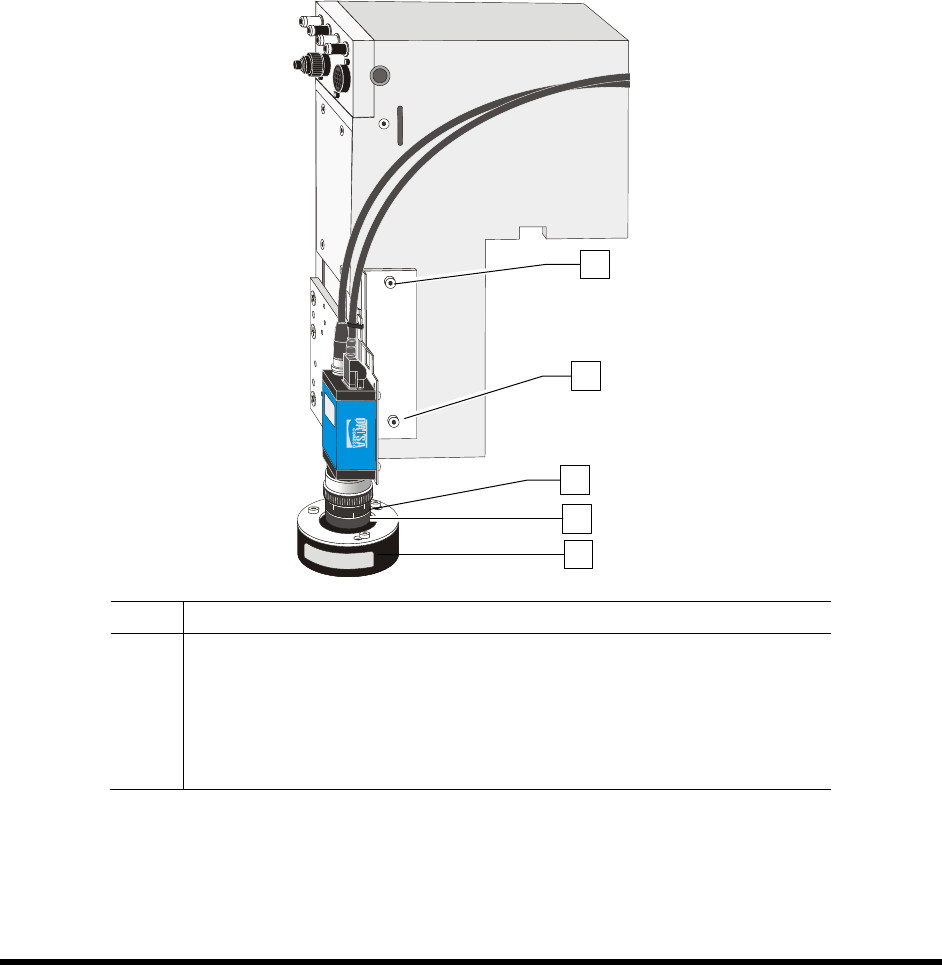
2. Loosen the thumb screws on the focal ring (Figure 5-15).
3. Twist the focal ring until a sharp image is obtained.
4. Tighten the thumb screw.
5. Loosen the thumb screws on the F-stop ring (Figure 5-15).
6. Twist the F-stop ring until the desired lighting is obtained. Twist the ring one click brighter
so that when the door closes, the lighting is correct.
7. Tighten the thumb screws.
8. The camera is now ready for use.
Item Description
1 Upper Side Screw
2 Lower Side Screw
3 F-Stop Ring
4 Focal Ring
5 Light Ring (Fiducial Find Camera Only)
Figure 5-15 Focusing the Camera
NOTE Refer to the ECXP User Guide for instructions on using the camera to teach coating
locations when creating a program.
1
2
4
3
5