SL940-Install-Ops-Maintenance-7210918_B.pdf - 第91页
Operation 5- 11 To adjust the flu id pressu re (E dit Sc reen): 1. Select Utilities>Pres sure Adju st f rom the ECXP Edi t Screen ( Figur e 5-7 ). 2. Select the applicable too l. The Pressure Ou tputs dialog box ope…
5-10 Operation
5.10.3 Fluid Pressure Regulator and Gauge
Fluid and air pressure are set and monitored through ECXP software-controlled electronic regulators. A
complete process history can be maintained in ECXP log files for these critical parameters. Fluid pressure
can be adjusted from both the ECXP Operator and ECXP Edit Screens.
To adjust the fluid pressure (Operator Screen):
1. Click on the
Controls tab at the bottom of the Operator screen.
2. Click on the desired
Tool tab.
The tabs will vary depending on which tools have been configured for the system.
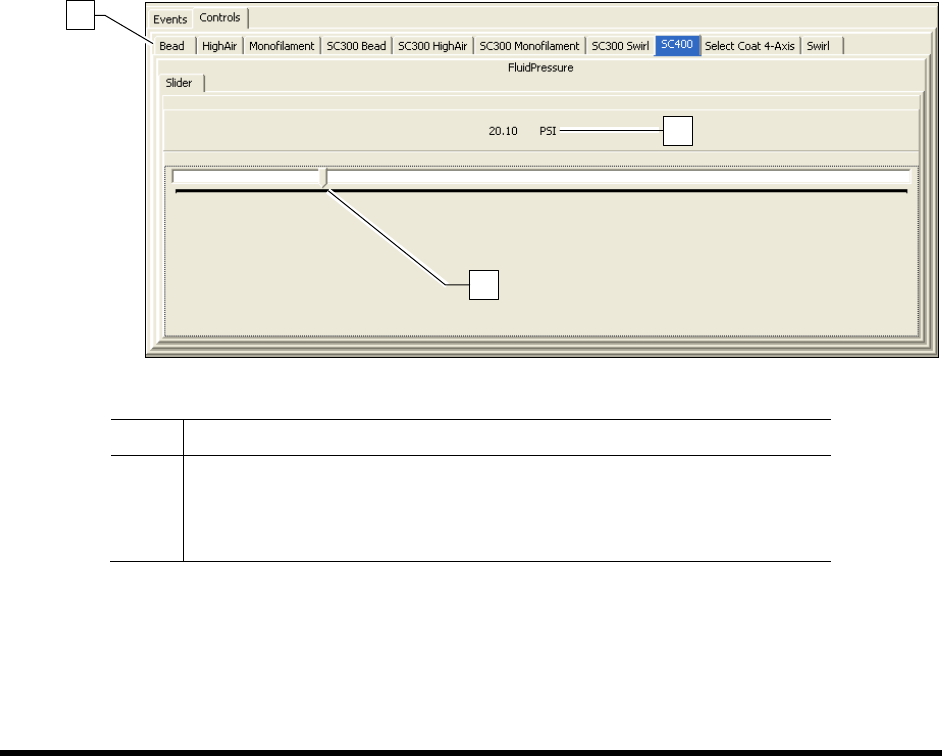
3. To use the slider bar (Figure 5-6):
a. Click on the
Slider tab.
b. Center the mouse pointer on the slider bar. Click and hold the left mouse button while
moving the slider bar. Moving it to the right will increase the pressure and to the left will
decrease the pressure.
The fluid pressure is displayed above the slider bar.
4. You can also type in the desired fluid pressure, by typing over the current fluid pressure value
displayed above the slider bar.
Item Description
1 Tool Tab
2 Current Air Pressure Value
3 Slider Bar
Figure 5-6 Adjusting the Fluid Pressure
3
2
1
Operation 5-11
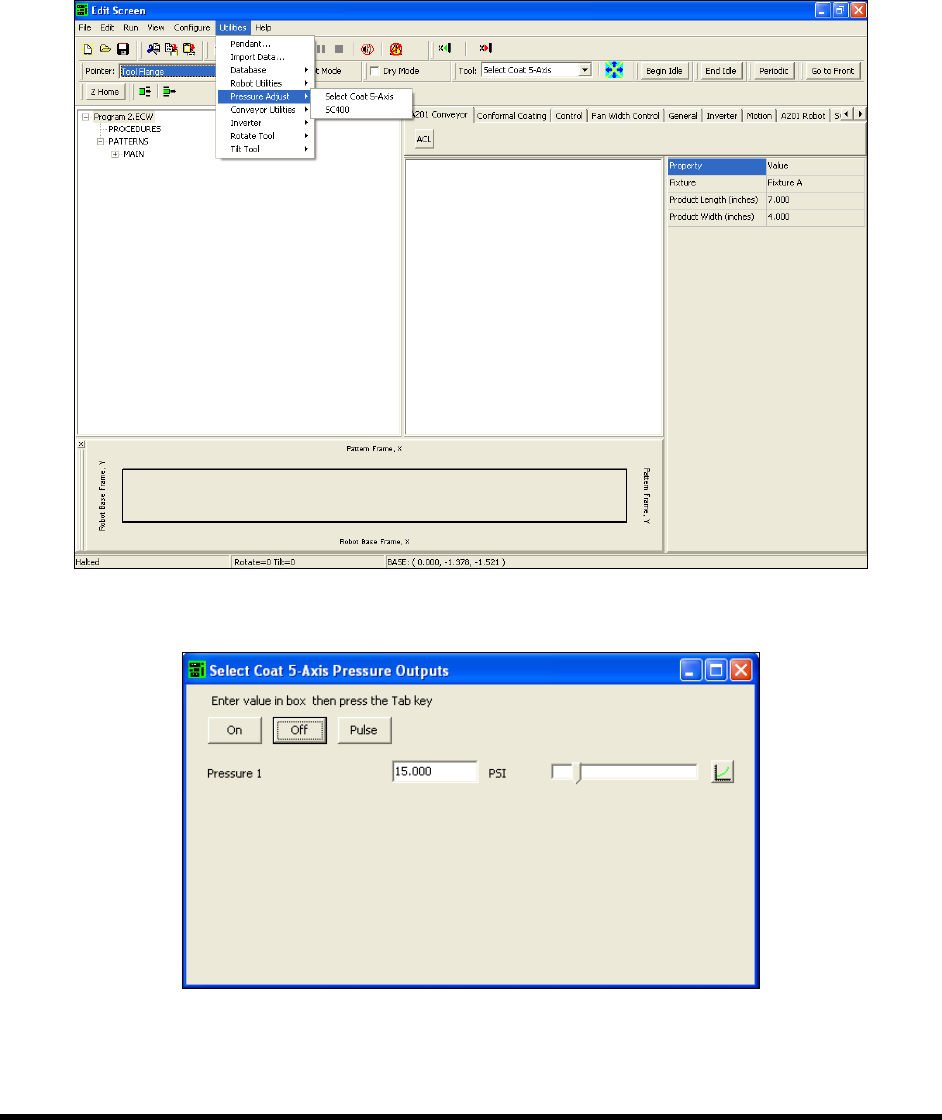
To adjust the fluid pressure (Edit Screen):
1. Select
Utilities>Pressure Adjust from the ECXP Edit Screen (Figure 5-7).
2. Select the applicable tool.
The Pressure Outputs dialog box opens (Figure 5-8).
3. Set the desired pressure and click On or Pulse.
Figure 5-7 ECXP Edit Screen - Pressure Adjust
Figure 5-8 Pressure Outputs Dialog Box
5-12 Operation
To monitor the fluid pressure:
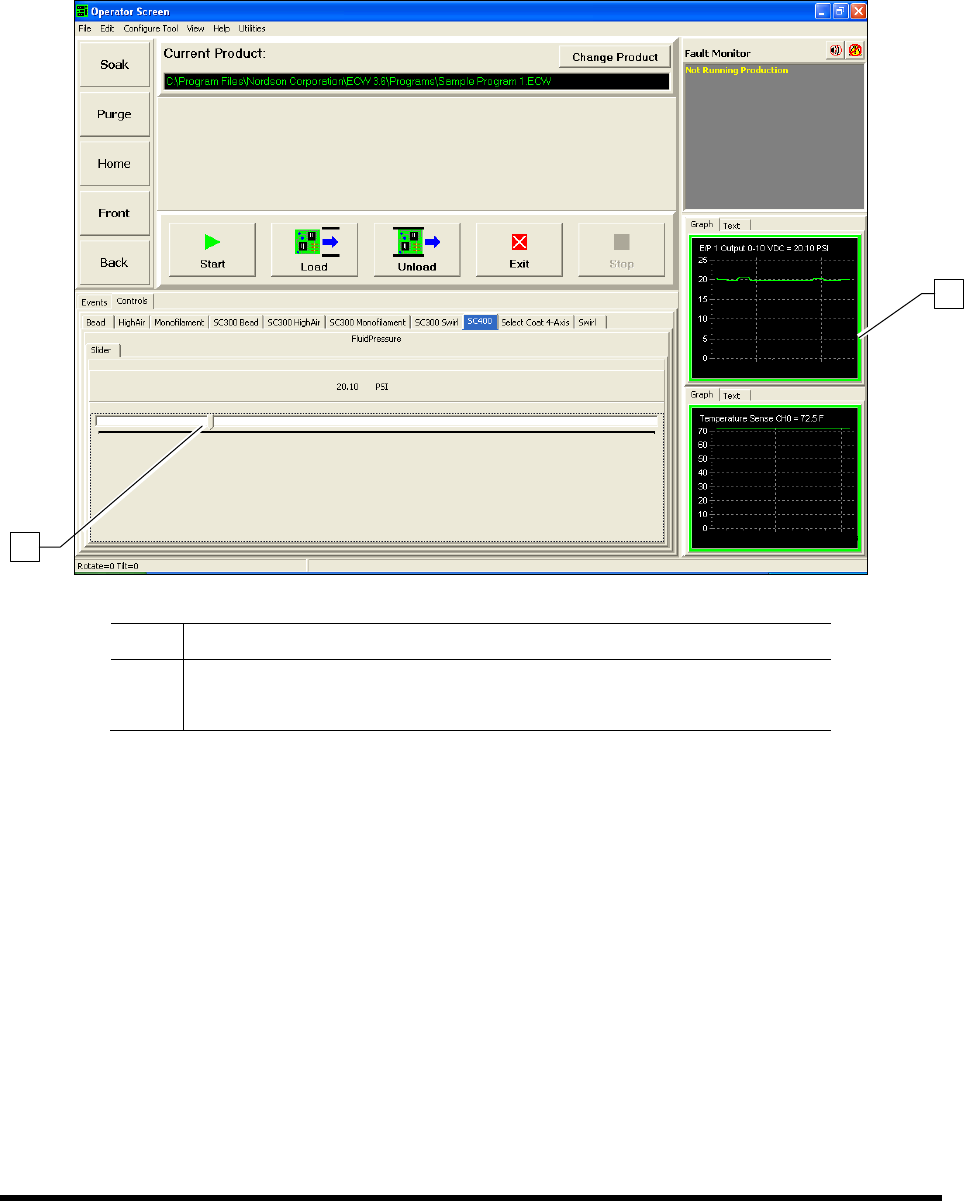
The ECXP Operator Screen displays a fluid pressure monitor that the operator can view during
production runs. Pressure can be displayed in graph or text format by clicking on the desired tab
(Figure 5-9). Fluid pressure adjustments can be made directly from the Operator Screen.
Item Description
1 Fluid Pressure Monitor
2 Fluid Pressure Adjustment Slider
Figure 5-9 Monitoring the Fluid Pressure in ECXP
2
1