SL940-Install-Ops-Maintenance-7210918_B.pdf - 第72页
4- 12 Pow er - u p an d Testi n g To check the function of the Conveyor Ai r Regulator and Gauge: 1. Locate th e Convey or Air R eg ulato r adjustm ent knob ins ide the re ar cov er of th e coating system ( Fi gur e 4-9)…
Power-up and Testing 4-11
4.12 Pneumatics
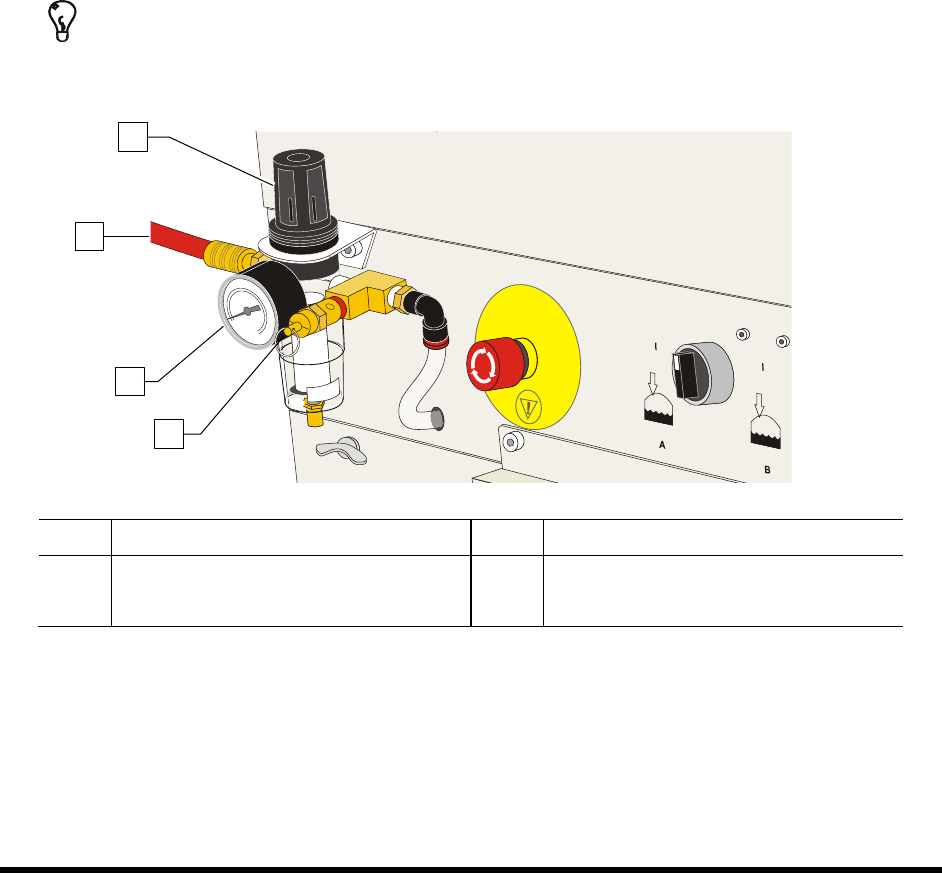
To check the function of the Main Air Regulator and Gauge:
1. Locate the main air regulator at the rear of the coating system (Figure 4-8).
2. Rotate the main air regulator counterclockwise until the Main Air Gauge registers 0 psi.
3. Rotate it clockwise until the main air gauge registers 85-90 psi (586-620 kPa).
If the main air gauge fails to register pressure, verify that the coating system is connected
to the facility air source.
If there is an air leak, identify the source, shut off the facility air, and fix the leak before
proceeding.
NOTE The regulator assembly is equipped with a relief valve to protect the system components.
Increasing the pressure above 95 psi (655 kPa) may trigger the relief valve. If so, reduce
the air pressure below 95 psi.
TIP For accurate pressure adjustment, lower the pressure below the desired level and then
increase to the desired pressure.
Item Description Item Description
1 Main Air Regulator 3 Main Air Pressure Gauge
2 Main Air Inlet 4 Pressure Relief Valve
Figure 4-8 Main Air Regulator and Gauge
1
3
4
2
4-12 Power-up and Testing
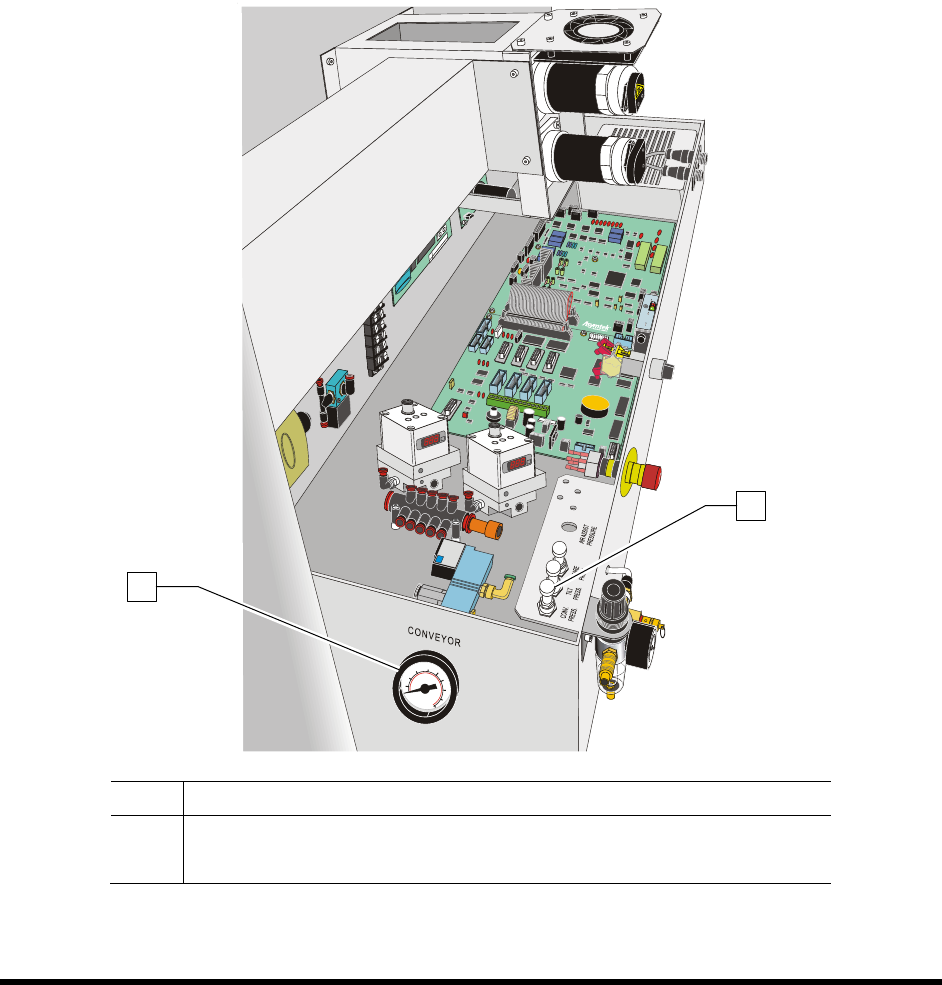
To check the function of the Conveyor Air Regulator and Gauge:
1. Locate the Conveyor Air Regulator adjustment knob inside the rear cover of the coating
system (Figure 4-9).
2. With the Main Air Pressure ON, check the gauge reading. It should read 40 psi (± 5 psi).
3. If the Conveyor Air Regulator needs adjustment, loosen the jam nut to unlock the regulator.
4. Rotate the regulator counterclockwise until the Conveyor Air Gauge registers 0 psi.
5. Rotate it clockwise until the Conveyor Air Gauge registers 40 psi (276 kPa).
6. When the desired air pressure is set, tighten the jam nut on the Conveyor Air Regulator.
Item Description
1 Stop/Clamp Air Gauge
2 Stop/Clamp Air Regulator
Figure 4-9 Conveyor Air Regulator and Gauge
1
2
Power-up and Testing 4-13
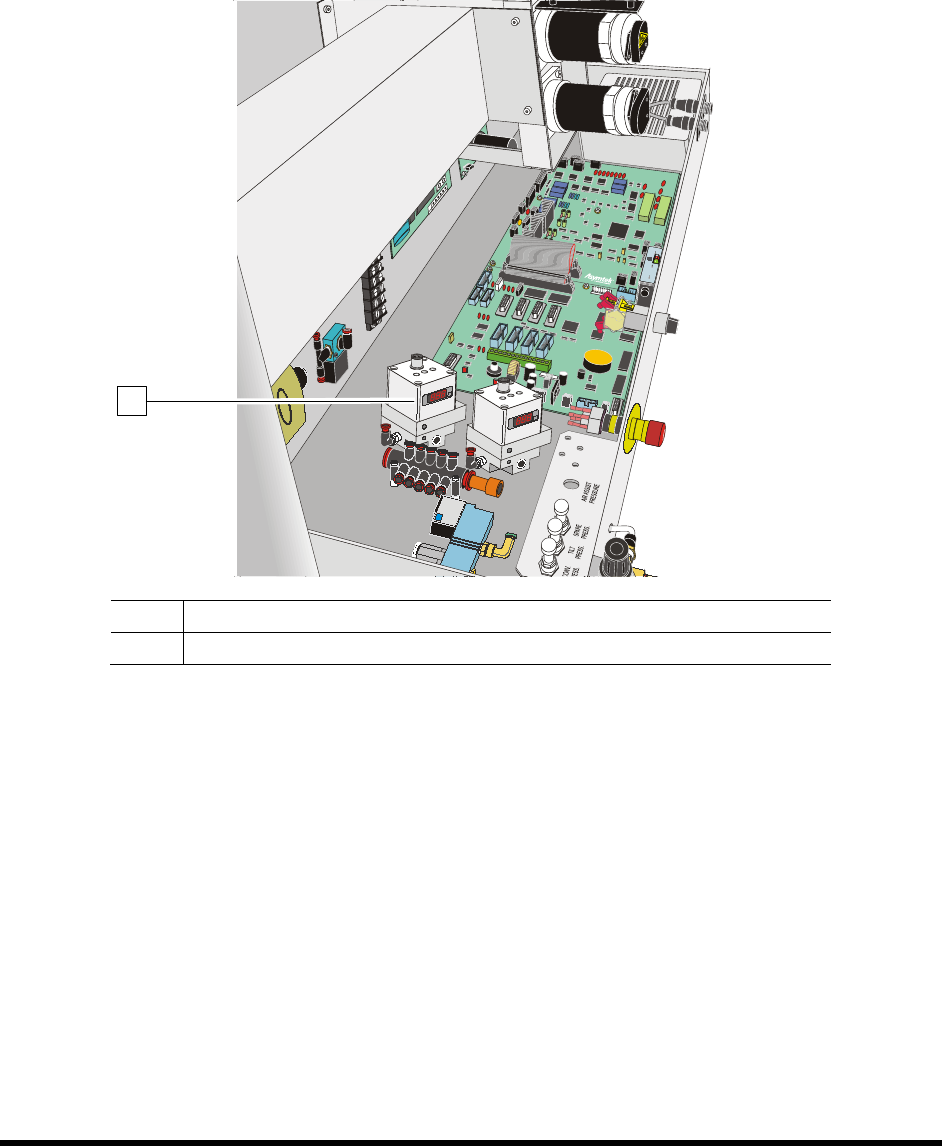
To check the function of the Electronics/Pressure Regulator and Gauge
Electro pneumatic regulators control the pilot pressure to the fluid regulator. Pressure is adjusted and
monitored through the ECXP software. See 5.10.3 Fluid Pressure Regulator and Gauge.
NOTE If your coating system is equipped with two fluid systems, there will be two
Electronics/Pressure Regulator and Gauge sets.
Item Description
1 Electro Pneumatic Air Regulator and Gauge
Figure 4-10 Electro Pneumatic Regulator and Gauge (Dual Fluid System shown)
1