SL940-Install-Ops-Maintenance-7210918_B.pdf - 第85页
Operation 5-5 Figure 5-2 O perat ional F low Chart Production Ru n Started Operator e nters EC XP Comm and “Start Production.” Part Enters the System 1. If system part sensor is clear, t hen sy stem sends SM EMA signal t…

5-4 Operation
5.8 Detailed Operation (SL-940E)
During operational setup of the SL-940E inline system, the part enters the system using SMEMA
(Surface Mount Equipment Manufacturers Association) handshakes. It moves to the dispensing area
where the conformal coating is applied and then exits the system. Conformal coating application
programs are created using the Easy Coat for Windows XP (ECXP) software installed on the system.
5.8.1 Coating Process
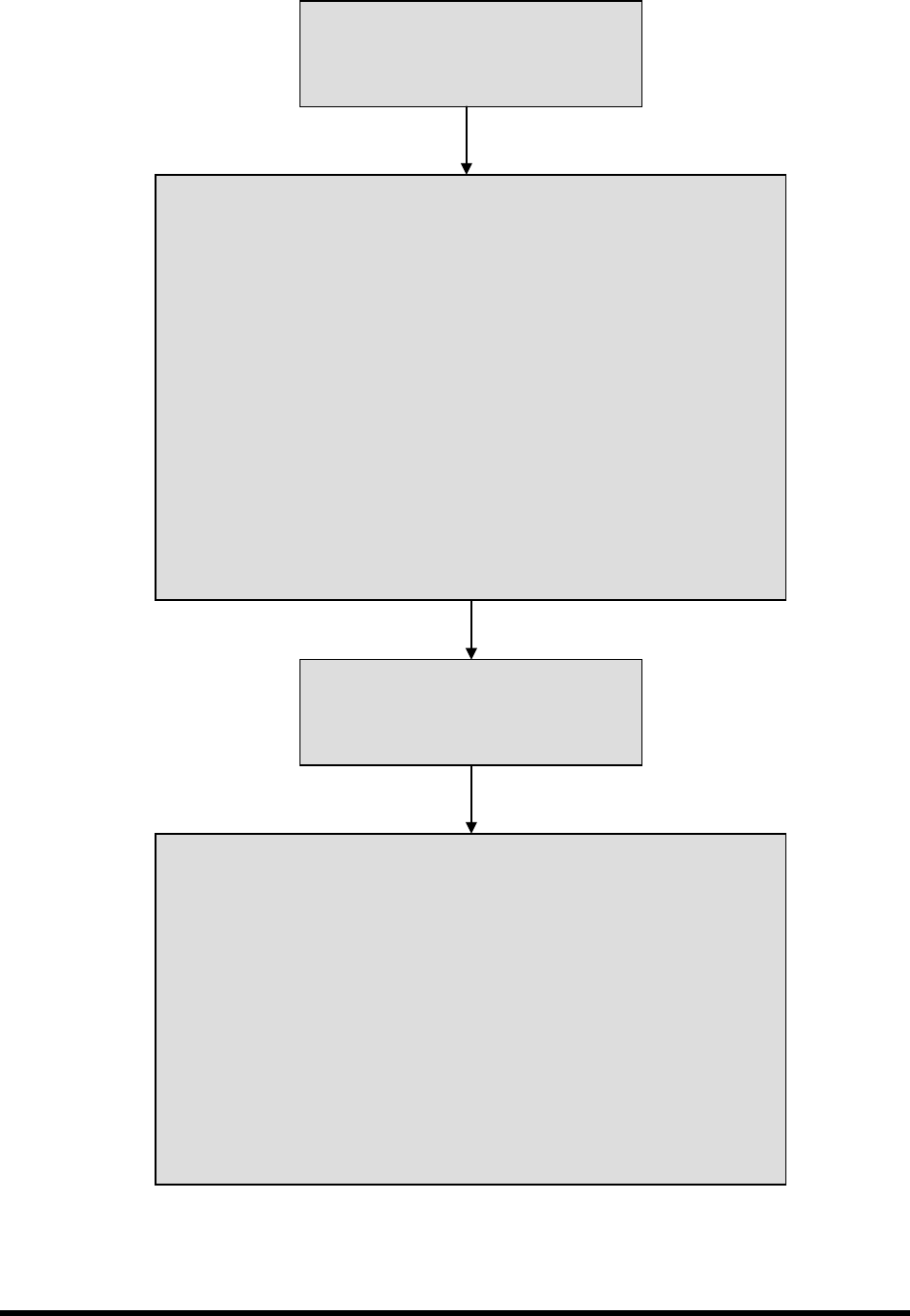
A typical SL-940E (conveyorized) conformal coating process is described below. See Figure 5-2 for
additional details. Setup and programming procedures are not included in the description.
1. A part enters the system from an upstream system.
A SMEMA handshake with upstream machine signals coating system is ready for a workpiece. The
(standard) chain conveyor carries the board by the edges into the dispensing area. A stop pin engages
to stop the board.
2. The part stops in the coating area.
A photoelectric sensor detects the presence of the board. The conveyor indexes the part according to
SMEMA standards. Pneumatically actuated board pins lower into holes in the board to secure it
precisely in place for accurate fluid dispensing.
3. Conformal coating is applied.
The conformal coating fluid is applied to the board, according to a preprogrammed coating pattern.
Refer to the Easy Coat for Windows User Guide for detailed information.
4. The part moves to a downstream system.
When coating is complete, the stop pin disengages, a SMEMA handshake occurs, and the part moves
to the downstream system. Another part is loaded and carried into the dispensing area.
Operation 5-5
Figure 5-2 Operational Flow Chart
Production Run Started
Operator enters ECXP Command
“Start Production.”
Part Enters the System
1. If system part sensor is clear, then system sends SMEMA signal to
upstream machine – “Request for Board.”
2. Stop pin lowers.
3. When upstream machine is ready, it sends SMEMA signal to coating
system – “Board Ready to Send.”
4. While both SMEMA signals are high, the conveyor indexes part toward
dispensing area.
5. Part sensor detects part.
6. Conveyor stops.
7. Board is pinned in place
8. Coating System sends SMEMA signal to upstream machine – “Board
Received.”
9. Conveyor sends internal handshake signal to coating system – “Board at
Dispense.”
Conformal Coating is Applied
Robot moves to the locations assigned in
the current ECXP program, in relation to
the machine origin, or “Home.”
Part Exits the System
1. Downstream machine sends “Ready to Receive” SMEMA request to
dispensing system.
2. When coating is finished, coating system sends an internal handshake
signal to conveyor – “Coating Done.”
3. When conveyor receives “Coating Done” signal, coating system sends
“Ready to Send” SMEMA signal to downstream machine.
4. Stop pin and board pins rise.
5. Conveyor indexes until downstream machine acknowledges that part has
been received.
6. Stop Pin lowers while waiting for next part.
5-6 Operation
5.9 Positioning the Robot
If necessary, the operator can use the ECXP to reposition the robot in the X-, Y-, and Z-axes.
To move the robot using the arrow keys:
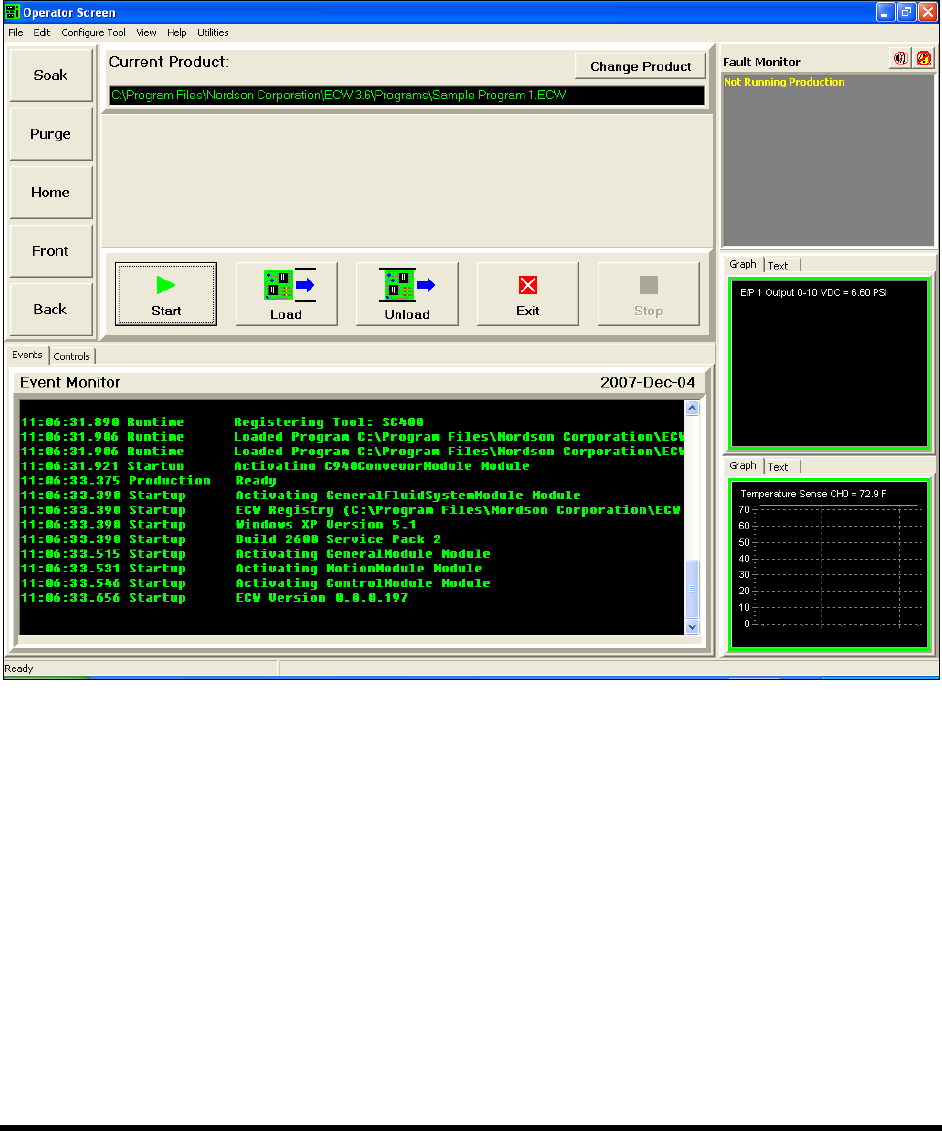
1. Start the ECXP software. See 4.9 Starting Easy Coat for Windows (ECXP).
The Operator Screen opens (Figure 5-3).
Figure 5-3 Moving the Robot
2. Use the keys on the computer keypad to move the robot as follows:
a. XY-Axis (Slow) – Hold down <Ctrl> and press the right and left arrow keys for X-axis
movement and up and down arrows for Y-axis movement.
b. XY-Axis (Fast) – Hold down <Ctrl> + <Shift> and press the right and left arrow keys for
X-axis movement and up and down arrows for Y-axis movement.
c. Z-Axis (Slow) – Hold Down <Ctrl> + <Z> and then press up or down arrow keys for
desired Z-axis movement.
d. Z-Axis (Fast) – Hold Down <Ctrl> + <Shift> + <Z> and press up or down arrow keys for
desired Z-axis movement.