SL940-Install-Ops-Maintenance-7210918_B.pdf - 第136页
7-6 Maintenance 3. Drain fluid from the filter assembly by opening the bal l valve. 4. Unscrew the fluid f ilte r cap ( Figur e 7-4). The fluid fi lter is located inside the housing. 5. Rem ove the fil ter a nd c lean …
Maintenance 7-5
7.8 Cleaning the Fluid Filter
WARNING! CAUTION!
Follow MSDS recommendations for the proper handling and disposal of all
materials when cleaning the fluid filter. Always wear appropriate personal
protective equipment (PPE) as recommended by facility safety practices and the
material manufacturer’s MSDS. To prevent eye injury or irritation, wear safety
goggles while performing this procedure.
To clean the fluid filter:
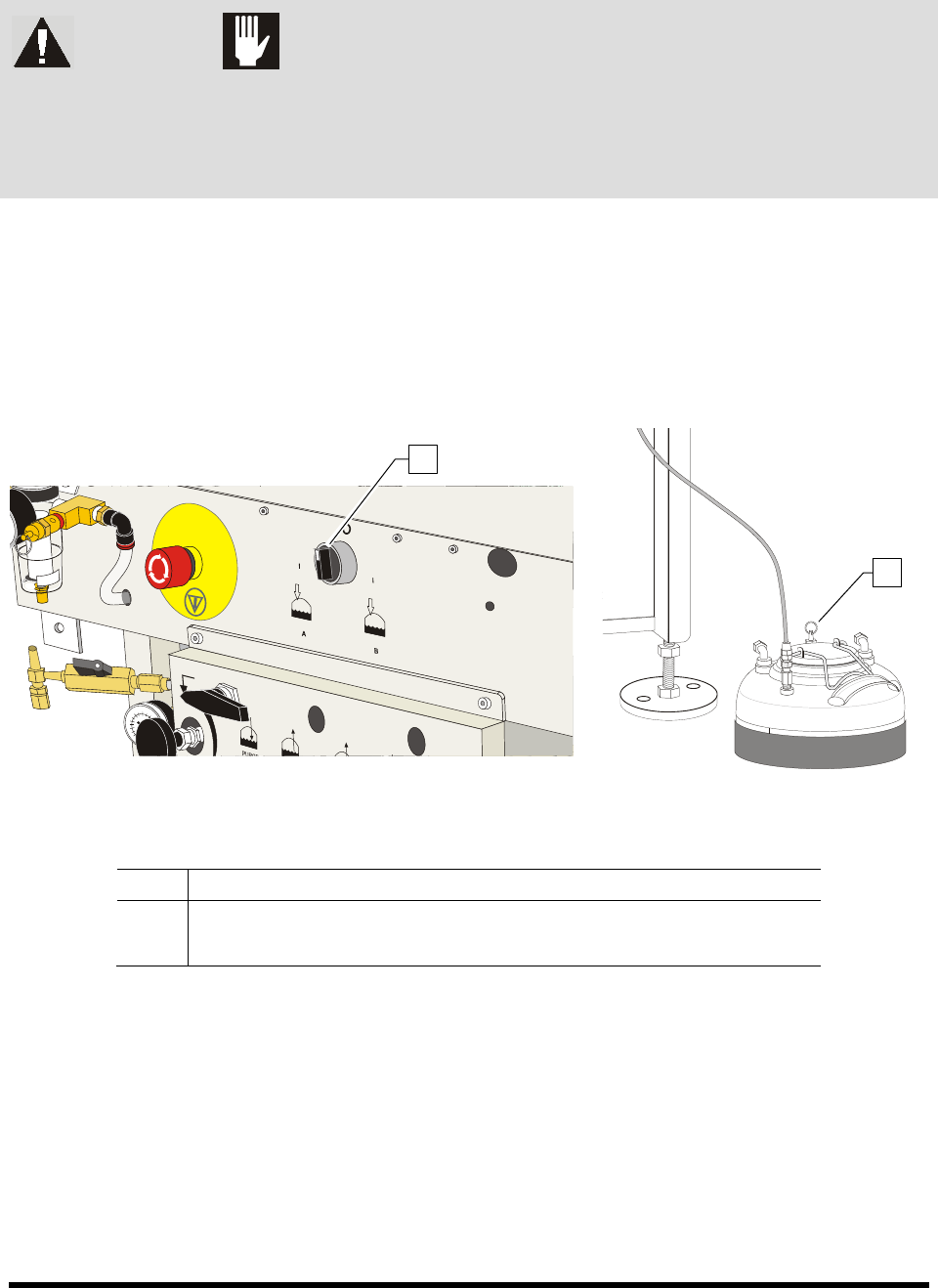
1. Turn the Reservoir Air Pressure Switch to the
OFF (0) position. See Figure 7-3.
2. Relieve residual pressure in the fluid system by opening the pressure relief valve on the fluid
reservoir.
Figure 7-3A Coating System Rear Panel Figure 7-3B Fluid Reservoir
Item Description
1 Reservoir Air Pressure Switch (right rear)
2 Fluid Reservoir Pressure Relief Valve
Figure 7-3 Relieving the Air Pressure
1
2
7-6 Maintenance
3. Drain fluid from the filter assembly by opening the ball valve.
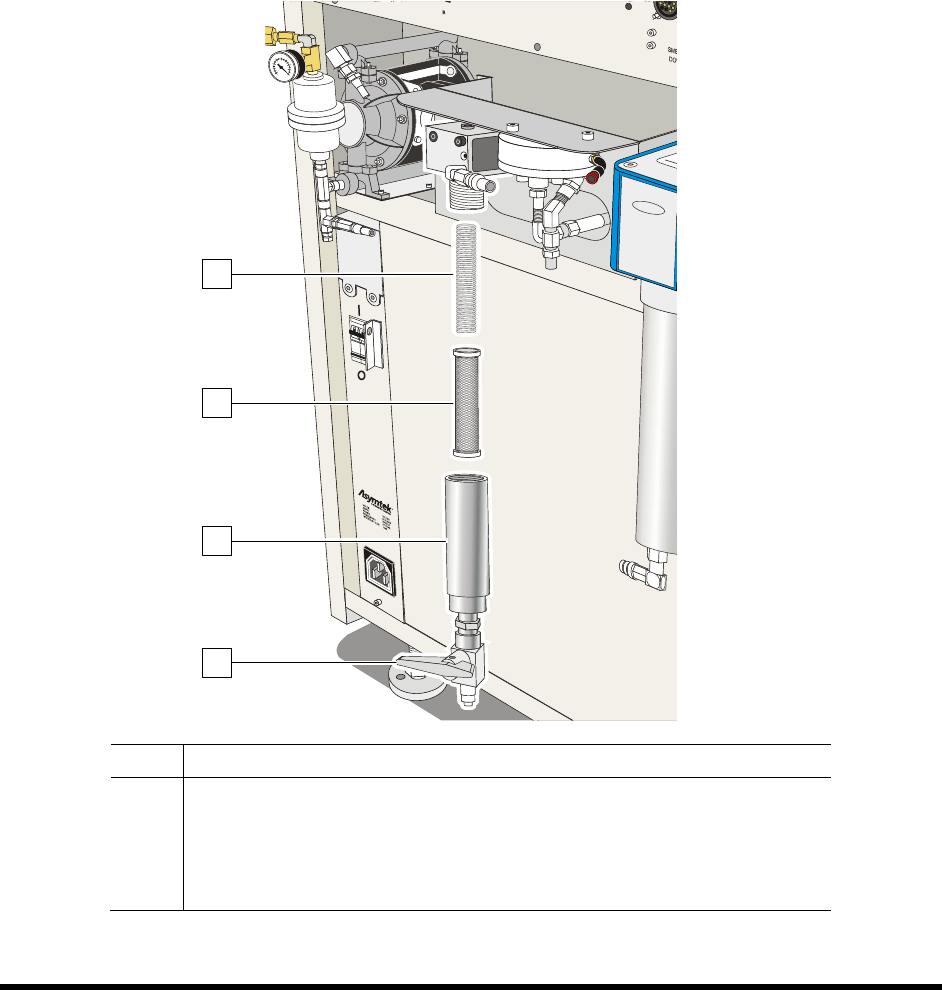
4. Unscrew the fluid filter cap (Figure 7-4).
The fluid filter is located inside the housing.
5. Remove the filter and clean it with a proper solvent.
6. Brush the stainless steel screen with the appropriate solvent. Replace if necessary.
7. Blow filter surface with compressed air.
8. When finished, reassemble the filter and turn the Reservoir Air Pressure Switch to the
Reservoir A or Reservoir B position as applicable.
Item Description
1 Fluid Filter Spring
2 Fluid Filter
3 Housing
4 Ball Valve
Figure 7-4 Cleaning the Fluid Filter
1
4
2
3
Maintenance 7-7
7.9 Removing the Axis Covers
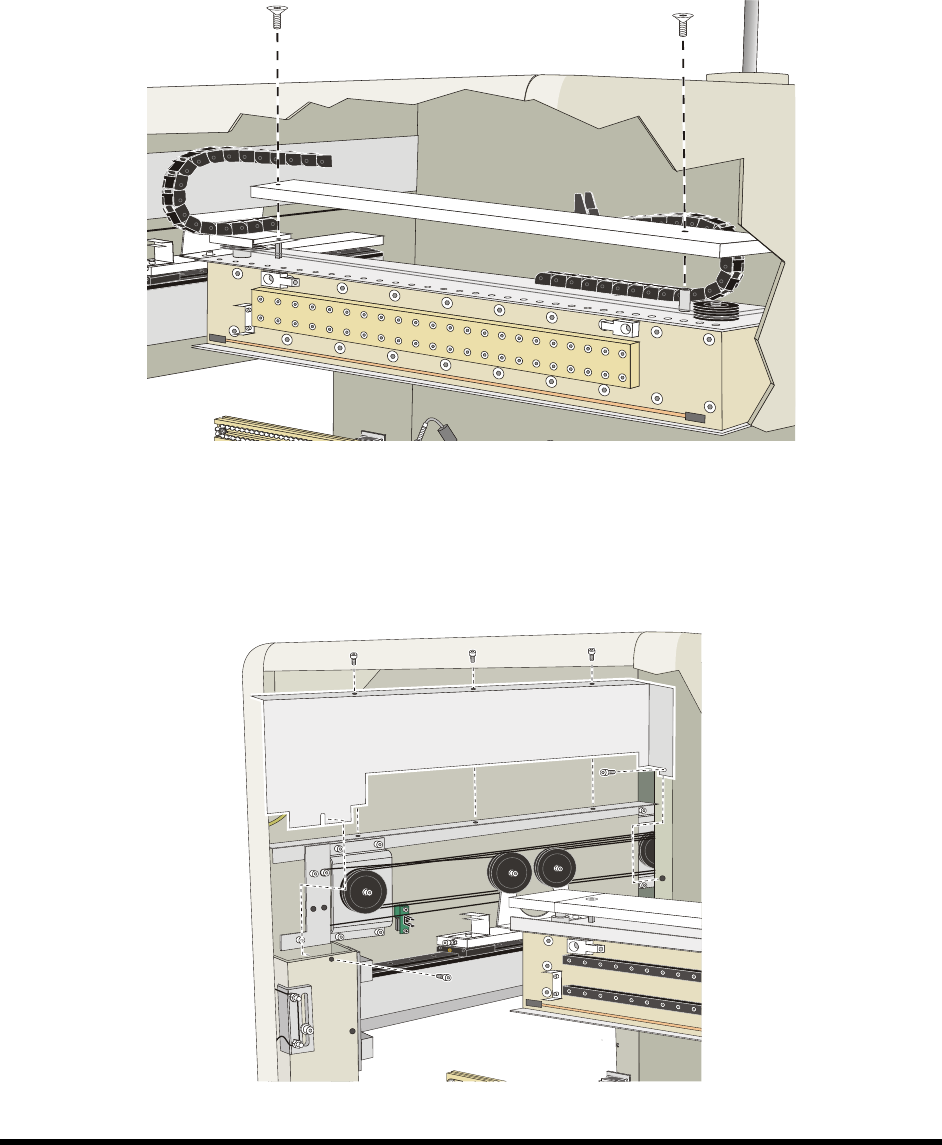
In order to lubricate the cables, it will be necessary to remove the axis and rear cable covers.
To remove the X-axis cable covers:
1. Use a 4-mm hex key to loosen the screws in the back (Figure 7-5).
2. Lift off.
Figure 7-5 Removing the X-Axis Covers
To remove the Y-axis cable covers:
1. Use a 4-mm hex key to loosen the screws (Figure 7-6).
2. Lift off.
Figure 7-6 Removing the Y-Axis Covers