SL940-Install-Ops-Maintenance-7210918_B.pdf - 第44页
2- 10 Safety Item Descripti on 1 Electric al W arning Labe l Figure 2-6 Safety War ning Labels - Electr onics Pan C over 1
Safety 2-9
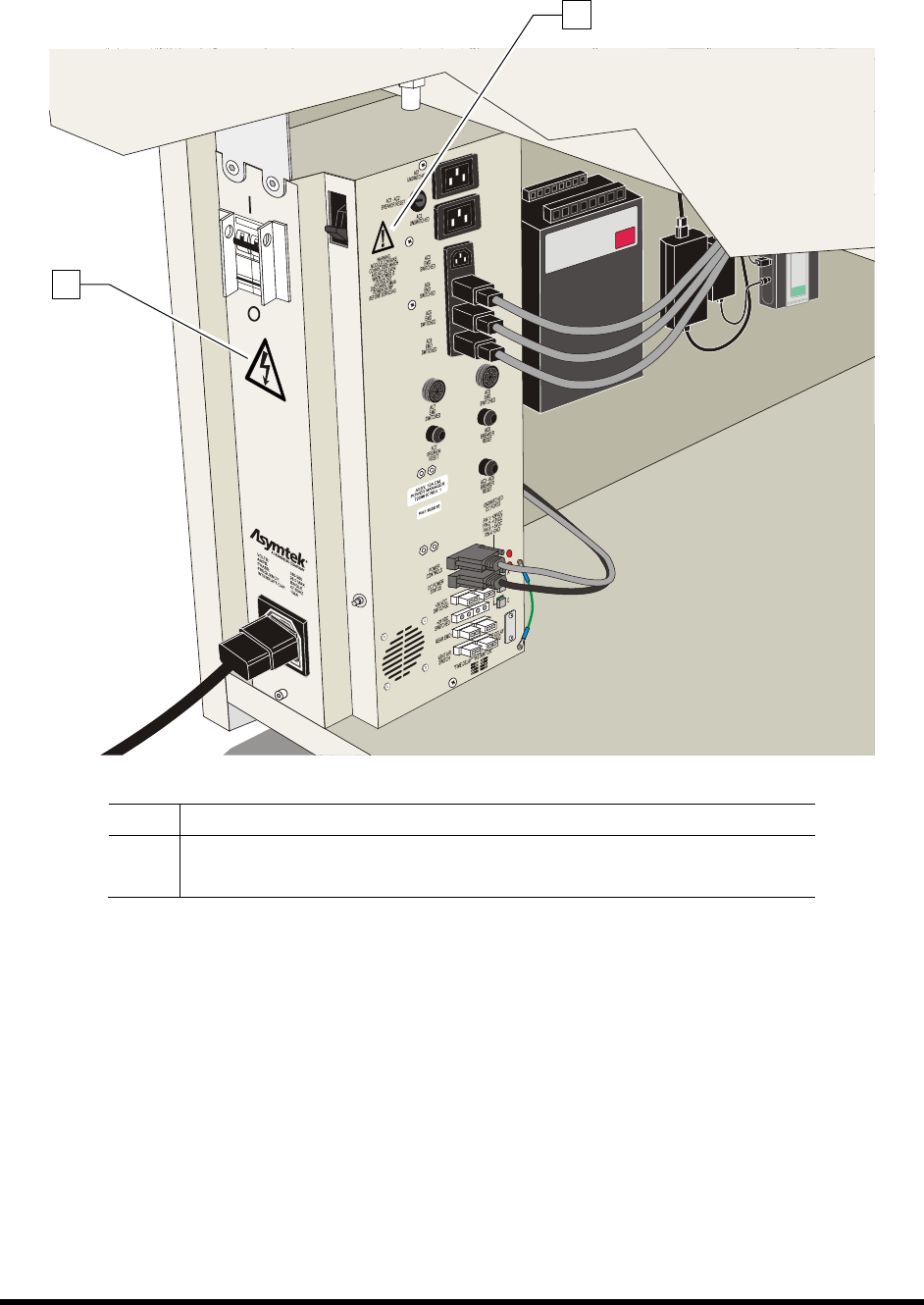
Item Description
1 Electrical Warning Label
2 General Warning Label
Figure 2-5 Safety Warning Labels - Power Manager
1
2
2-10 Safety
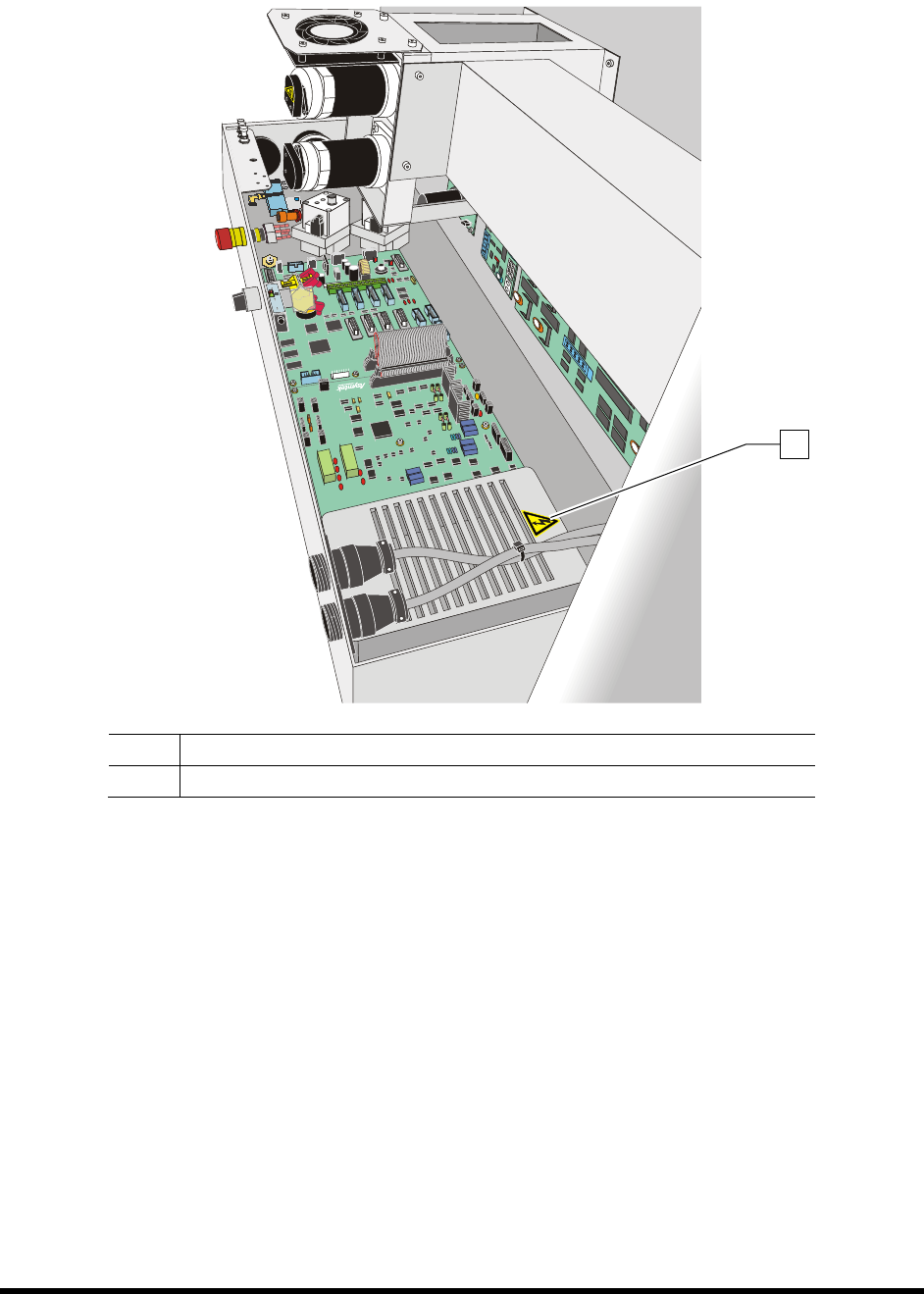
Item Description
1 Electrical Warning Label
Figure 2-6 Safety Warning Labels - Electronics Pan Cover
1
Safety 2-11
2.10 Emergency Shutdown
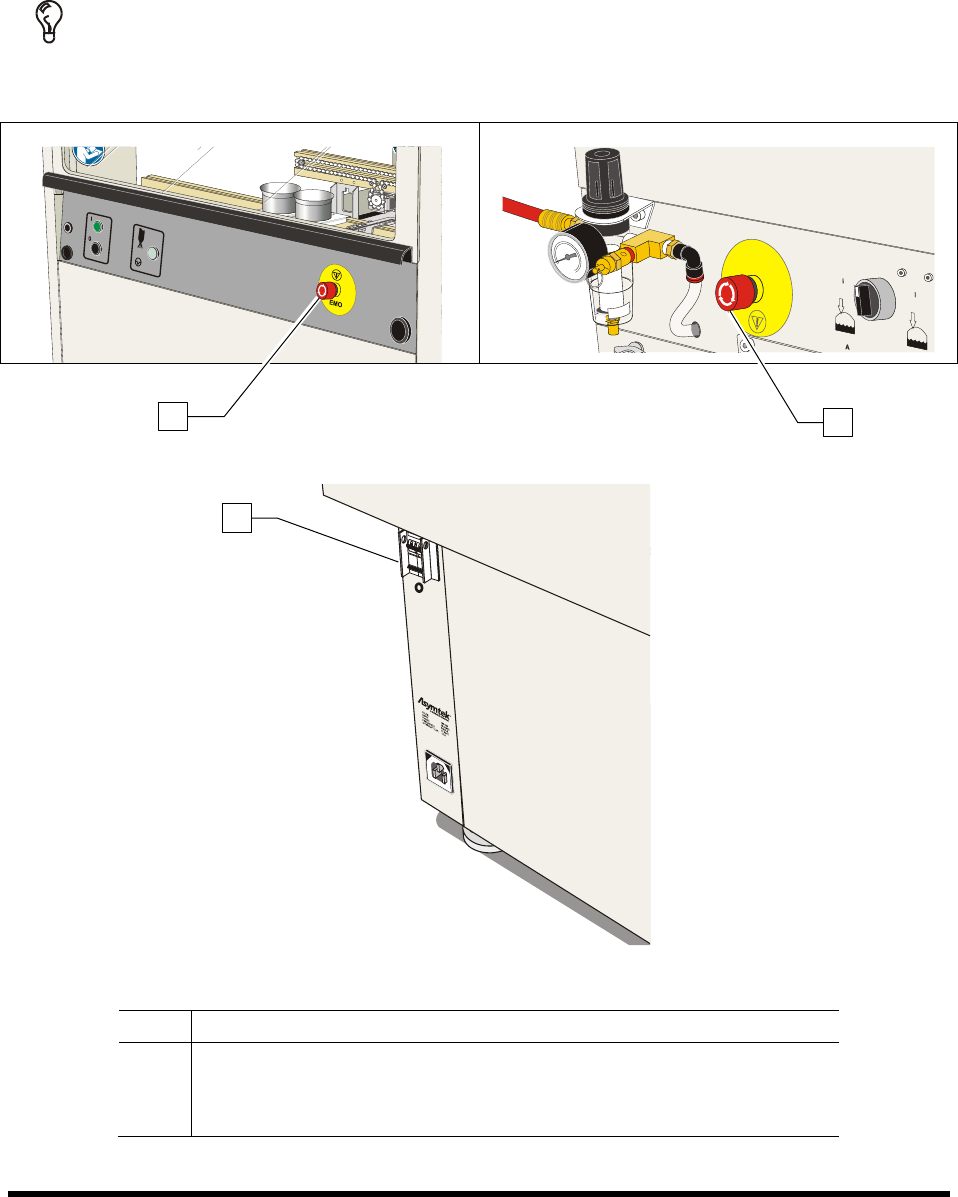
In the event of an emergency or malfunction, press the EMO (E-Stop) button. The SL-940E/SL-941E has
two EMO buttons. The EMO buttons are the large red buttons located on the front panel and the rear of
the coating system (Figure 2-7A). Activating the EMO vents all pressure in the pneumatic system and
cuts power to all components except the laptop computer.
TIP If the operator or technician is unable to reach the EMO button, the main circuit breaker,
which is located on the back of the system (Figure 2-7B), can be used for emergency
shutdown, but doing this will also shut down the laptop computer.
Figure 2-7A EMO (E-Stop) Buttons
Figure 2-7B Main Circuit Breaker
Item Description
1 Front EMO
2 Rear EMO
3 Main Circuit Breaker
Figure 2-7 EMO/Main Circuit Breaker Locations
1
2
3