SL940-Install-Ops-Maintenance-7210918_B.pdf - 第86页
5-6 Operation 5.9 Positioni ng the Robot If ne cessary, the operator c an use the ECXP to reposition the robot in the X -, Y- , and Z-a xes. To move th e robot u sing the arrow keys : 1. Sta rt the ECXP so ftware. S ee 4…
Operation 5-5
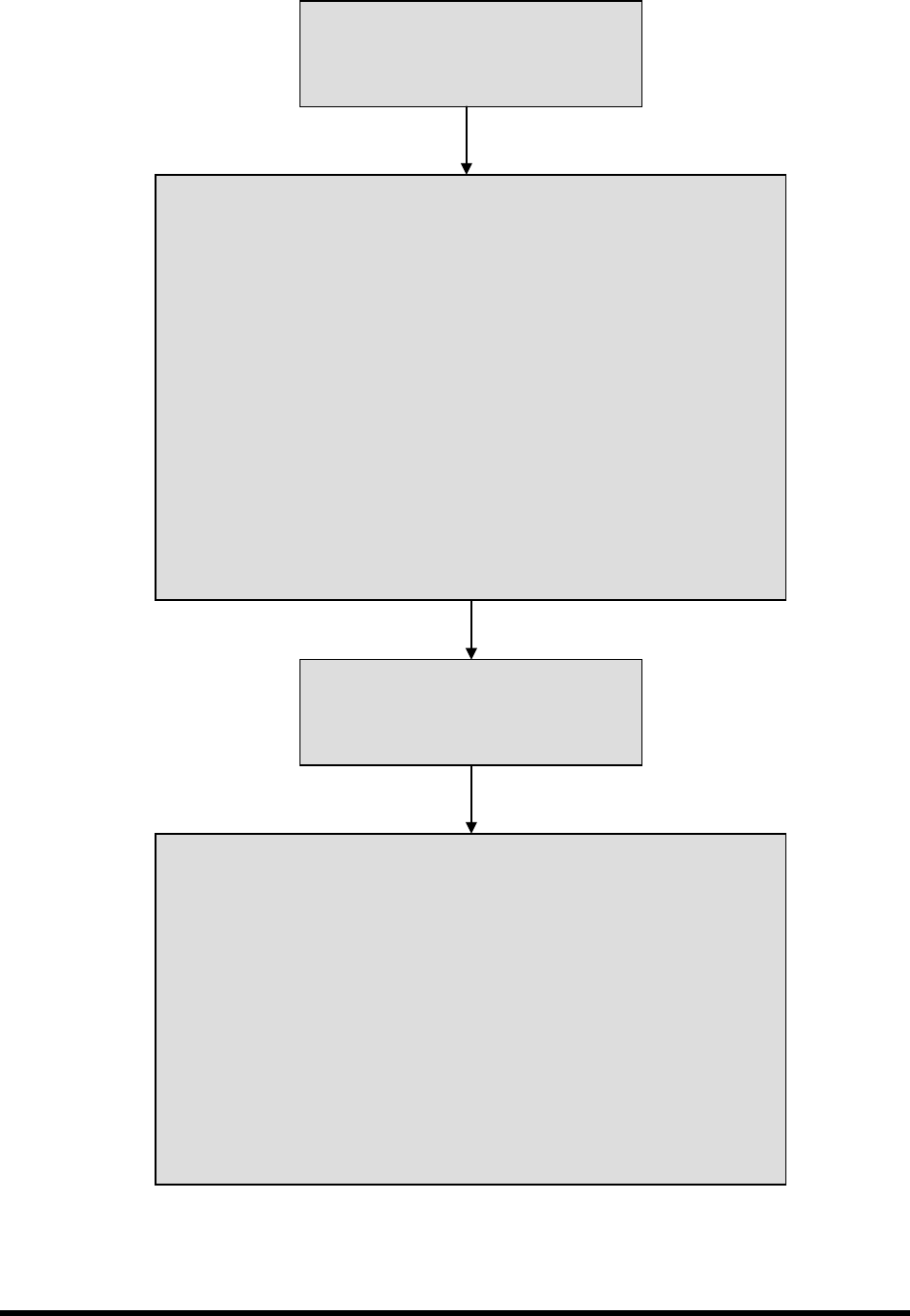
Figure 5-2 Operational Flow Chart
Production Run Started
Operator enters ECXP Command
“Start Production.”
Part Enters the System
1. If system part sensor is clear, then system sends SMEMA signal to
upstream machine – “Request for Board.”
2. Stop pin lowers.
3. When upstream machine is ready, it sends SMEMA signal to coating
system – “Board Ready to Send.”
4. While both SMEMA signals are high, the conveyor indexes part toward
dispensing area.
5. Part sensor detects part.
6. Conveyor stops.
7. Board is pinned in place
8. Coating System sends SMEMA signal to upstream machine – “Board
Received.”
9. Conveyor sends internal handshake signal to coating system – “Board at
Dispense.”
Conformal Coating is Applied
Robot moves to the locations assigned in
the current ECXP program, in relation to
the machine origin, or “Home.”
Part Exits the System
1. Downstream machine sends “Ready to Receive” SMEMA request to
dispensing system.
2. When coating is finished, coating system sends an internal handshake
signal to conveyor – “Coating Done.”
3. When conveyor receives “Coating Done” signal, coating system sends
“Ready to Send” SMEMA signal to downstream machine.
4. Stop pin and board pins rise.
5. Conveyor indexes until downstream machine acknowledges that part has
been received.
6. Stop Pin lowers while waiting for next part.
5-6 Operation
5.9 Positioning the Robot
If necessary, the operator can use the ECXP to reposition the robot in the X-, Y-, and Z-axes.
To move the robot using the arrow keys:
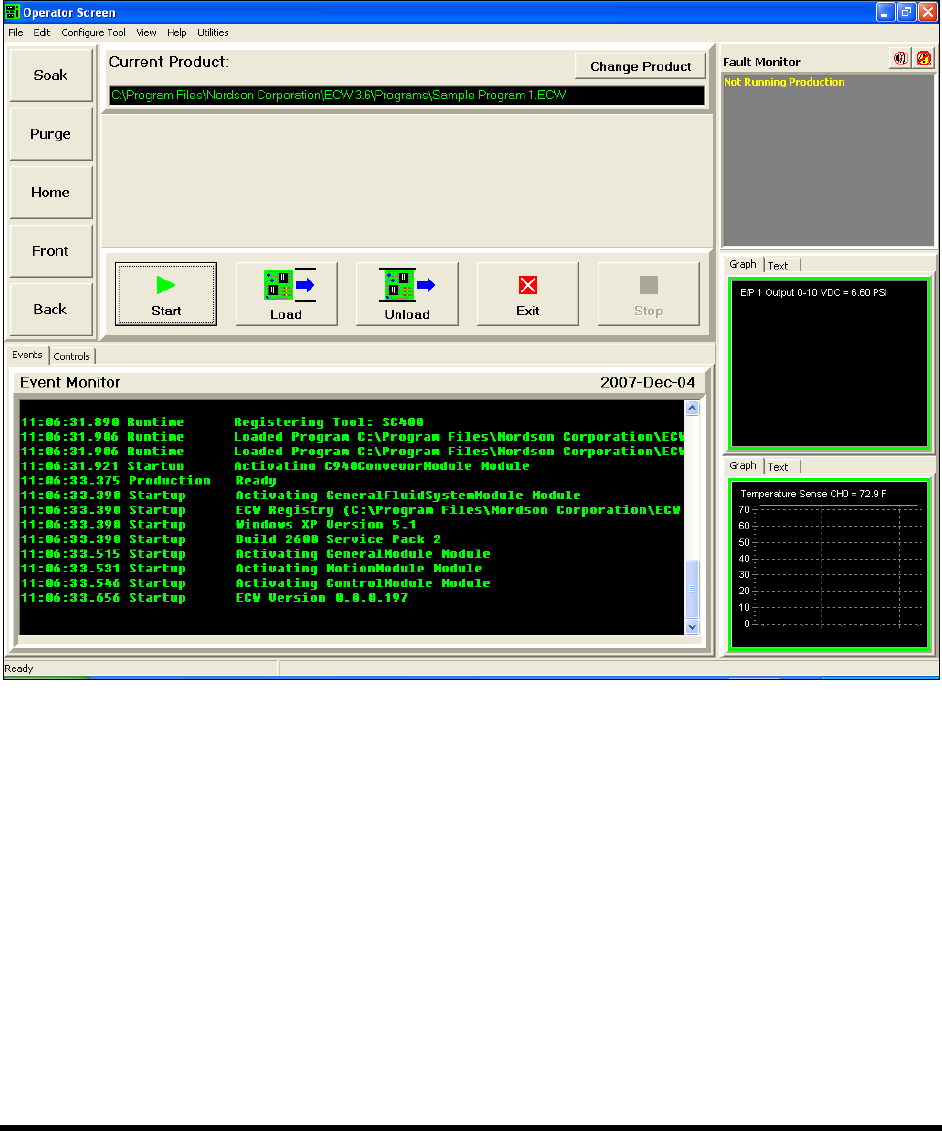
1. Start the ECXP software. See 4.9 Starting Easy Coat for Windows (ECXP).
The Operator Screen opens (Figure 5-3).
Figure 5-3 Moving the Robot
2. Use the keys on the computer keypad to move the robot as follows:
a. XY-Axis (Slow) – Hold down <Ctrl> and press the right and left arrow keys for X-axis
movement and up and down arrows for Y-axis movement.
b. XY-Axis (Fast) – Hold down <Ctrl> + <Shift> and press the right and left arrow keys for
X-axis movement and up and down arrows for Y-axis movement.
c. Z-Axis (Slow) – Hold Down <Ctrl> + <Z> and then press up or down arrow keys for
desired Z-axis movement.
d. Z-Axis (Fast) – Hold Down <Ctrl> + <Shift> + <Z> and press up or down arrow keys for
desired Z-axis movement.
Operation 5-7
5.10 Pneumatic Regulators and Gauges
The SL-940E/SL-941E Series Conformal Coating Systems have the following pneumatic regulators and
gauges:
• Main Air Regulator and Gauge
• Reservoir Pressure Regulator and Gauge
• Fluid Pressure Regulator and Gauge
• Conveyor Air Regulator and Gauge
The Main Air Regulator is located at the rear of the system (Figure 5-4). The Reservoir Pressure
Regulator is located inside the front cabinet (Figure 5-5). Fluid pressure is controlled through the ECXP
software (Figure 5-6).
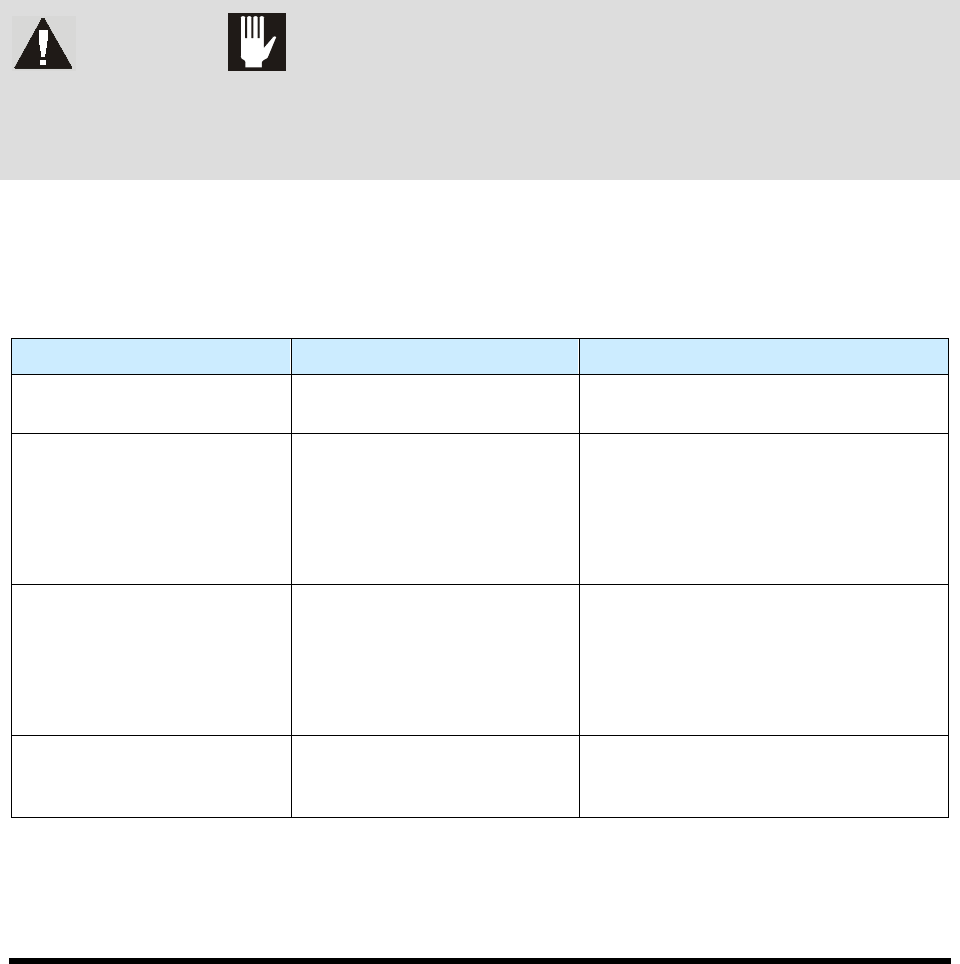
WARNING! CAUTION!
Make sure the Safety Interlock Recovery Light located on the Front Panel is ON
before you access the inside of the dispensing area. When the light is OFF,
accessing the inside of the dispensing area will cause a non-recoverable
interlock condition to occur. Refer to Section 2 - Safety for additional information.
Recommended pressure settings are provided in Table 5-1. See detailed adjustment instructions following
descriptions in this section. See 4.12 Pneumatics for other regulator adjustments.
Table 5-1 Recommended Pressure Settings
Device Recommended Pressure Comments
Main Air Pressure Regulator 551 kPa (80 psi)
Facility pressure is 586 to 620 kPa
(85 to 90 psi).
Reservoir Air Pressure
Regulator
206 to 276 kPa (30 to 40 psi)
Recommended pressure depends on
fluid being dispensed and coating
applicator being used. Refer to the
Installation and Operations manual
applicable to the coating applicator on
your system.
Fluid Pressure 69 to 414 kPa (10 to 60 psi)
Recommended pressure depends on
fluid being dispensed and coating
applicator being used. Refer to the
Installation and Operations manual
applicable to the coating applicator on
your system.
Conveyor Air Regulator and
Gauge
276 kPa (40 psi)
The Conveyor Air Regulator and Gauge
is used to adjust pressure for the
conveyor stop pins and board pins.
NOTE Some coating applicators need a minimum of 345 to 414 kPa (50-60 psi) for optimum
performance.