SL940-Install-Ops-Maintenance-7210918_B.pdf - 第142页
7- 12 Maintenance 7.11 Tensioni ng the Cable s Periodic tensioning of the SL -940E/SL- 941E mechanic al drive cab les can preven t prem ature fa ilure of the cables. Fo r coat ing sy stem s oper ating in a 24/7 produ cti…
Maintenance 7-11
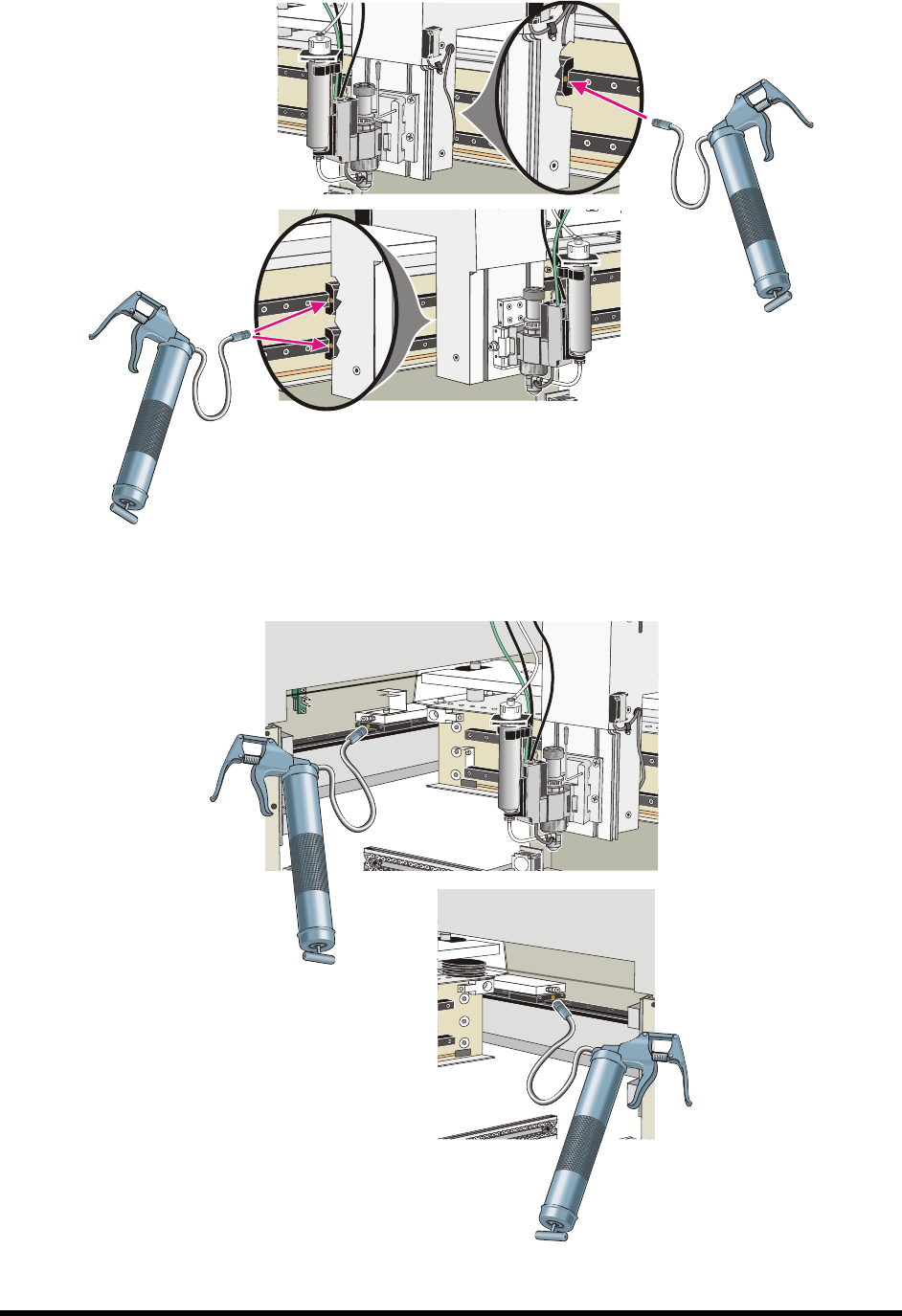
Figure 7-8 Lubricating the X-Axis Linear Guides
Figure 7-9 Lubricating Y-Axis Linear Guides (rear Y-bearings not shown)
7-12 Maintenance
7.11 Tensioning the Cables
Periodic tensioning of the SL-940E/SL-941E mechanical drive cables can prevent premature failure of the
cables. For coating systems operating in a 24/7 production environment, tension the mechanical drive
cables approximately every six months. For systems operating in a single-shift environment (eight hours a
day or less), this should be done once a year.
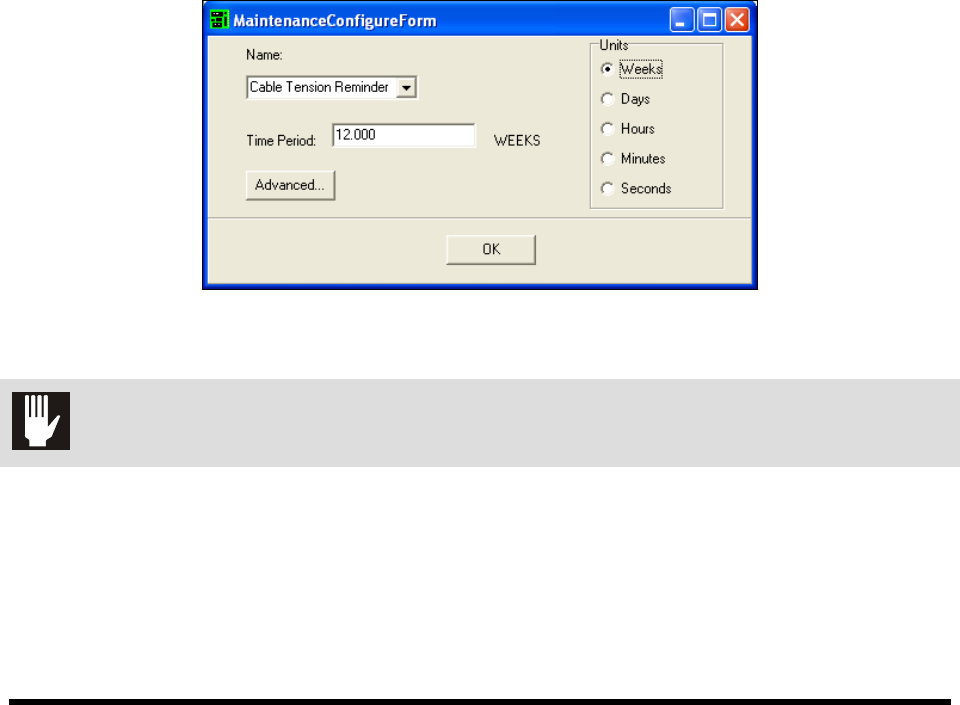
7.11.1 Cable Tension Reminder
To ensure that required maintenance is done on schedule, programmers can set up a tension reminder in
the EXCP Maintenance Manager. The Maintenance Manager displays a reminder for the operator the next
time production is started after the expiration of the configured time period. The operator can choose to
continue production without running the appropriate maintenance program, but the reminder will continue
to appear each time production is started until the maintenance program is run.
To set the cable tension reminder:
1. Click on
Configure > Maintenance Manager to open the Maintenance Manager dialog box.
2. Select
Cable Tension Reminder from the drop down list.
3. Select the desired unit.
4. Enter the time period.
5. Click
OK.
Figure 7-10 ECXP Maintenance Manager Dialog Box
CAUTION! This procedure should only be performed by a trained service technician.
Maintenance 7-13
7.11.2 Manual Tension Procedure
To manually tension the cables:
1. Perform a service shutdown as described in 5.11.2.4 Service Shutdown.
2. Depressurize the fluid system by turning OFF the Reservoir Air Pressure Switch on the back
of the coating system.
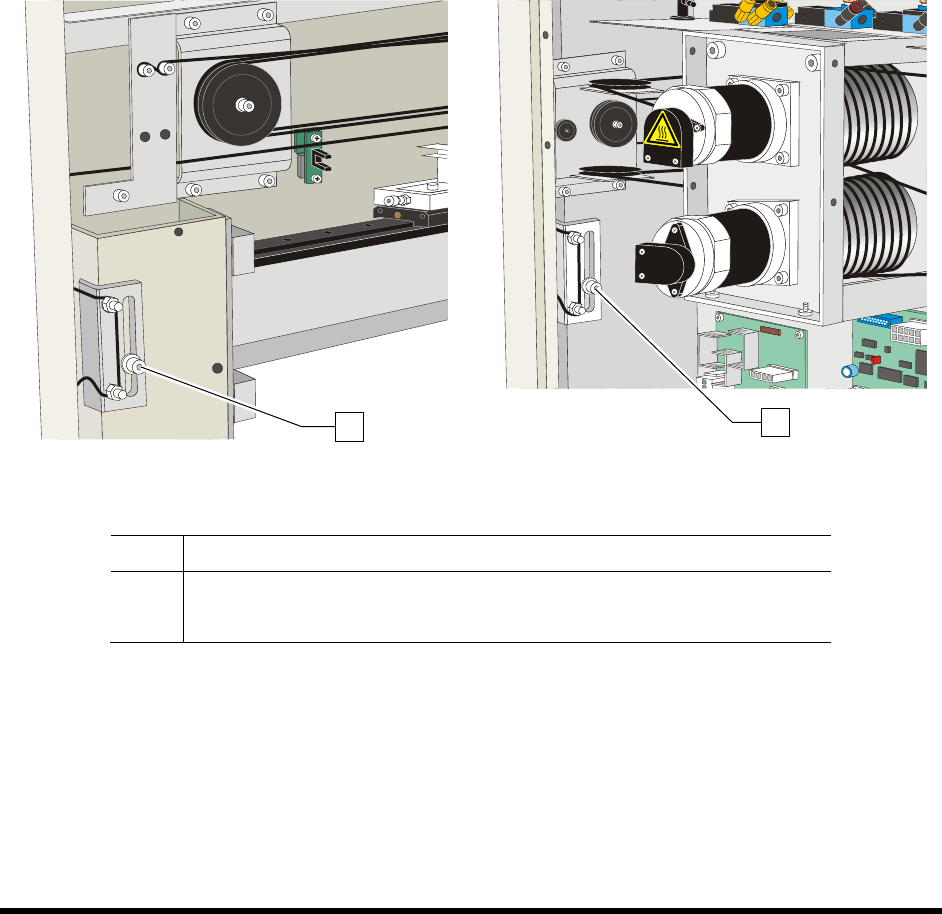
3. Loosen the X-axis and two (2) Y-axis cable tensioner screws.
4. Move the Z-head in a circle around the entire length and width of the dispensing area
approximately 5 times.
5. Stop in the center of the dispensing area.
6. Retighten the cable tensioner screws.
Figure 7-11A Tensioning the X-Axis Cables Figure 7-11B Tensioning the Y-Axis Cables
Item Description
1 X-Axis Cable Tensioner Screw
2 Y-Axis Cable Tensioner Screw
Figure 7-11 Tensioning the Cables
1
2