SL940-Install-Ops-Maintenance-7210918_B.pdf - 第105页
Operation 5- 25 5.18 Running a Pr ogram Programs can be run from both the EC XP Oper ator S cre en ( Fi gur e 5-18) and from the ECXP Edit Screen ( Fi gur e 5-20). Follow ing a r e detailed instruct ions on ru nning a pr…
5-24 Operation
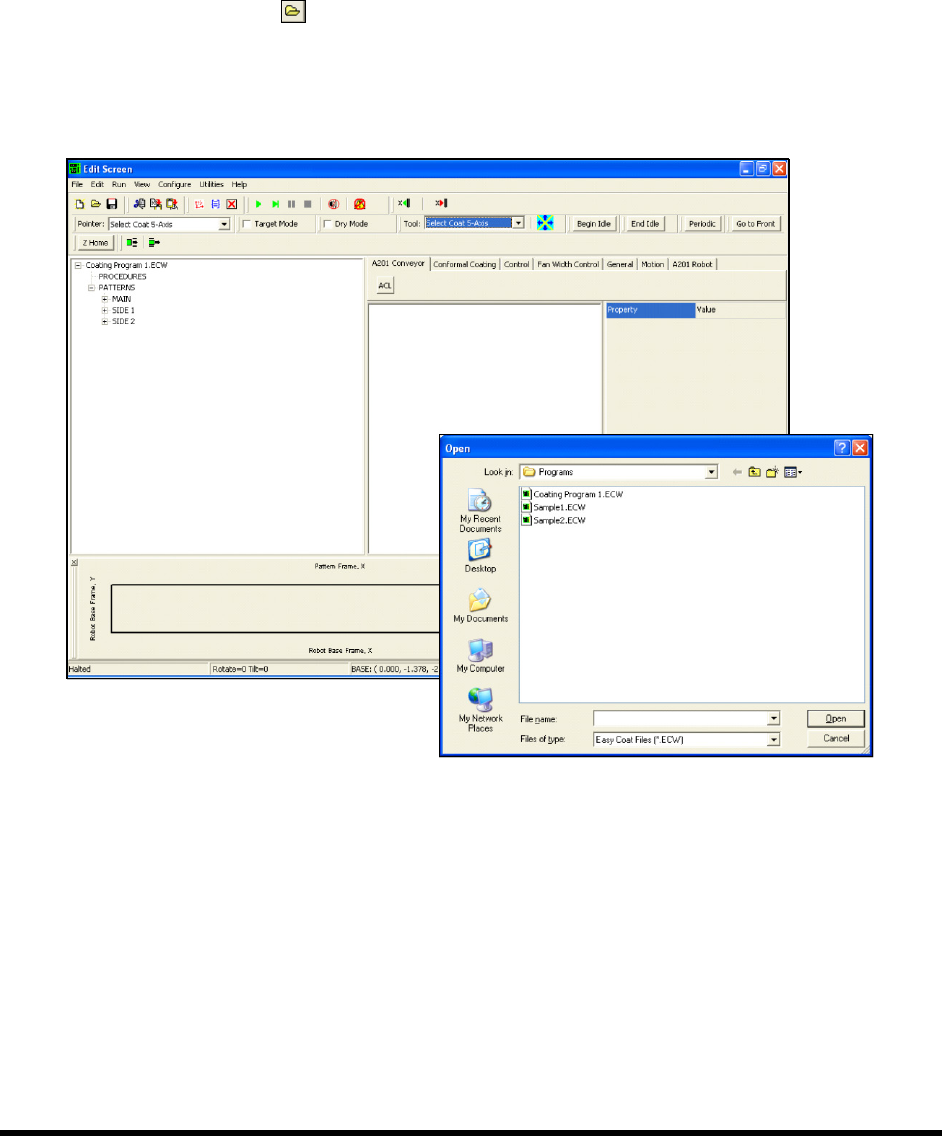
To load a program from the Edit Screen:
1. Make sure you are in the Product Program View by clicking on
View > Product Program
from the menu bar.
There will be a checkmark next to Product Program on the View menu when the Product
Program view is activated.
If it is not activated, click on
Product Program to activate it.
2. Click on the
Open button, or click on File > Open Product Program.
The Open dialog box appears (Figure 5-17).
3. Select the file you want to load and click on
Open.
Figure 5-17 Loading a Program - Edit Screen
Operation 5-25
5.18 Running a Program
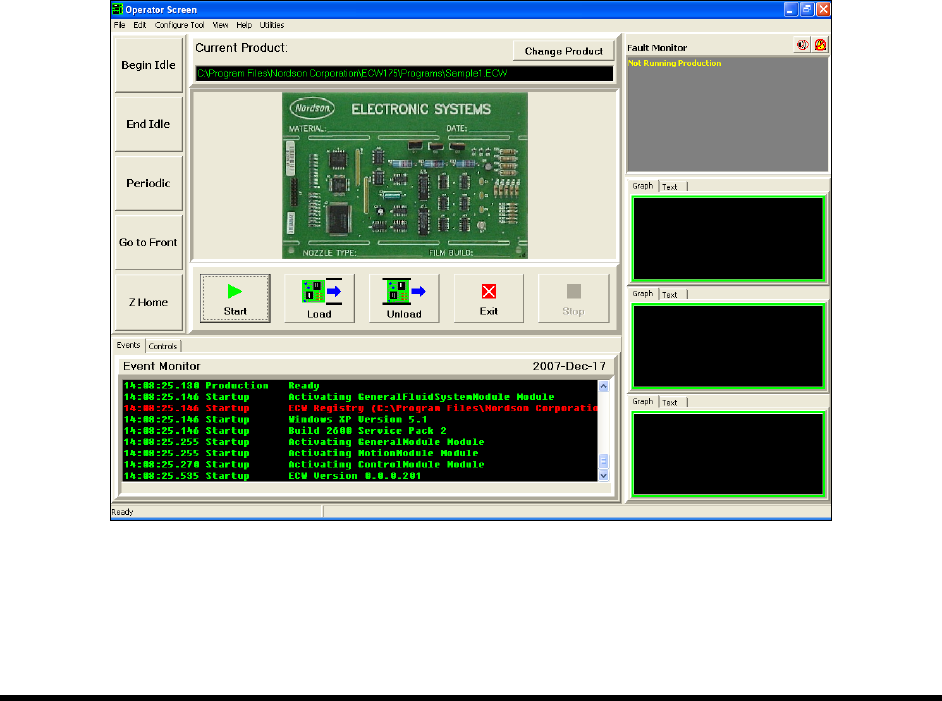
Programs can be run from both the ECXP Operator Screen (Figure 5-18) and from the ECXP Edit Screen
(Figure 5-20). Following are detailed instructions on running a program from both screens.
5.18.1 Operator Screen
To run a program from the Operator Screen (SL-940E):
1. Load the program you want to run as described in 5.17 Loading a Program.
2. Click on the
Start button.
3. A new product (board or carrier) is requested from the upstream machine, loaded into the
fixture, and coated.
If a product is present at the coating station when the
Start button is clicked, a dialog
box will appear, asking you if you want to coat the product. If you respond
No, the
product is unloaded downstream. If you respond
Yes, the product is coated and then
unloaded downstream.
NOTE You can use the Load Product and Unload Product buttons to control the conveyor
manually when not running a coating program. Clicking on the
Load Product button
moves a product on the conveyor into the fixture; clicking on the
Unload Product button
moves the product out of the workcell.
Figure 5-18 Running a Program - Operator Screen (SL-940E)
5-26 Operation
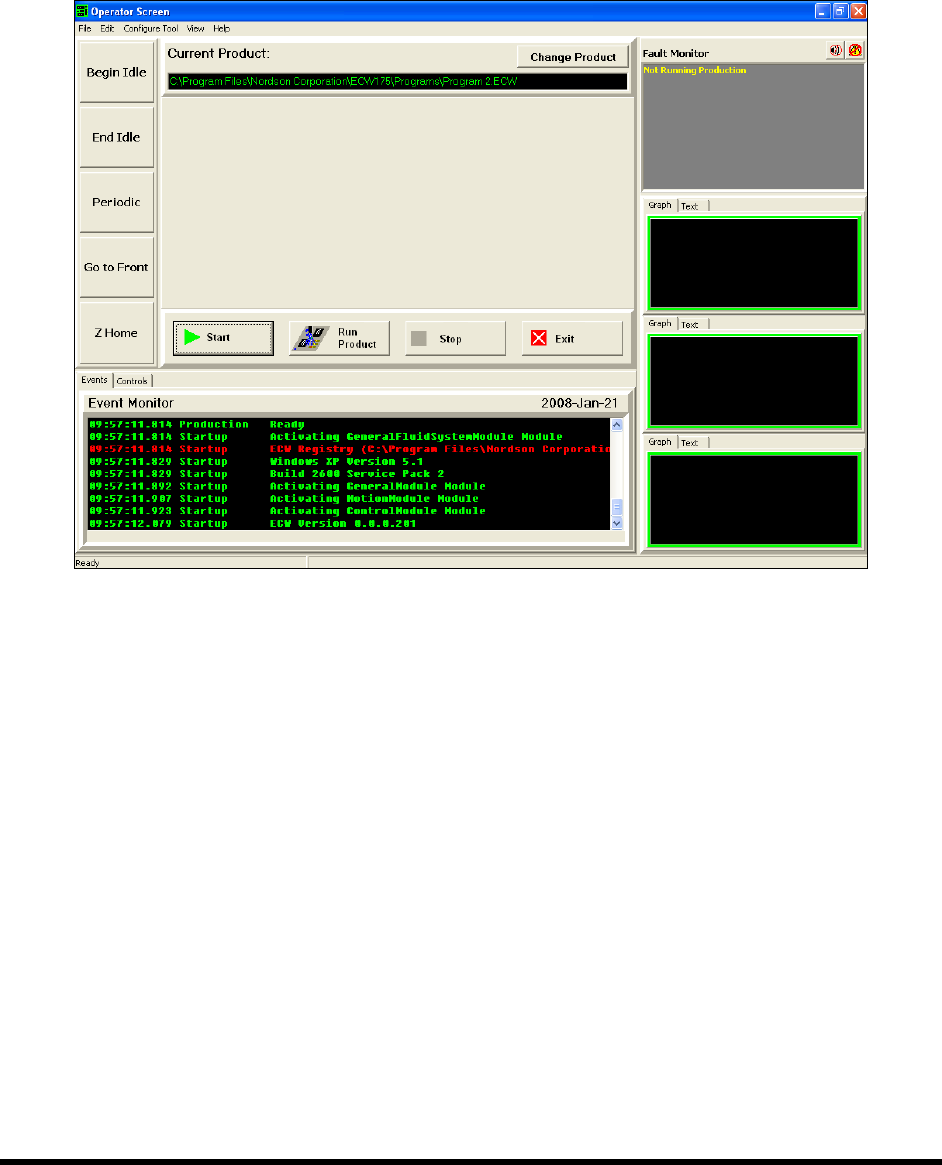
To run a program from the Operator Screen (SL-941E):
1. Load the program you want to run as described in 5.17 Loading a Program.
2. Load a new product (board or carrier) into the fixture.
3. Click on the
Start button and then on the Run Product button.
Figure 5-19 Running a Program - Operator Screen (SL-941E)