SL940-Install-Ops-Maintenance-7210918_B.pdf - 第17页
Introduction 1-3 1.8 Standar d Equipment 1.8.1 Computer System The com puter sy stem cons ists of a laptop com puter . The com puter arm is adjus table in height and right/ le ft ori ent ation. 1.8.2 Eas y Coat for Windo…

1-2 Introduction
1.5 Manuals Supplied
Your SL-940E/SL-941E arrives with manuals for installation and operation of major system components
and software. For some system components, you may receive Original Equipment Manufacturer (OEM)
manuals. Generally, these OEM manuals are only needed for reference and advanced troubleshooting.
Consult only Asymtek manuals, unless directed to do otherwise by Asymtek Technical Support or
Asymtek documentation. For the convenience of Asymtek customers, manuals may be downloaded from:
http://www.asymtek.com/support/manuals.htm
.
Below is a sample list of manuals that may be shipped with the SL-940E/SL-941E Series Conformal
Coating System. Optional manuals listed may or may not be included, depending on your system’s
configuration.
• Select Coat SL-940E/SL-941E Series Installation, Operations, and Maintenance Manual
• Select Coat SL-940E/SL-941E Series Quick Operations Manual
• Fluid Applicator Manual (specific to your application)
• Easy Coat for Windows XP User Guide (P/N 7210920)
Optional:
• Laser Fan Width Control Owner’s Manual (P/N 7201445)
• Viscosity Control System Owner’s Manual (P/N 7204869)
• Flow Monitoring System Installation, Operations, and Maintenance Manual
• Original Equipment Manufacturer Manuals (as applicable)
1.6 Training
Asymtek offers quality training for our dispensing platforms, valves, software, and applications both on
and off-site. The labs at our Carlsbad, California, USA corporate location are dedicated to providing a
specialized course of instruction for our customer's specific needs. With the assortment of tools available
in our labs, we are able to provide a better learning experience overall. Students will rebuild machine
subassemblies, troubleshoot real problems, and learn a variety of setup techniques. In addition, your
machine's operability and production are not disturbed due to class usage.
1.6.1 Student Certification
Upon successful completion of the training course, the student is issued a Certificate of Completion.
1.6.2 Student Registration
Students can register for training at the Asymtek website www. asymtek.com/support/training or call
1-800-ASYMTEK to request information or to register for training. .
1.7 Supported Coating Materials
The SL-940E/SL-941E was designed for dispensing the following materials. Contact Asymtek for
materials not listed.
Epoxy Silicone
Acrylics Urethane
NOTE Asymtek does not supply conformal coating materials. Consult the manufacturers
Material Safety Data Sheet (MSDS) for all fluids used with the coating system. The
MSDS provides material usage instructions, disposal instructions, and safety precautions.

Introduction 1-3
1.8 Standard Equipment
1.8.1 Computer System
The computer system consists of a laptop computer. The computer arm is adjustable in height and
right/left orientation.
1.8.2 Easy Coat for Windows XP Software
Easy Coat for Windows XP (ECXP) is Asymtek proprietary software for use in a Windows XP
environment, developed specifically for conformal coating applications. ECXP controls both the
dispensing head (robot) movements and the dispensing operation. ECXP features include:
• Off-Line Programming
• Multiple Application Tool Selection
• Software controlled fluid and air pressure
• Process history logging
1.8.3 Chain Conveyor (SL-940E)
The chain conveyor transports the workpiece into and out of the coating system. Operation of the
conveyor is automatic during production runs. The conveyor features two board pinning clamps that
locate the workpiece in terms of X/Y location and rotation. The system can be configured with an
optional pre-queue board station which allows simultaneous moving of workpieces in and out of the work
area. See Figure 1-6.
1.8.4 Light Beacon
The Light Beacon is a device that displays system status and is located at the top right corner of the
system. It has four different colored lights that can be constantly ON or flashing and has an audible alarm.
Refer to 2.14. Light Beacon for an explanation of each color indication.
1.8.5 Safety Interlock
An interlock sensor detects if the dispensing area hood is open or closed. If the dispensing area hood is
opened when a program is running, all dispensing motion stops to protect the operator from injury. A
second interlock sensor is located behind the spill pan to ensure an appropriate ventilation path when the
drawer is pulled out for maintenance.
1.8.6 Low Air Pressure Sensor
The Low Air Pressure Sensor is connected to the Main Air Inlet. If the pressure drops below a set point, it
triggers the coating system safety interlock. This feature is used to alert the operator of pressure drop
conditions that may occur in large facilities with a number of pneumatic devices.
1.8.7 Solvent Cups
The SL-940E/SL-941E has two 125 ml stainless steel cups that are installed on separate brackets mounted
to the front conveyor rail. One cup holds solvent for cleaning the dispensing needle. A second cup is used
for the purging of conformal coating fluid.
1-4 Introduction
1.8.8 Adjustable Tooling Rails (SL-941E)
The Adjustable Tooling Rails secure the workpiece for batch system operations.
1.8.9 Ventilation System
The SL-940E/SL-941E features downdraft ventilation with a redundant safety vent switch to remove
vapors from the dispensing area. A customer supplied air duct must be connected from the coating system
to the facility air exhaust system for the system to operate. Refer to 4.5 Exhaust Connection.
1.9 Optional Equipment
Asymtek offers a wide range of options for fine-tuning your dispensing applications. This section
introduces options that are currently available for the SL-940E/SL-941E.
1.9.1 Bar Code/Data Matrix Reader
The Bar Code/Data Matrix Reader uses a bar code or data matrix label mounted on the workpiece to
select the appropriate coating program or sequence. The scanner reads the label, selects the associated
program or sequence within the ECXP software, and then executes the program or sequence.
1.9.2 Board Present Sensor
The Board Present Sensor, mounted on the robot, registers the presence or absence of a workpiece prior to
dispensing. It initiates the coating sequence only when a workpiece is in place.
The Board Present Sensor is ideal for production environments where carriers are manually loaded. If a
carrier is not fully loaded, the system will detect the empty space and not dispense at that location. The
Board Present Sensor is factory configured at the time of system manufacture. It optimizes material usage
and minimizes cleanup.
1.9.3 Brush Box
The Brush Box mounts to the conveyor and is used to clean the dispensing nozzle. The Brush Box
performs best with solvent-based materials, but can also be used with non-solvent-based fluids. Solvent is
added to the box, covering the bristles mounted to the bottom. At programmed intervals, the nozzle tip
moves back and forth in the solvent against the bristles to remove accumulated material.
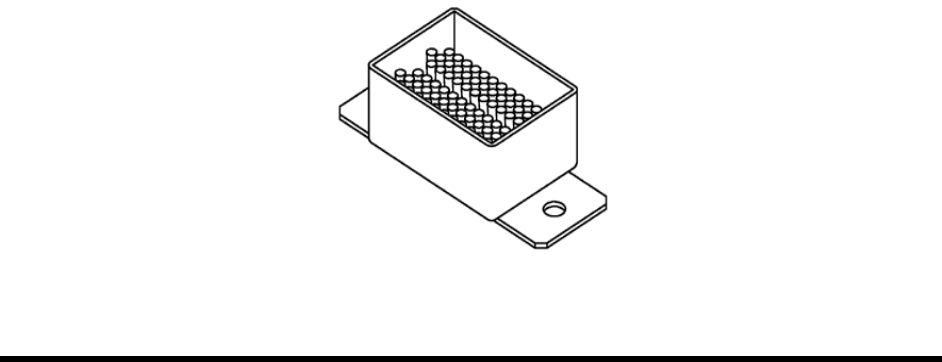
Figure 1-1 Brush Box