SL940-Install-Ops-Maintenance-7210918_B.pdf - 第106页
5- 26 Operation To run a pr ogra m from th e Opera tor Scre en (SL -941E): 1. Load the program you want to run as described in 5.1 7 Loading a Program . 2. Load a new product (board or carrier) into the fixture. 3. Click…
Operation 5-25
5.18 Running a Program
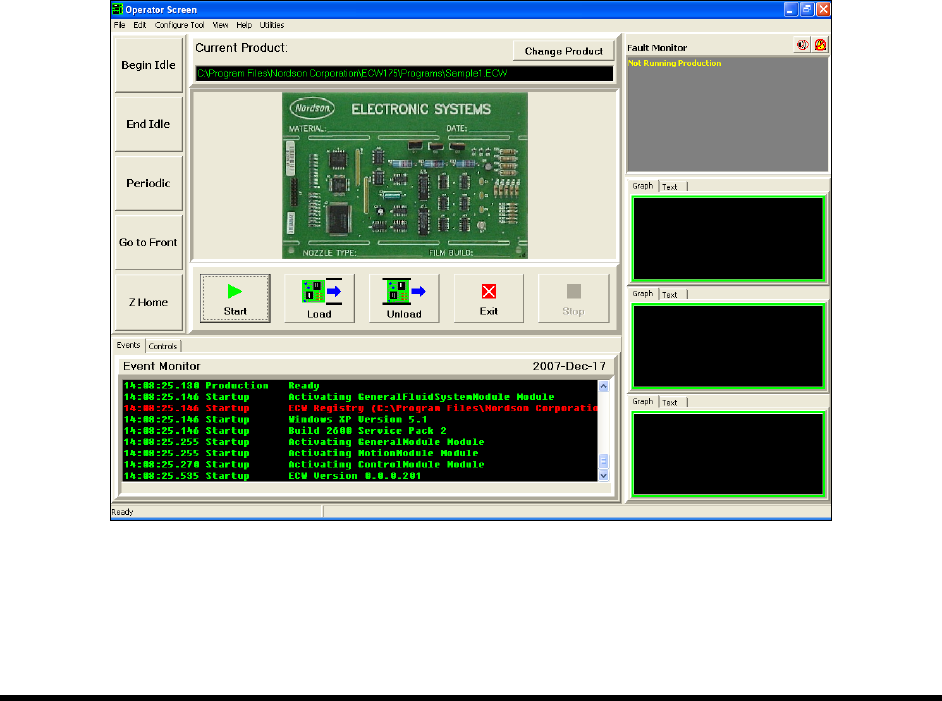
Programs can be run from both the ECXP Operator Screen (Figure 5-18) and from the ECXP Edit Screen
(Figure 5-20). Following are detailed instructions on running a program from both screens.
5.18.1 Operator Screen
To run a program from the Operator Screen (SL-940E):
1. Load the program you want to run as described in 5.17 Loading a Program.
2. Click on the
Start button.
3. A new product (board or carrier) is requested from the upstream machine, loaded into the
fixture, and coated.
If a product is present at the coating station when the
Start button is clicked, a dialog
box will appear, asking you if you want to coat the product. If you respond
No, the
product is unloaded downstream. If you respond
Yes, the product is coated and then
unloaded downstream.
NOTE You can use the Load Product and Unload Product buttons to control the conveyor
manually when not running a coating program. Clicking on the
Load Product button
moves a product on the conveyor into the fixture; clicking on the
Unload Product button
moves the product out of the workcell.
Figure 5-18 Running a Program - Operator Screen (SL-940E)
5-26 Operation
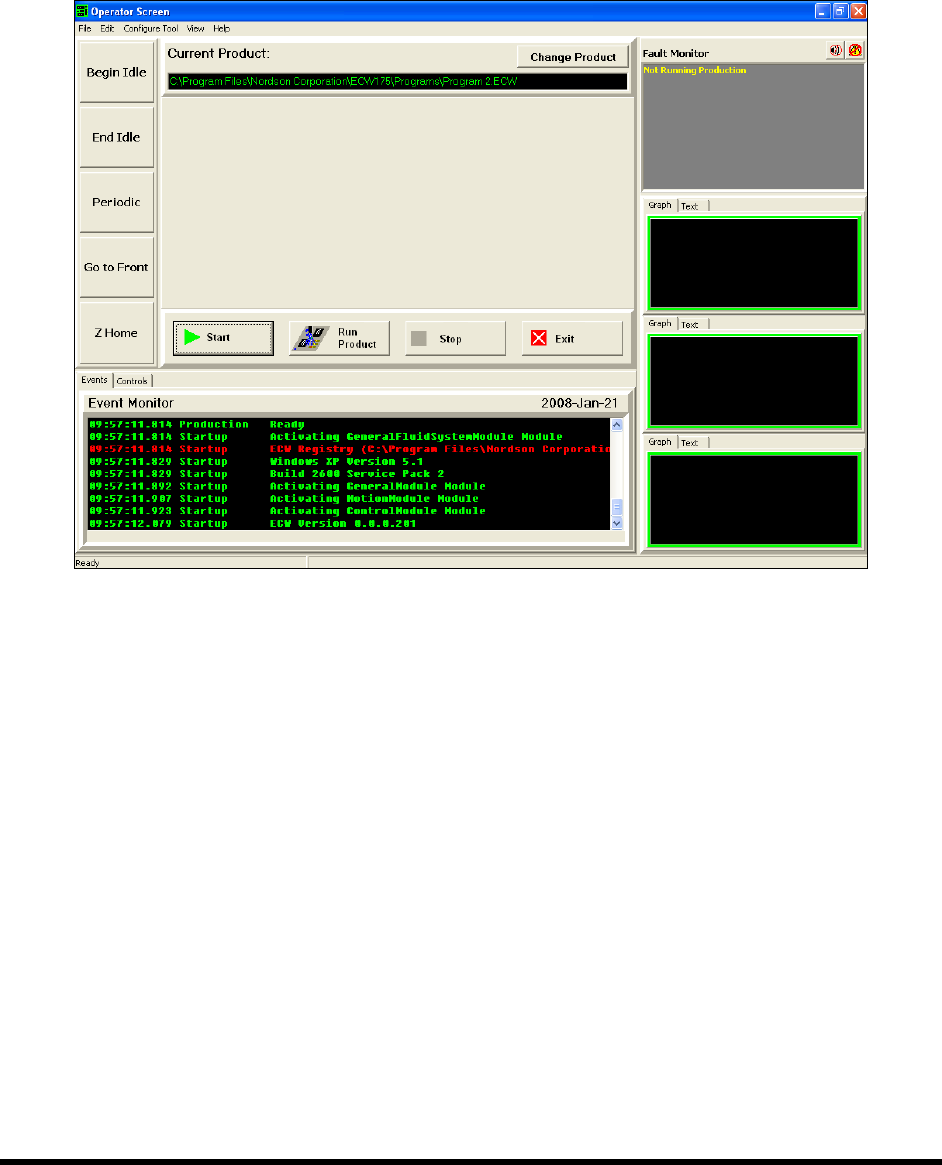
To run a program from the Operator Screen (SL-941E):
1. Load the program you want to run as described in 5.17 Loading a Program.
2. Load a new product (board or carrier) into the fixture.
3. Click on the
Start button and then on the Run Product button.
Figure 5-19 Running a Program - Operator Screen (SL-941E)
Operation 5-27
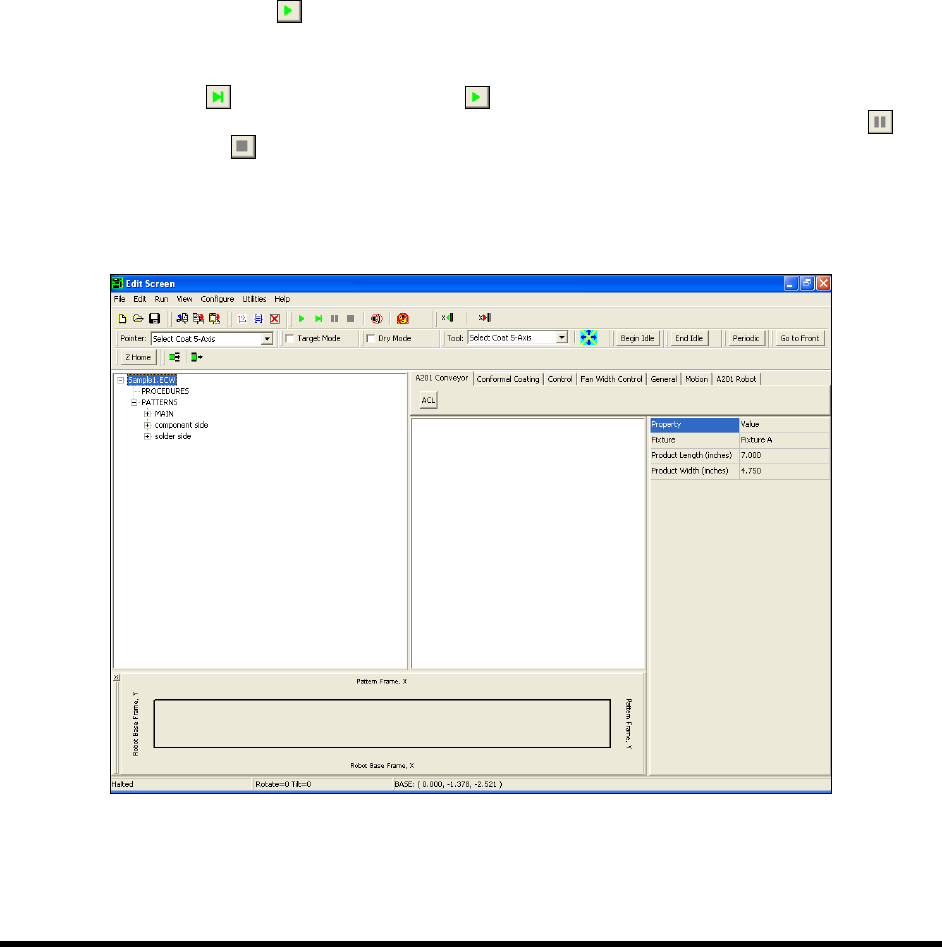
5.18.2 Edit Screen
To run a program from the Edit Screen:
1. Load the program you want to run as described in 5.17 Loading a Program.
2. Load a new product (board or carrier) into the work area.
When a program is run from the Edit Mode, the system does not check to see if the board
is in the appropriate position. Running from the Edit Mode is generally used for program
testing. Extreme care should be exercised.
3. Start the run in one of the following ways:
Press the
[F9] key
From the menu bar, click on
Run > Run
Click the
Run button on the toolbar.
NOTES When running your program from the Edit Screen, you have the option to click the
Step
button instead of the Run button to step through the loaded program.
Each click on the button performs one instruction. You may also click on Pause
or Stop
anytime during program execution.
The procedures above run the entire program. Press the
[F6] key or select Run > Run
Pattern/Procedure
from the menu bar to run an individual pattern or procedure.
Figure 5-20 Running a Program - Edit Screen