SL940-Install-Ops-Maintenance-7210918_B.pdf - 第93页
Operation 5- 13 5.10.4 Co n ve yo r Air Regulator and Gauge NOTE The Conveyor A ir Regula tor and G aug e is preset at the fac tory . To adjust the con veyor a ir pressu re: 1. Locate th e Convey or Air Regulator ad ju…
5-12 Operation
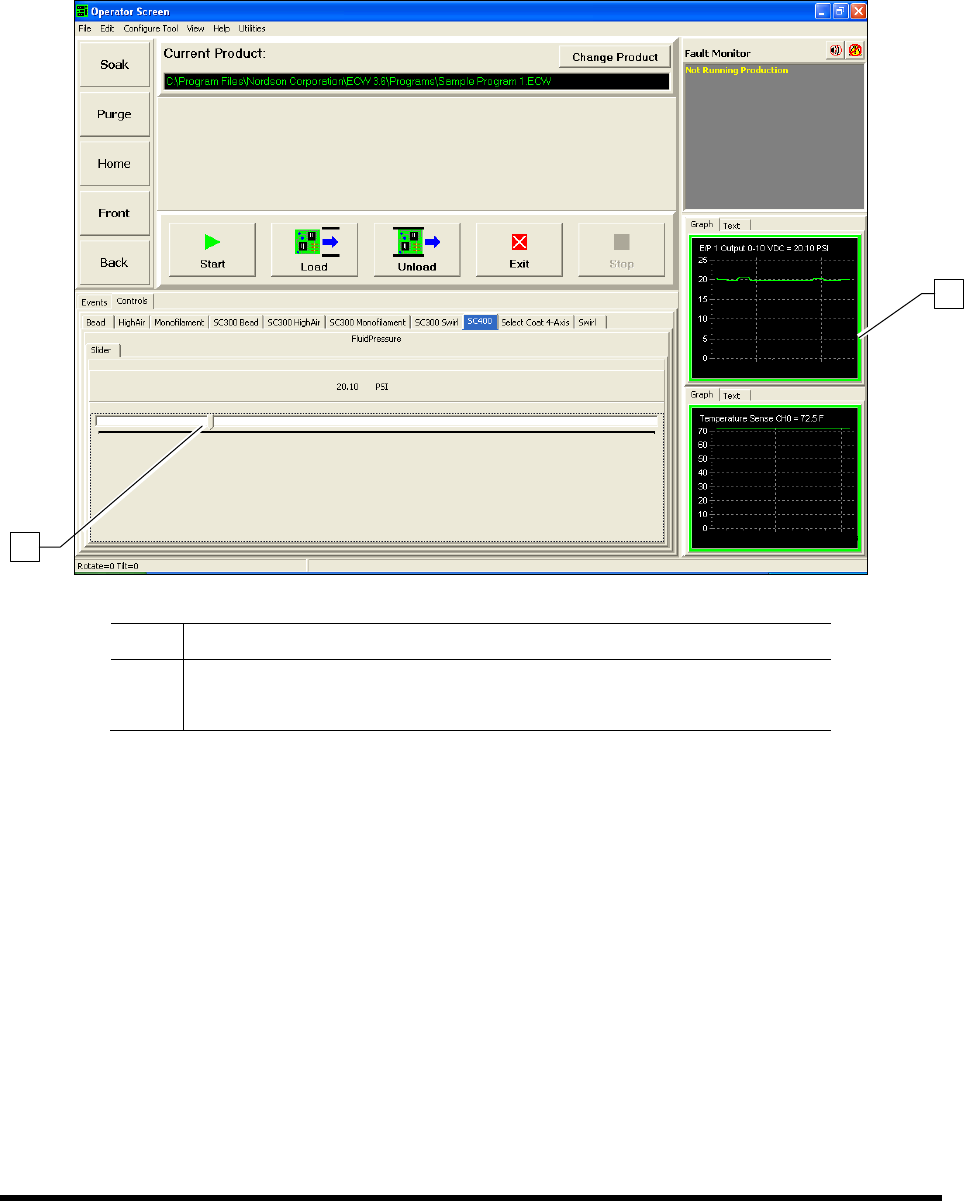
To monitor the fluid pressure:
The ECXP Operator Screen displays a fluid pressure monitor that the operator can view during
production runs. Pressure can be displayed in graph or text format by clicking on the desired tab
(Figure 5-9). Fluid pressure adjustments can be made directly from the Operator Screen.
Item Description
1 Fluid Pressure Monitor
2 Fluid Pressure Adjustment Slider
Figure 5-9 Monitoring the Fluid Pressure in ECXP
2
1
Operation 5-13
5.10.4 Conveyor Air Regulator and Gauge
NOTE The Conveyor Air Regulator and Gauge is preset at the factory.
To adjust the conveyor air pressure:
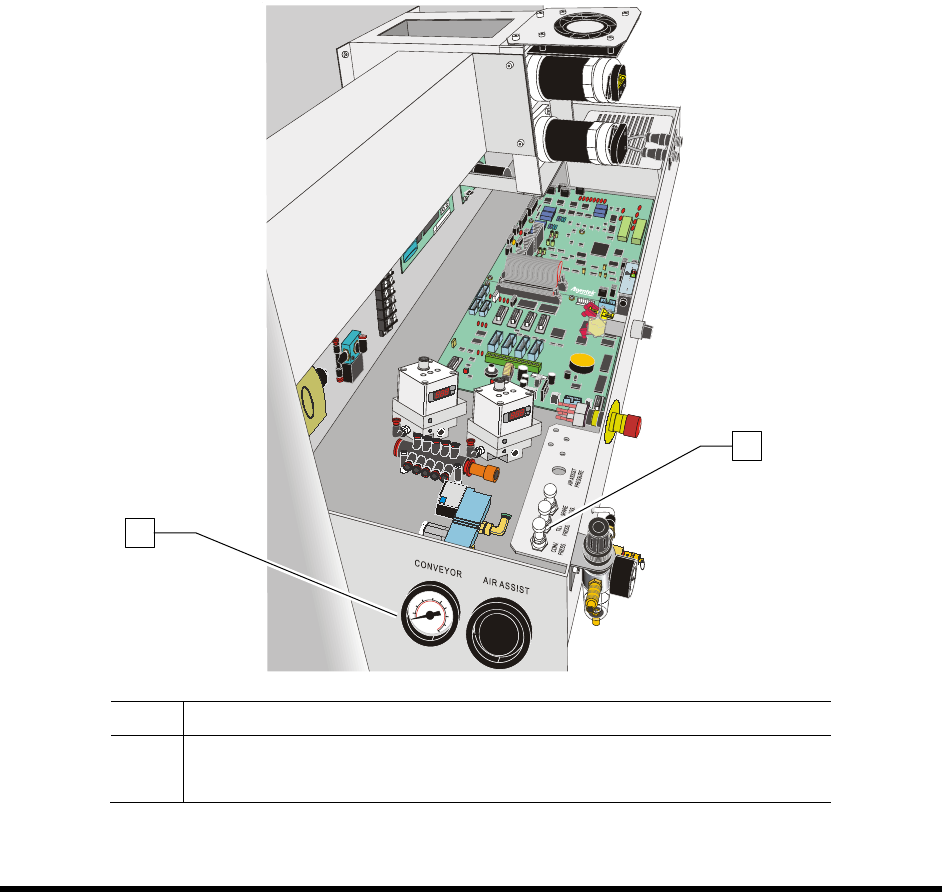
1. Locate the Conveyor Air Regulator adjustment knob inside the rear cover of the coating
system (Figure 5-10).
2. With the Main Air Pressure ON, check the gauge reading. It should read 40 psi (± 5psi).
3. If the Conveyor Air Regulator needs adjustment, loosen the jam nut to unlock the regulator.
4. Rotate the regulator counterclockwise until the Conveyor Air Gauge registers 0 psi.
5. Rotate it clockwise until the Conveyor Air Gauge registers 40 psi (276 kPa).
6. When the desired air pressure is set, tighten the jam nut on the Conveyor Air Regulator.
Item Description
1 Conveyor Air Gauge
2 Conveyor Air Regulator
Figure 5-10 Conveyor Air Regulator and Gauge
1
2

5-14 Operation
5.11 System Startup/Shutdown
This subsection details basic start-up and shutdown procedures based on different levels of operation. The
following procedures are offered as general recommendations and suggestions when starting and/or
shutting down your Select Coat SL-940E/SL-941E Series Conformal Coating System. Your actual start-
up and shutdown procedures may vary.
WARNING! Only authorized service technicians or process engineers should connect power
cables to the power source. Operators should not attempt to make electrical
connections.
5.11.1 Startup
If necessary, refer to the figures in Section 1 - Introduction to identify system components.
To start the coating system:
1. Close the coating system front hood.
2. Power on the coating system as described in 4.7 Powering On the System.
NOTE Ensure that all items on the Daily Routine Checklist have been completed prior to starting
the production run. Refer to 5.12 Daily Routine Procedures.
To Start ECXP:
1. Start ECXP as described in 4.9 Starting Easy Coat for Windows.
2. Refer to 5.17 Loading a Program and 5.18 Running a Program for detailed instructions on
system setup and running production.