SL940-Install-Ops-Maintenance-7210918_B.pdf - 第45页
Safet y 2- 11 2.10 Emer gency Shutdow n In the event of an em ergency or malfunction, press the EMO (E - Stop) button. The SL -940E/SL- 941E has two EMO buttons. The EMO buttons a re the larg e red buttons located on t h…
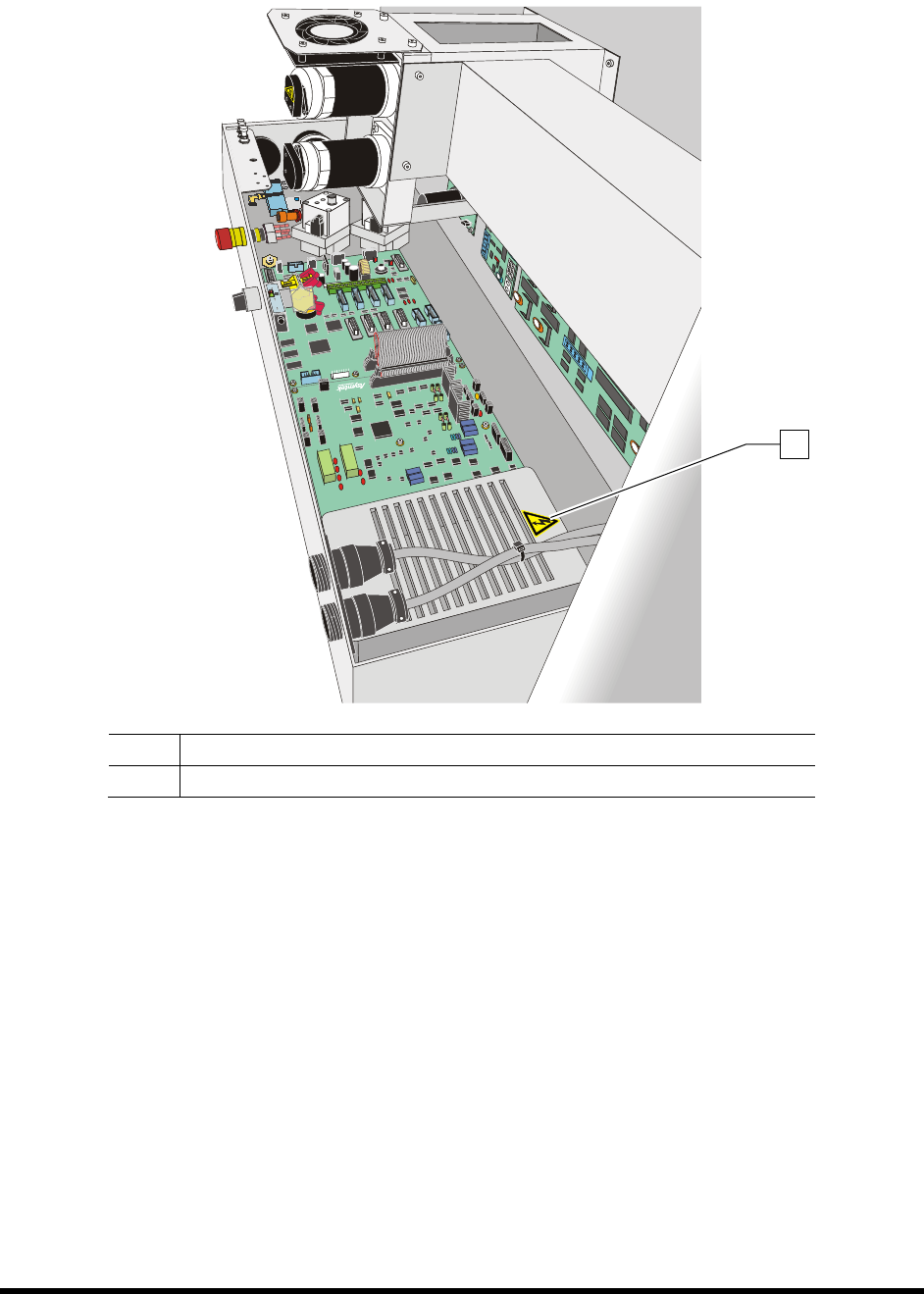
2-10 Safety
Item Description
1 Electrical Warning Label
Figure 2-6 Safety Warning Labels - Electronics Pan Cover
1
Safety 2-11
2.10 Emergency Shutdown
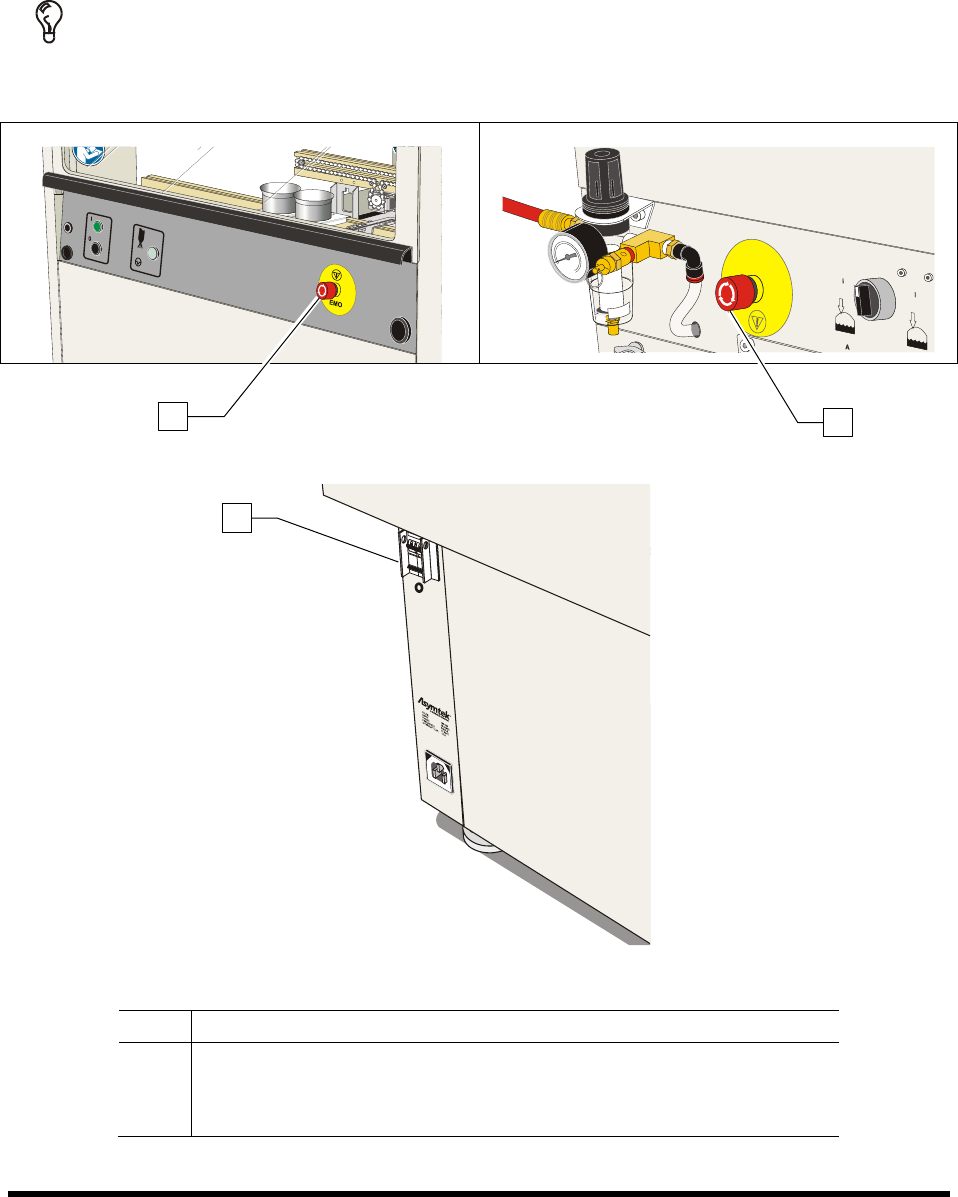
In the event of an emergency or malfunction, press the EMO (E-Stop) button. The SL-940E/SL-941E has
two EMO buttons. The EMO buttons are the large red buttons located on the front panel and the rear of
the coating system (Figure 2-7A). Activating the EMO vents all pressure in the pneumatic system and
cuts power to all components except the laptop computer.
TIP If the operator or technician is unable to reach the EMO button, the main circuit breaker,
which is located on the back of the system (Figure 2-7B), can be used for emergency
shutdown, but doing this will also shut down the laptop computer.
Figure 2-7A EMO (E-Stop) Buttons
Figure 2-7B Main Circuit Breaker
Item Description
1 Front EMO
2 Rear EMO
3 Main Circuit Breaker
Figure 2-7 EMO/Main Circuit Breaker Locations
1
2
3
2-12 Safety
2.10.1 Emergency Shutdown Situations
As a minimum, activate the EMO in the following situations:
WARNING! CAUTION!
In an emergency, failure to completely shut down power to the coating system
with the EMO can cause serious injury to the user and/or damage to the coating
system.
• If anyone is in immediate danger of being injured by moving parts, hazardous materials, or
electrical shock.
• If valuable coating system components or the workpieces are in danger of being damaged.
This can include:
- Physical damage to the dispensing valve or workpiece by unexpected dispensing
head movement.
- Electrical damage to the coating system.
2.10.2 Emergency Shutdown Recovery
WARNING! CAUTION!
Do not restart the dispensing operation until the condition that caused the
emergency shutdown has been corrected. Failure to comply could cause serious
injury to the user and/or serious damage to the coating system.
NOTE If the Main Circuit Breaker has been tripped, you will need to restart the coating system
as specified in 4.7 Powering On the System.
To recover after an emergency shutdown:
1. Open the hood and clear the conveyor of all workpieces.
2. Locate and remedy the cause of the emergency shutdown. If necessary, refer to Section 8 -
Troubleshooting.
3. Close the front hood.
4. Turn the EMO knob clockwise until it pops back into position.
5. Press the
Start (I) button on the front panel.
6. Restart your dispensing program. See 5.17 Loading a Program and 5.18 Running a Program.