SL940-Install-Ops-Maintenance-7210918_B.pdf - 第92页
5- 12 Operation To monitor th e fluid press ure: The ECXP Op erator S creen displays a fluid p ressur e monitor that th e opera tor can view during production runs. P ressur e can be d isplay ed in g raph or text fo rmat…
Operation 5-11
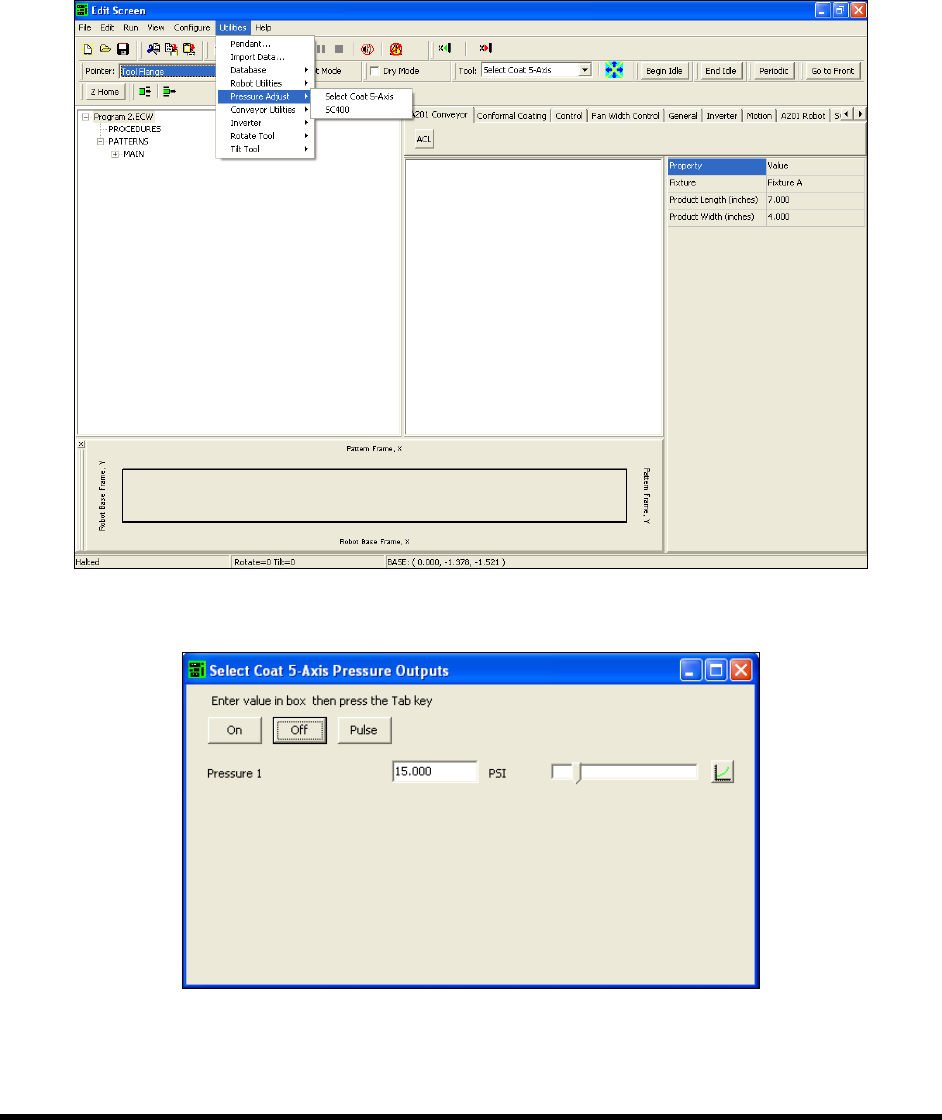
To adjust the fluid pressure (Edit Screen):
1. Select
Utilities>Pressure Adjust from the ECXP Edit Screen (Figure 5-7).
2. Select the applicable tool.
The Pressure Outputs dialog box opens (Figure 5-8).
3. Set the desired pressure and click On or Pulse.
Figure 5-7 ECXP Edit Screen - Pressure Adjust
Figure 5-8 Pressure Outputs Dialog Box
5-12 Operation
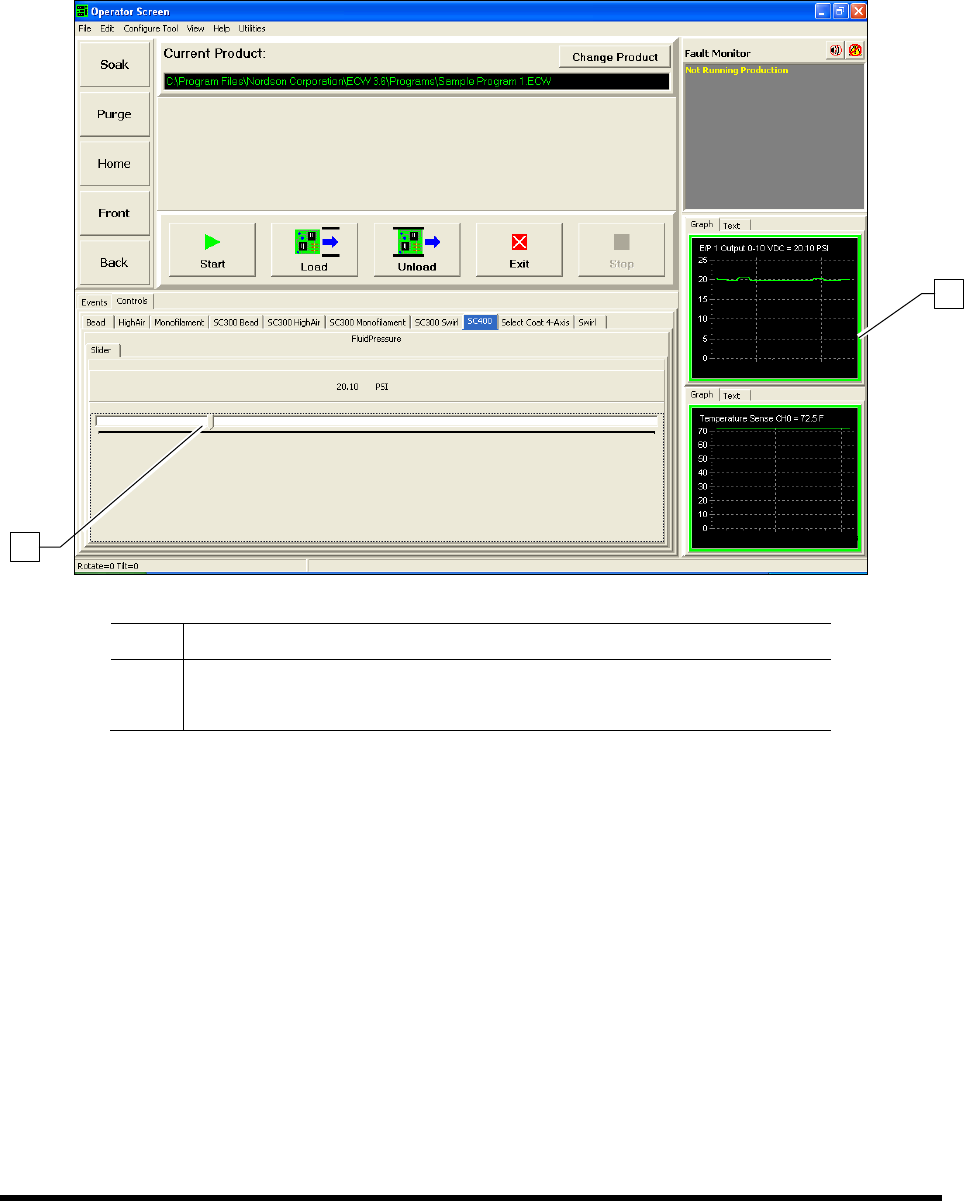
To monitor the fluid pressure:
The ECXP Operator Screen displays a fluid pressure monitor that the operator can view during
production runs. Pressure can be displayed in graph or text format by clicking on the desired tab
(Figure 5-9). Fluid pressure adjustments can be made directly from the Operator Screen.
Item Description
1 Fluid Pressure Monitor
2 Fluid Pressure Adjustment Slider
Figure 5-9 Monitoring the Fluid Pressure in ECXP
2
1
Operation 5-13
5.10.4 Conveyor Air Regulator and Gauge
NOTE The Conveyor Air Regulator and Gauge is preset at the factory.
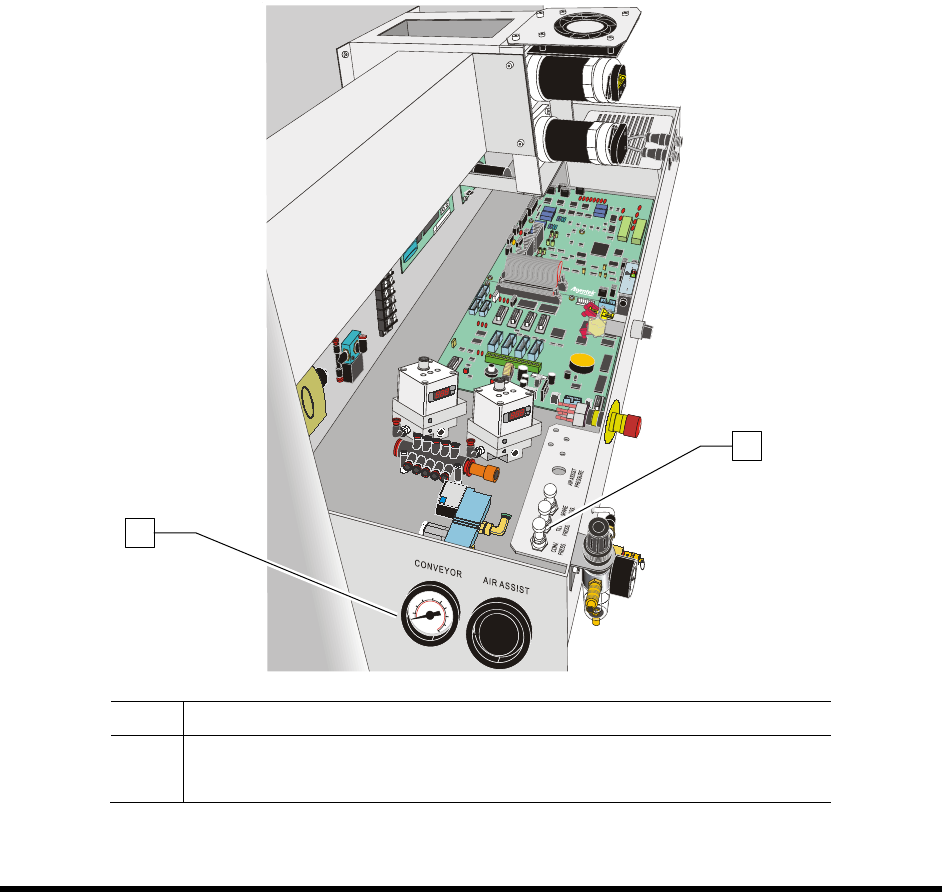
To adjust the conveyor air pressure:
1. Locate the Conveyor Air Regulator adjustment knob inside the rear cover of the coating
system (Figure 5-10).
2. With the Main Air Pressure ON, check the gauge reading. It should read 40 psi (± 5psi).
3. If the Conveyor Air Regulator needs adjustment, loosen the jam nut to unlock the regulator.
4. Rotate the regulator counterclockwise until the Conveyor Air Gauge registers 0 psi.
5. Rotate it clockwise until the Conveyor Air Gauge registers 40 psi (276 kPa).
6. When the desired air pressure is set, tighten the jam nut on the Conveyor Air Regulator.
Item Description
1 Conveyor Air Gauge
2 Conveyor Air Regulator
Figure 5-10 Conveyor Air Regulator and Gauge
1
2